


Table Rate Shipping in eCommerce: A Practical Guide
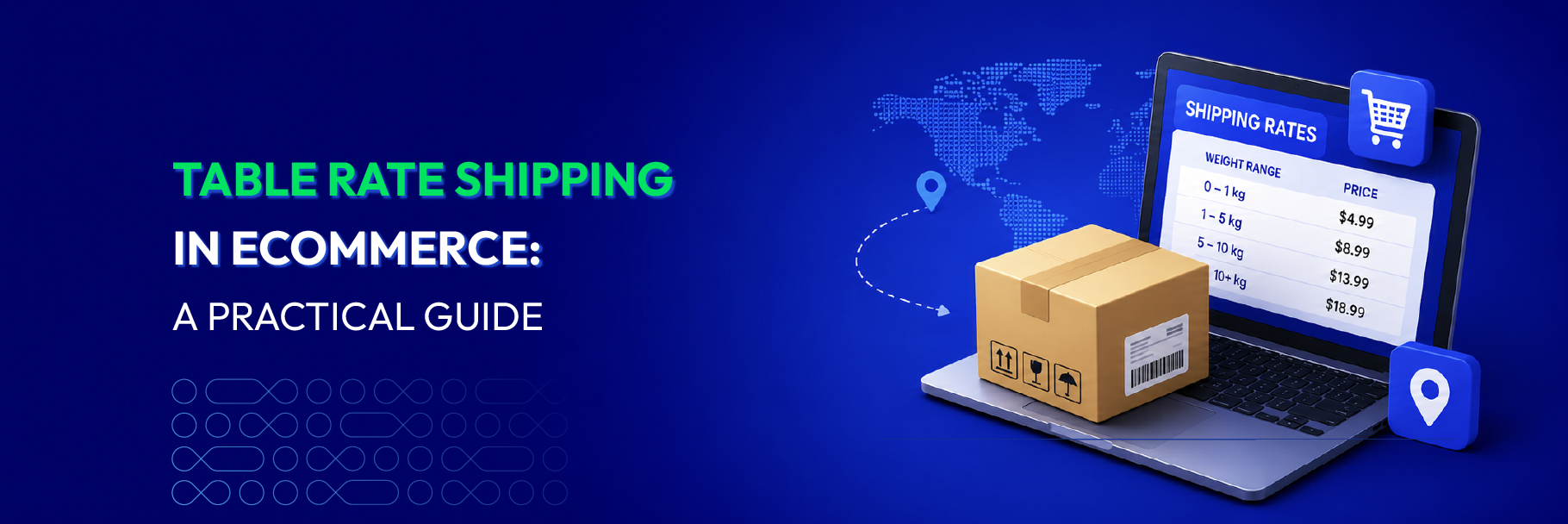
While cart abandonment remains a common challenge, 55% of those abandonments are triggered by unexpected fees at checkout (eCommerce Benchmarks), with shipping costs being the most common cause.
The issue is rarely the shipping cost itself. It is when the fee feels disproportionate to the order. A customer buying one item should not pay the same rate as someone ordering in bulk. Yet that is exactly what happens with flat rate shipping, and customers notice.
Table rate shipping solves this by replacing the single fixed fee with a rule-based matrix. Merchants define conditions — weight, order value, item count, destination, customer group — and the system calculates the correct rate automatically at checkout. Each order pays what it actually costs to ship, which is a far easier number for customers to accept.
This guide covers how table rate shipping in e-commerce works, when to use it, and how to implement it in Magento 2.
How Does Table Rate Shipping Work?
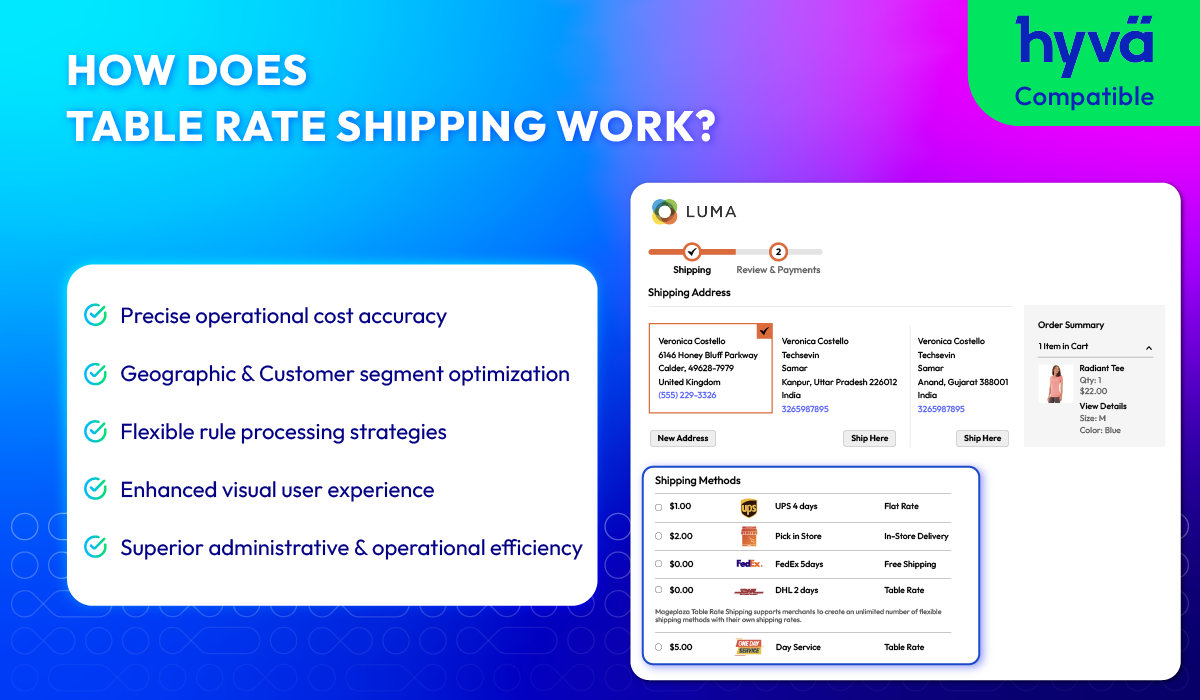
Conditions That Drive Table Rate Calculations
Different orders require different shipping costs. The key is to choose the right conditions that reflect real operational costs. Here are the most common conditions used in table rate shipping.
| Condition | How it works |
|---|---|
| Weight | Charges increase with total cart weight; most carriers price primarily by weight. |
| Order subtotal | Rates based on cart value; higher-value orders may get lower fees or free shipping. |
| Item quantity | Rates adjust according to number of items; useful when volume affects logistics costs. |
| Destination | Fees vary by country, state, region, or postal code; reflects actual carrier pricing. |
| Customer group | Separate rate tiers for wholesale, B2B, or loyalty members. |
These conditions can be used individually or combined. Pairing weight with destination, for instance, produces a much more accurate rate than either condition alone.
How Shipping Rates Are Calculated When Multiple Rules Match
When a single order meets more than one condition simultaneously — for example, it exceeds both a weight threshold and a subtotal threshold — the system needs a single rate to present at checkout. Table rate shipping handles this through three calculation methods:
-
Sum: All matching rates are added together. A cart that triggers a weight-based fee of $5 and a destination surcharge of $8 would produce a combined rate of $13.
-
Lowest rate: Only the cheapest matching rate is applied. Useful for promotional setups where the merchant wants to give customers the most favorable option available.
-
Highest rate: Only the most expensive matching rate is applied. Used when full cost recovery is the priority, ensuring no order is undercharged regardless of which rules it qualifies for.
Which method applies depends on how the rate table is configured. Getting this right is important — the wrong setting can result in either systematic undercharging or customers abandoning checkout over unexpectedly high fees.
Table Rate vs. Other Shipping Methods
Not all shipping methods price orders the same way. Here is how table rate compares to the most common alternatives:
| Shipping Method | How it works | Best for |
|---|---|---|
| Flat rate | One fixed fee for every order | Simple stores with uniform products |
| Free shipping | No fee, cost absorbed by merchant | High-margin products or order value thresholds |
| Carrier-calculated | Real-time rates pulled from carriers (UPS, FedEx, etc.) | Stores needing live, up-to-the-minute pricing |
| Table rate | Rule-based matrix using weight, subtotal, quantity, destination, or customer group | Stores with varied products, zones, or customer segments |
Flat rate is the simplest to set up, but creates a structural problem: merchants set the rate high enough to cover worst-case orders — meaning lighter or closer orders end up systematically overcharged.
Table rate removes this trade-off. Each order is priced against the conditions that actually determine its shipping cost, so neither side absorbs an unfair share. Bulk discounts, B2B tiers, and free shipping thresholds can all be encoded into the same rate table.
Who Is Table Rate Shipping For?
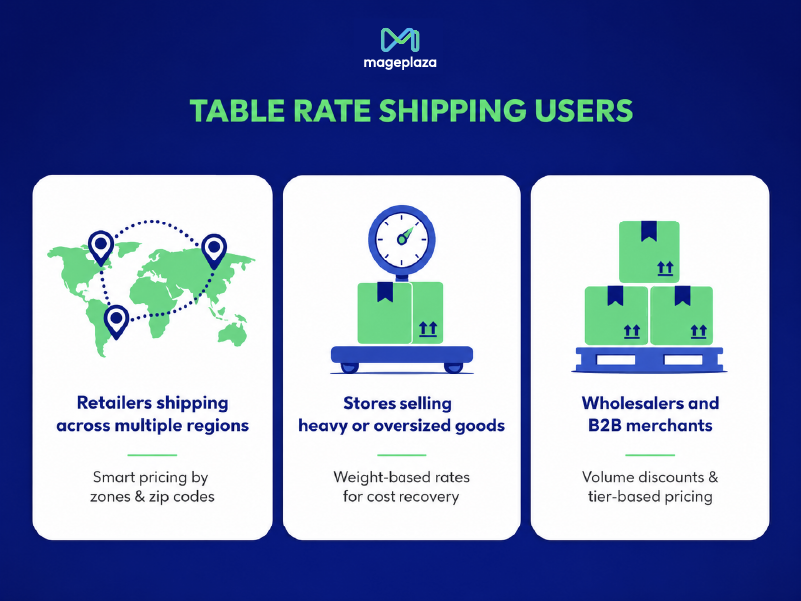
Retailers shipping across multiple regions
Shipping costs vary significantly by distance — a flat rate either overcharges nearby customers or undercuts margins on remote deliveries. Table rate lets merchants define separate fees by zone and add a wildcard rule to catch any destination not explicitly listed.
Example: A furniture retailer charges $15 for nearby states and $35 for remote regions. Any unlisted destination falls under the wildcard rate automatically.
Stores selling heavy or oversized goods
When product weight varies widely across the catalog, a single rate inevitably misprices most orders. Weight-based rules ensure customers pay what their order actually costs to ship — no more, no less.
Example: A gym equipment store applies standard rates under 10 kg, a handling surcharge for 10–30 kg, and a separate freight rate above 30 kg. Customers buying accessories are not penalized for the weight of items they did not order.
Wholesalers and B2B merchants
High-volume buyers and trade accounts have different logistics economics than retail customers. Table rate handles both bulk discounts and customer group pricing within the same rate table — no manual overrides or coupon codes needed.
Example: A wholesaler automatically reduces shipping rates for orders above a quantity threshold. B2B accounts are assigned a customer group that unlocks lower rates at checkout without any manual process on the merchant’s side.
How to Set Up Table Rate Shipping in Magento 2
Default Magento 2 Setup
Magento 2 includes a built-in table rate method under Stores > Configuration > Sales > Shipping Methods > Table Rates. It supports three condition types: weight vs. destination, price vs. destination, and number of items vs. destination. Rates are managed through a CSV file — export the template, populate it, and import it back.
For straightforward setups, this works well. A store shipping to a small number of zones with a single determining variable can configure the default method in under an hour. For a step-by-step walkthrough of the full configuration process, see Magento 2 Shipping Methods Configuration: A-Z Guide.
The limitations become apparent as requirements grow:
- Only one condition can be active at a time — combining weight and destination with a subtotal threshold in a single rule is not possible
- No support for customer group differentiation
- No volumetric (DIM) weight calculation
- No estimated delivery dates displayed at checkout
- Managing large CSV files across many zones becomes error-prone at scale
Going Beyond the Default with Mageplaza Table Rate Shipping
For stores that have outgrown these constraints, the Mageplaza Table Rate Shipping extension fills the gaps without custom development.
Key capabilities beyond the default:
-
Multi-condition rules: combine weight range, subtotal range, quantity range, destination, and product shipping group in a single rule
-
Flexible rate types: fixed per order, per item, per weight unit, percentage of order value, or combinations
-
Volumetric weight: enter package dimensions and configure a DIM divisor; the extension calculates volumetric weight natively
-
Estimated delivery dates: each method displays a delivery window at checkout, reducing post-purchase “where is my order” inquiries
-
Unlimited shipping methods: create as many methods as needed, each with its own conditions and rate structure
-
Bulk CSV import/export: manage large rate tables and update them when carrier costs change
Learn more: Flexible Shipping Methods Using Table Rate Shipping
💡 Tip: For even more control over what customers see at checkout, combine table rate shipping with Shipping Restrictions — rules that show or hide specific methods based on cart content, payment method, or destination. This prevents mismatched shipping options from appearing and keeps the checkout experience clean.
Common Mistakes to Avoid
When setting up your shipping rate table, watch out for these common pitfalls:
-
Setting too few rate tiers: A rate table with only two or three rules often behaves like a flat rate in practice. Build enough tiers to reflect meaningful differences in order weight, value, or destination.
-
Ignoring edge cases: Without a wildcard or catch-all rule, orders that fall outside defined ranges may default to no shipping method at checkout, blocking the purchase entirely.
-
Using the wrong calculation method: Choosing Sum, Lowest, or Highest rate without considering how rules overlap can result in customers being significantly over- or undercharged on multi-condition orders.
-
Never updating the rate table: Carrier pricing changes regularly. A table built two years ago is likely undercharging on several routes without the merchant realizing it.
-
Applying one rate table to all customer types: Retail and wholesale buyers have different order patterns. Treating them identically means one group is always getting a bad deal.
Conclusion
Table rate shipping is a more accurate way to price delivery. Instead of averaging costs across all orders, merchants define rules that reflect how shipping actually works: heavier orders cost more, distant destinations cost more, and bulk buyers can be rewarded with better rates.
The default Magento 2 implementation covers the basics well enough for smaller stores with simple logistics. As the catalog grows, shipping zones expand, or customer segments diversify, the one-condition limit becomes a real constraint. At that point, the Mageplaza Table Rate Shipping extension handles the complexity — keeping shipping fees fair for customers and predictable for the business.
FAQs
What is the difference between table rate shipping and flat rate shipping?
- Flat rate applies a single fixed fee to every order. Table rate calculates the fee based on specific order conditions — weight, subtotal, quantity, or destination — so different orders receive different rates. Table rate is more precise but requires more initial configuration.
Can table rate shipping handle international orders?
- Yes. Destination is one of the core conditions. Rates can be defined by country, region, state, or postal code, allowing separate fees for domestic zones and each international market.
Does Magento 2 include table rate shipping by default?
- Yes, with limitations. The built-in method supports three conditions but only one at a time, and does not support customer groups, volumetric weight, or estimated delivery dates. Stores with more complex requirements typically extend it with a third-party module.
How often should table rates be updated?
- Whenever carrier pricing changes, new shipping zones are added, or catalog changes affect typical order weights and values. For most stores, a quarterly review is a reasonable baseline.
Can table rate shipping be used to offer free shipping?
- Yes. Any row in the rate table can be set to $0.00 for orders meeting a specific condition, such as a subtotal above a set threshold. This works well in combination with a free shipping progress bar at cart level, which shows customers how close they are to qualifying.

Summer is the CMO and Digital Commerce Solution Expert with 10+ years of experience. She specializes in Magento, Shopify, ERP, CRM, AI, and Blockchain, delivering strategic solutions that transform businesses. With a deep understanding of digital commerce, she helps brands scale and stay ahead in a competitive market.
Related Post


5 Ways to Hide Products on Shopify (2026 Guide)
Explore the best 5 ways to hide products on Shopify. Learn how to manage visibility, protect pricing, and create a tailored shopping experience for buyers.
Magento 2 Abandoned Cart Tracking: How to Measure Recovery Performance
Learn how to track and measure abandoned cart recovery performance in Magento 2 such as KPIs, native reporting gaps, and how to use Mageplaza's built-in ACE reports to find what's working and optimize your emails.

What is a Hyvä Developer? What They Do, Cost & How to Choose (2026) - Mageplaza
Learn what a Hyvä developer does, how much it costs, and how to choose the right one. A complete guide for Magento merchants planning a Hyvä project.
5 Ways to Hide Products on Shopify (2026 Guide)
Explore the best 5 ways to hide products on Shopify. Learn how to manage visibility, protect pricing, and create a tailored shopping experience for buyers.
Magento 2 Abandoned Cart Tracking: How to Measure Recovery Performance
Learn how to track and measure abandoned cart recovery performance in Magento 2 such as KPIs, native reporting gaps, and how to use Mageplaza's built-in ACE reports to find what's working and optimize your emails.
What is a Hyvä Developer? What They Do, Cost & How to Choose (2026) - Mageplaza
Learn what a Hyvä developer does, how much it costs, and how to choose the right one. A complete guide for Magento merchants planning a Hyvä project.