 2.4.4 - 2.4.9

 Theme
Theme
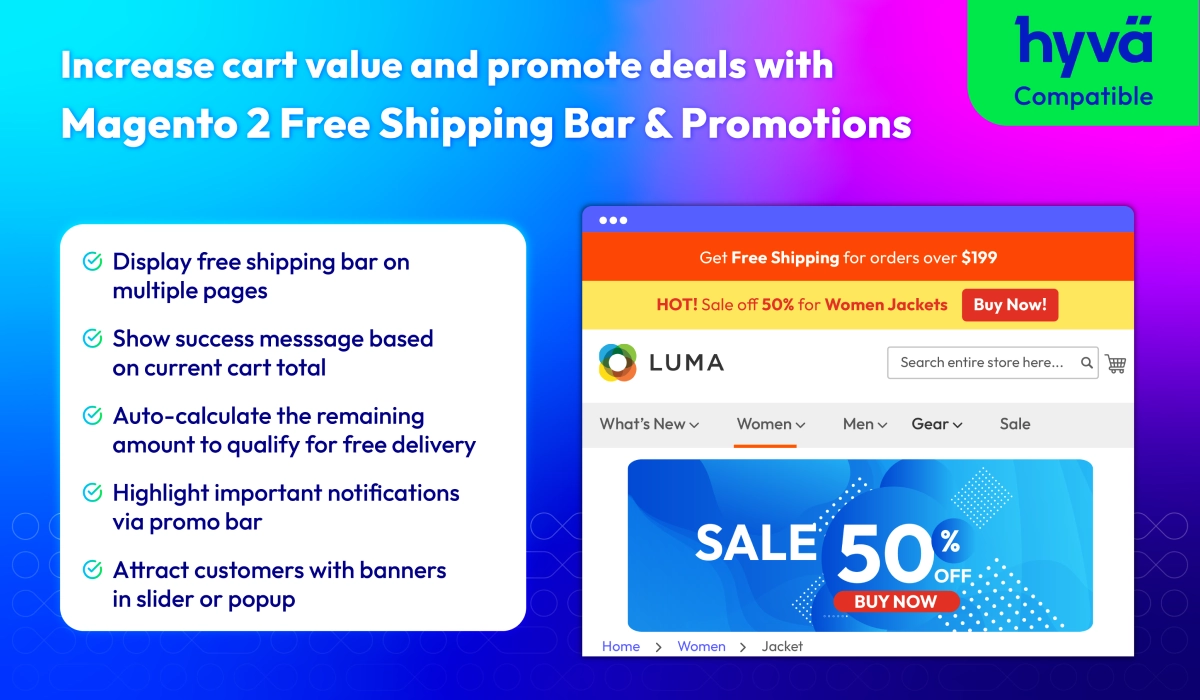
Magento 2 Free Shipping Bar & Promotions
v4.1.4
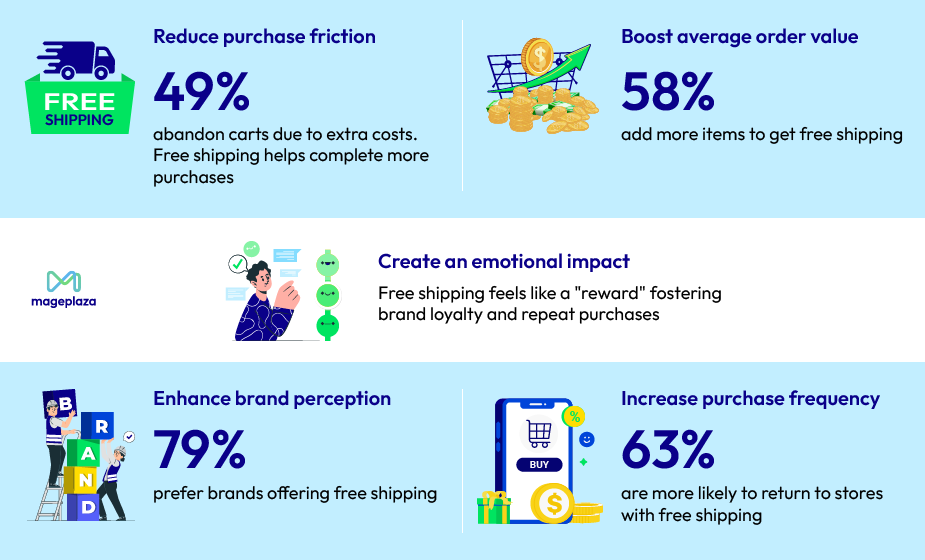
Key Factors Influencing Online Retailer Selection for Shipping & Delivery
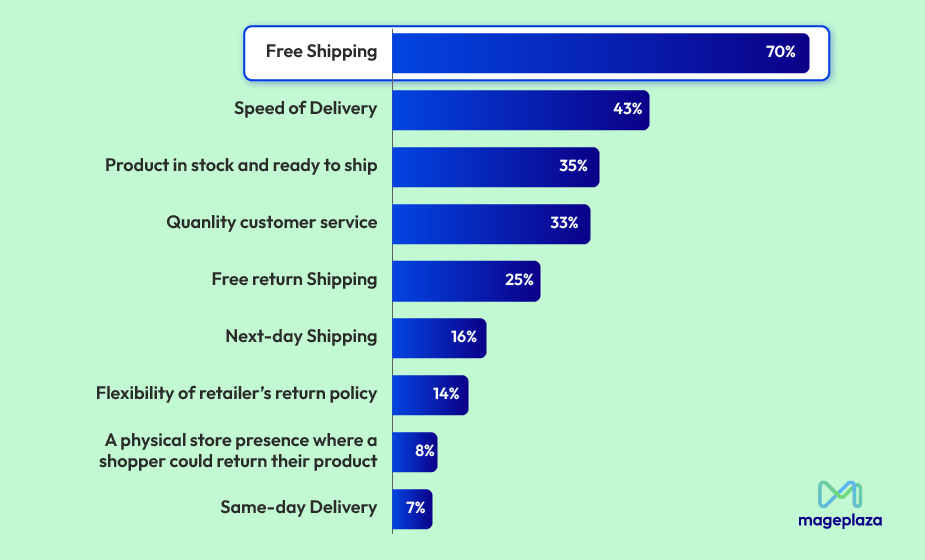
The Power of Free Shipping: How It Drives Sales & Customer Loyalty
Update Free Shipping progress in real-time
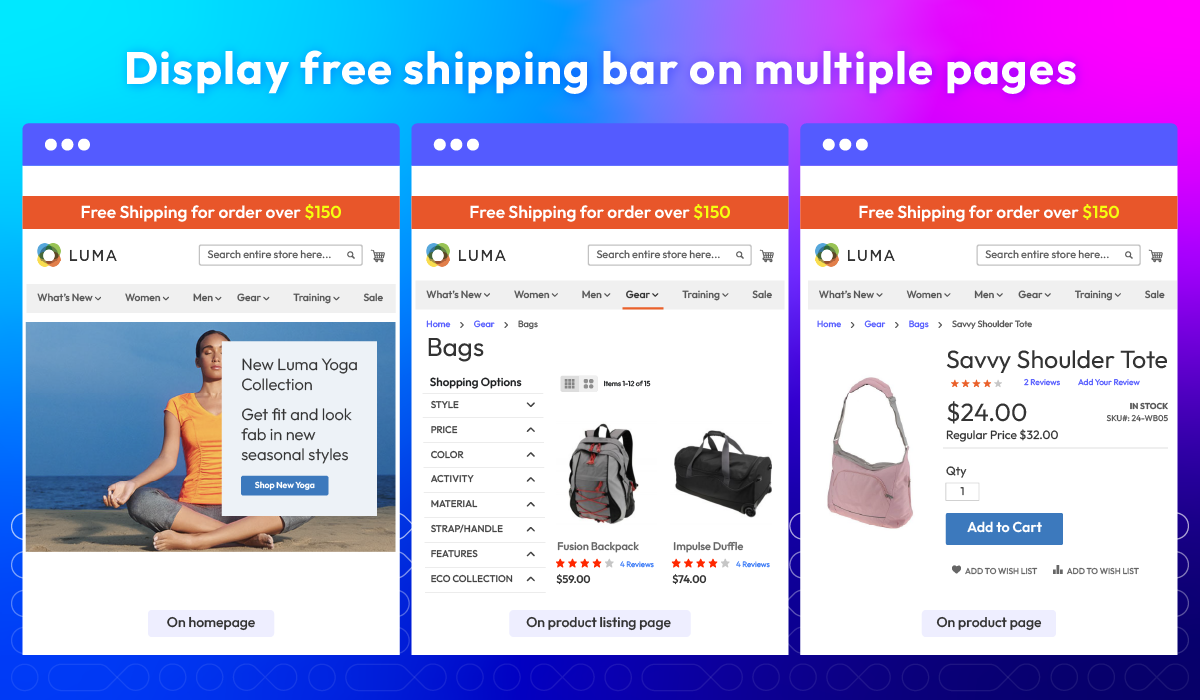
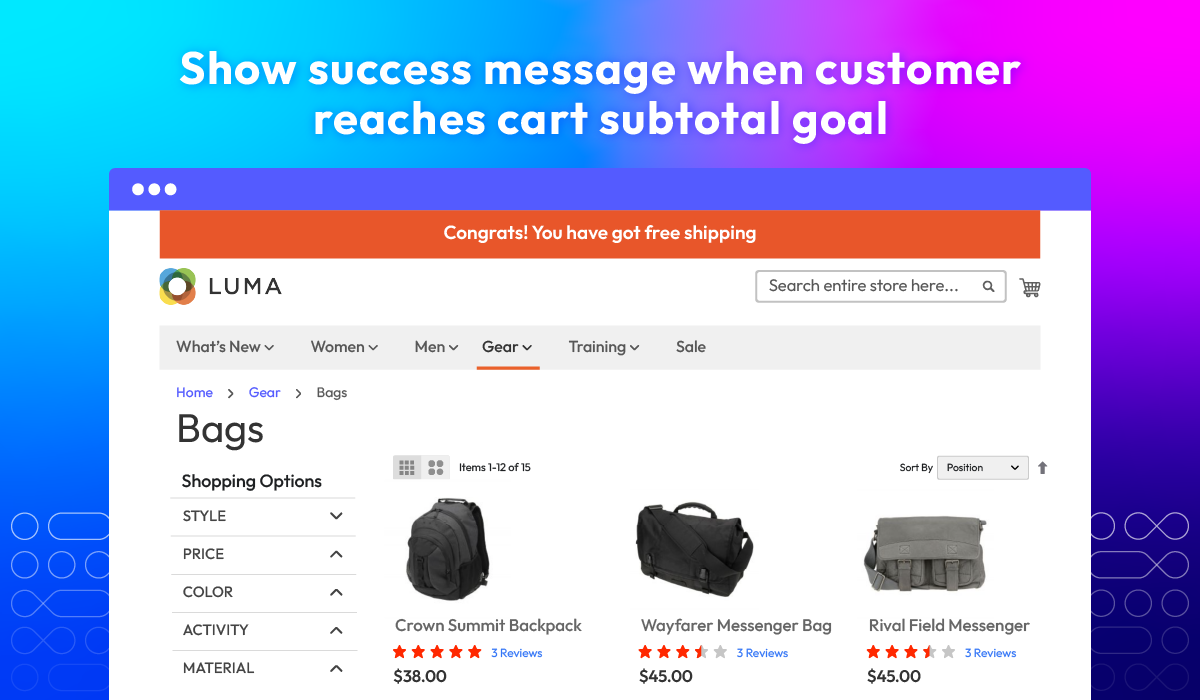
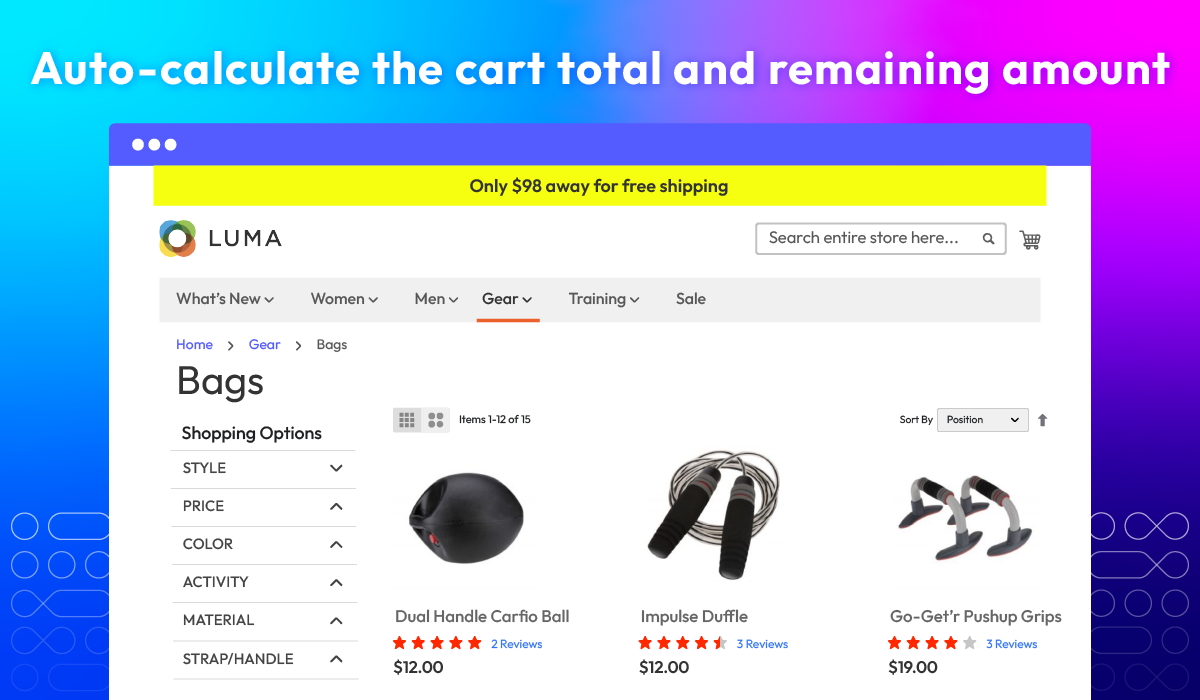
Keep shoppers engaged and motivated with real-time progress updates toward free delivery. The Magento 2 Free Shipping Bar shows personalized messages across key storefront pages and updates automatically as customers add or remove items, helping them see exactly how close they are to unlocking free shipping and encouraging higher cart values.

Show free shipping bar on multiple pages
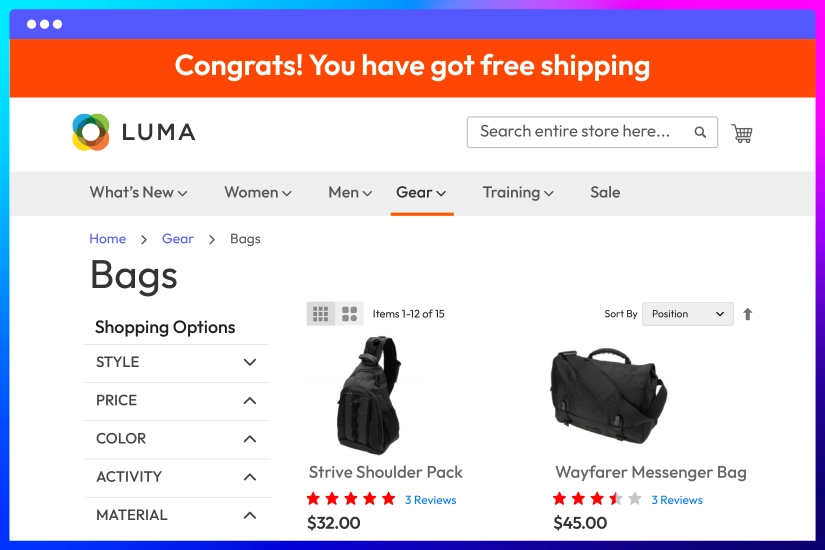
Display success message if the threshold is met

Automatically calculate the amount left to qualify
Design a Free Shipping Bar that fits your store
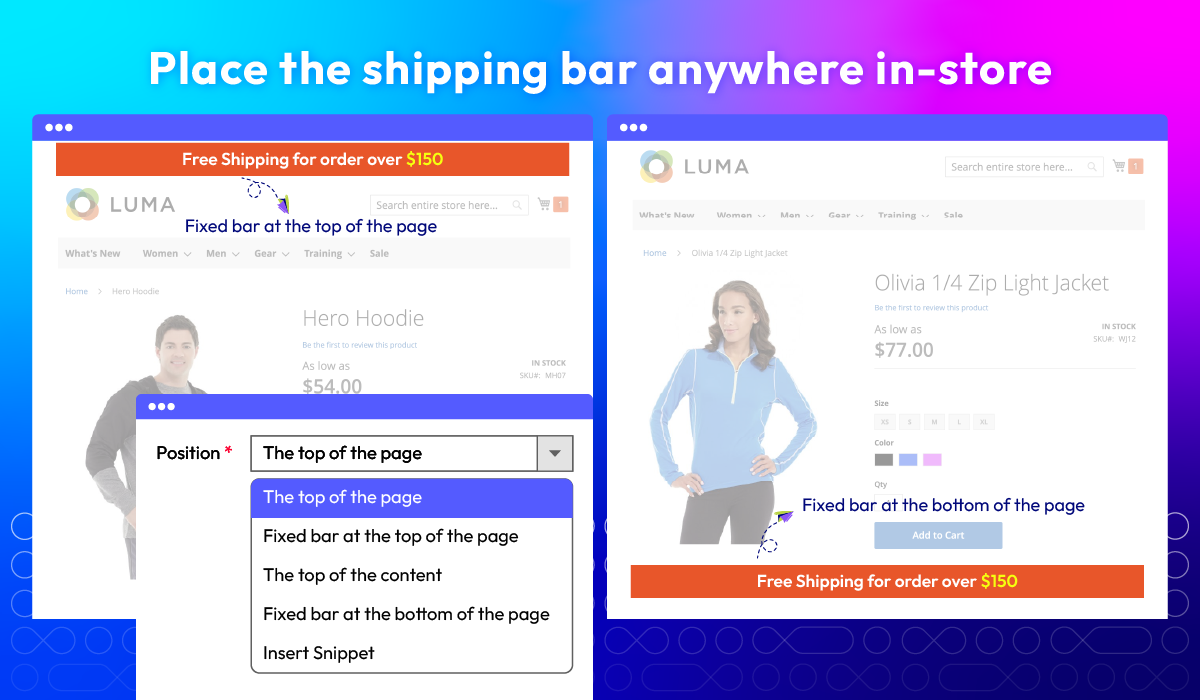
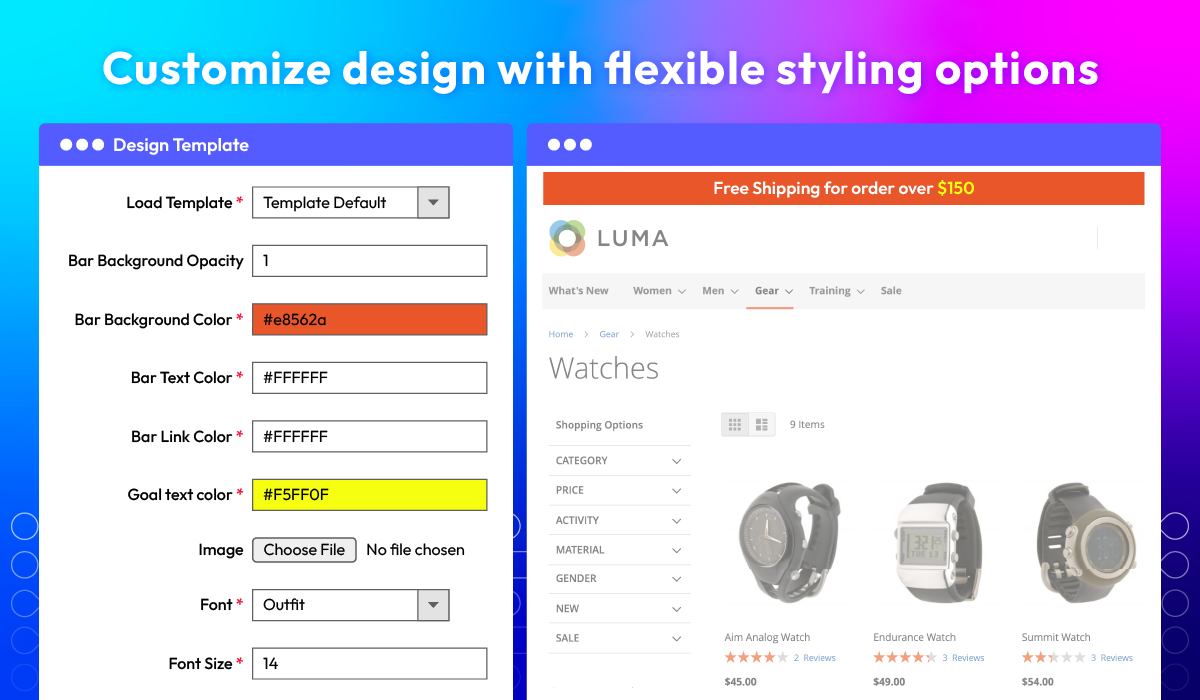
Deliver a more engaging shopping experience by tailoring how your Free Shipping Bar looks and where it appears. With flexible design controls and customizable placement, you can match the bar to your brand and keep it visible exactly where customers will notice it most.
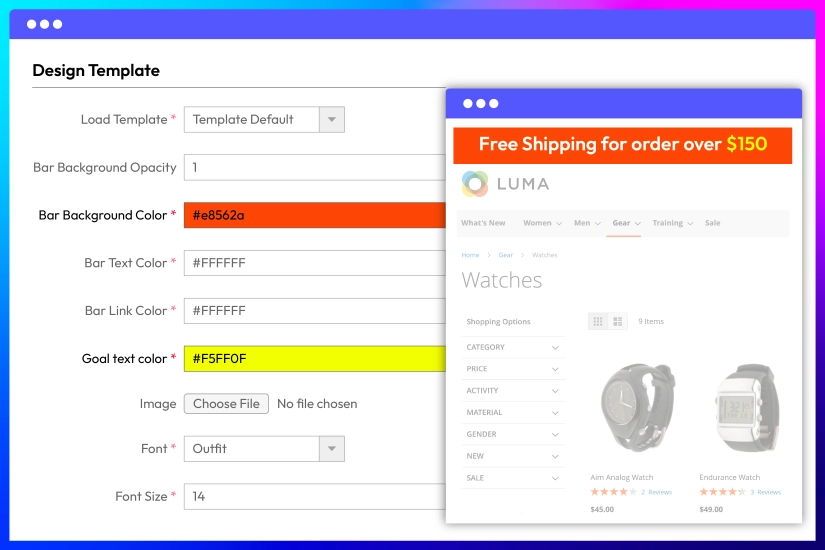
Customize the bar’s appearance with flexible design settings
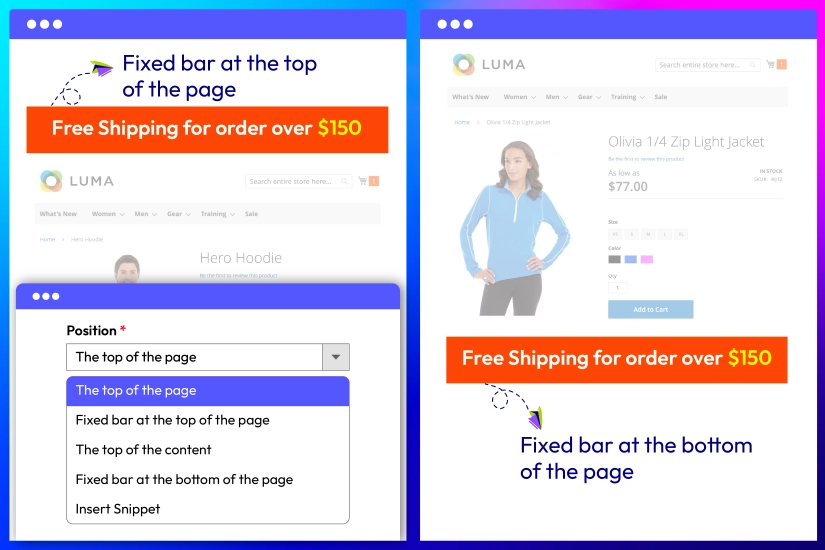
Position the free shipping bar anywhere
Highlight deals with built-in Promotions
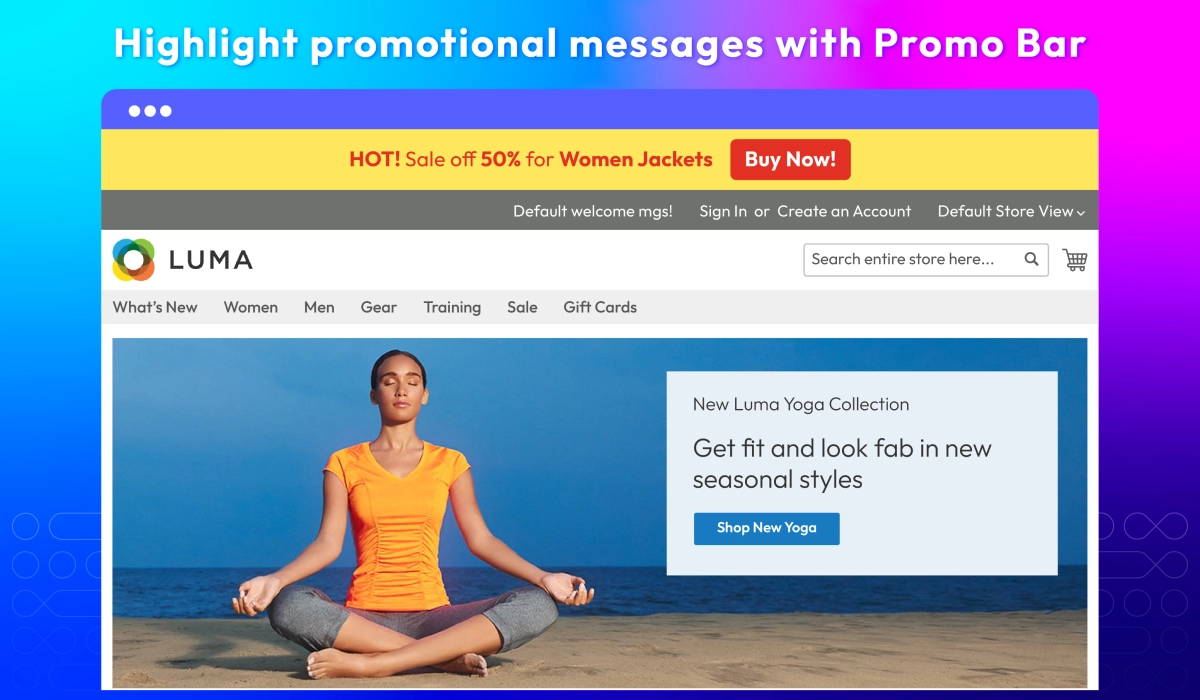
Promo Bar
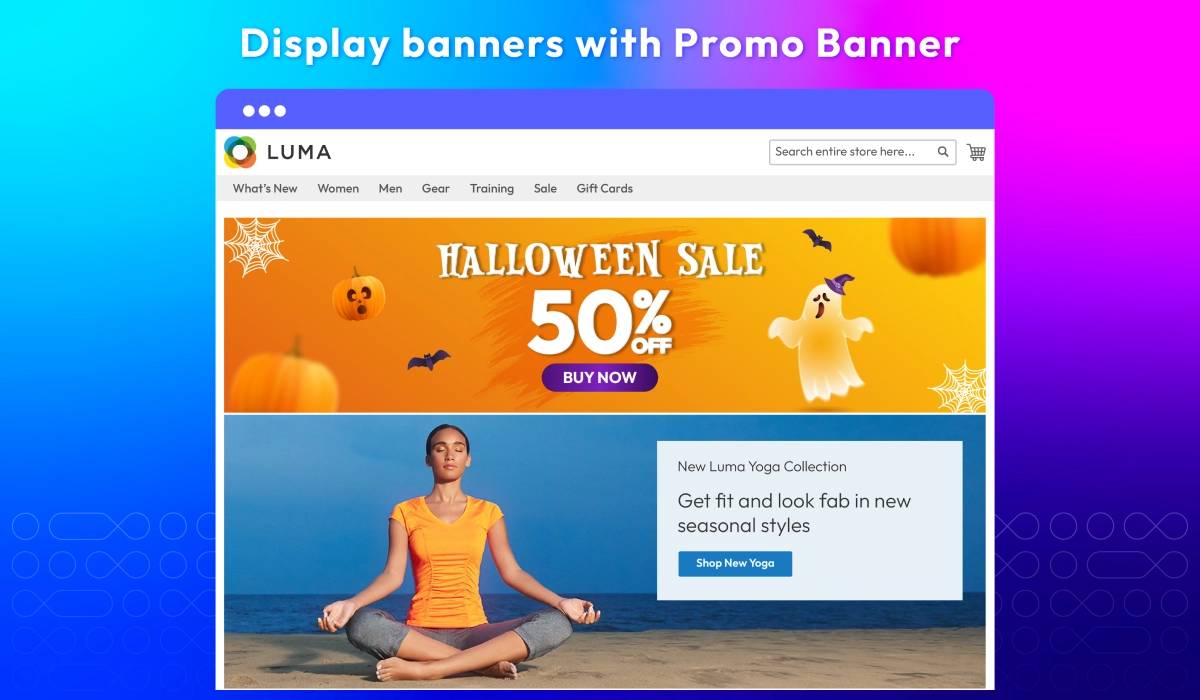
Promo Banner
Other Helpful Features for Free Shipping Bar module
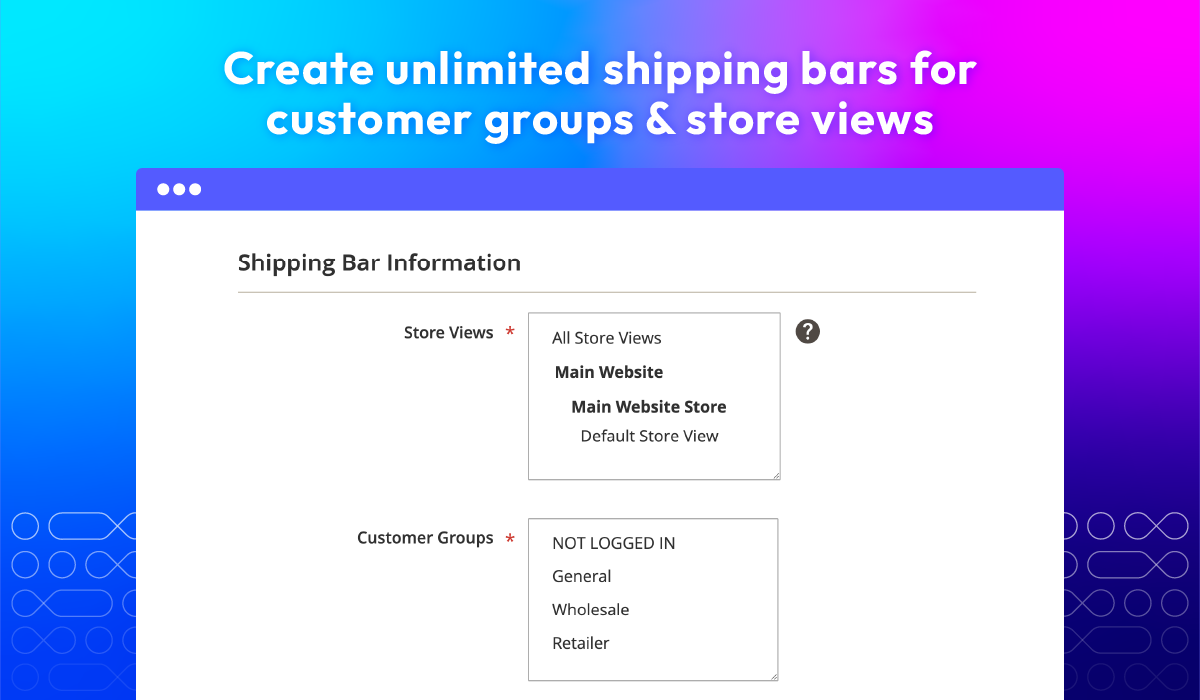
Create bars by customer group & store view
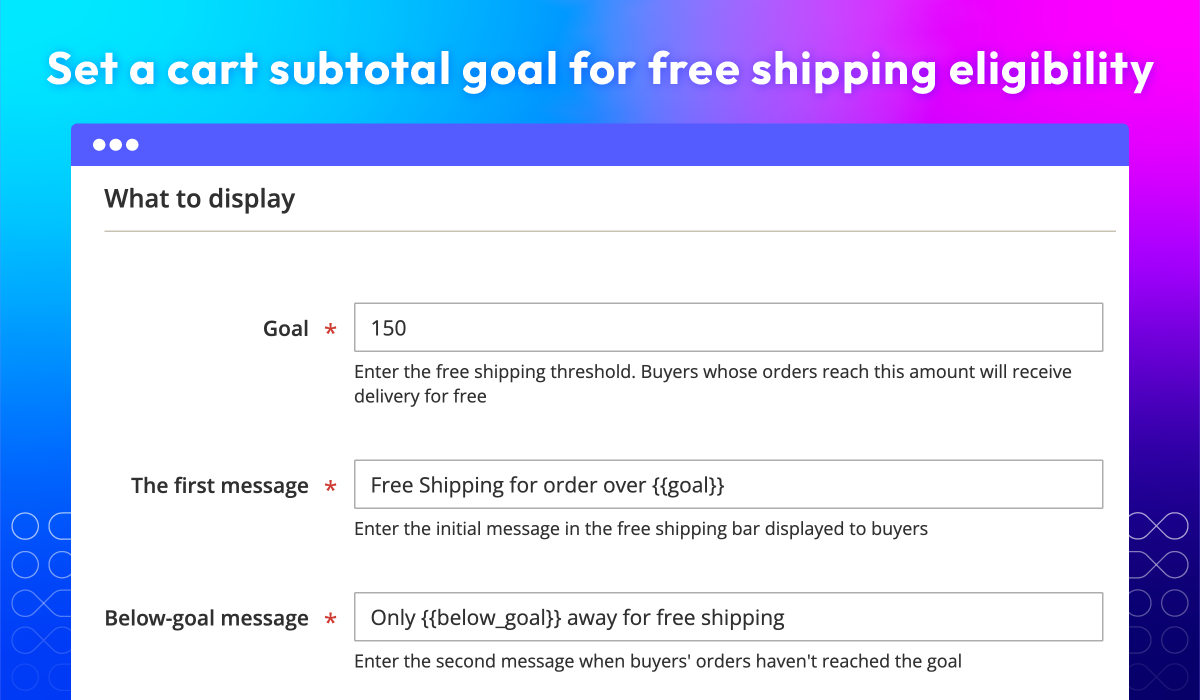
Set free delivery goal
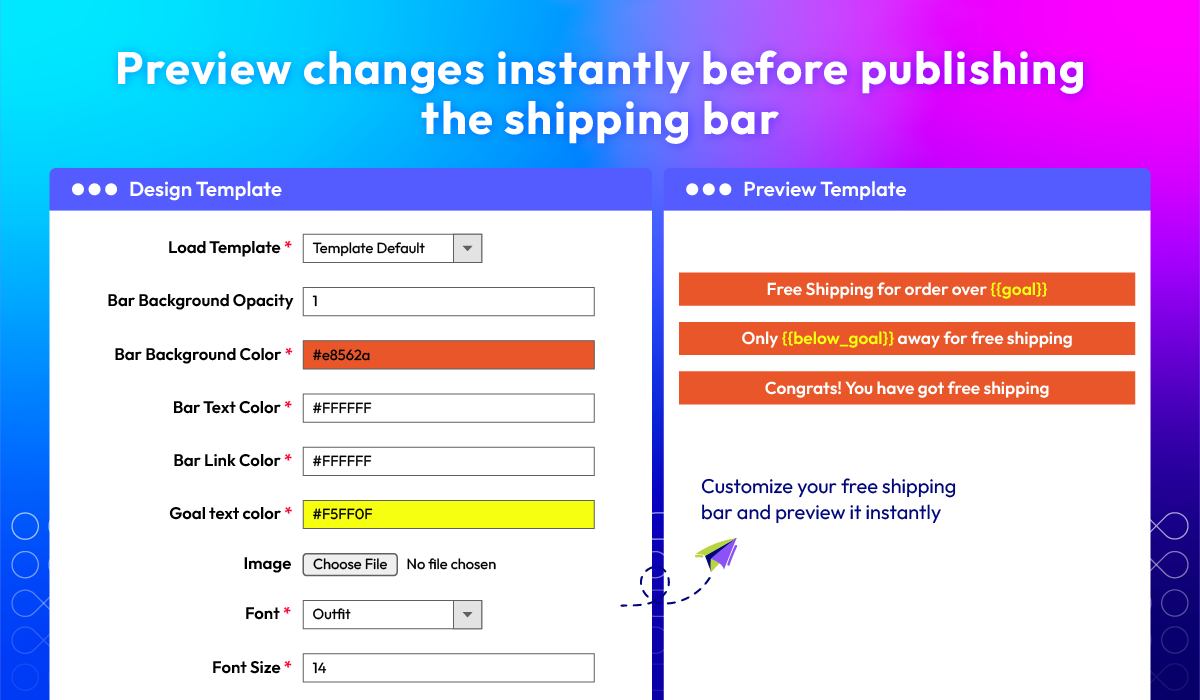
Preview changes instantly
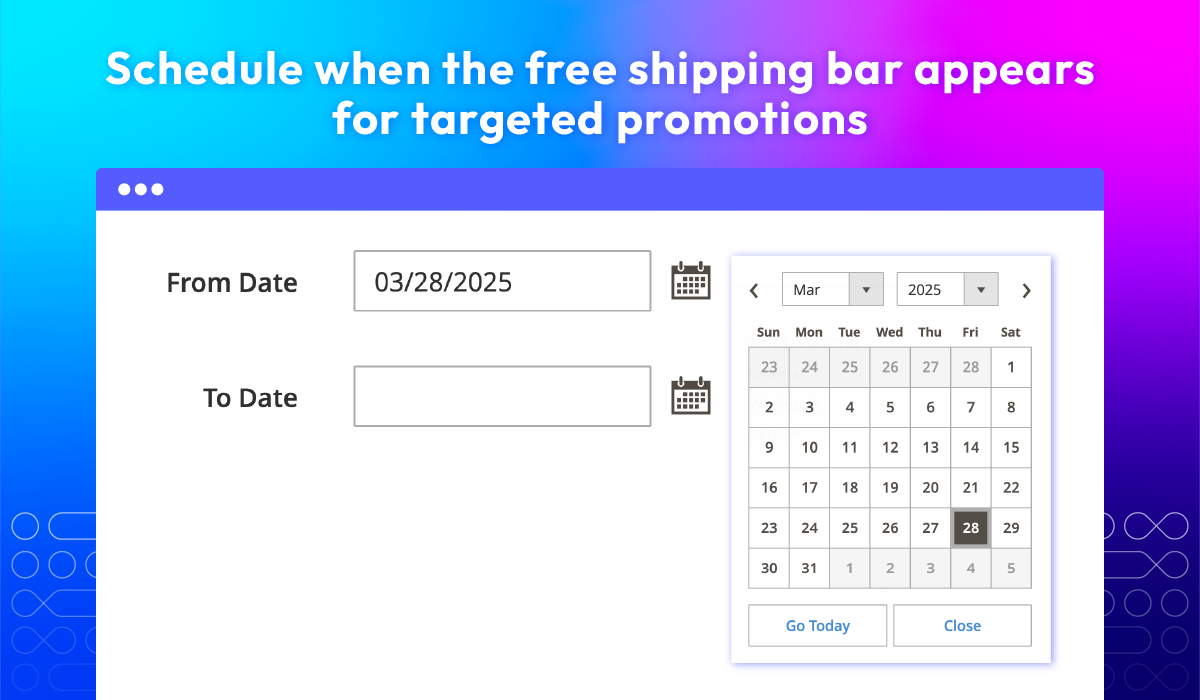
Schedule bar visibility
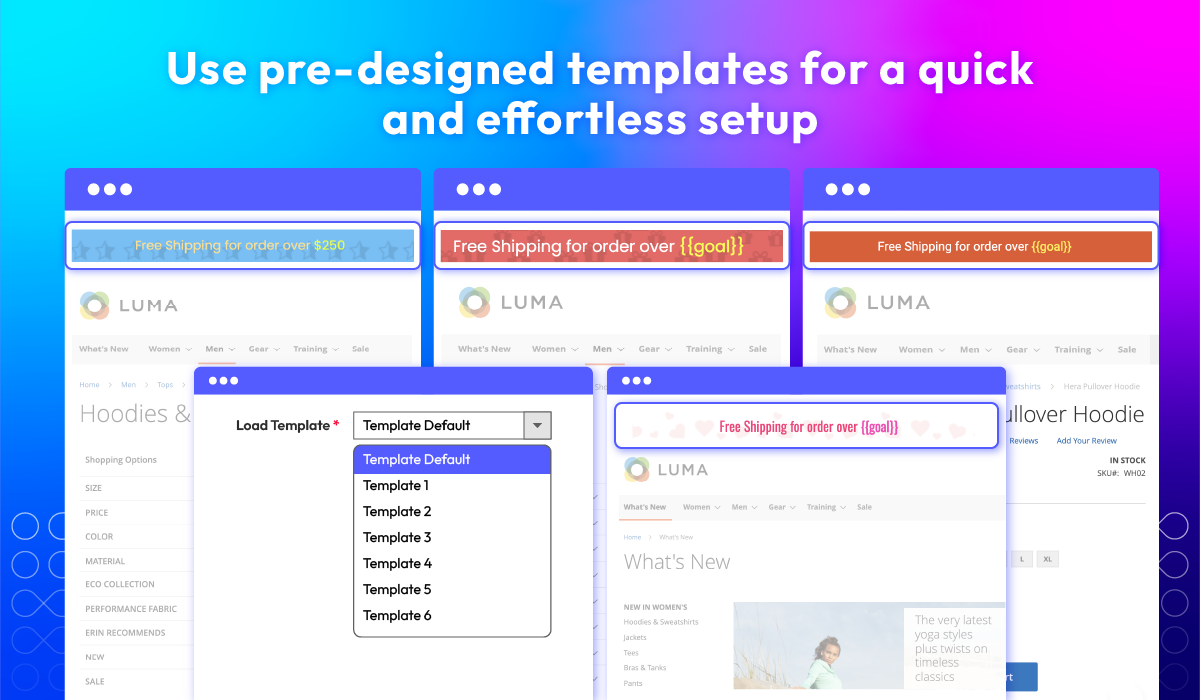
Use pre-designed templates
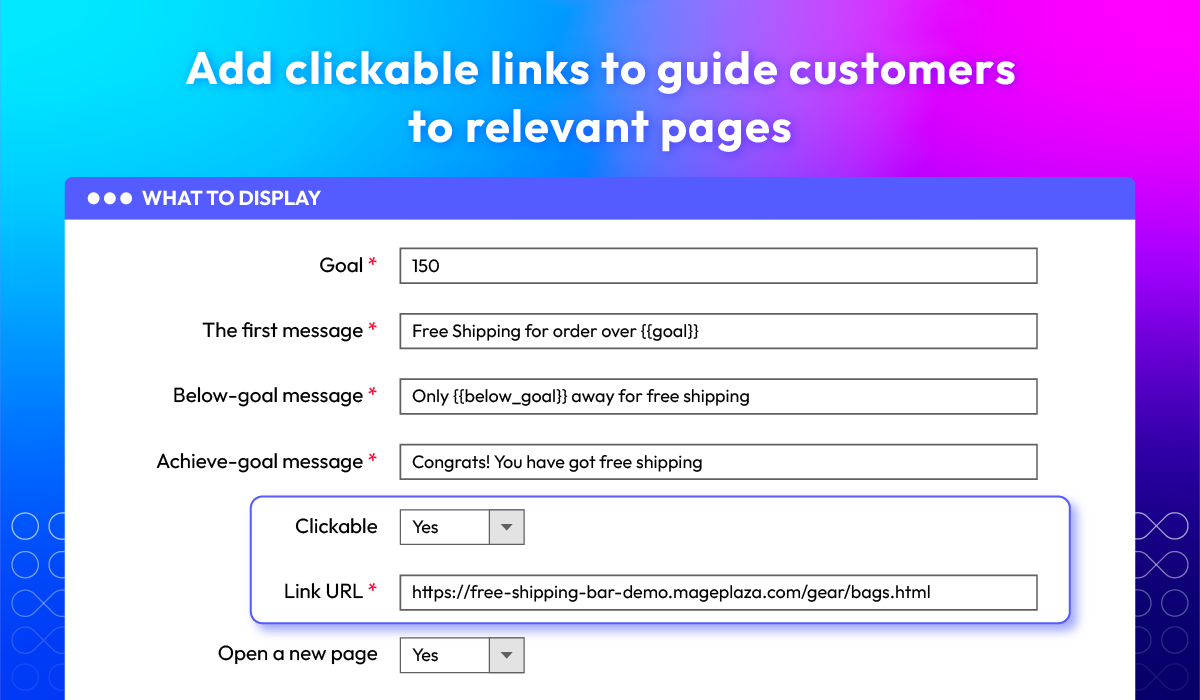
Add clickable links
What customers say about us

Release notes
-
v4.1.4 (Magento v2.4.x)
23 September 2026
- New Update: We added Duplicate and Mass Duplicate actions for Promo Bars and Promo Banners, and a Mass Duplicate action for Free Shipping Bars.
- Security: We fixed a CSRF issue where admin actions that change data (delete, mass delete, mass status, inline edit, enable, pause, duplicate) could be triggered by GET requests. They now accept POST requests only.
- Bug Fix: We added missing translation entries and fixed a malformed line in the translation file.
-
v4.1.3 (Magento v2.4.x)
09 September 2026
- Bug Fix: Hyvä - We fixed the Free Shipping Bar not displaying correctly and an incorrect price format issue.
-
v4.1.2 (Magento v2.4.x)
13 July 2026
- Compatibility: Added compatibility with Magento v2.4.9.
-
v4.1.1 (Magento v2.4.x)
04 December 2025
- Bug Fix: Fixed wrong class name on Promo Bar
-
v4.1.0 (Magento v2.4.x)
21 November 2025
- New Feature: Added new feature Promo Bar, Promo Banner
- Bug Fix: Fixed Undefined constant ‘STRING_FONT_CONNECT’
-
v4.0.8 (Magento v2.4.x)
05 May 2025
- Bug Fix: Fixed old PHP compatibility issue
-
v4.0.7 (Magento v2.4.x)
29 April 2025
- Compatibility: Now compatible with Magento 2.4.8
-
v4.0.6 (Magento v2.4.x)
11 December 2024
Compatibility: Now compatible with Hyva theme
-
v4.0.5 (Magento v2.4.x)
31 August 2023
- Update use color picker jquery
- Migrate install/upgrade scripts to declarative schema
-
v4.0.4 (Magento v2.4.x)
29 June 2023
- Compatible with Magento v2.4.6
- Fixed some minor bugs
-
v4.0.3 (Magento v2.4.x)
29 June 2022
- Compatible with Magento v2.4.4
-
v1.1.3 (Magento v2.3.x)
27 October 2021
- Compatible Magento 2.3.7
- Fix some minor bugs
-
v4.0.2 (Magento v2.4.x)
27 October 2021
- Fix some minor bugs
-
v4.0.1 (Magento v2.4.x)
06 June 2021
- Compatible with Magento v2.4.2
- Fix minor bugs
-
v1.1.2 (Magento v2.3.x)
29 January 2021
- Fixed image URL error on Rest API & GraphQl
-
v4.0.0 (Magento v2.4.x)
29 January 2021
- Supported Magento v2.4
-
v1.1.1 (Magento v2.3.x)
16 October 2020
- Fixed minor bugs
-
v1.1.0 (Magento v2.3.x)
14 August 2020
- Supported Rest API
- Compatible with Magento v2.3.5
-
v1.0.2 (Magento v2.3.x)
09 March 2020
- Compatible with Magento 2.3.4
- Fixed minor bugs
-
v1.0.1 (Magento v2.3.x)
13 May 2019
- Compatible with Magento 2.3.1
- Improved code style & performance
- Fixed minor bugs
Frequently Asked Questions
Free Shipping Bar extension for Magento 2 only works as an announcement. The goal displayed on the block is just a number defined by admins on the backend. This goal does not set any rules for your shipping fee. You should configure the Minimum Order Amount at Configuration > Sales > Shipping Method > Free Shipping to match the goal. Refer here for more information
Absolutely. Any changes in the design will be instantly displayed in the Preview Template section, so admins can view before setting it live.
The bar which has a higher priority will be displayed. Be aware that there can be more than one free shipping bars displayed at different pages within your store.
Admins can totally use this extension to create Promo bars on their online stores. In this case, admins can skip using the field Goal on the backend, and enter the text they want to display.
Yes, from version , Mageplaza Magento 2 Free Shipping Bar extension includes built-in Promo Bar & Promo Banner, allowing you to display various promotional messages such as storewide discounts, seasonal announcements, coupon reminders, new arrivals, and more. You can mix free-shipping messages with promotional content to run multiple campaigns at once, all fully customizable to fit your branding.
Yes, Magento 2 Free Shipping Bar & Promotions is compatible with Hyva theme. However, the checkout only supports hyva-themes/magento2-theme-fallback. To learn how to enable checkout on Hyva, please follow this guide.
Mageplaza provides FREE Hyva Checkout Compatibility for all of our extensions upon requests. You can request by contacting us via email, live chat, or support ticket. Our team will respond within 24 hours and ask for details such as Order ID, extension name, Magento & Hyva versions, and any special requirements. To qualify, your module subscription must be active. If your subscription has expired, renewal is required as some older modules do not support Hyva. Additional customization requests may incur extra costs, and our team will inform you before proceeding. For assistance, feel free to reach out - we're here to help!
2.4.4 - 2.4.9
Theme
Pricing
Community
$99 first year
Enterprise/ Magento Cloud


Daily Deal

Milestone