
 2.4.4 - 2.4.9

 Theme
Theme
Customer Approval for Magento 2
v4.1.4


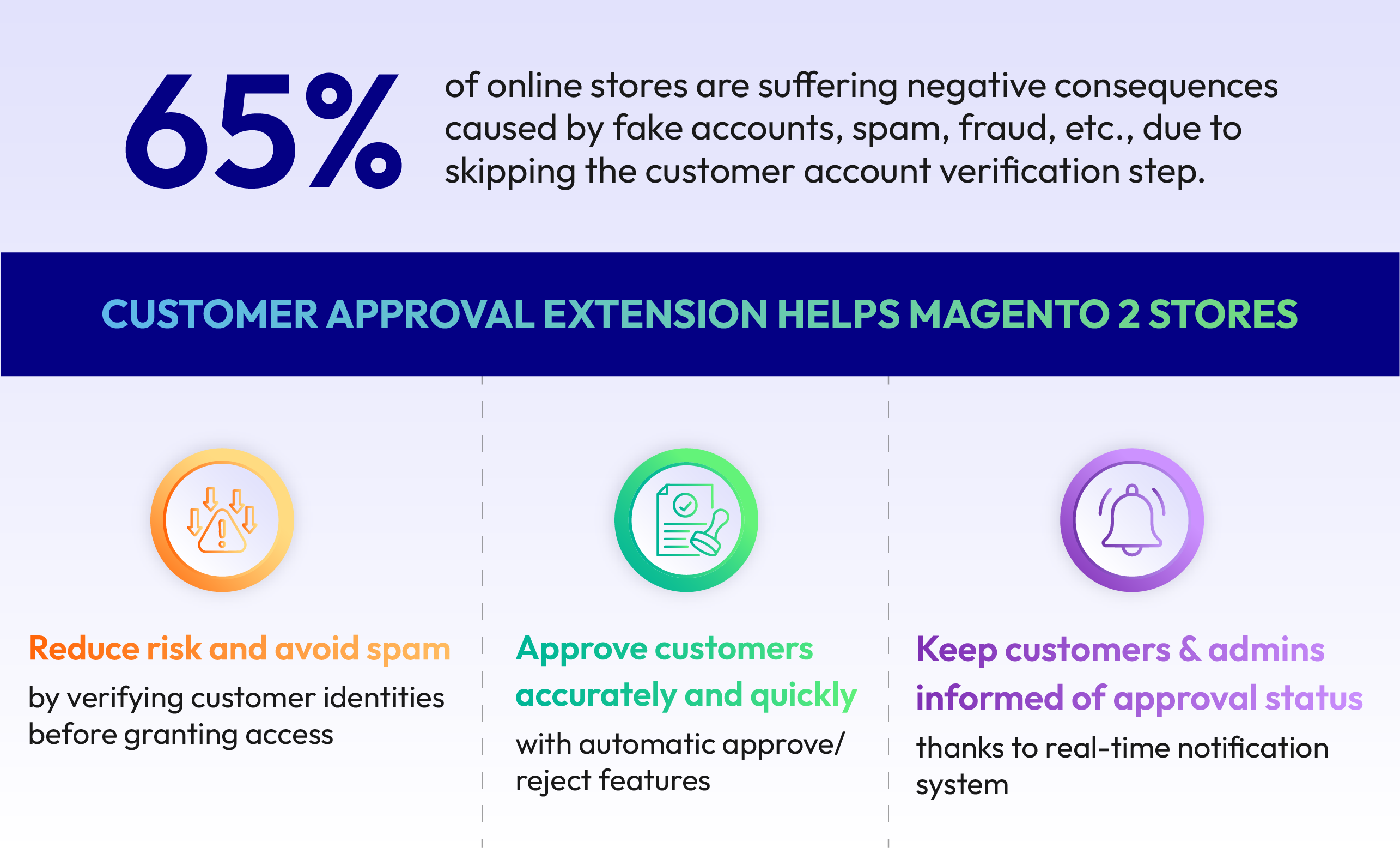
Why is customer approval necessary?
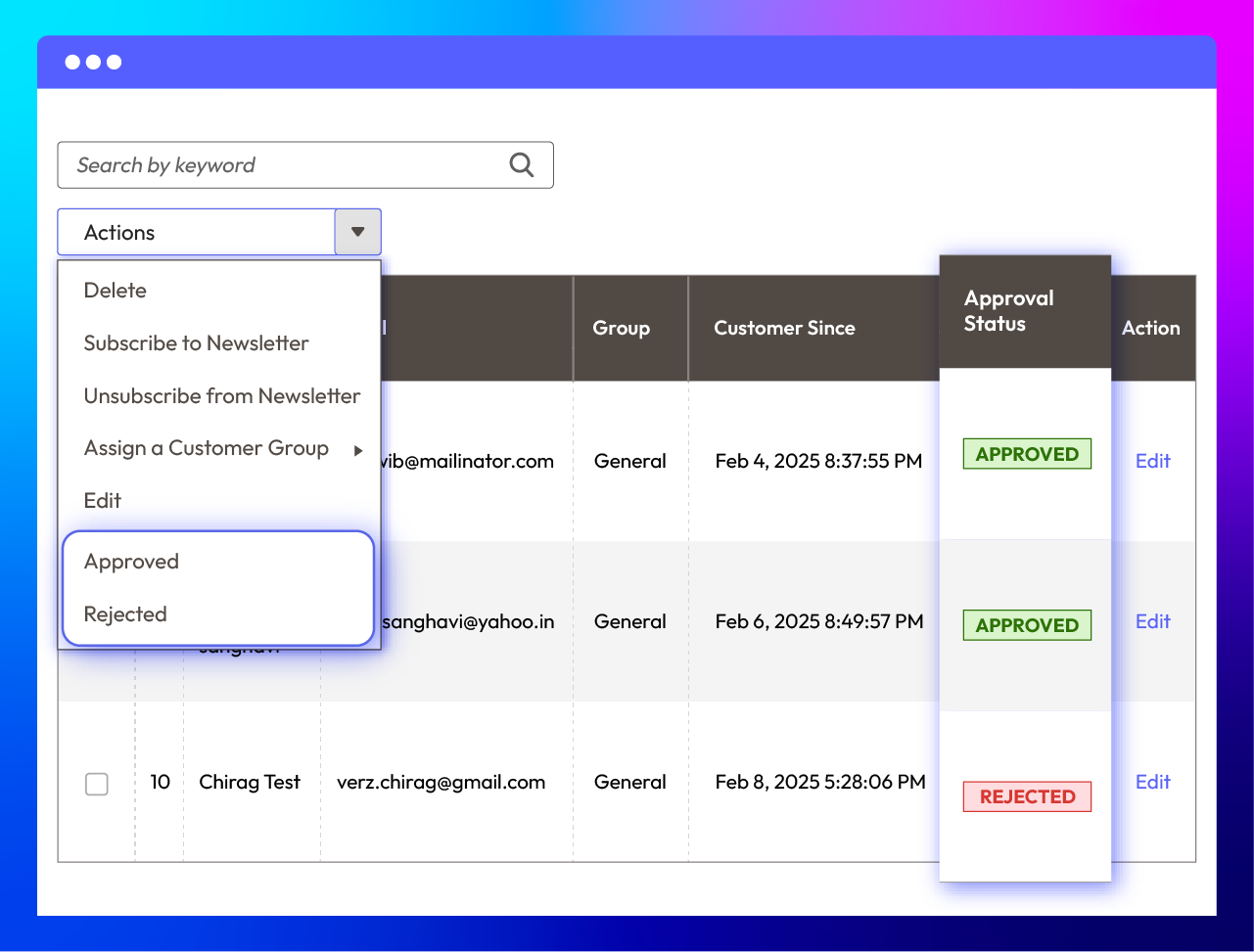
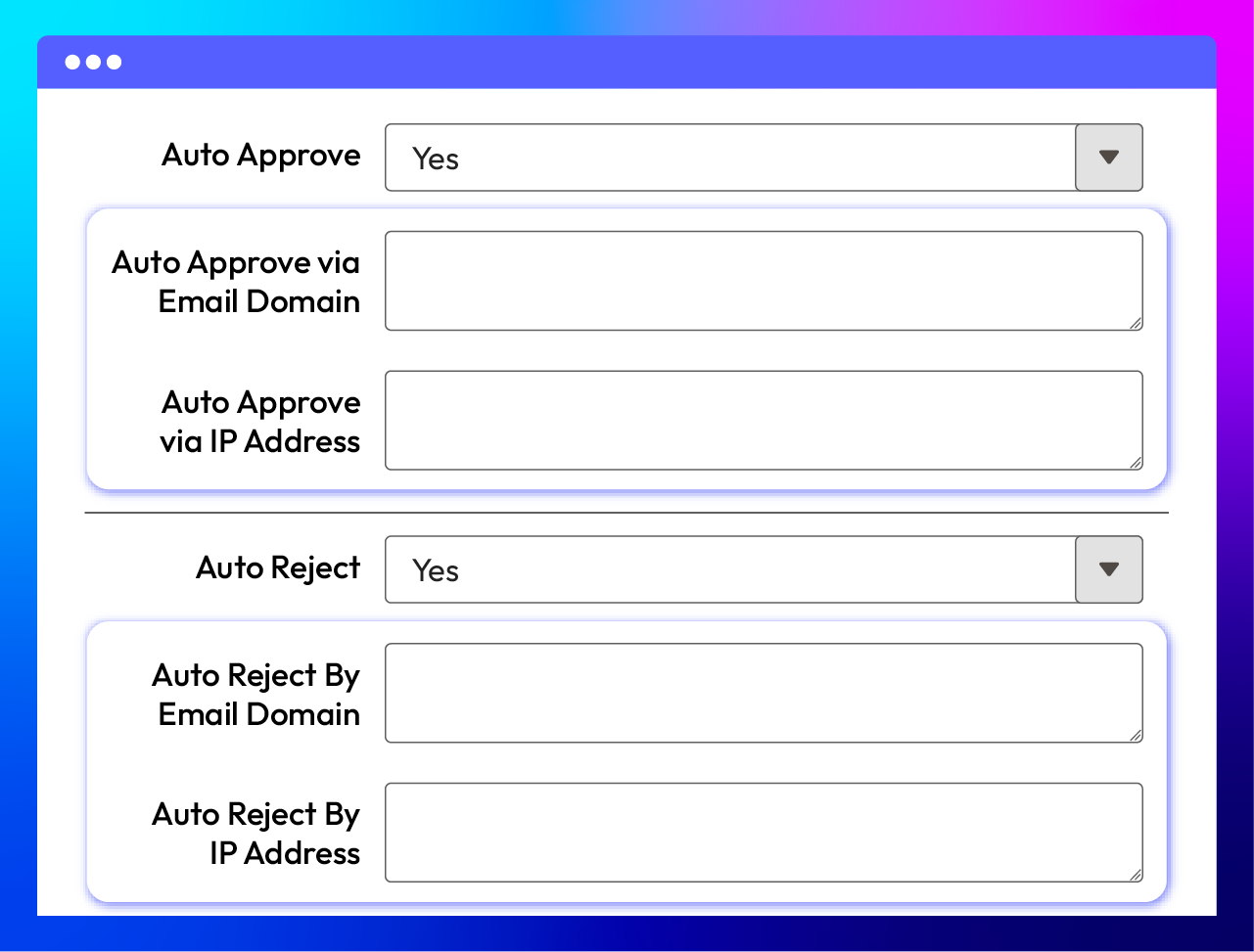
Approve manually & automatically
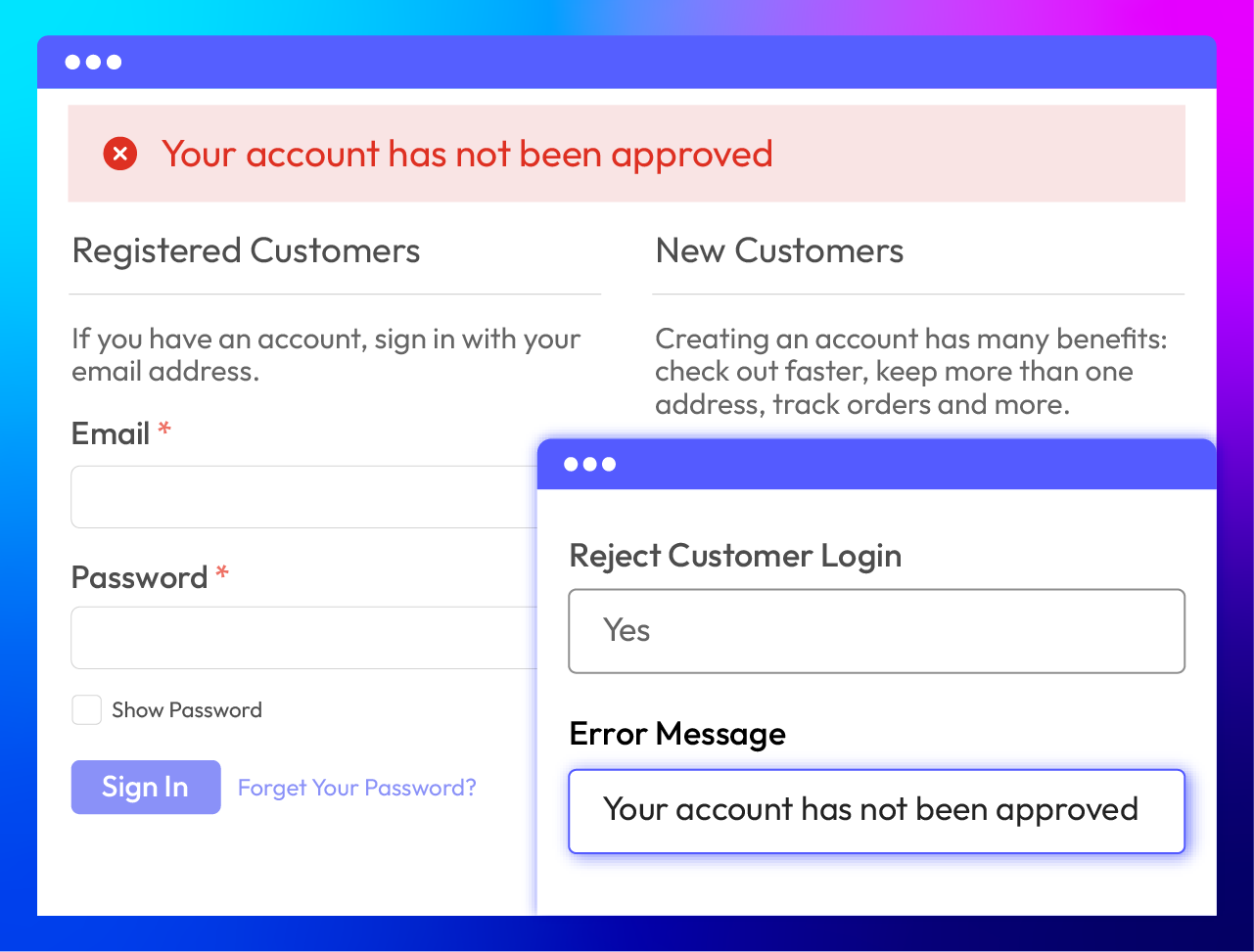
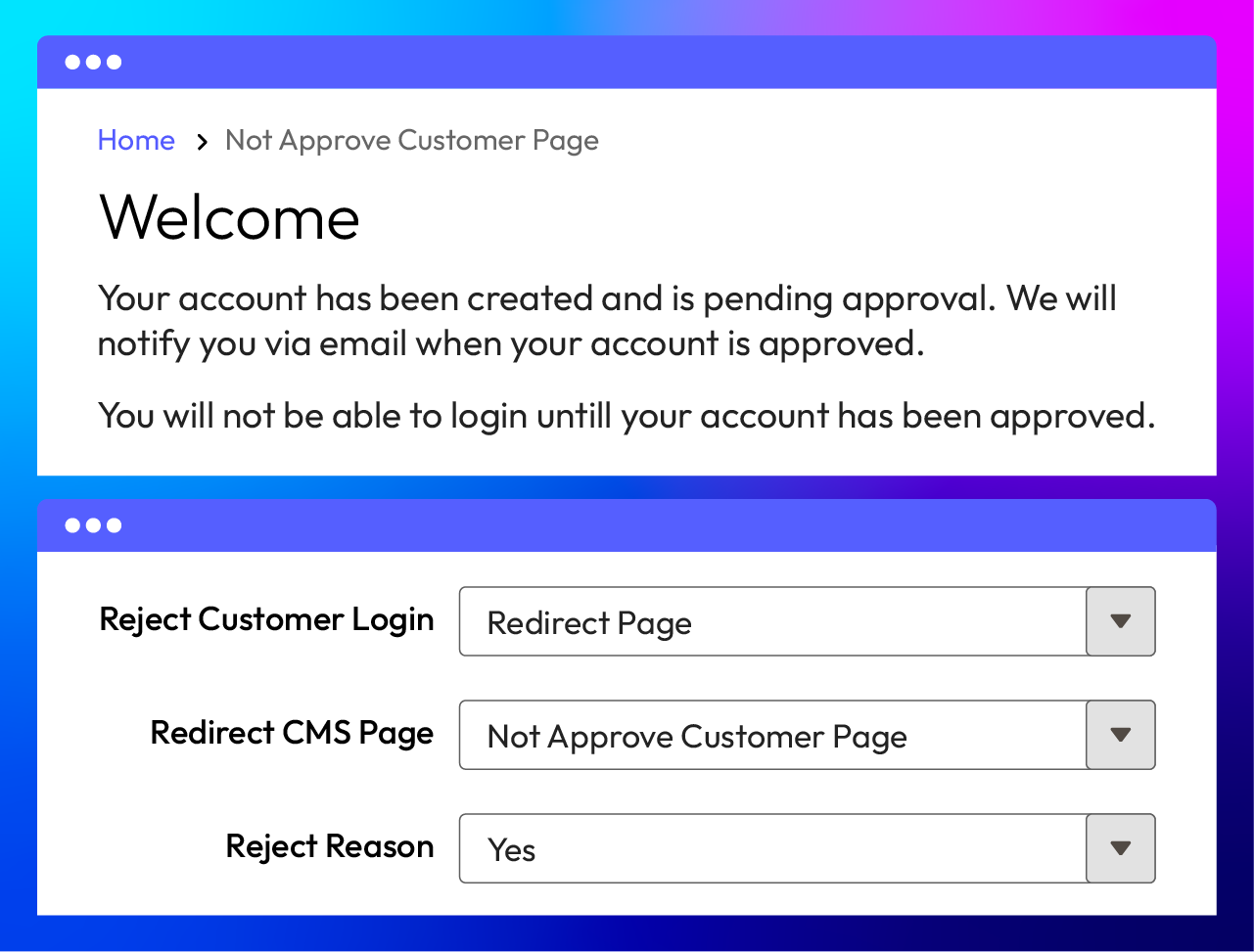
Redirect disapproved customers to other pages
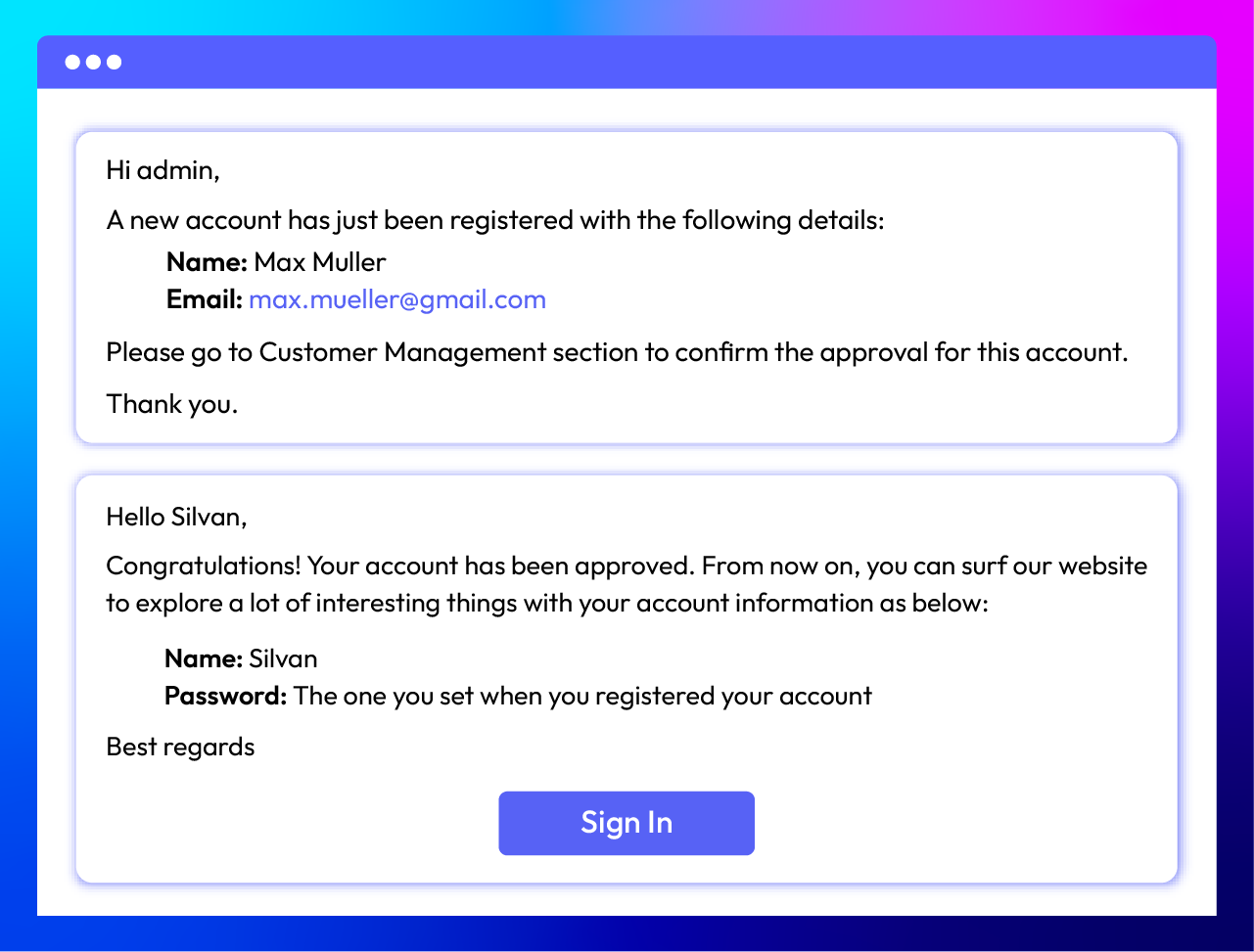
Send notifications for both admins and customers
All features
Approval status management
Manual & automatical approval
Notice on storefront
Redirect CMS page
Email notification about approval
Email templates
SMTP compatibility
Supporting API
Responsive design
What customers say about us

Release notes
-
v4.1.4 (Magento v2.4.x)
17 June 2026
- Compatibility: Added compatibility with Magento v2.4.9.
- Bug Fix: Fixed some minor bugs.
-
v4.1.3 (Magento v2.4.x)
17 April 2025
- Compatibility: Now compatible with Magento 2.4.8
-
v4.1.2 (Magento v2.4.x)
11 December 2024
Bug Fix: Fixed an issue Attribute is_approved does not contain option with Id new when creating a new Account
-
v4.1.1 (Magento v2.4.x)
04 November 2024
Bug Fix: Fixed Auto reject with config
-
v4.1.0 (Magento v2.4.x)
23 May 2024
- New Feature: Reject reason form with popup in Admin Customer manager
- New Feature: Auto Reject/Approved by Email Domain Or IP Address
- Compatibility: Now compatible with Magento 2.4.7
- Improved and compacted config
-
v4.0.7 (Magento v2.4.x)
30 May 2023
-Compatible with Magento 246
-
v4.0.6 (Magento v2.4.x)
08 February 2023
- Fixed minor bugs
-
v1.0.8 (Magento v2.3.x)
22 June 2022
- Fixed bug auto login when enabling auto approval
-
v4.0.5 (Magento v2.4.x)
22 June 2022
- Fixed bug auto login when enabling auto approval
-
v4.0.4 (Magento v2.4.x)
23 September 2021
- Compatible with Magento 2.4.3
- Fixed minor bugs
-
v4.0.3 (Magento v2.4.x)
13 August 2021
Updated labels & content
-
v1.0.7 (Magento v2.3.x)
13 August 2021
Updated labels & content
-
v1.0.6 (Magento v2.3.x)
02 August 2021
- Compatible with the Social Login
- Compatible with the Company Account
- Fixe minor bugs
-
v4.0.2 (Magento v2.4.x)
02 August 2021
- Compatible with the Social Login
- Compatible with the Company Account
- Fixe minor bugs
-
v4.0.1 (Magento v2.4.x)
11 June 2021
- Compatible with Magento 2.4.2
- Fixed minor bugs
-
v1.0.5 (Magento v2.3.x)
11 June 2021
- Compatible with Magento 2.3.6
- Fixed minor bugs
-
v4.0.0 (Magento v2.4.x)
09 November 2020
- Supported Magento v2.4
-
v1.0.4 (Magento v2.3.x)
09 September 2020
- Fixed minor bugs
-
v1.0.3 (Magento v2.3.x)
15 July 2020
- Compatible with Magento v2.3.5
-
v1.0.2 (Magento v2.3.x)
16 June 2020
- Compatible with Magento 2.3.4
- Fixed minor bugs
Frequently Asked Questions
For Magento 2 stores, the Magento User Approval extension unlocks four key benefits below:
- Customer Access Control Over Registrations: Admins can do Magento customer management for registrations efficiently, ensuring only legitimate users gain access.
- Enhanced Security: Store owners can prevent fake or spam accounts by allowing admins to approve or reject new customer registrations.
- Email Notifications: Both admins and customers receive email notifications about the status of the registration, keeping everyone informed.
- Improved User Experience: When customers register, they receive personalized welcome emails that address them by name and provide relevant information based on their interests or previous interactions. This makes them feel valued and understood from the start.
Yes, for each period of your campaigns, you can set the approval to be automatic or manual from Auto Approve section of Customer Approval.
You can configure the message to customers in the after-registration notification section.
From the backend, kindly enable the function of sending admin notification emails. You just need to add your emails on the recipient part.
To enable the Customer Approval feature, you need to follow these steps:
- Navigate to Stores > Settings > Configuration in the Magento admin panel.
- Go to the Mageplaza section > Customer Approval.
- Set Enable to Yes to activate the module.
No, customers cannot log in immediately after registering. If customers want to log in, their accounts must be approved by the admin first.
Customers will receive an email notification confirming their account approval. Additionally, they may see a message on the storefront indicating their account status.
No, when you use the Customer Approval extension from Mageplaza, re-approval is not required if a customer edits their account information. This means that any customers' change to details such as their name, email address, or other account information will not trigger a re-approval request.
Yes, Customer Approval is compatible with Hyva theme. However, the checkout only supports hyva-themes/magento2-theme-fallback. To learn how to enable checkout on Hyva, please follow this guide.
Mageplaza provides FREE Hyva Checkout Compatibility for all of our extensions upon requests. You can request by contacting us via email, live chat, or support ticket. Our team will respond within 24 hours and ask for details such as Order ID, extension name, Magento & Hyva versions, and any special requirements. To qualify, your module subscription must be active. If your subscription has expired, renewal is required as some older modules do not support Hyva. Additional customization requests may incur extra costs, and our team will inform you before proceeding. For assistance, feel free to reach out - we're here to help!
2.4.4 - 2.4.9
Theme
Pricing
Community
$99 first year
Enterprise/ Magento Cloud