

 2.4.4 - 2.4.9

 Theme
Theme
Webhooks for Magento 2 New version v4.5.0

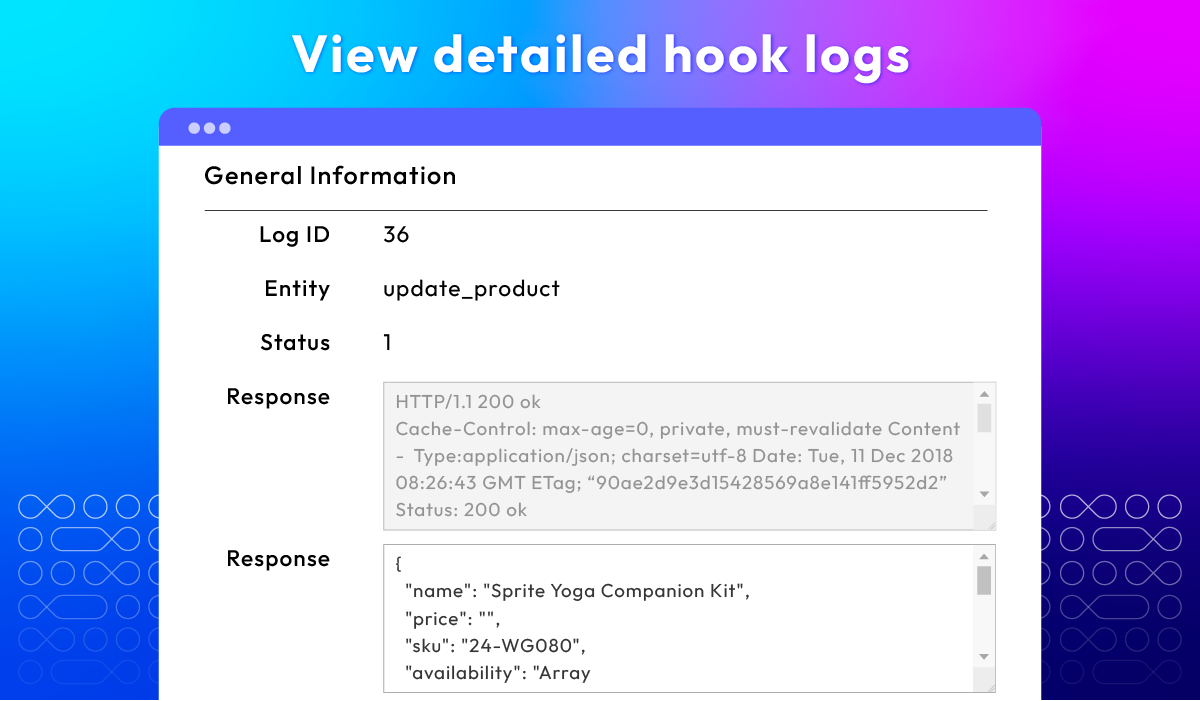
Flexible webhook control for admins
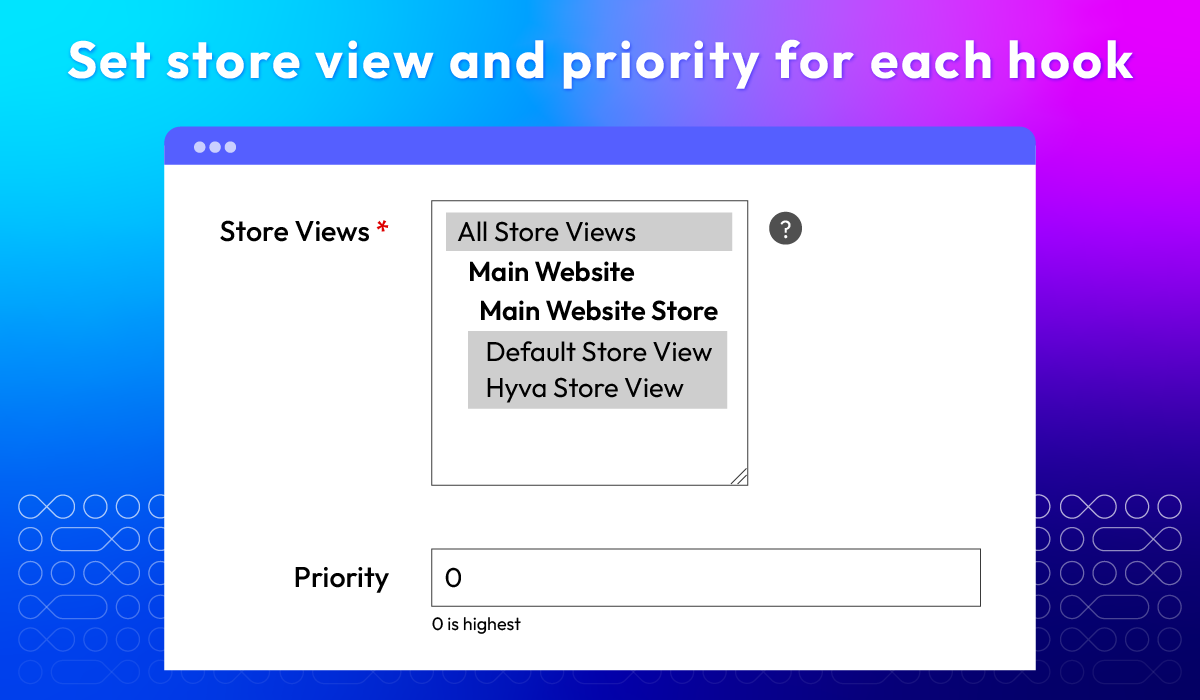
Easily create, manage, and customize Magento 2 webhooks right from your admin panel - no coding required. Gain full control over triggers, payloads, and priorities with just a few clicks.
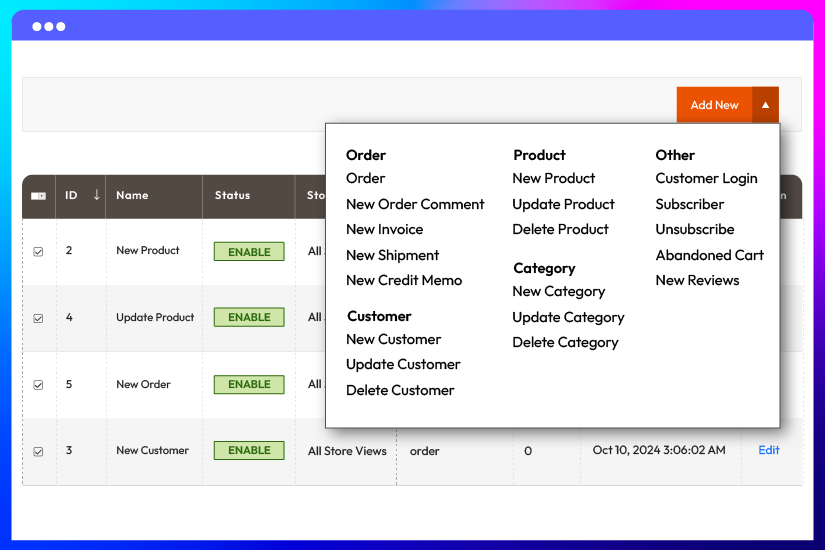
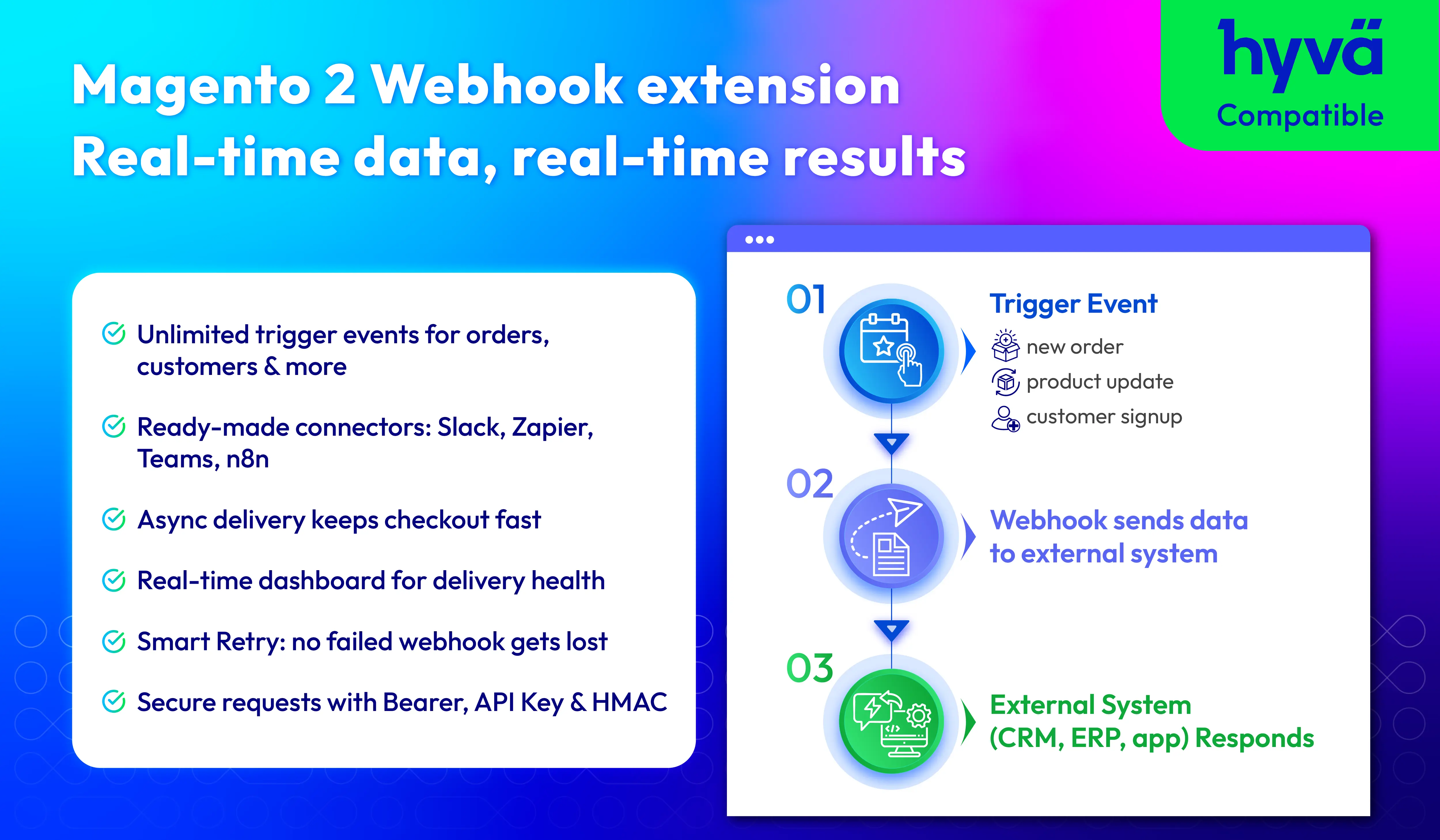
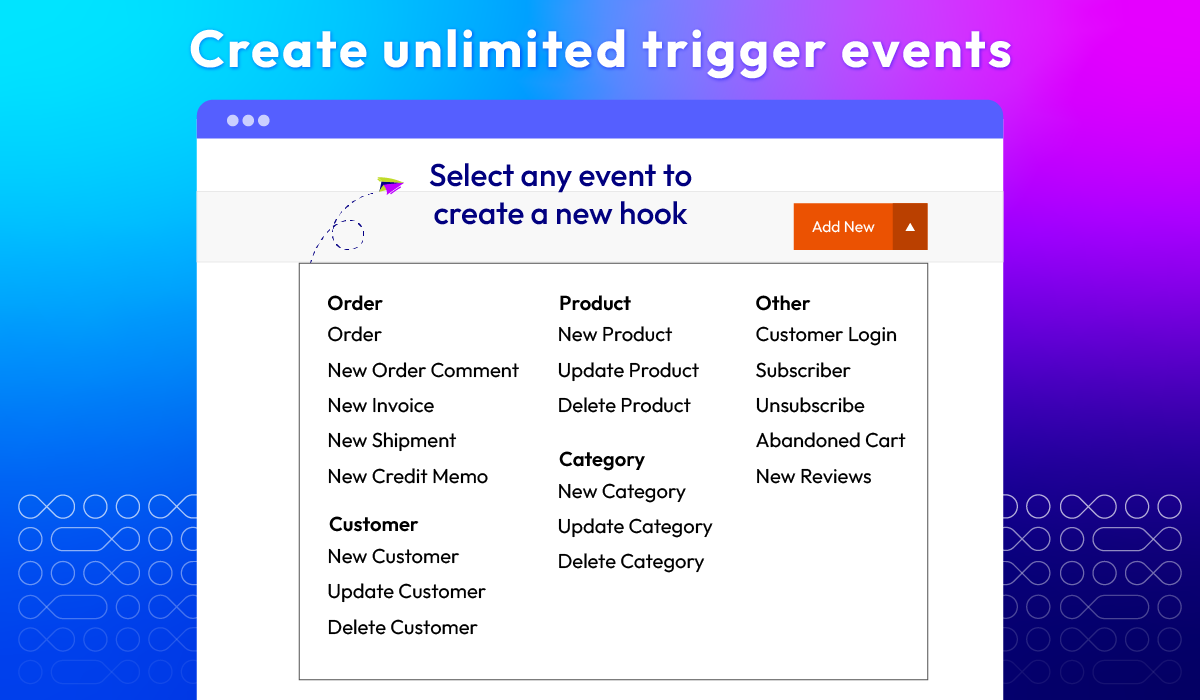
Unlimited trigger events
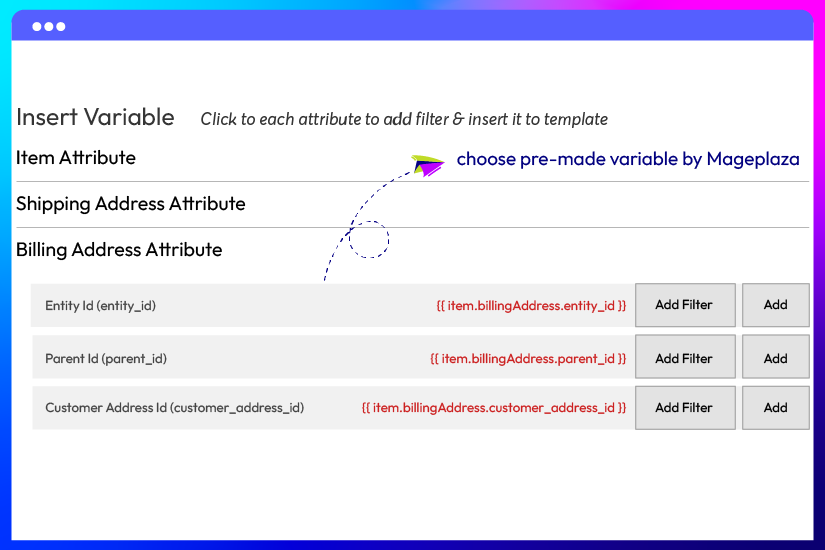
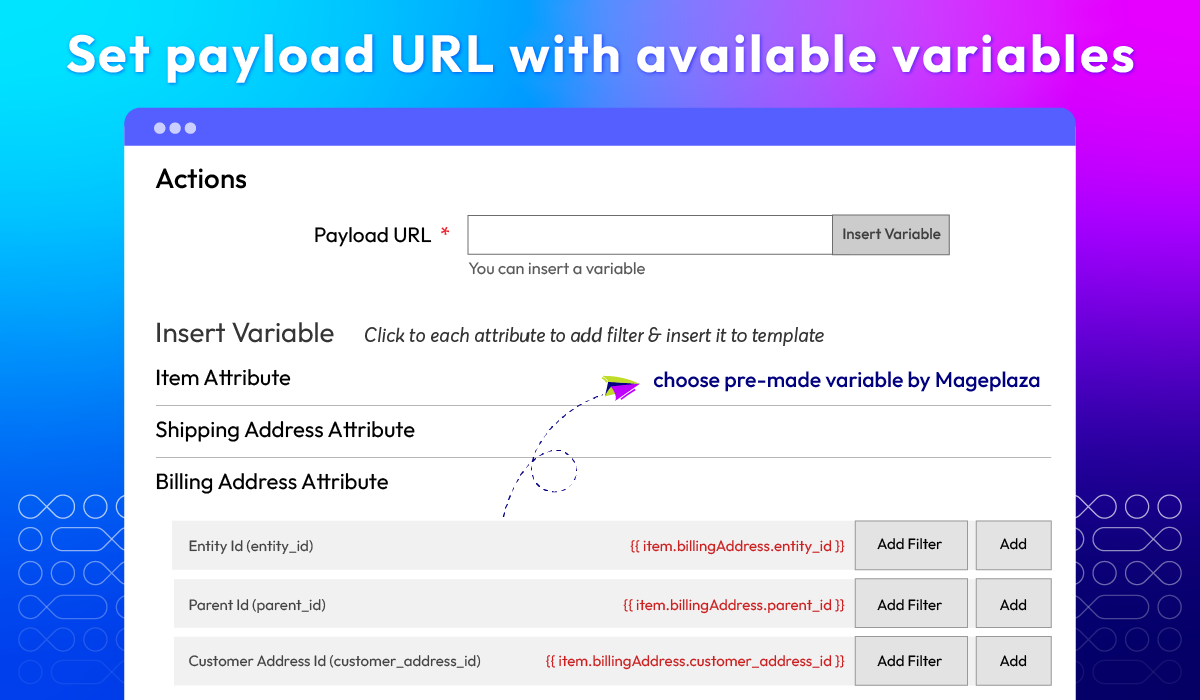
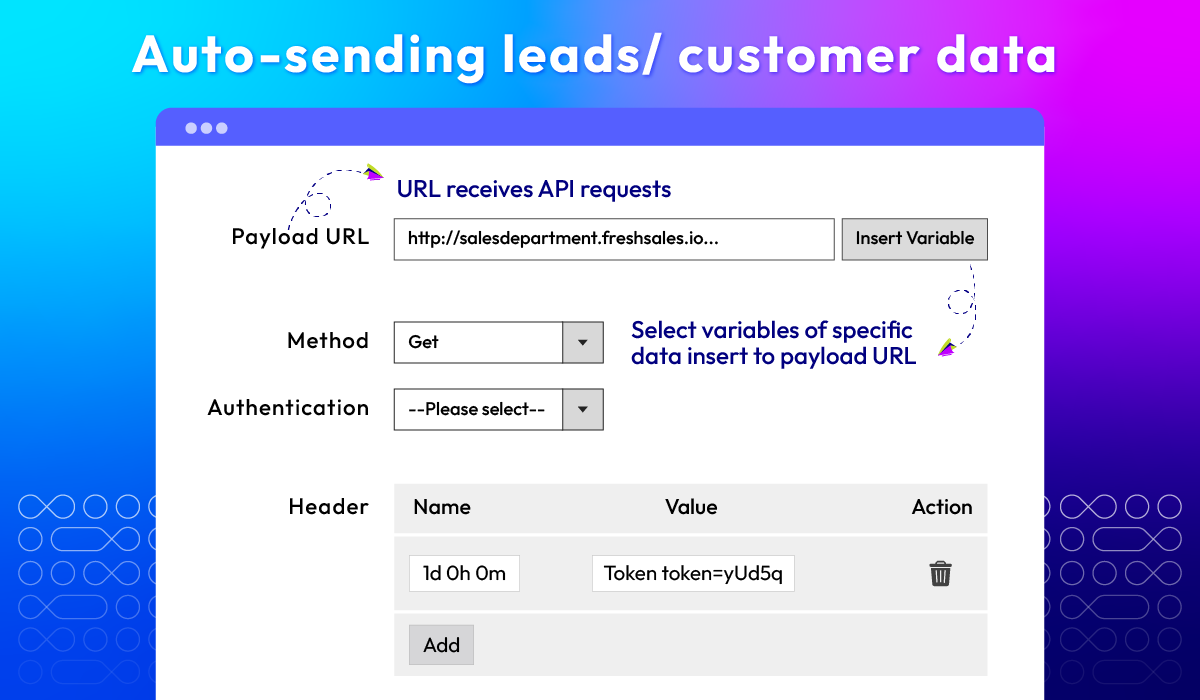
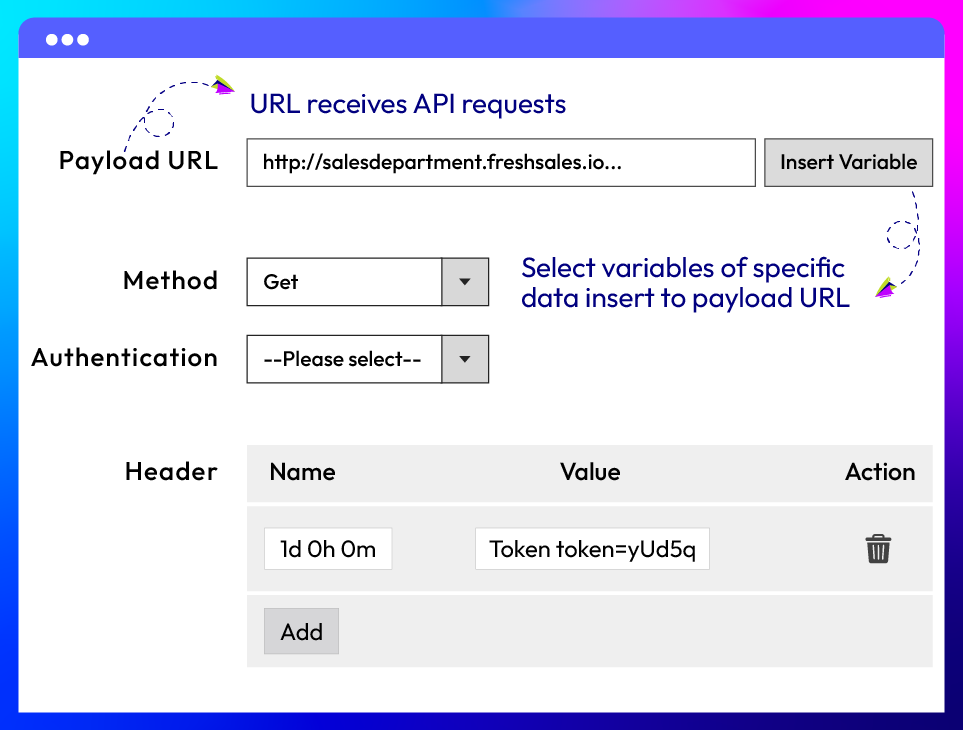
Set payload URL with available variables
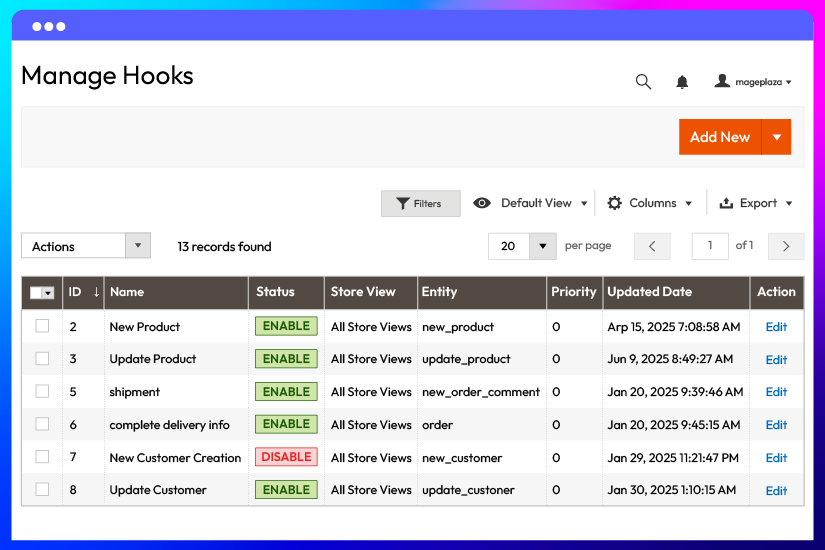
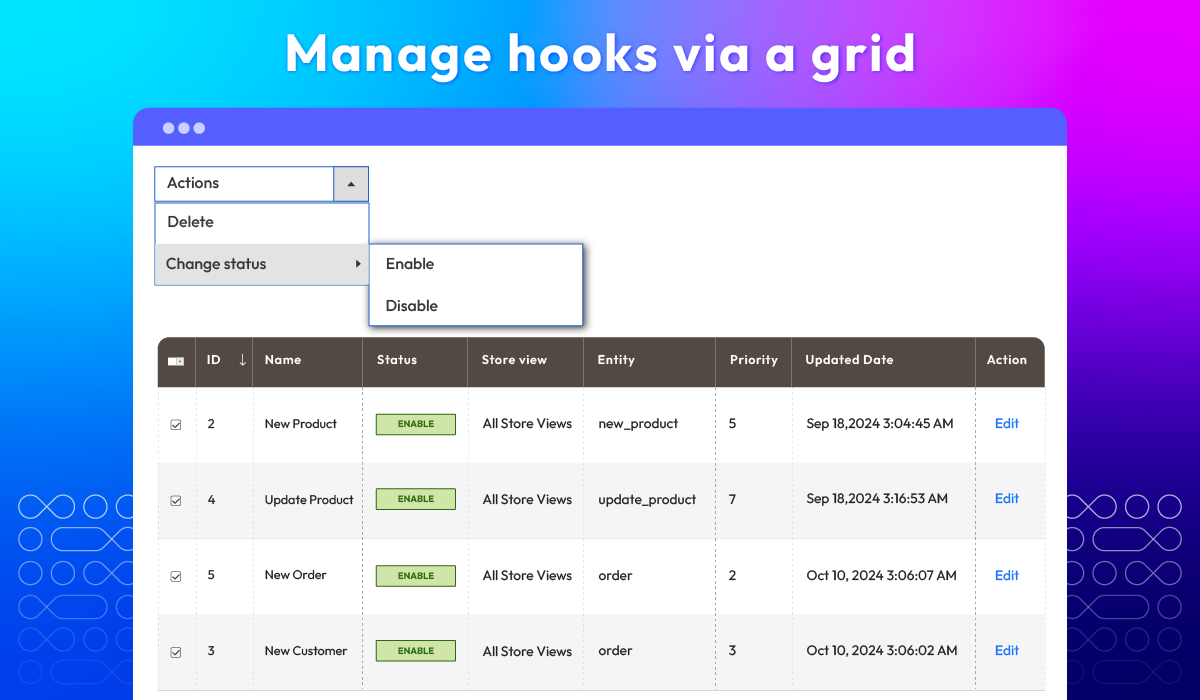
Hook management grid
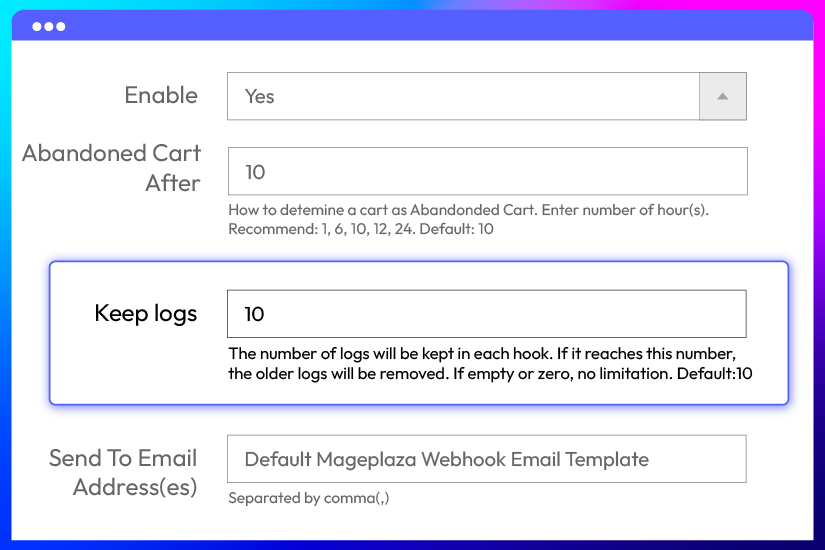
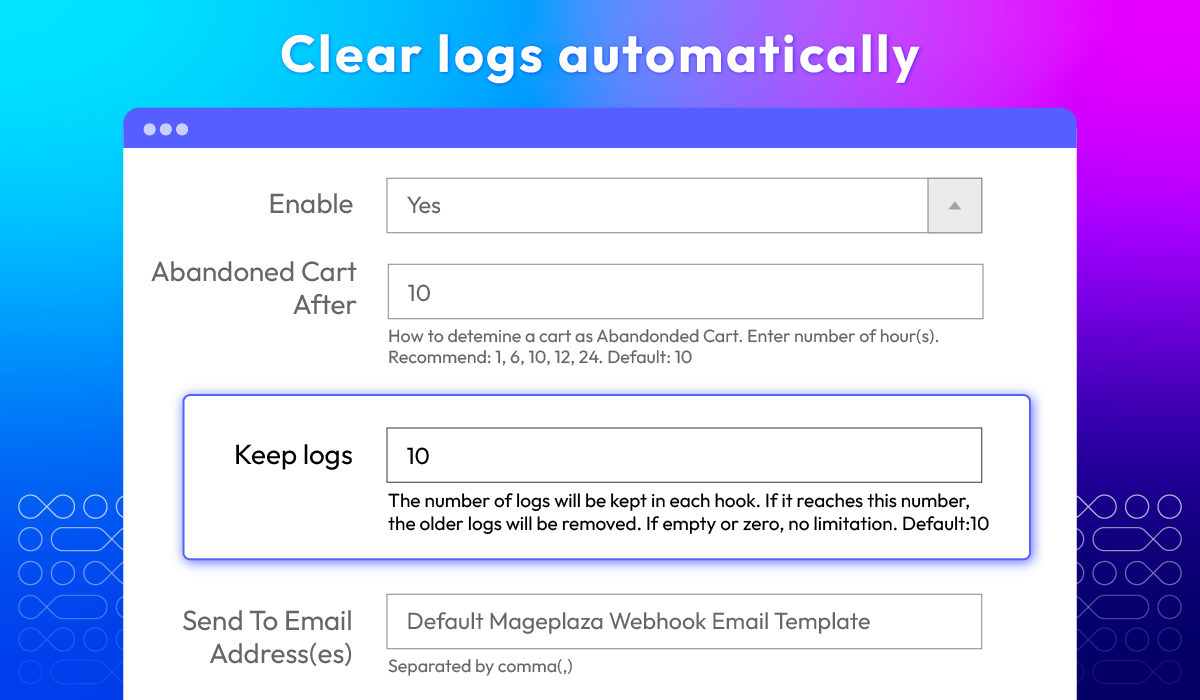
Auto clear logs
Reliable webhook delivery, even when endpoints fail
Queue, retry, monitor, and alert — so no event gets lost and checkout never waits on a third-party server.
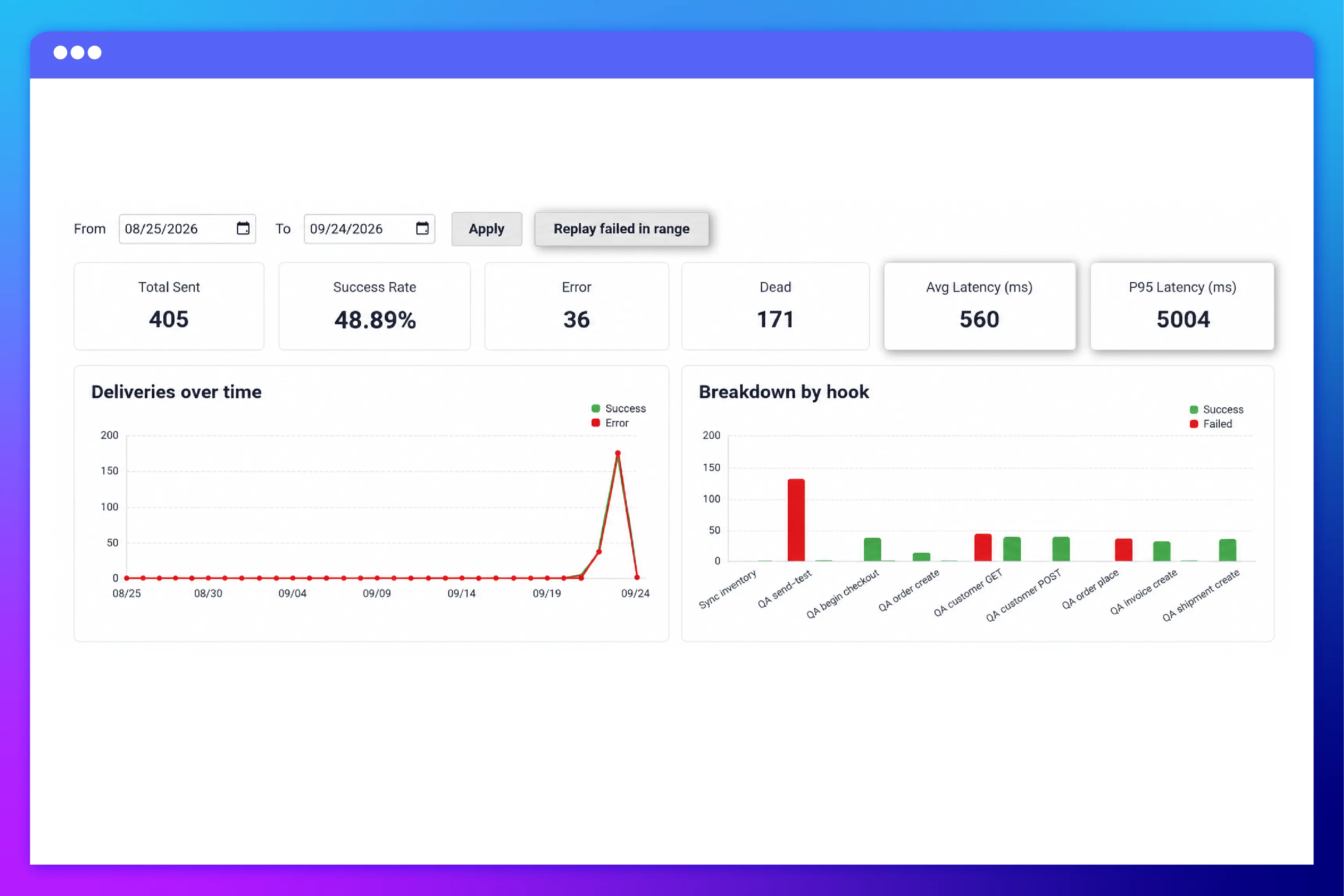
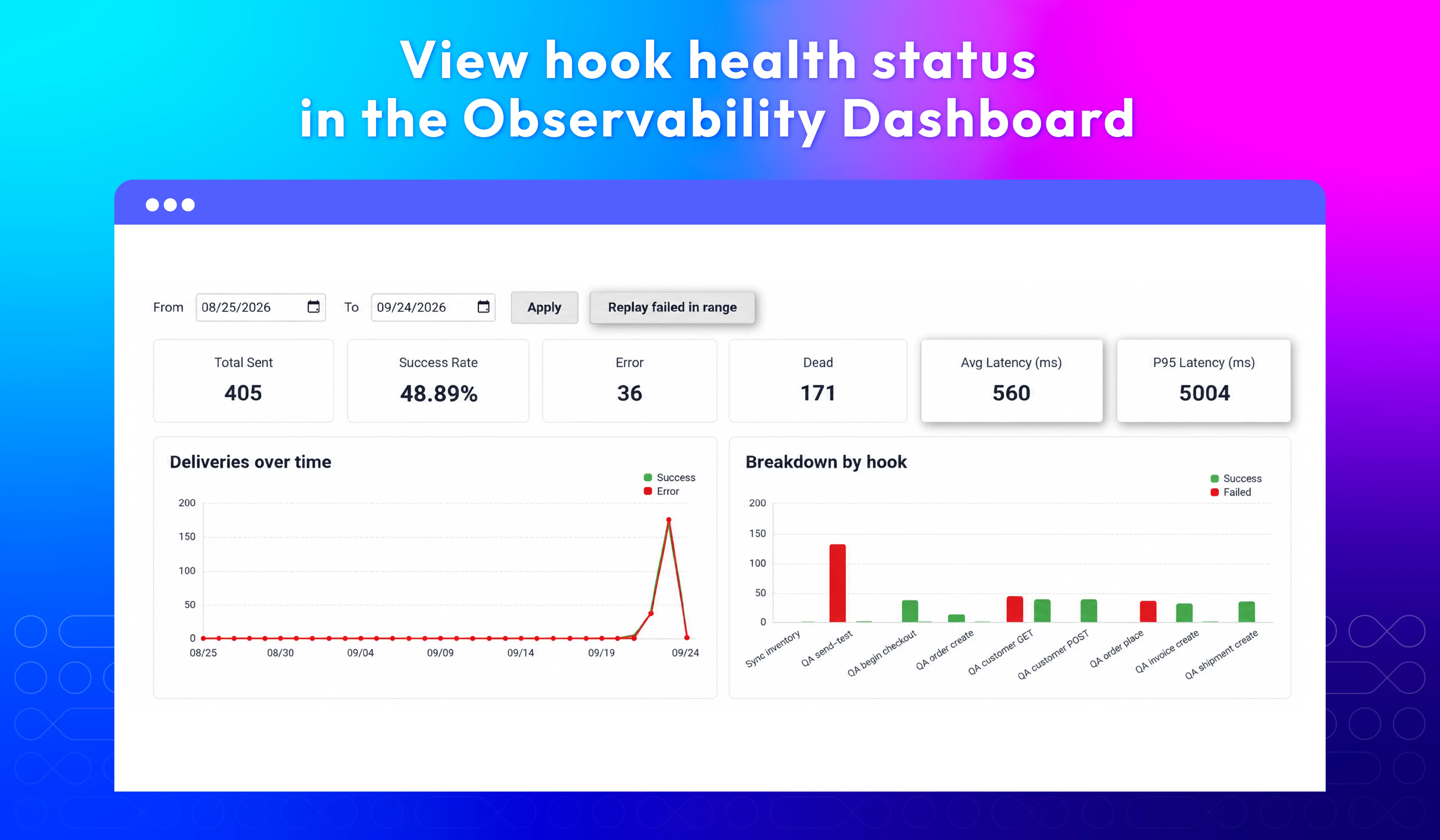
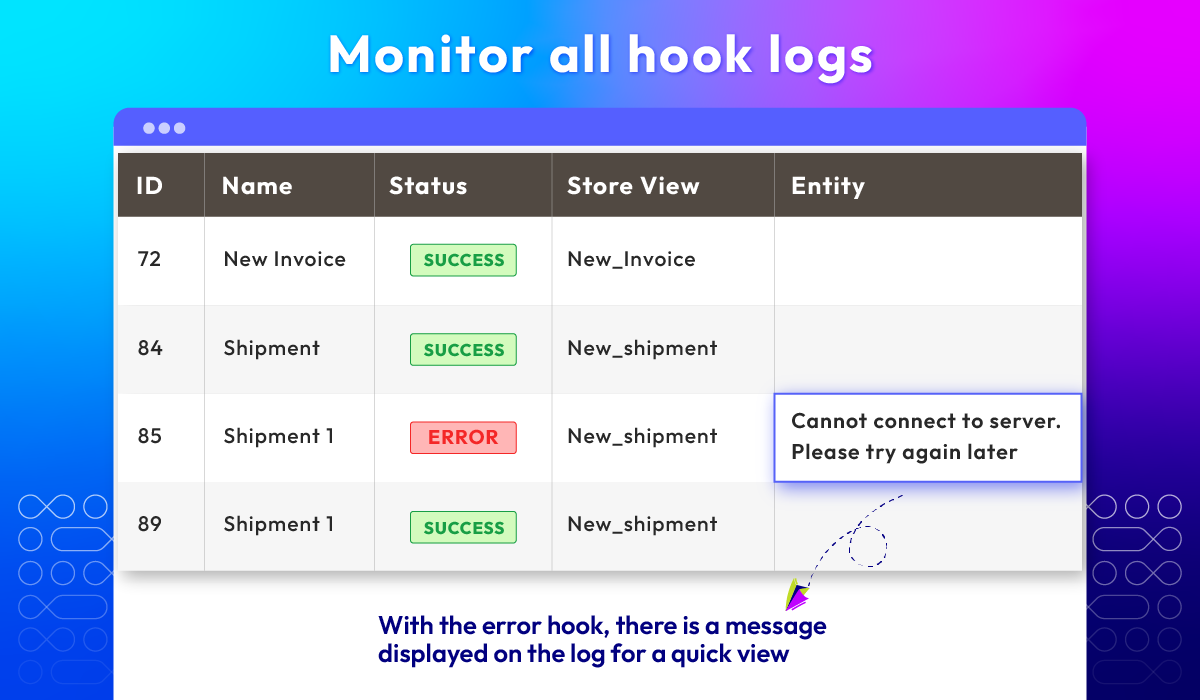
Observability dashboard
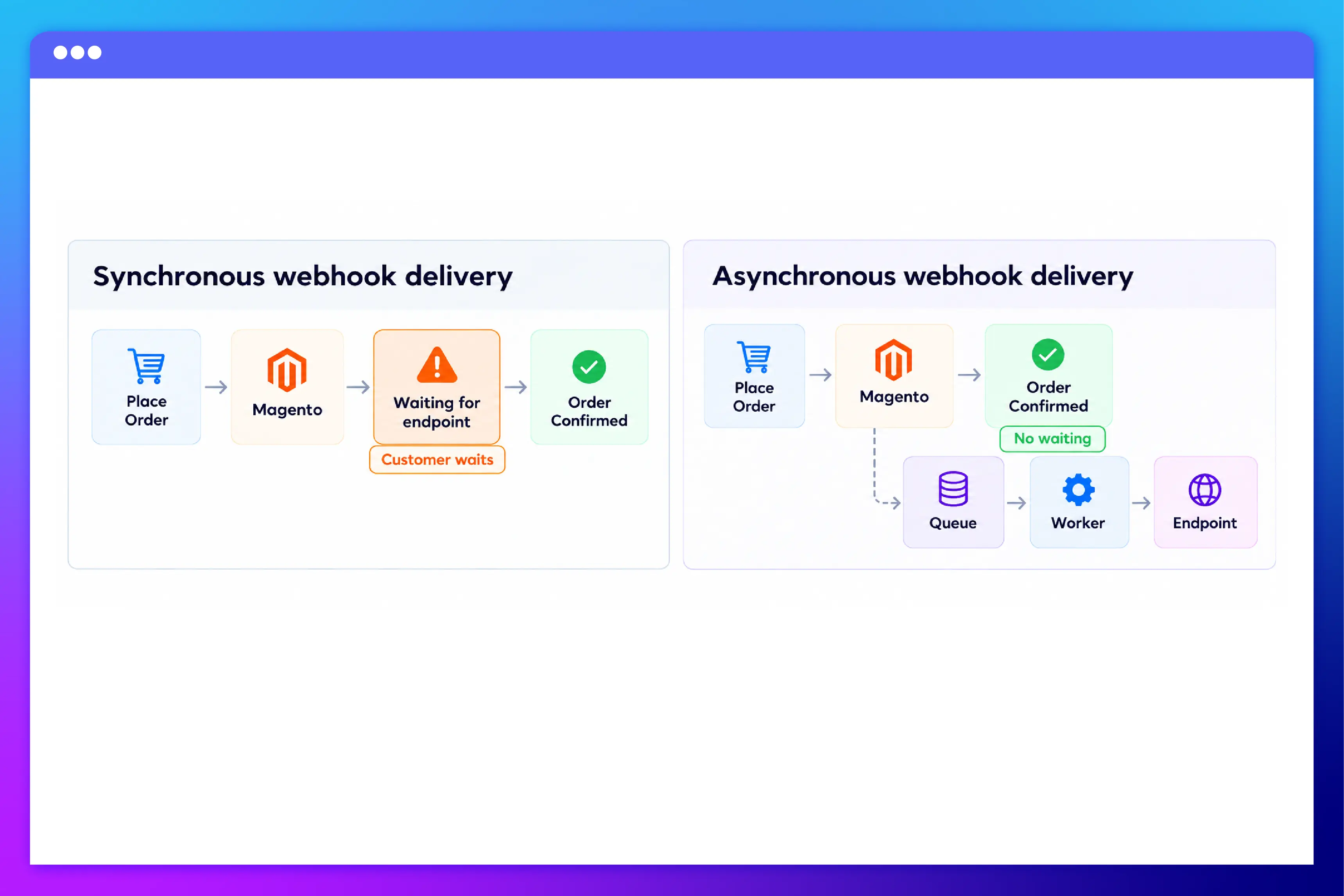
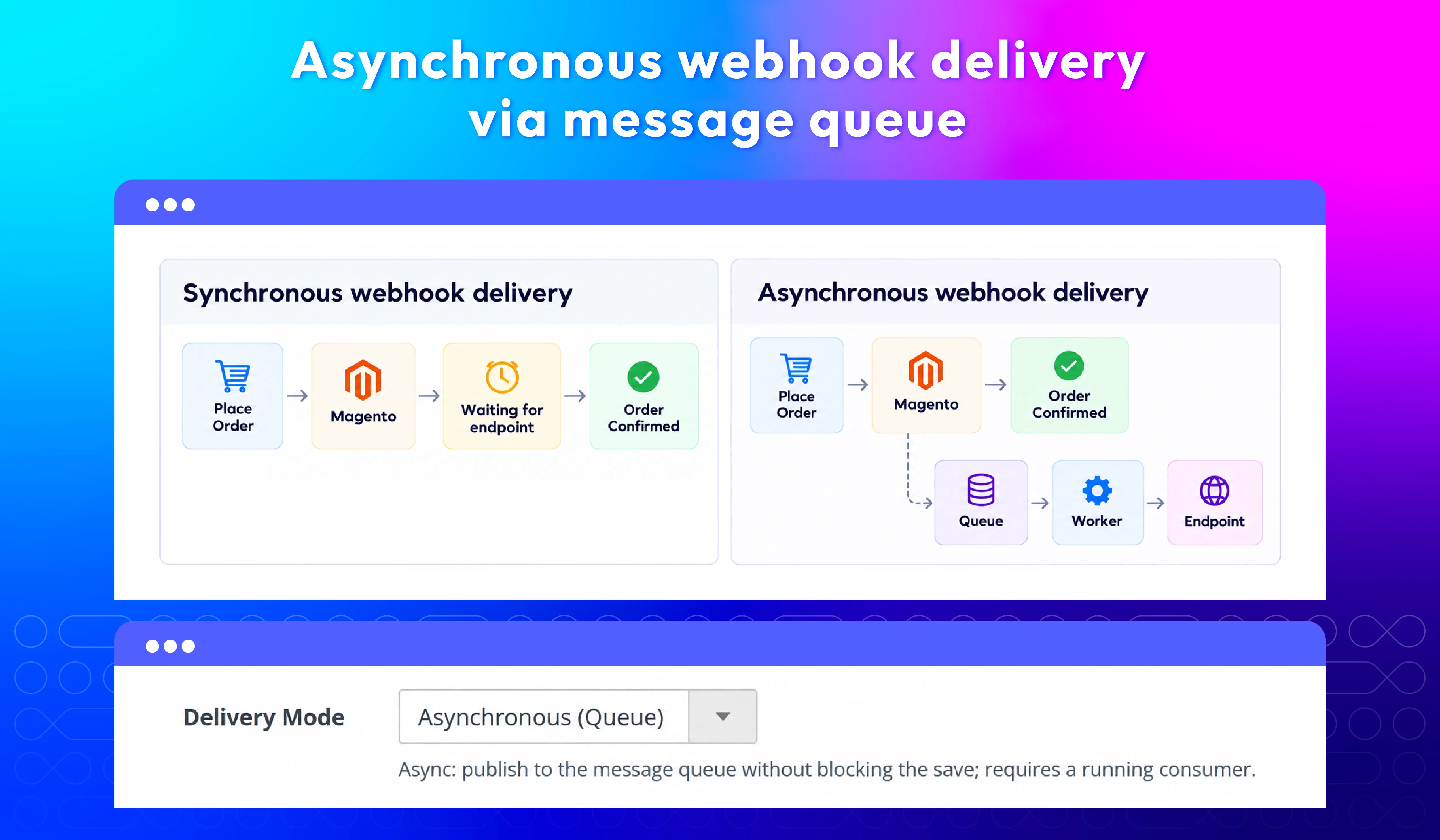
Asynchronous delivery
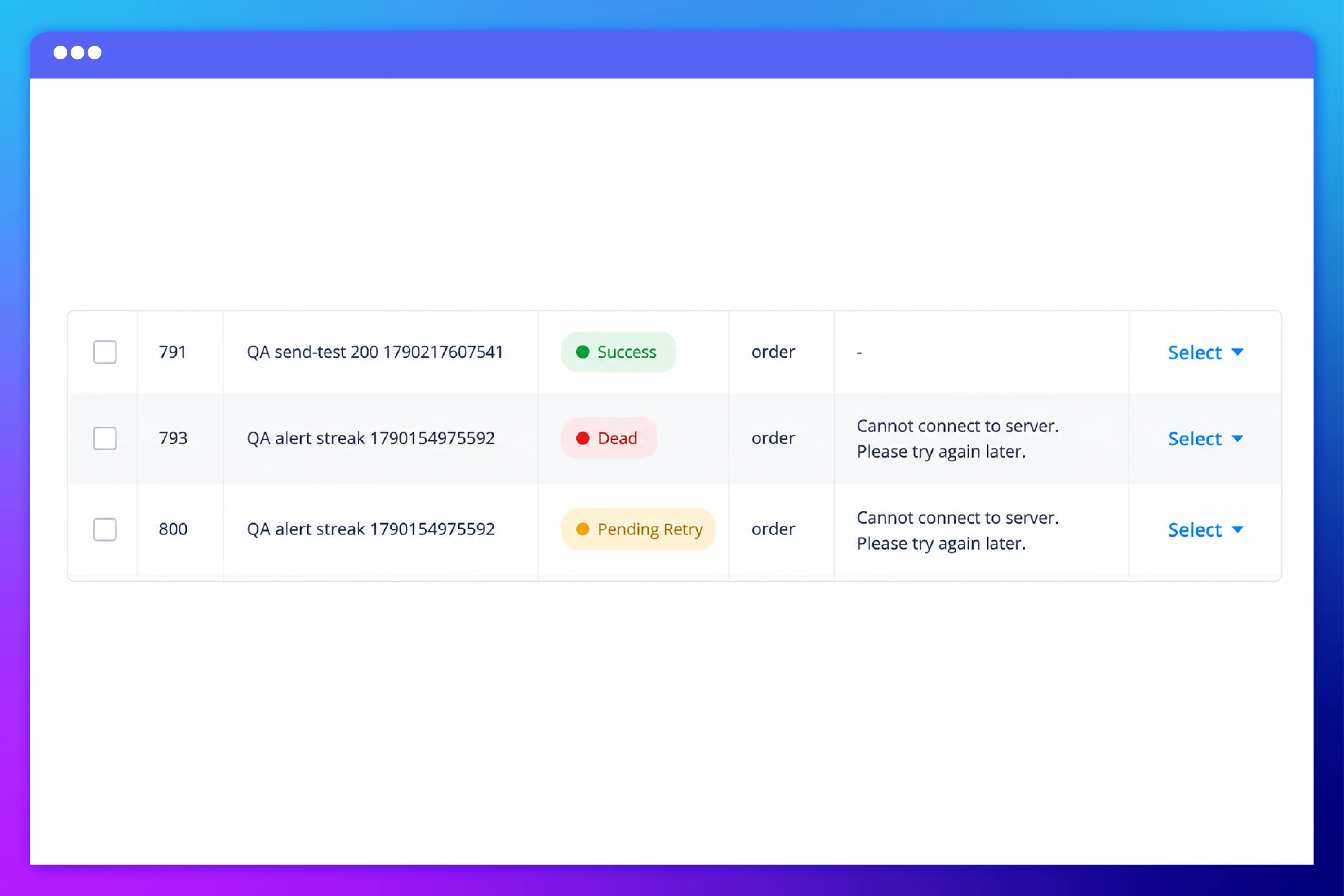
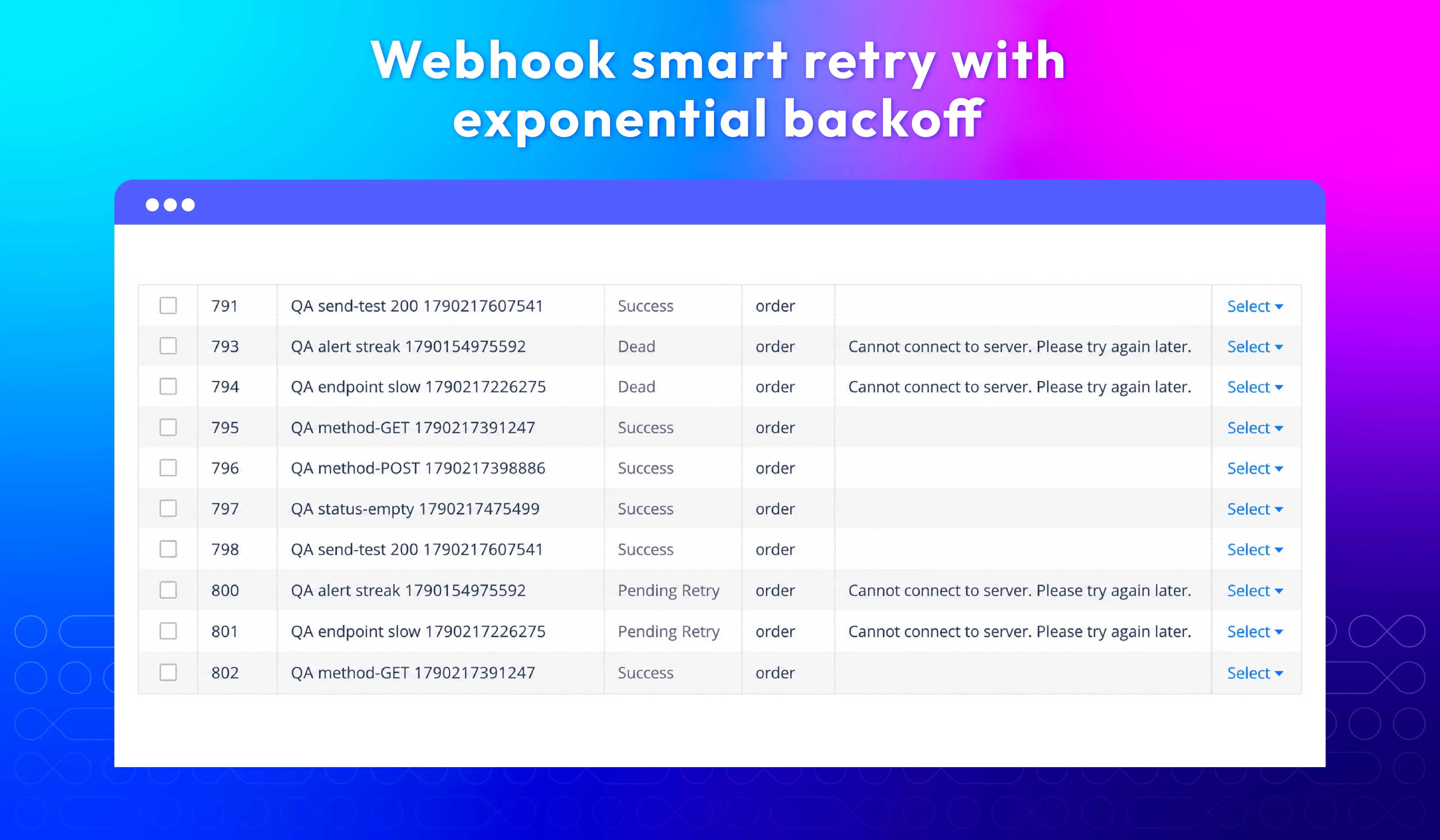
Smart retry
Secure every webhook request
Modern authentication and signed payloads, so receiving systems know each request is really from your store.
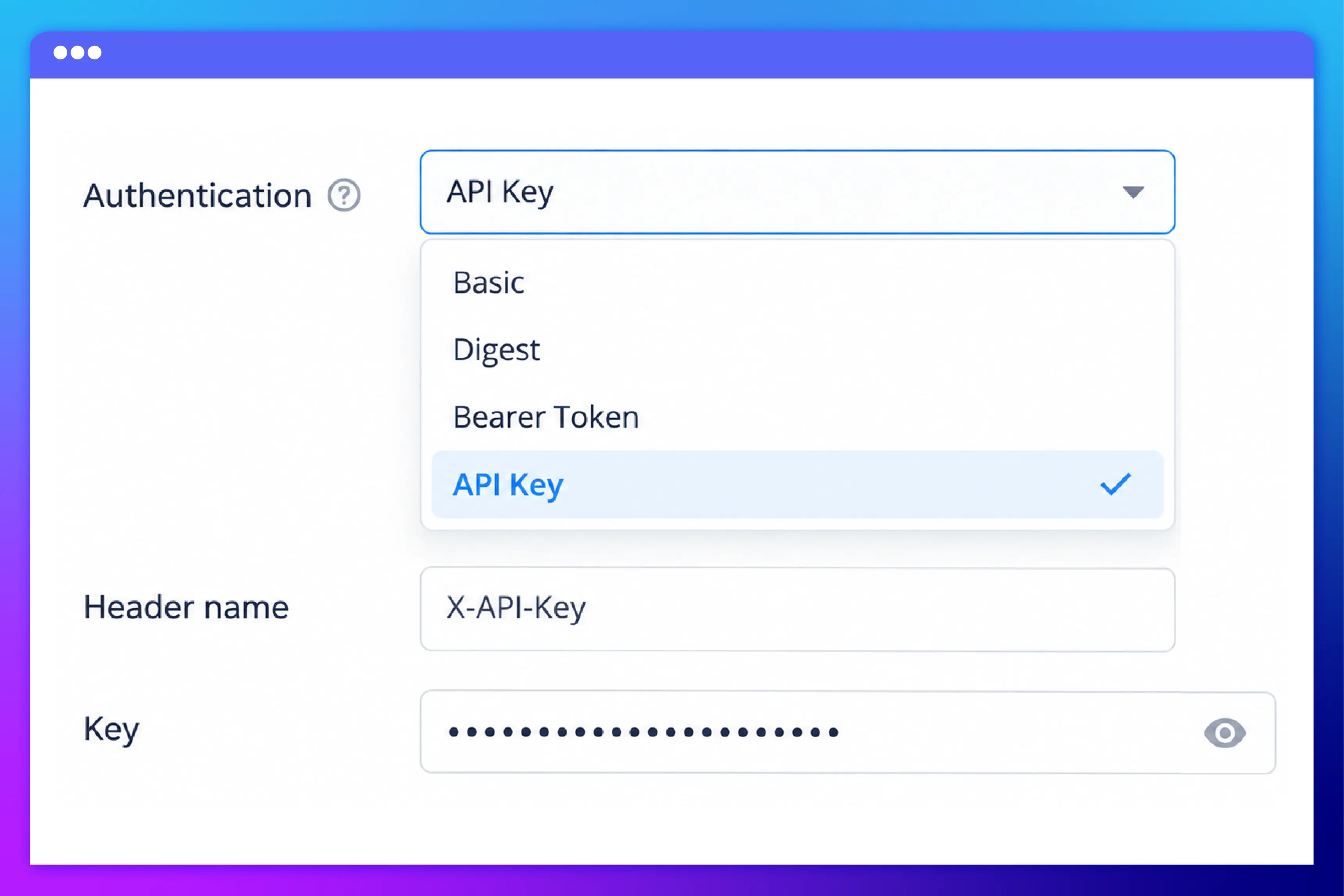
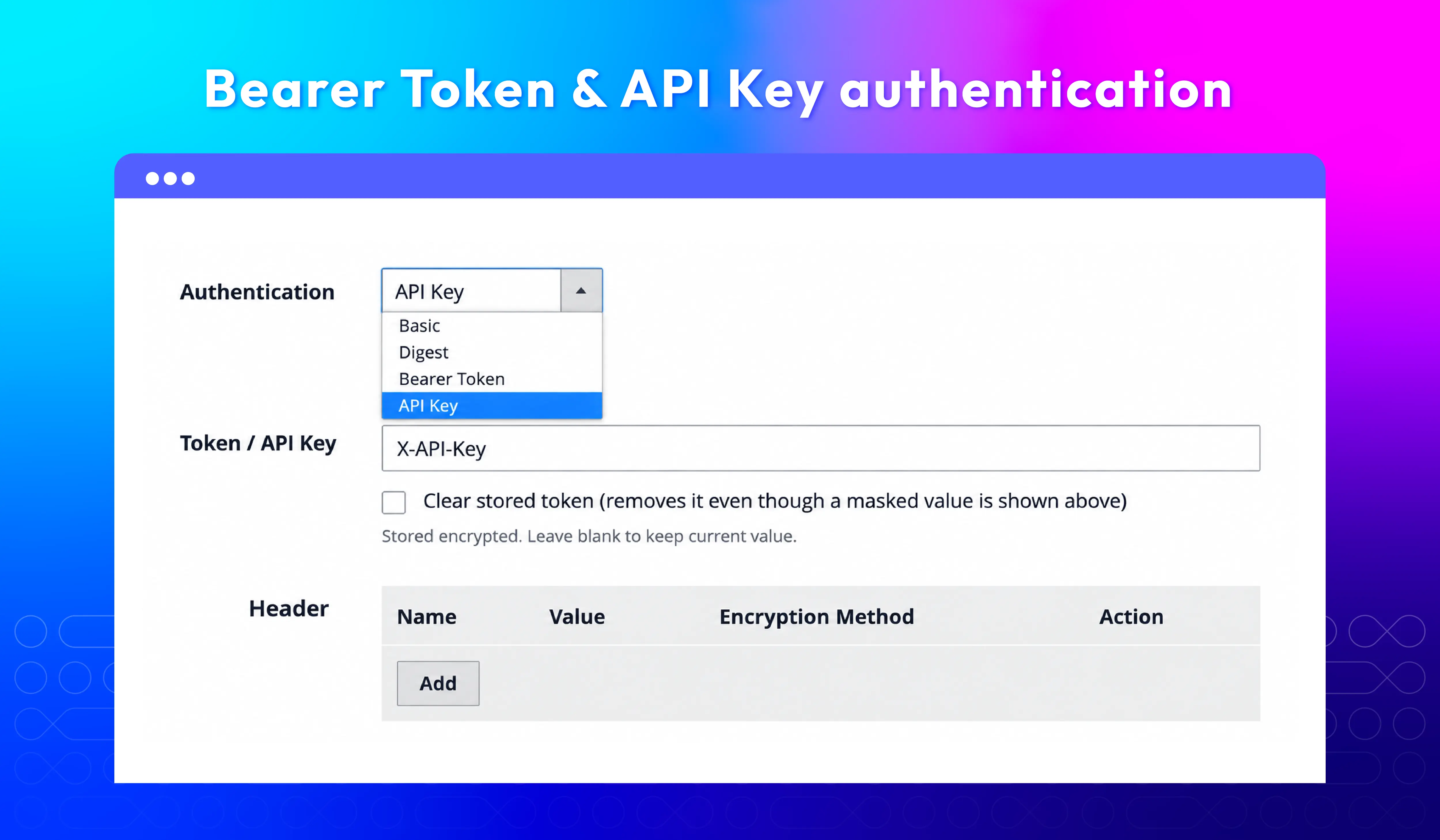
Bearer Token & API Key authentication
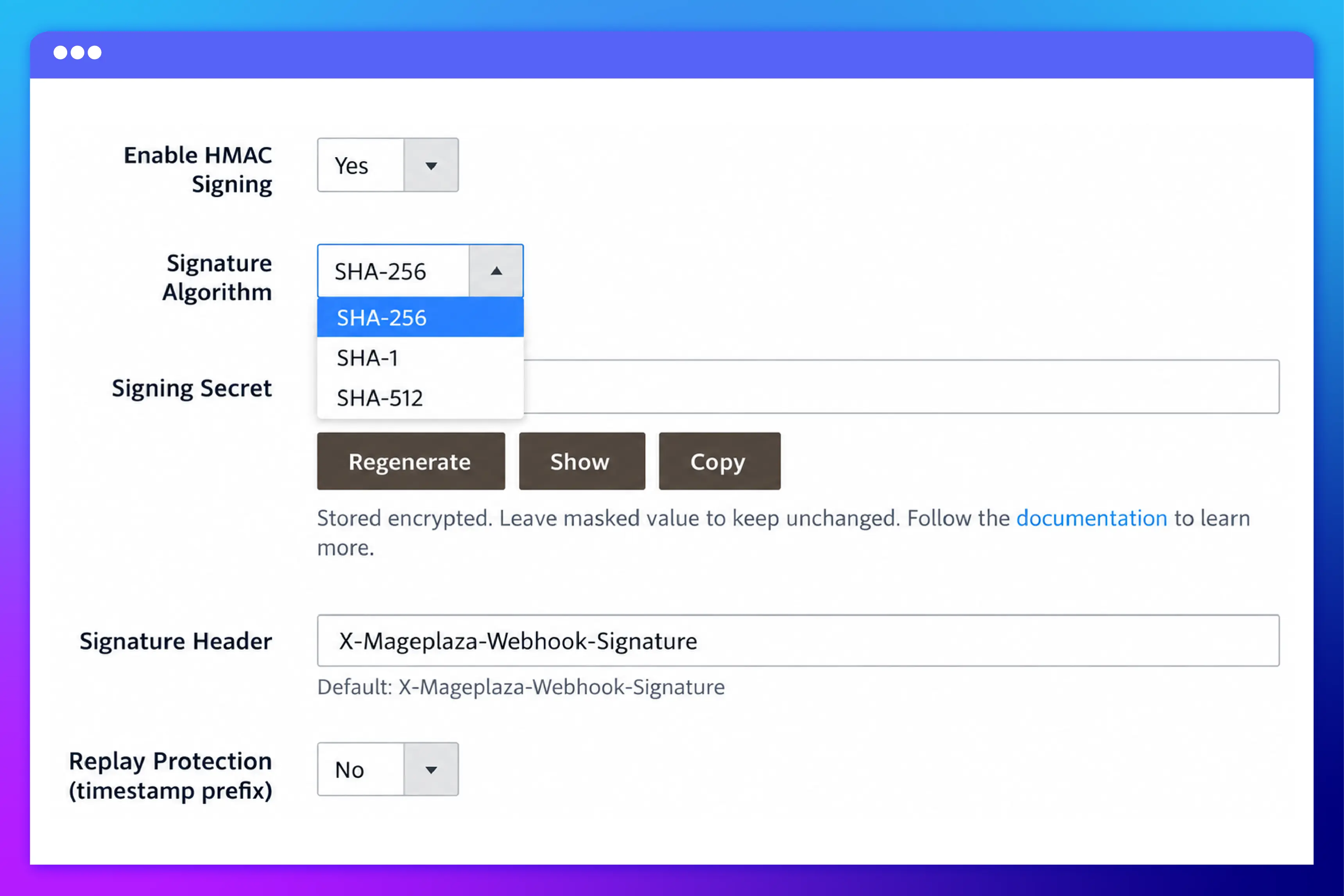
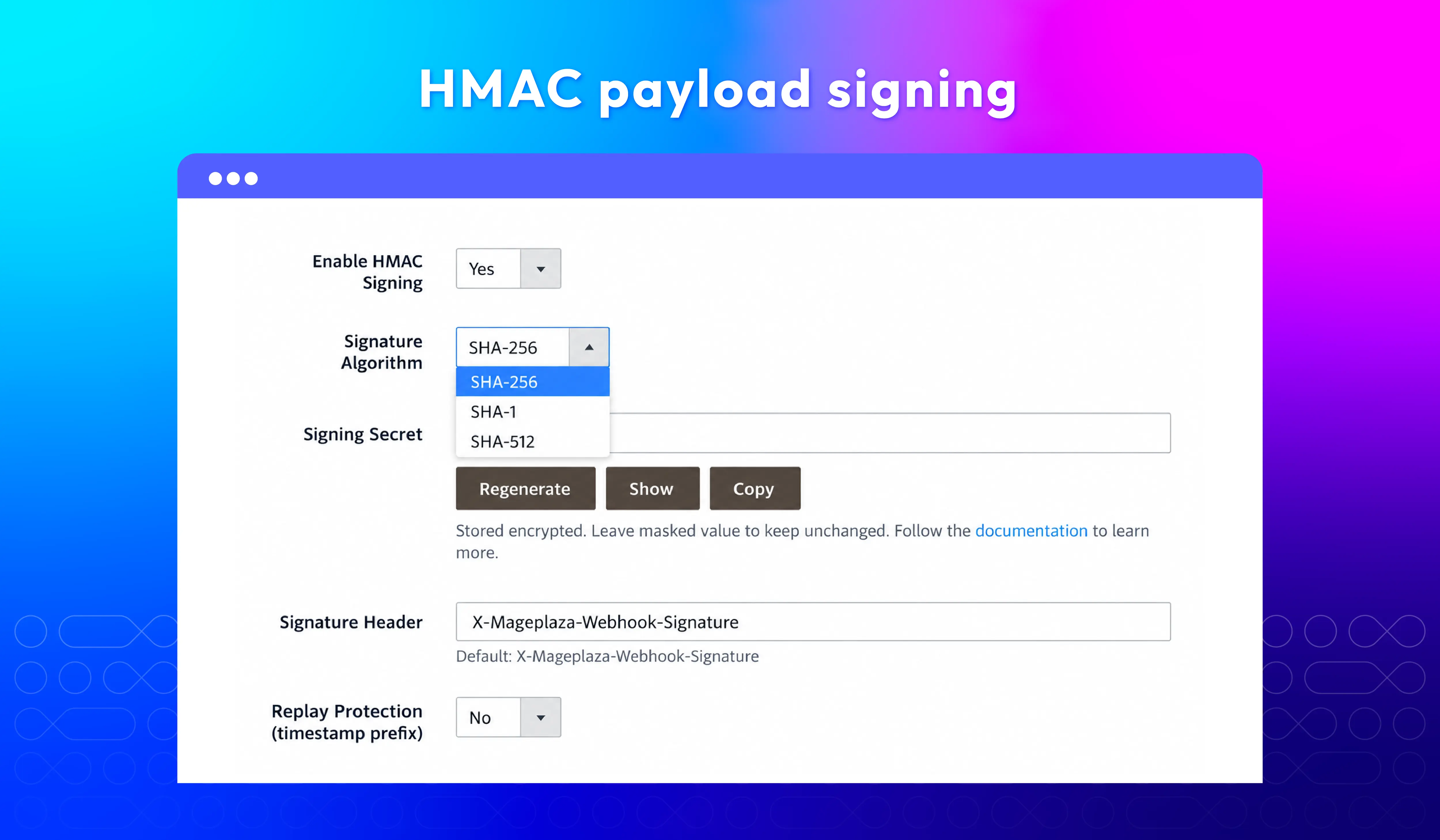
HMAC payload signing
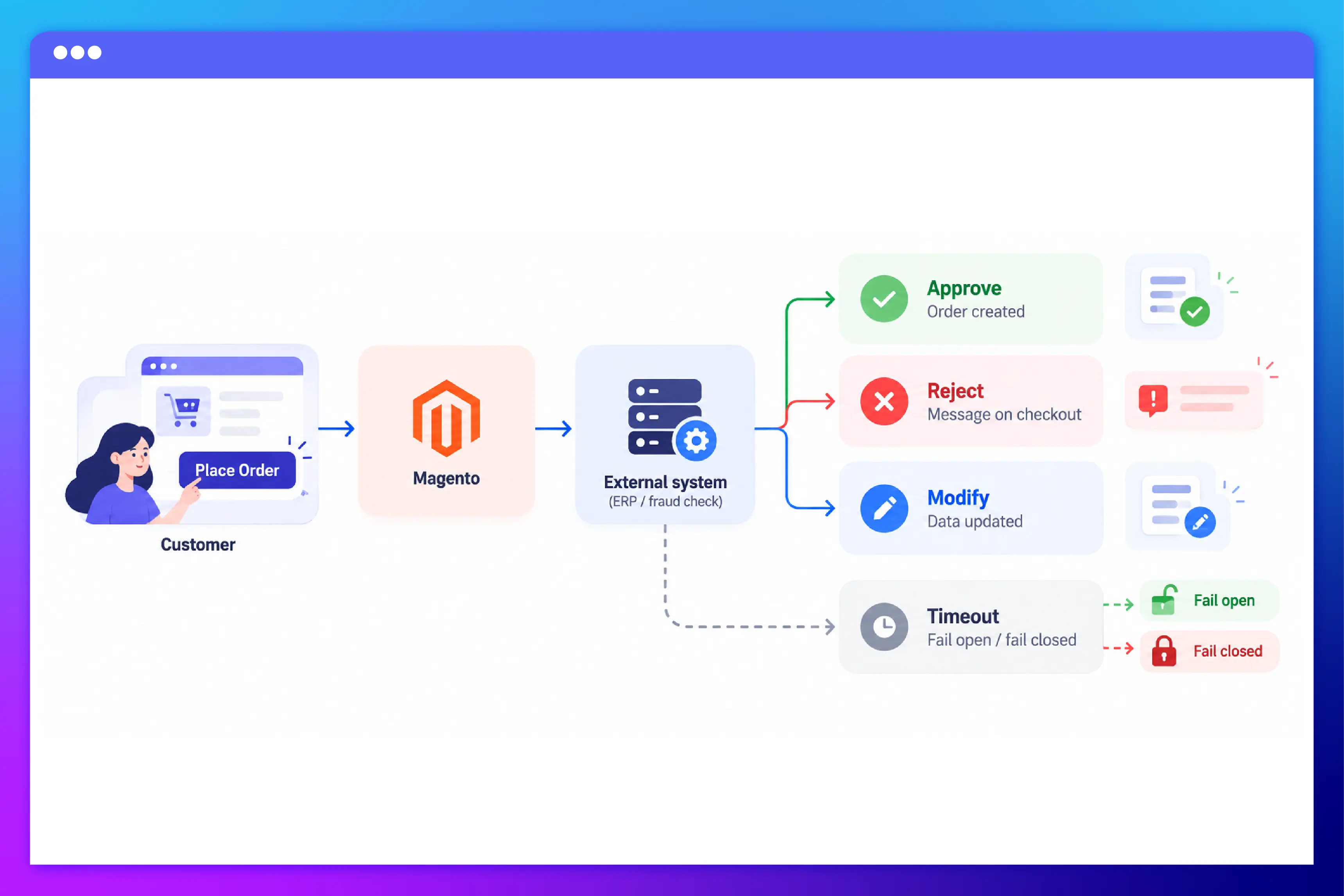
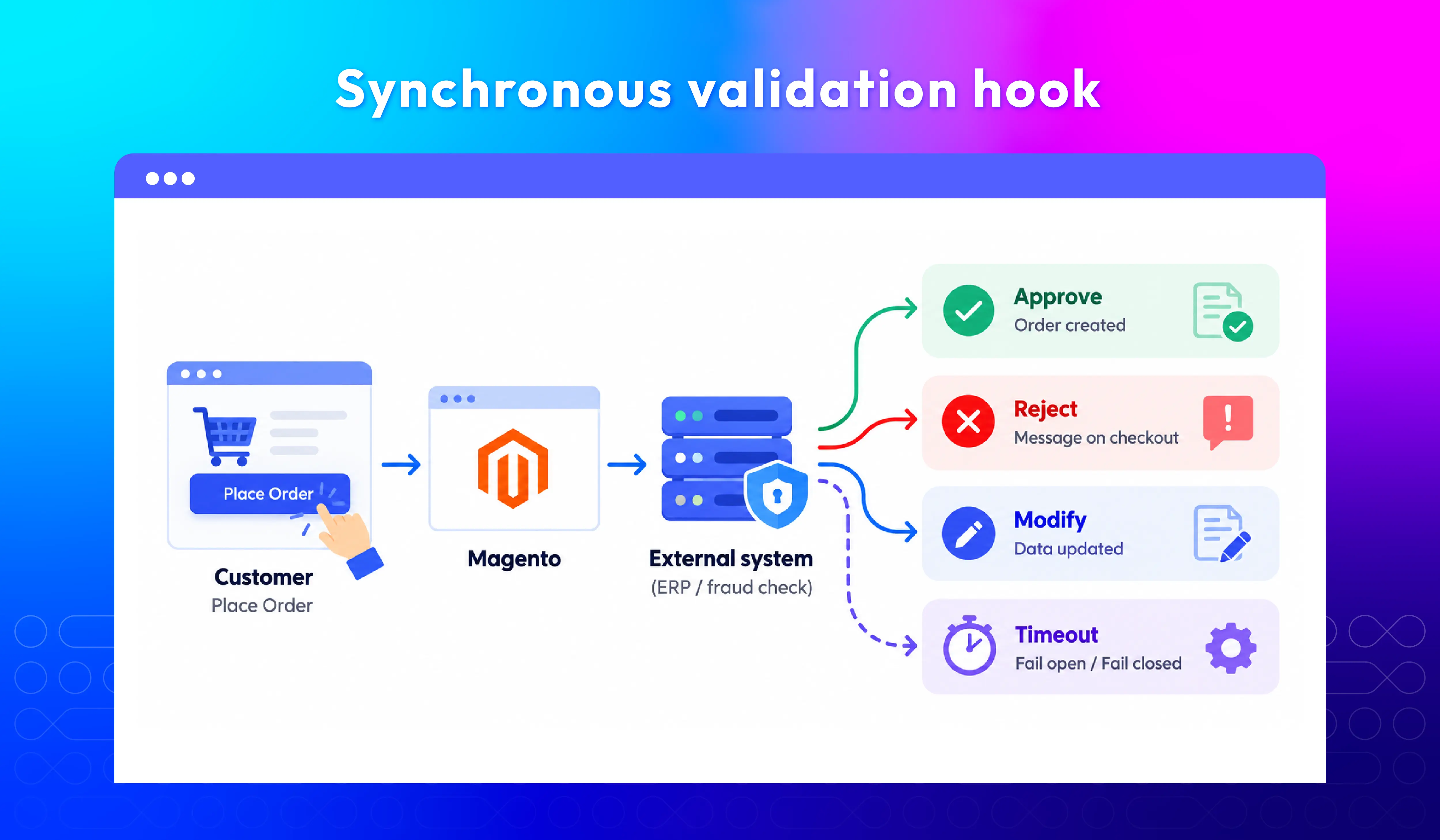
Real-time order validation
Automate customer & marketing workflows
Send customer data, leads, and order updates directly to your CRM or email platform in real time. Automate campaigns, improve personalization, and cut down on manual exports.
Auto-send leads & customer data
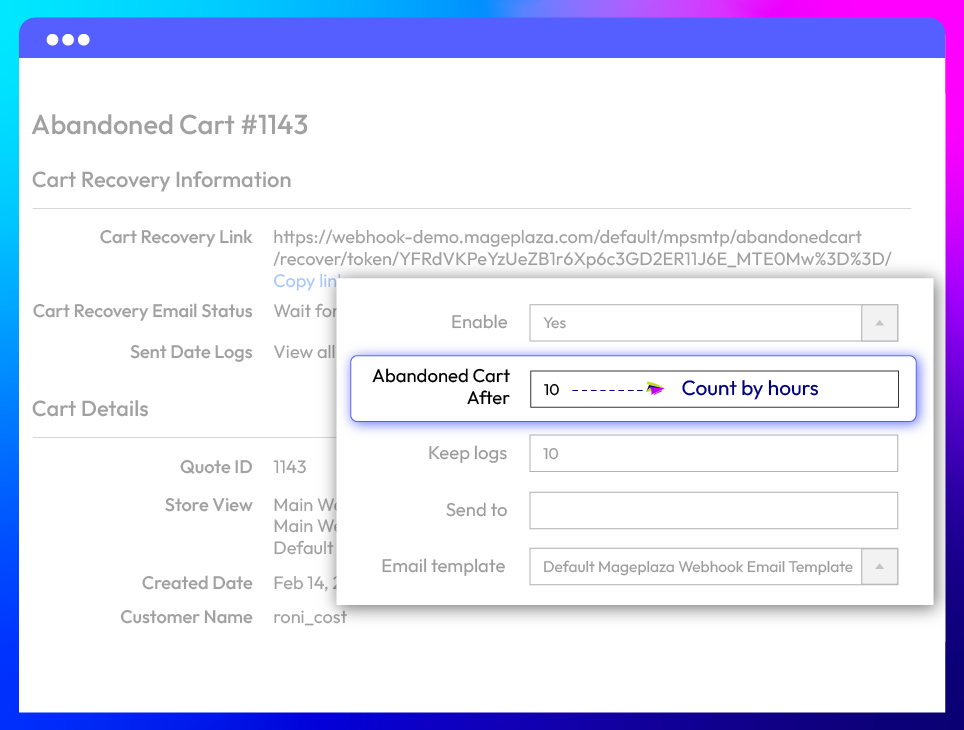
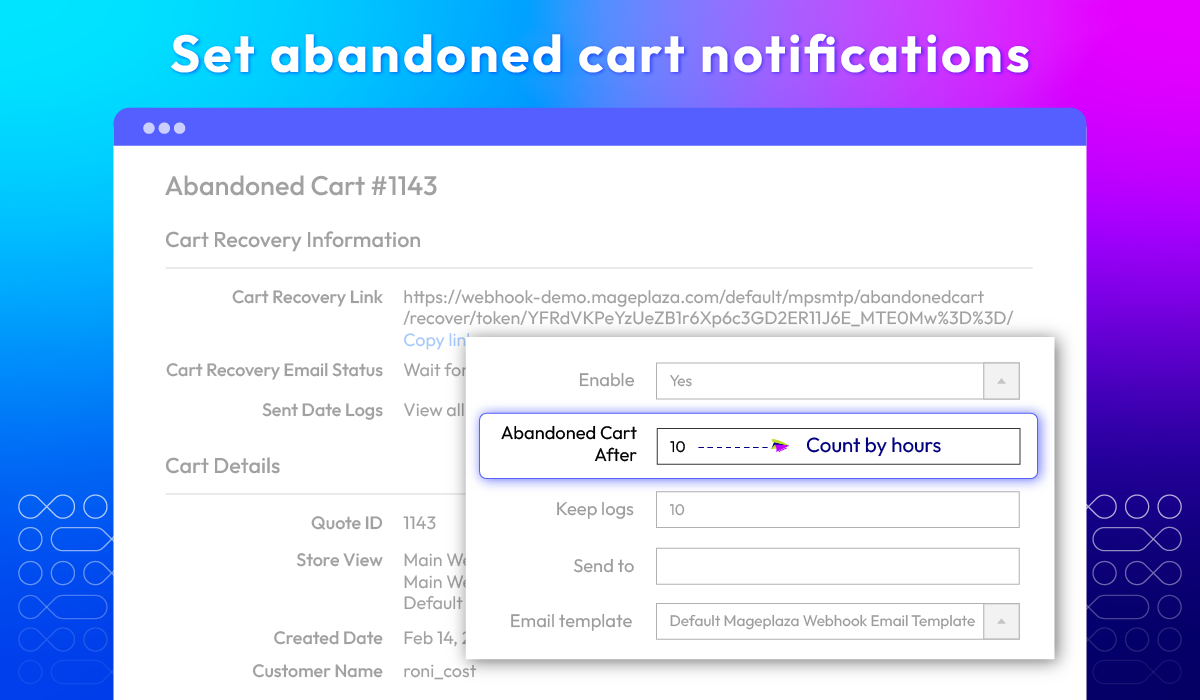
Abandoned cart notifications
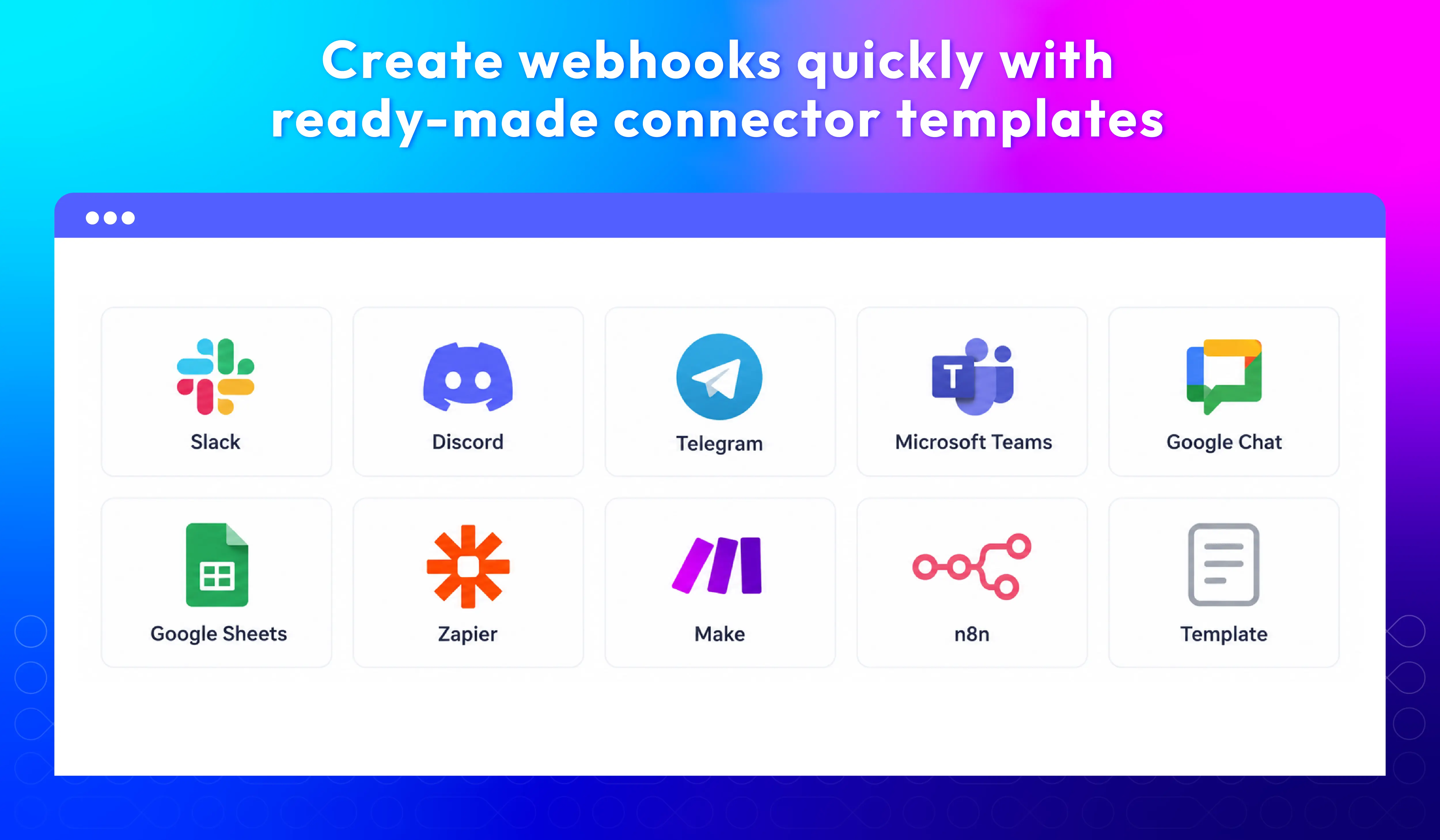
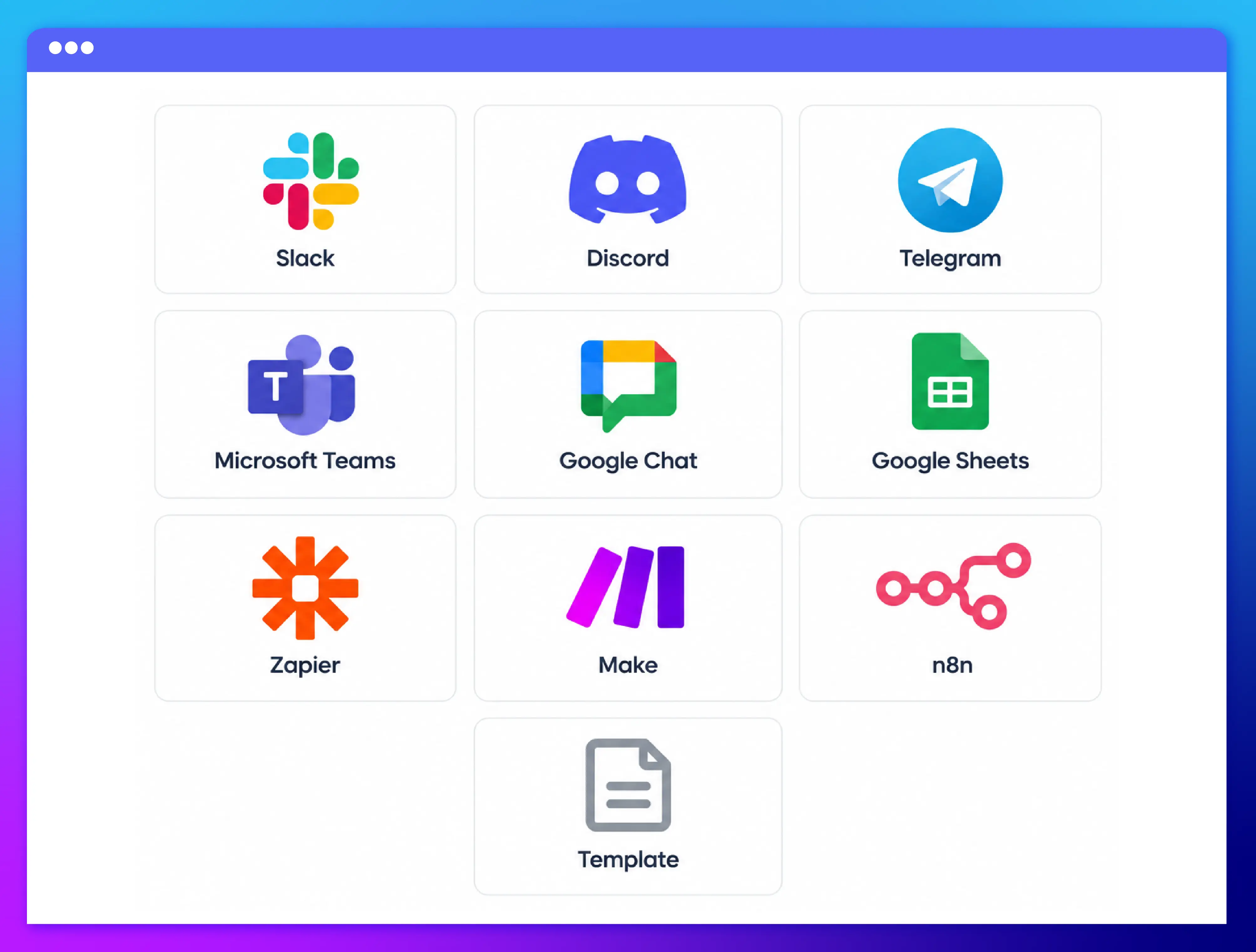
Ready-made connector templates
Other Helpful Features for Magento 2 Webhook
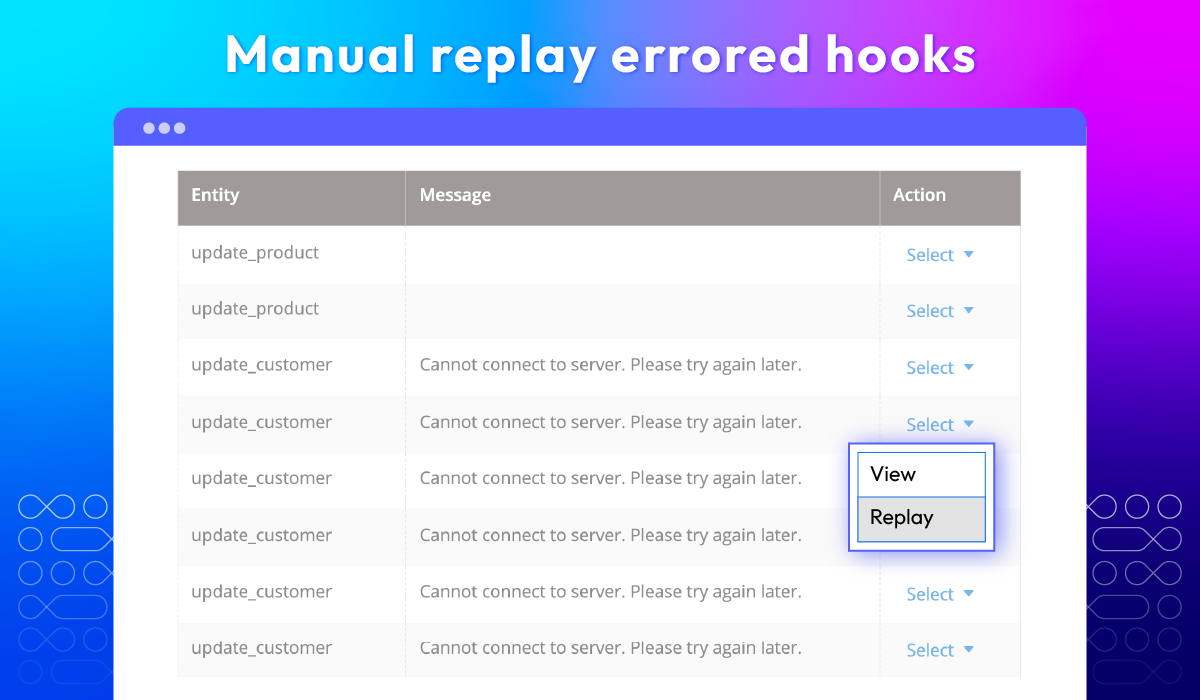
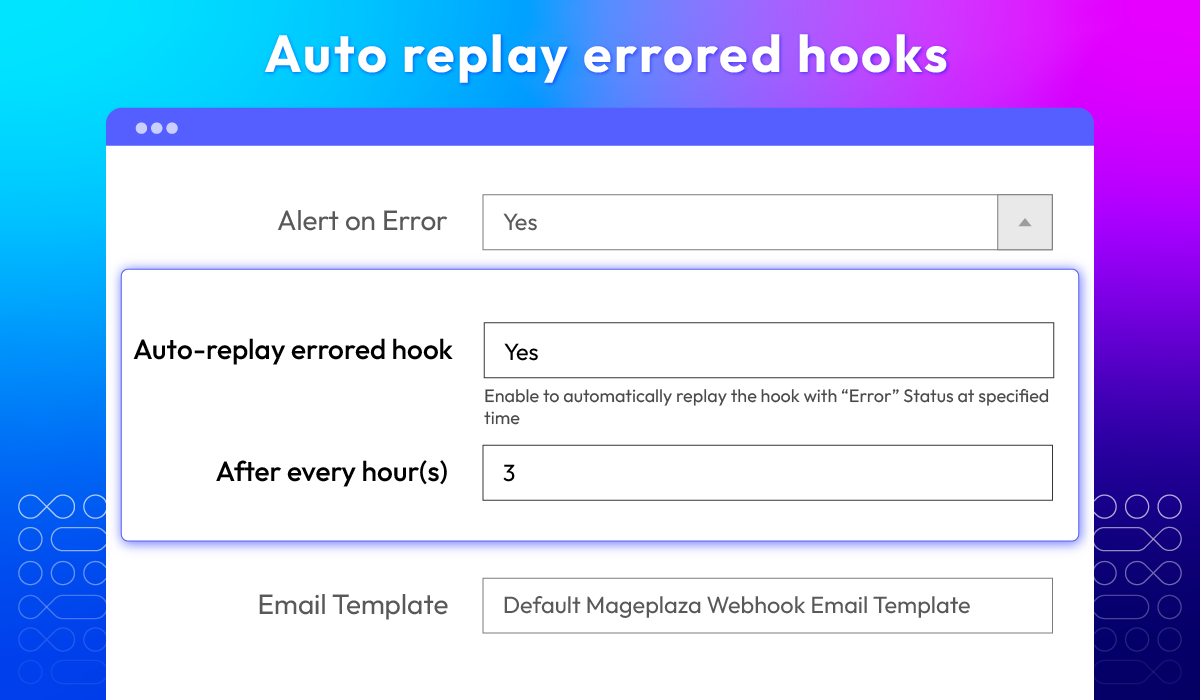
Replaying errored hooks
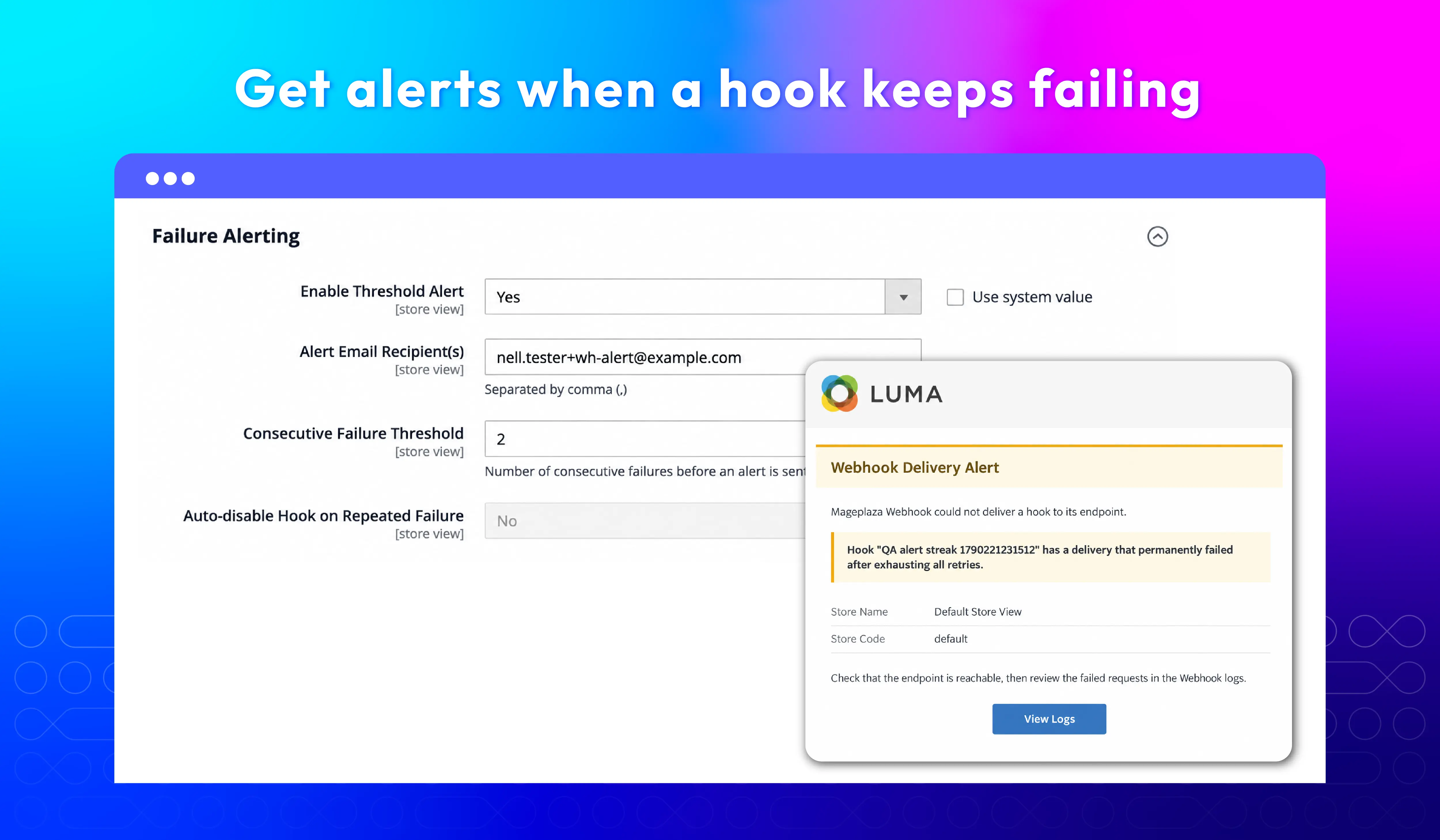
Failure alerts
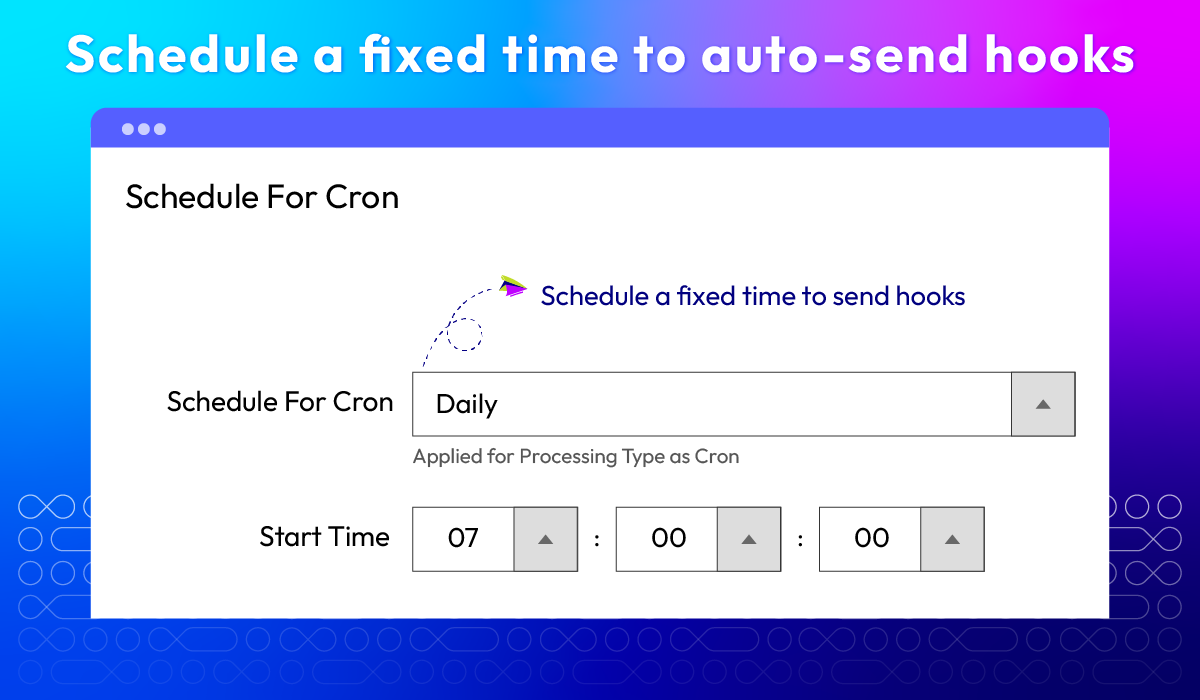
Cron schedule
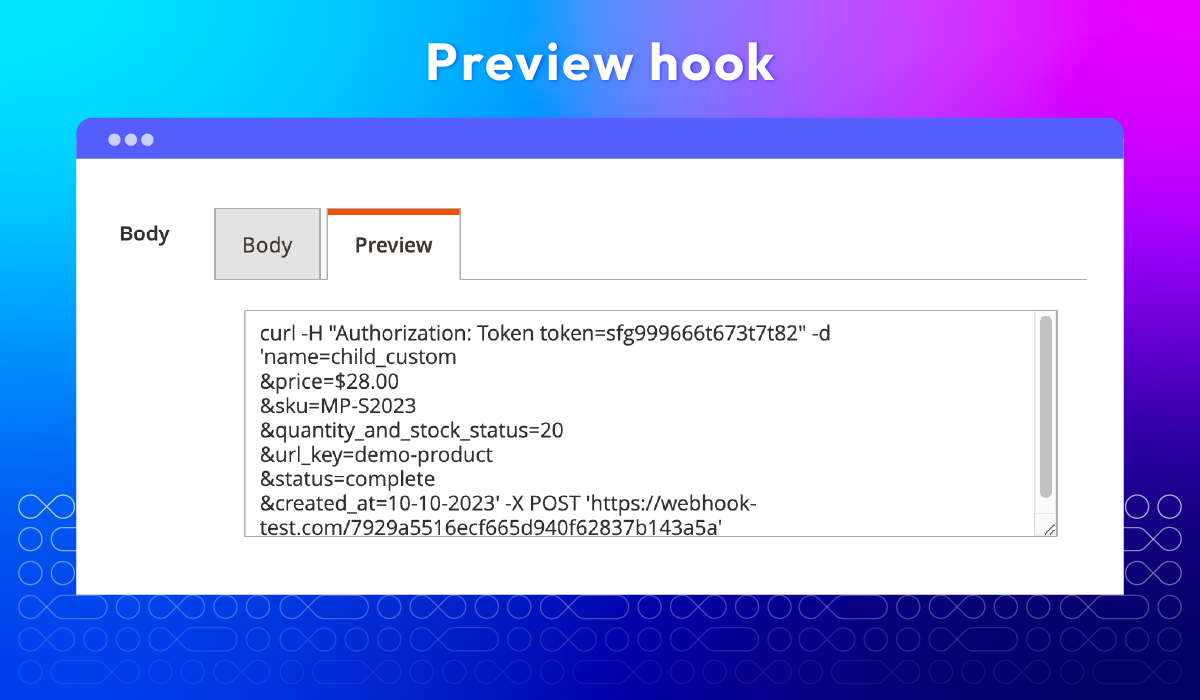
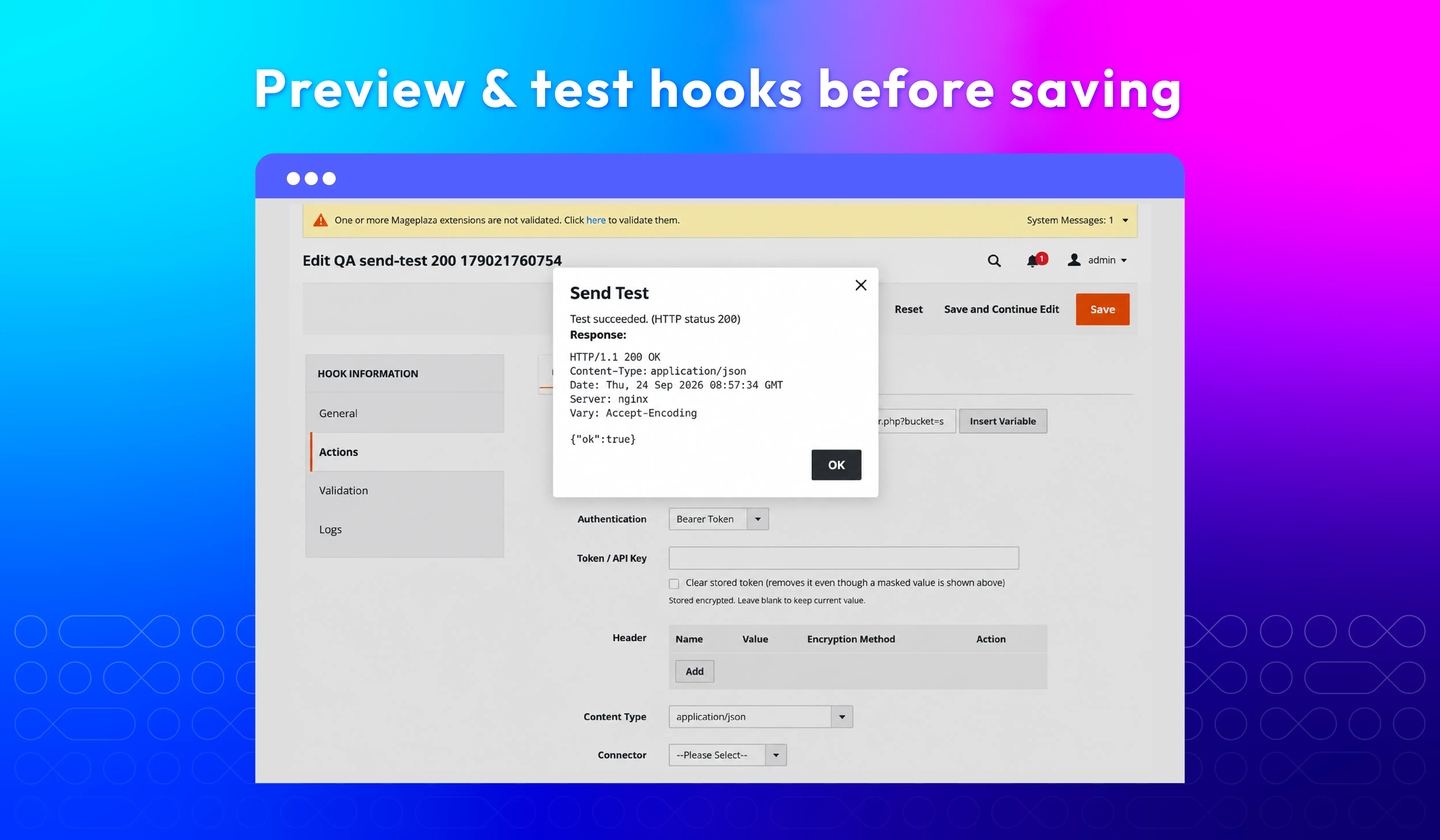
Hook preview
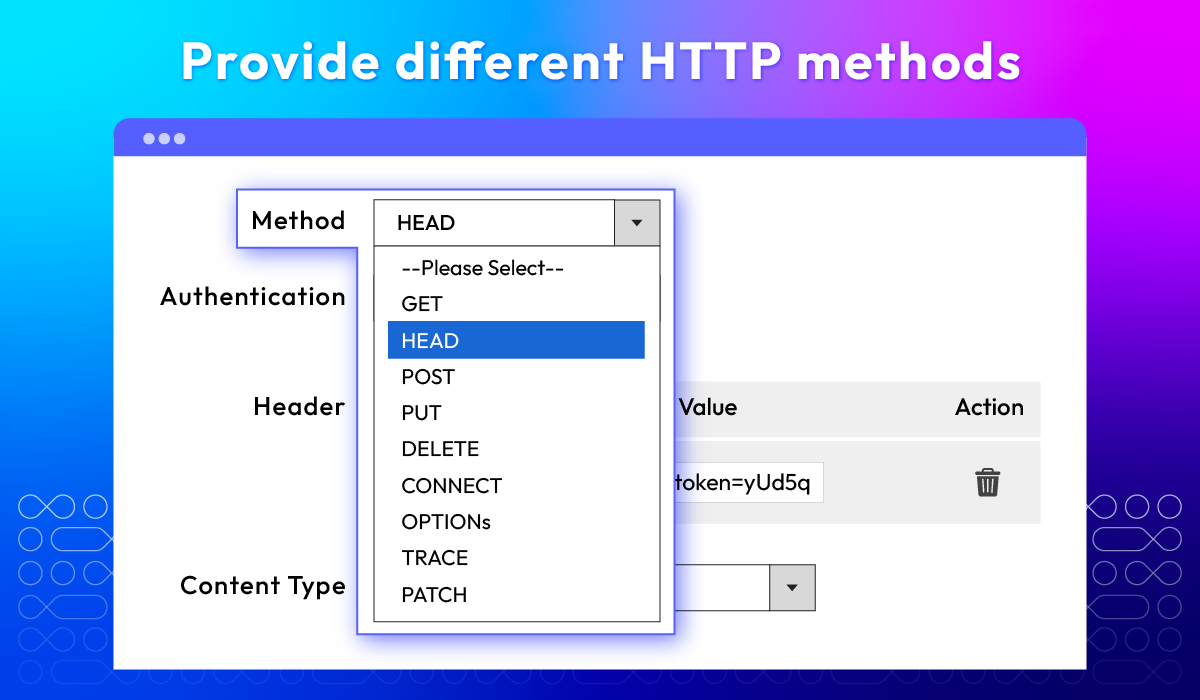
Multiple HTTP methods
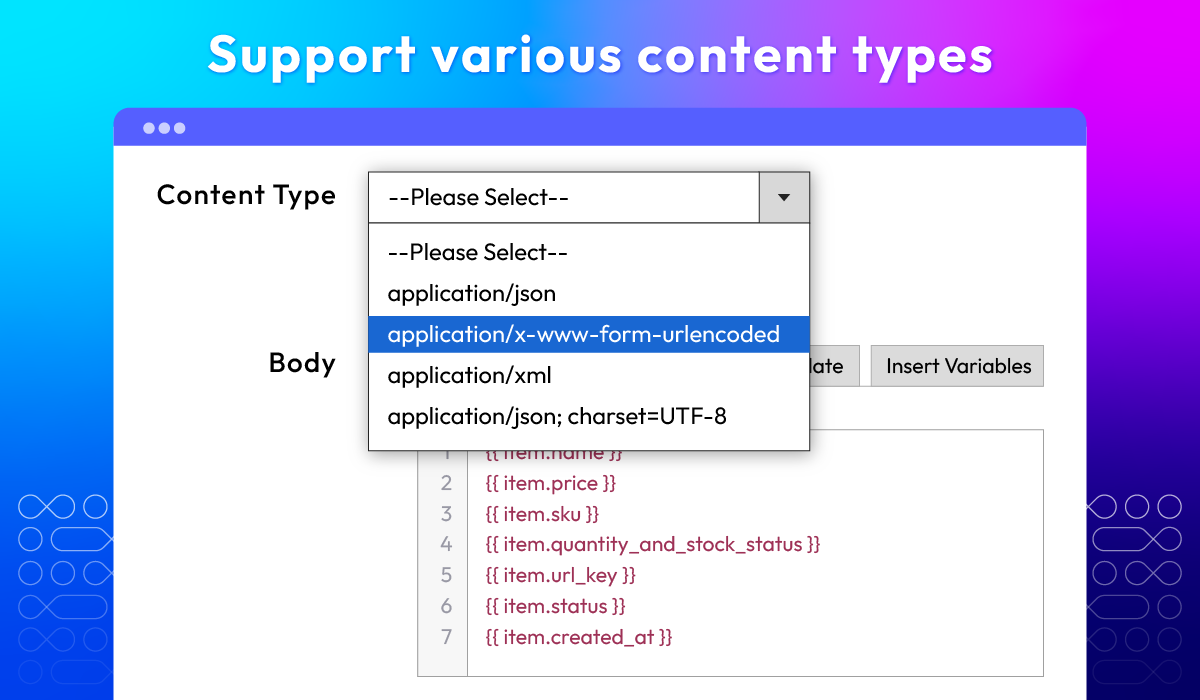
Different content types
REST & GraphQL API
Privacy-safe payloads
What customers say about us

Release notes
-
v4.5.0 (Magento v2.4.x)
24 September 2026
- New Feature: We added an Observability Dashboard (System > Webhook > Dashboard) showing delivery volume, success rate, latency, charts, and a per-hook breakdown, with one-click replay of failed deliveries in the selected range.
- New Feature: We added Smart Retry, which resends failed deliveries with exponential backoff and marks them as Dead once retries run out. Existing failed logs are marked as Dead on upgrade so they are not resent.
- New Feature: We added threshold-based failure alert emails, with an option to disable a hook automatically after repeated failures.
- New Feature: We added Asynchronous Delivery through the message queue, so checkout and order saving no longer wait for the endpoint.
- New Feature: We added Bearer Token and API Key authentication, and HMAC payload signing (SHA-256, SHA-1, SHA-512) with optional replay protection.
- New Feature: We added ready-made connector templates for Slack, Discord, Telegram, Microsoft Teams, Google Chat, Google Sheets, Zapier, Make, n8n, and generic webhooks, plus a Test button to send a live request from the hook form.
- New Feature: We added Synchronous Validation hooks that let an external system allow, block, or modify Add to Cart and Place Order.
- New Feature: We added REST API and GraphQL support for managing hooks.
- Compatibility: The extension is now compatible with PHP 8.5
- Security: We removed sensitive customer data (password hash, reset token, confirmation key) from the variables available to payload templates.
- Bug Fix: We fixed checkout hanging when a webhook endpoint responds slowly by adding a configurable delivery timeout.
- Bug Fix: We fixed the alert email subject and layout, and the hook method being saved empty (it now defaults to POST).
-
v4.4.3 (Magento v2.4.x)
02 June 2026
- Compatibility: Added compatibility with Magento v2.4.9.
- Bug Fix: Fixed some minor bugs.
-
v4.4.2 (Magento v2.4.x)
16 April 2026
- Compatibility: Support for PHP 8.4 environments.
-
v4.4.1 (Magento v2.4.x)
16 December 2025
- Bug Fix: Fixed some minor bugs
-
v4.4.0 (Magento v2.4.x)
09 December 2025
- New Feature: Added encrypt header value feature
- Bug Fix: Fix save product and hook error
-
v4.3.5 (Magento v2.4.x)
23 May 2025
- Bug Fix: Fixed Hook Order not Send when create order in frontend
-
v4.3.4 (Magento v2.4.x)
16 April 2025
- Compatibility: Now compatible with Magento 2.4.8
-
v4.3.3 (Magento v2.4.x)
22 July 2024
New Update: Improve the performance of the Cron job for the Abandoned Cart Hook feature, capable of handling large volumes of data
-
v4.3.2 (Magento v2.4.x)
27 June 2024
Bug Fix: Fixed Hook Order not create when order status changes
-
v4.3.1 (Magento v2.4.x)
05 May 2024
- Compatibility: Now compatible with Magento 2.4.7
-
v4.3.0 (Magento v2.4.x)
15 January 2024
- New Update: We updated the preview section with more detailed attributes
- New Update: We updated how the “Add New Event” dropdown section display
- New Update: We updated template variables for users
- New Feature: We added “Unsubscribe Event”
-
v4.2.2 (Magento v2.4.x)
14 December 2023
- Bug Fix: We fixed a minor bug when updating events
- Bug Fix: We fixed a minor bug when creating a new product
-
v4.2.1 (Magento v2.4.x)
16 May 2023
- Compatibility: The extension is now compatible with Magento 2.4.6
-
v4.2.0 (Magento v2.4.x)
13 April 2023
- New Feature: We added auto replay errored hooks after the scheduled time feature
- New Feature: We added an event for new Review
- Bug Fix: We fixed a minor event bug that caused enabled events to can not send data
-
v4.1.4 (Magento v2.4.x)
30 January 2023
- Compatibility: The extension is now compatible with PHP 8
- Compatibility: The extension is now compatible with Magento 2.4.5p1
- Bug Fix: We solved the bug abandoned hook entity can’t get item data
-
v1.3.3 (Magento v2.3.x)
22 June 2022
- Supported multi stores
-
v4.1.3 (Magento v2.4.x)
22 June 2022
- Supported multi stores
-
v4.1.2 (Magento v2.4.x)
17 November 2021
- Fix minor bugs
-
v1.3.2 (Magento v2.3.x)
17 November 2021
- Fix minor bugs
-
v1.3.1 (Magento v2.3.x)
18 August 2021
Updated content & labels
Frequently Asked Questions
Magento stores have a variety of minor tasks and system procedures that require upgrades. Webhooks automate operations and send vital messages to your shop. It can update various events happening in your store.
Webhooks are often used to link two separate apps. When an event occurs on the trigger application, it generates the data and sends it to a webhook URL in the action application-the one that you want to do something with the data from the first application.
Magento 2 API give you information only when you make a query. You need to send requests to obtain the data you want, and this process can use more resources than necessary. With frequent queries, the system can get tired. APIs can be suitable for tasks that don't require constant updates, but they are not very efficient for continuous data exchanges. This is where Magento 2 webhooks come into play. Unlike APIs, webhooks don't need you to make a query. Instead, they inform you when something changes proactively. For constant data exchanges, Magento webhook integration can be more efficient.
Here's how a webhook works:
- An event happens in a connected app or website.
- The webhook detects the event.
- It collects data related to the event.
The data is sent to the specified URL.
Yes. The Magento 2 Webhooks extension includes ready-made templates for Slack, Discord, Telegram, Microsoft Teams, Google Chat, Google Sheets, Zapier, Make, and n8n. Pick one, paste your webhook URL, and the method, content type, and body are filled in for you.
Not if you use Asynchronous (Queue) mode. Webhooks are then sent in the background through Magento's message queue, so customers never wait for an external system to respond. A configurable delivery timeout adds extra protection. Note that async mode needs cron or the `mageplaza.webhook.delivery` consumer running.
The Mageplaza Webhook module retries the request automatically, waiting a little longer between each attempt. If every retry fails, the log is marked Dead instead of being dropped, and you can replay it once the system is back, one by one or up to 200 at a time from the dashboard.
Yes, with synchronous validation hooks. When a customer adds to cart or places an order, Magento asks your external system first and waits for its answer: approve, reject, or change the data. If that system doesn't respond in time, you choose whether to let the customer continue (fail open) or block the action (fail closed).
Turn on HMAC signing. Each payload is signed with SHA-256, SHA-1, or SHA-512, and the signature is sent in the `X-Mageplaza-Webhook-Signature` header. Your receiving system recalculates it with the shared secret: if the two match, the request is genuine and unchanged. The module also supports Bearer Token, API Key, Basic, and Digest authentication.
To prevent this issue, you can take a look at Magento 2 SMTP, which can meet your expectations.
There are 2 important parts you need to know for creating a secure webhook: Events and Observers.
- Events: In Magento 2, events are moments when something important happens, like when a new order is placed, a customer account is created, or a product is updated.
- Observers: If you want to respond to specific events, you can create PHP classes called observers. These observers run their code whenever the event they're watching is triggered.
Fortunately, creating a webhook becomes much simpler when using Mageplaza's Magento 2 Webhook extension. With an easy-to-use design, store owners can easily set up hooks in the backend. Follow our User Guide for more details.
Absolutely. In fact, most stores pay special attention to order event triggers. To do so, please select the hook trigger entity as a new order and insert your payload URL of the CRM system from the admin backend.
Yes, it can be done easily by adding time by minutes in the admin backend.
It is not limited. You can freely set the number from the backend. When the total of logs reaches a specific number, the system will automatically process cleaning logs.
Please enable the alert function from the backend; this allows sending real-time notifications about errors via email.
Yes, Webhooks for Magento 2 is compatible with Hyva theme. However, the checkout only supports hyva-themes/magento2-theme-fallback. To learn how to enable checkout on Hyva, please follow this guide.
Mageplaza provides FREE Hyva Checkout Compatibility for all of our extensions upon requests. You can request by contacting us via email, live chat, or support ticket. Our team will respond within 24 hours and ask for details such as Order ID, extension name, Magento & Hyva versions, and any special requirements. To qualify, your module subscription must be active. If your subscription has expired, renewal is required as some older modules do not support Hyva. Additional customization requests may incur extra costs, and our team will inform you before proceeding. For assistance, feel free to reach out - we're here to help!
2.4.4 - 2.4.9
Theme
Pricing
Community
$229 first year
Enterprise/ Magento Cloud