
 2.4.4 - 2.4.8

 Theme
Theme
Magento 2 HTML Sitemap Extension
v4.4.5
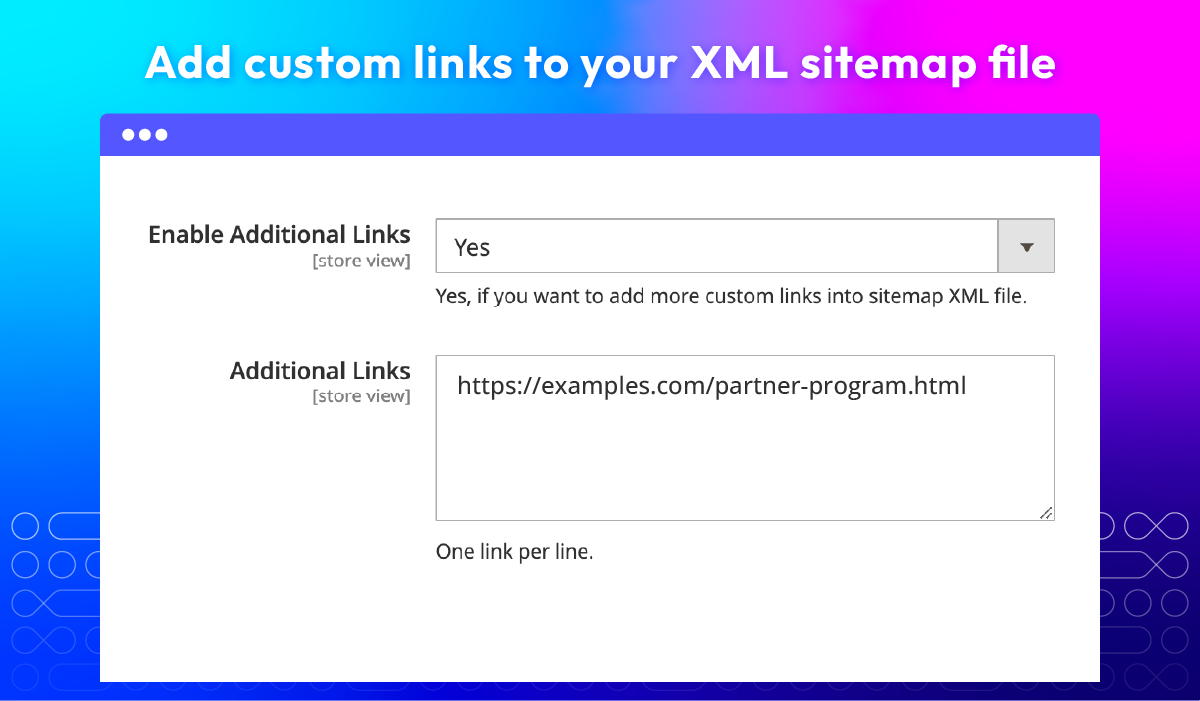
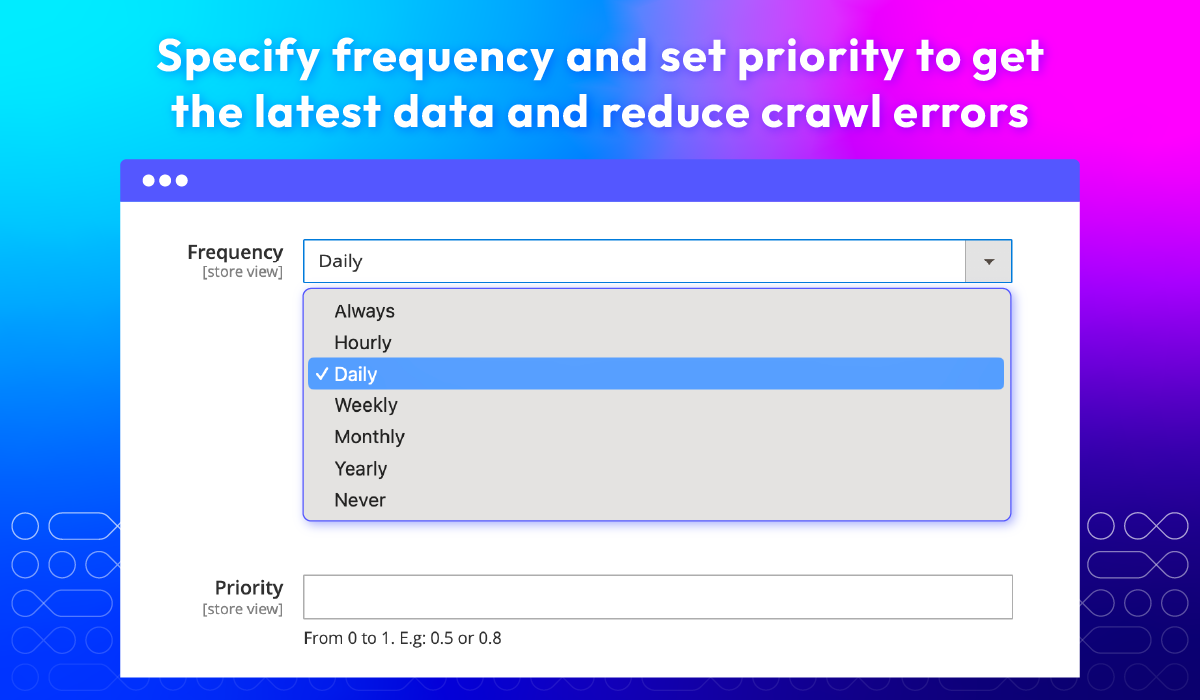
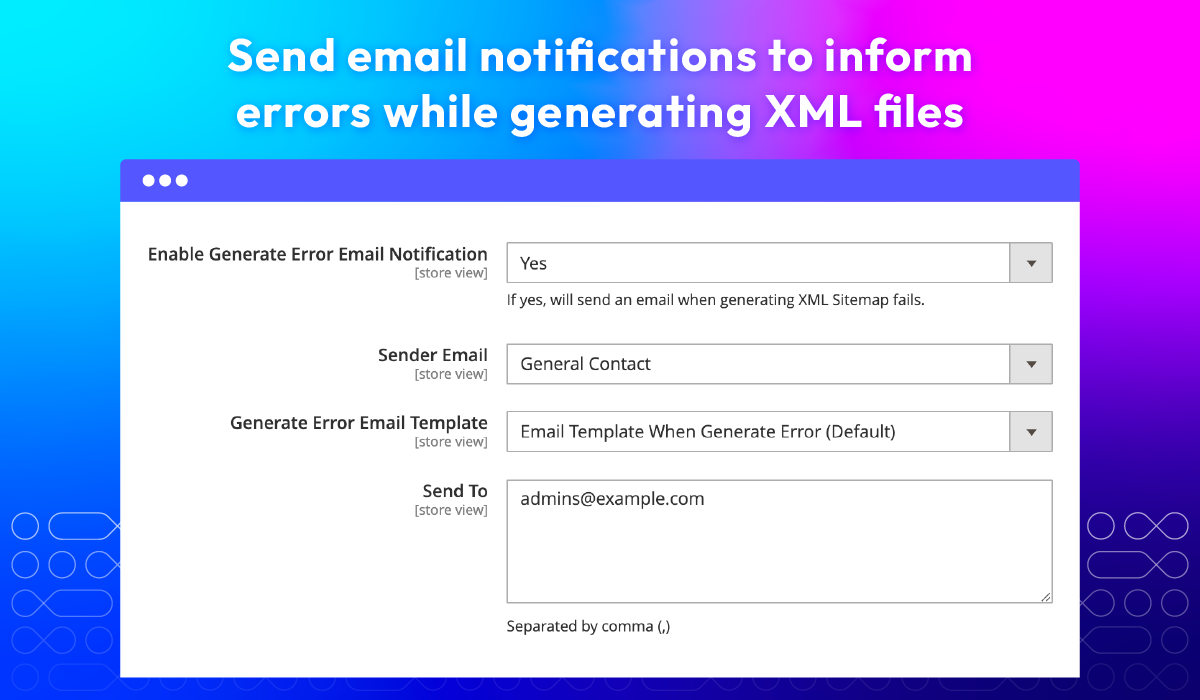
Main benefits of Magento 2 XML and HTML sitemaps
 Easy navigation for customers
 Improves website structure and organization
 Helpful for large websites
 Helps search engines discover all website pages
 Can include meta information (last modified, change frequency, etc.)
 Reduces crawl errors
HTML Sitemap vs. XML Sitemap
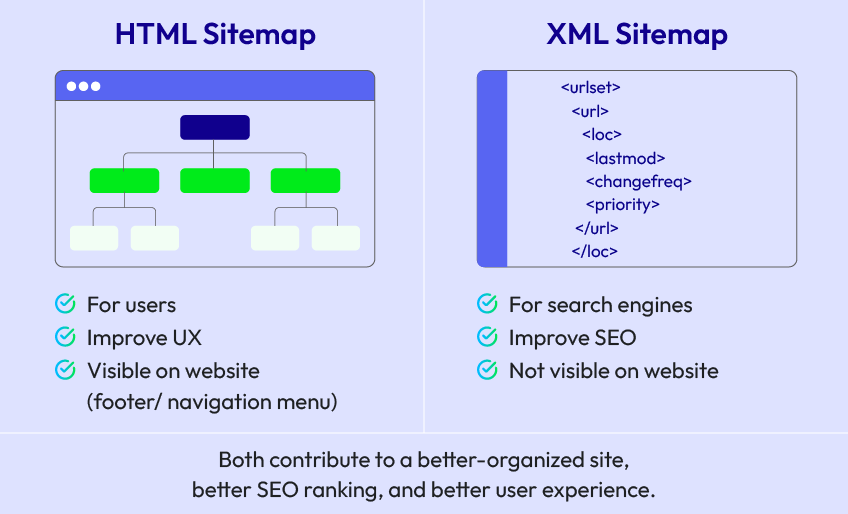
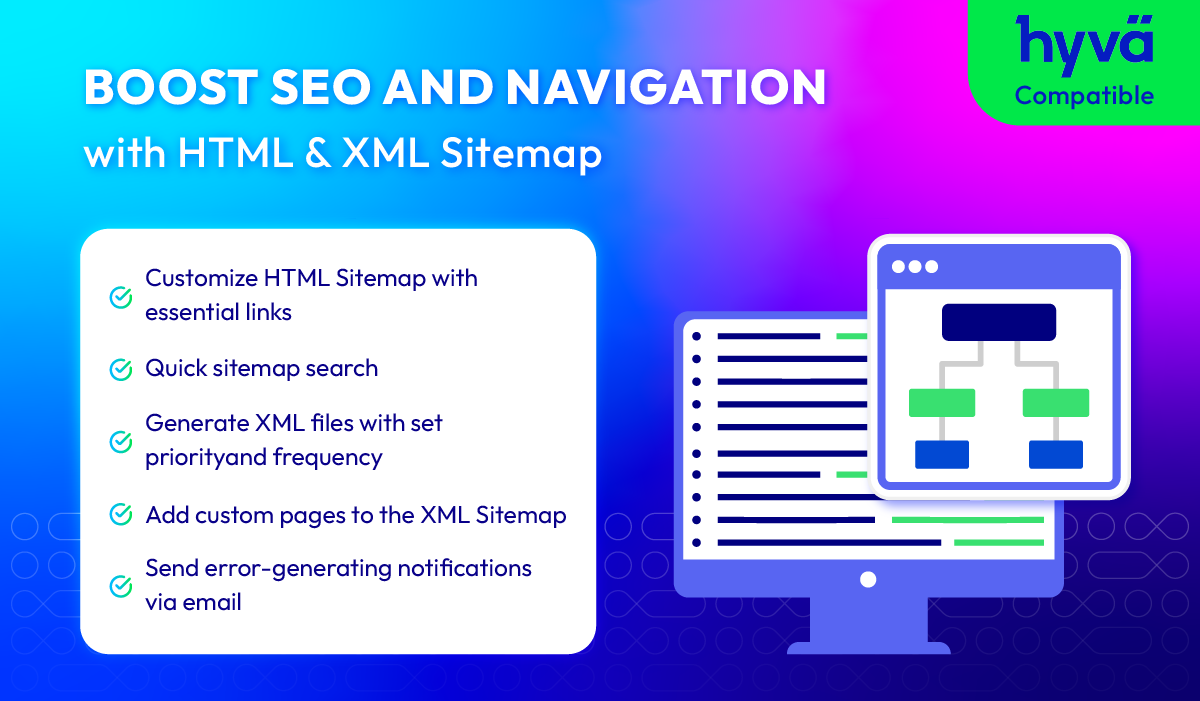
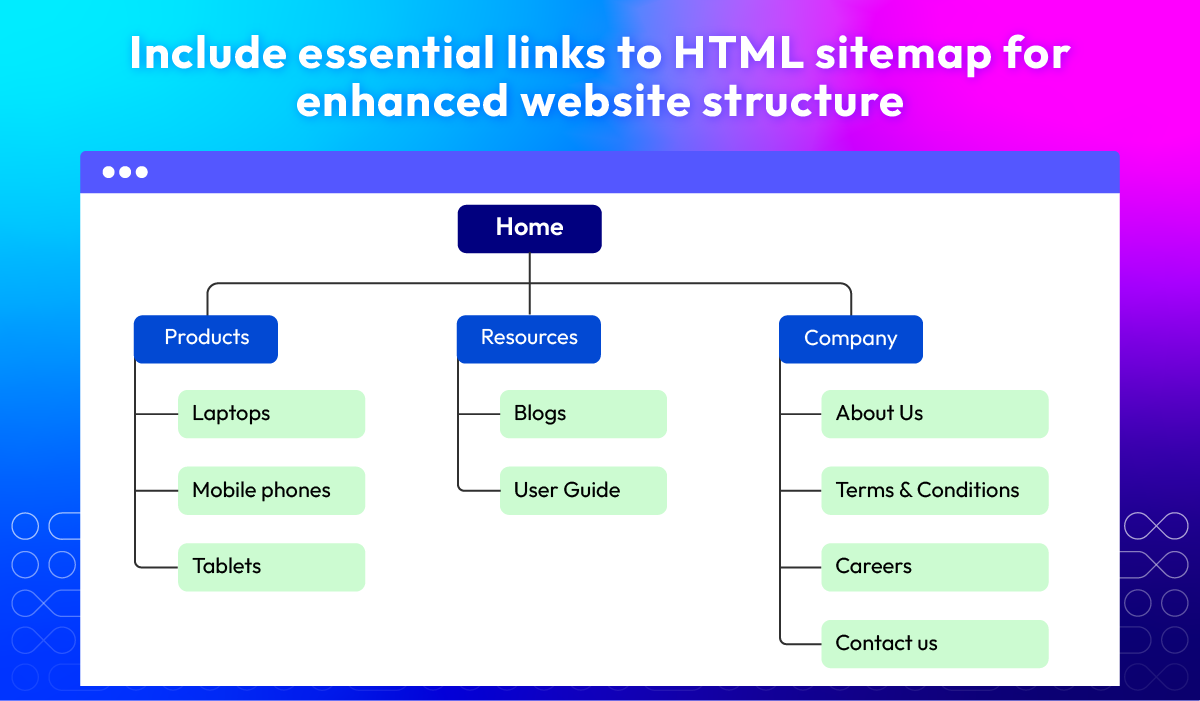
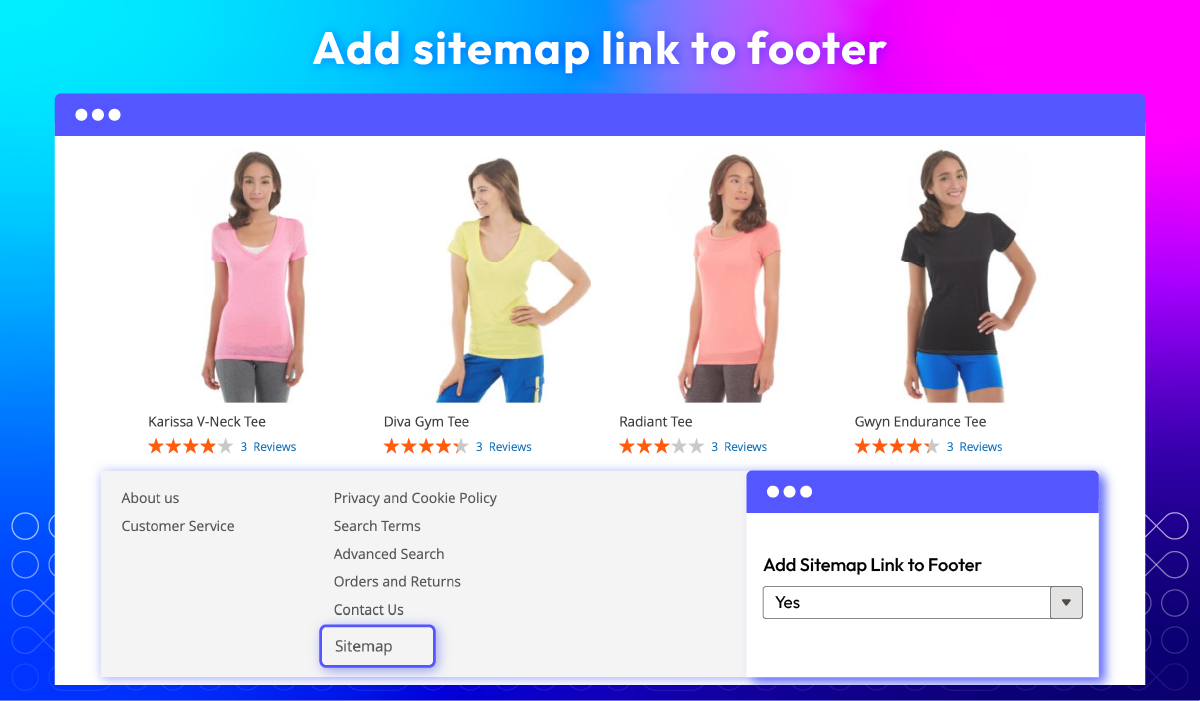
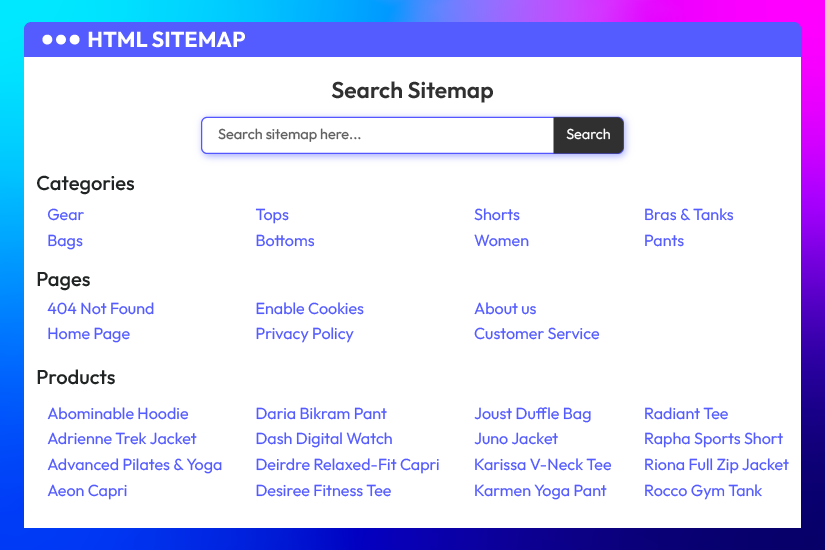 The HTML/XML Sitemap Extension for Magento 2 by Mageplaza enables store owners to customize the
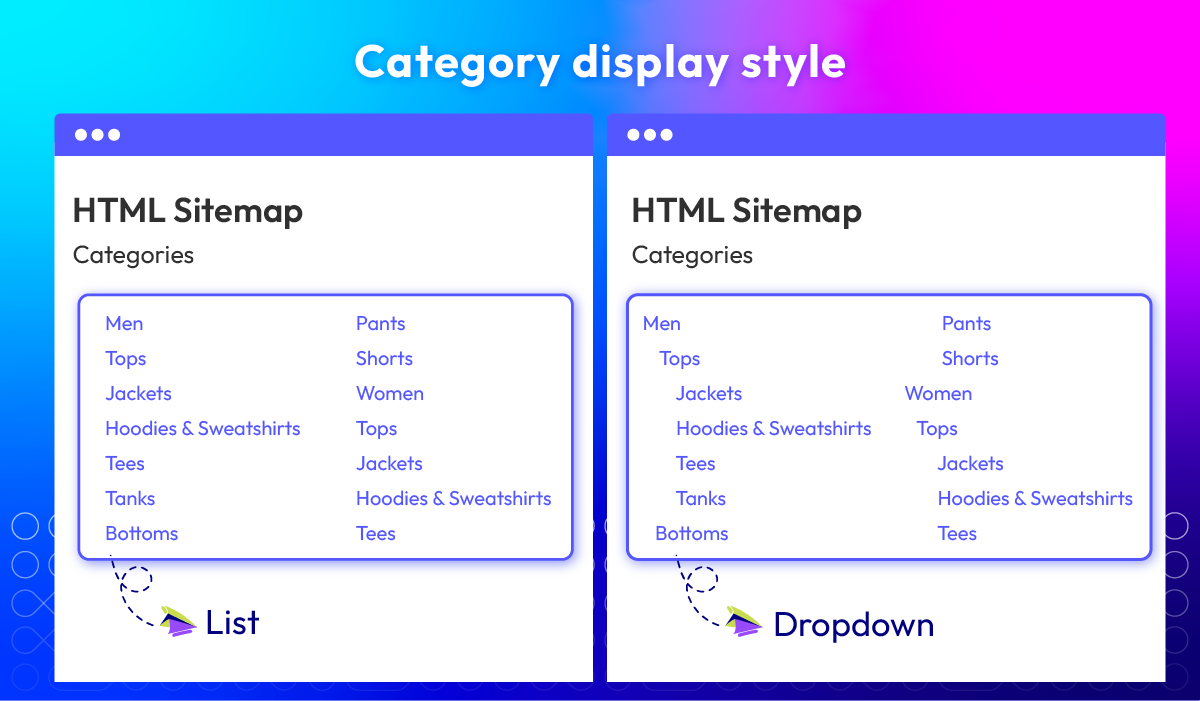
HTML sitemap at footer with essential product and category links, improving search engine
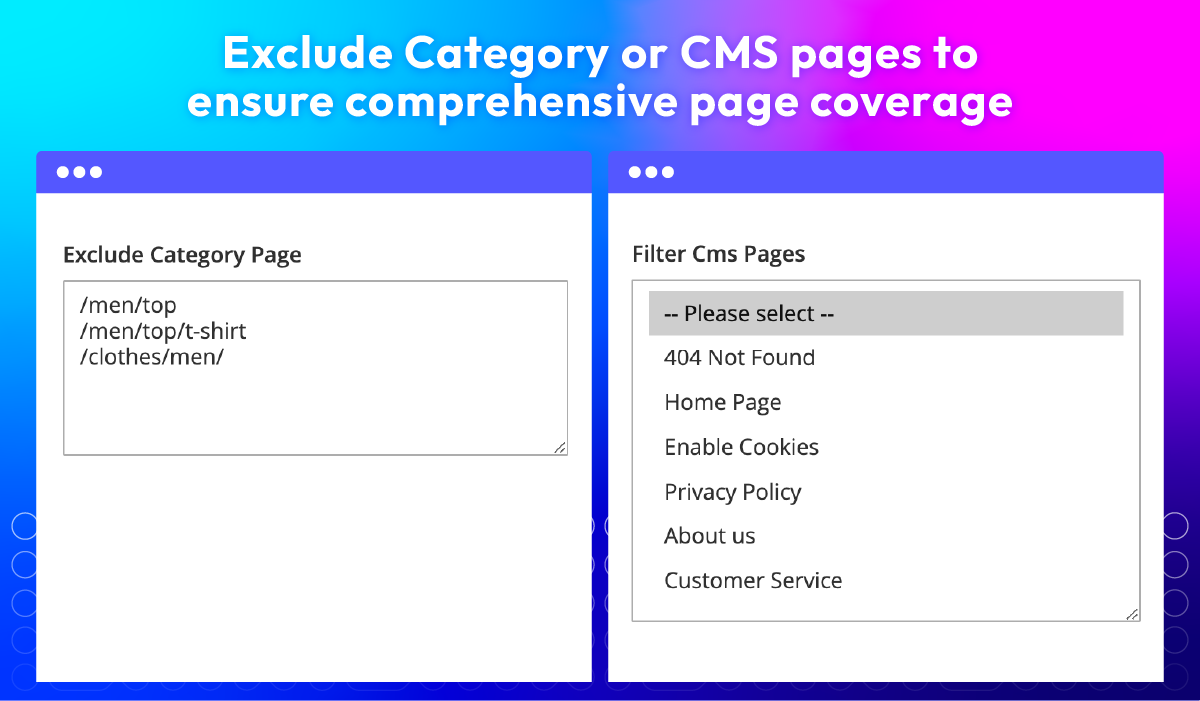
visibility and making it easier for customers to navigate the site. Admins can control which
pages are included or excluded from the sitemap, ensuring only relevant content is indexed.
Show more
The HTML/XML Sitemap Extension for Magento 2 by Mageplaza enables store owners to customize the
HTML sitemap at footer with essential product and category links, improving search engine
visibility and making it easier for customers to navigate the site. Admins can control which
pages are included or excluded from the sitemap, ensuring only relevant content is indexed.
Show more
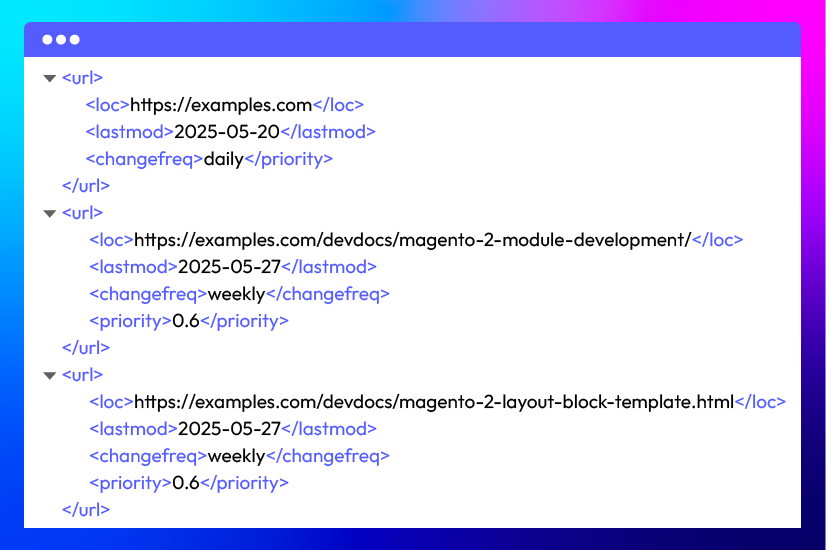 The XML sitemap supports custom links and enables automatic updates, while also allowing you to
set frequency and priority for specific pages. With the integration of Google Analytics and
Google Search Console, you can track your sitemap's performance and monitor errors effectively,
ensuring your store remains visible to search engines.
Show more
The XML sitemap supports custom links and enables automatic updates, while also allowing you to
set frequency and priority for specific pages. With the integration of Google Analytics and
Google Search Console, you can track your sitemap's performance and monitor errors effectively,
ensuring your store remains visible to search engines.
Show more
All features
HTML Sitemap
Add sitemap link to footer
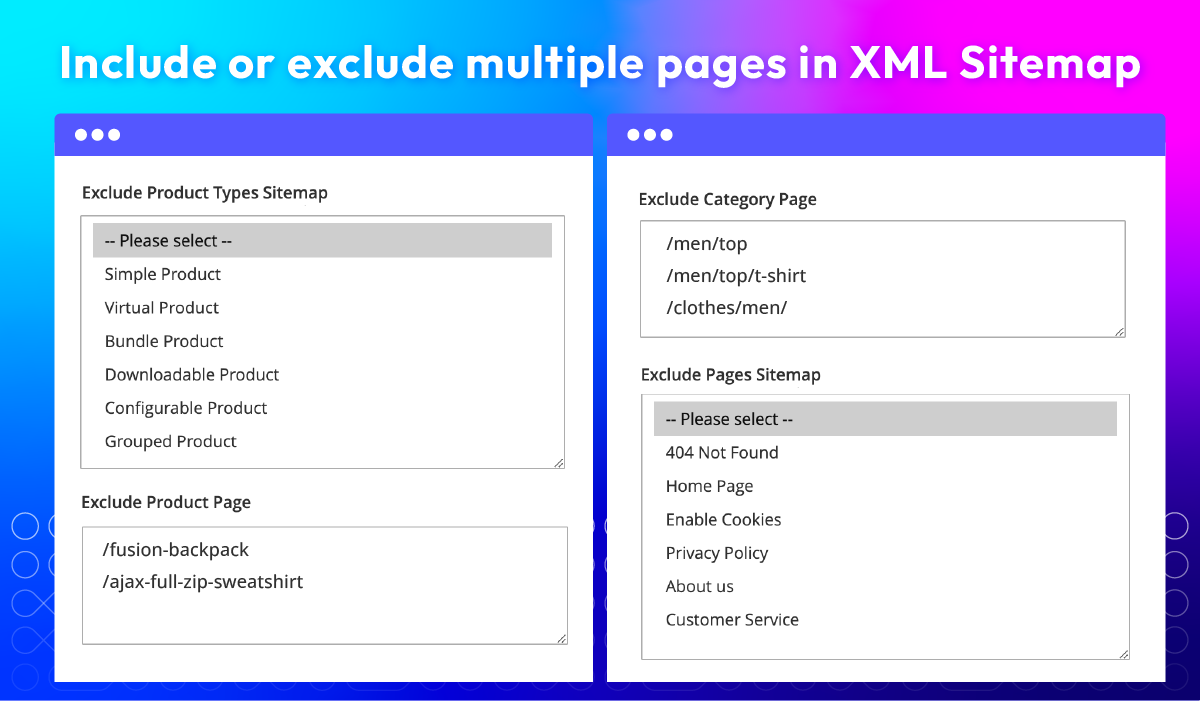
Exclude specific pages
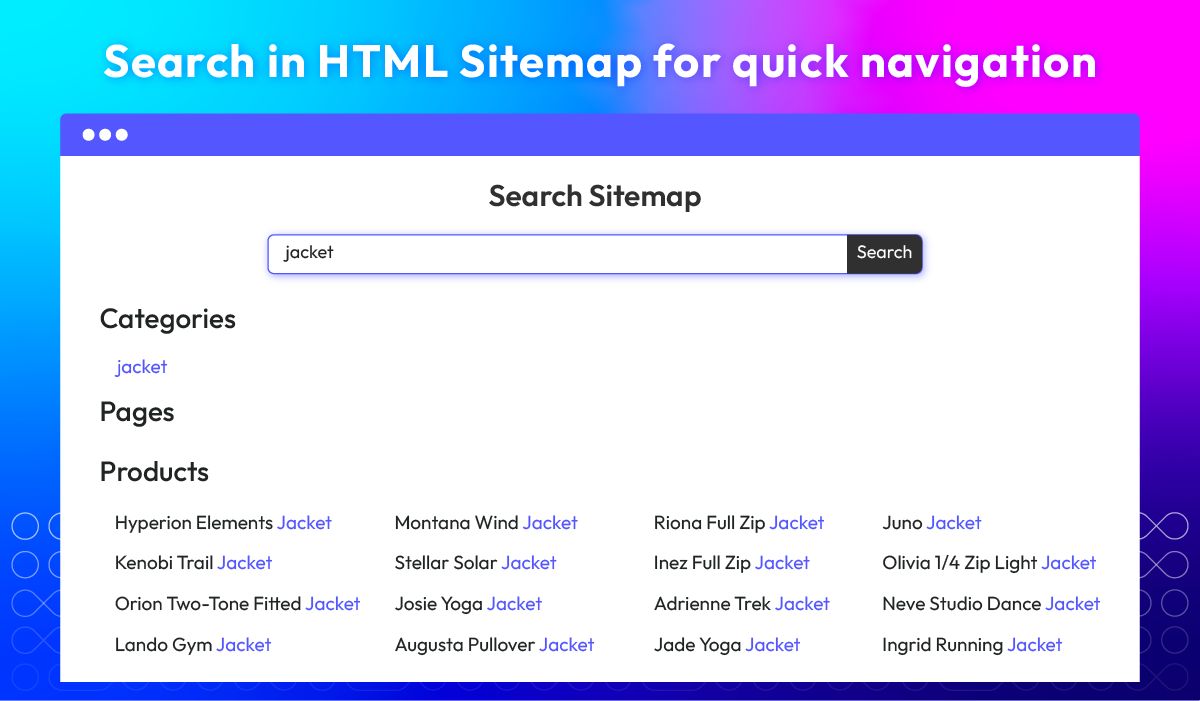
Search in Sitemap
Category display style
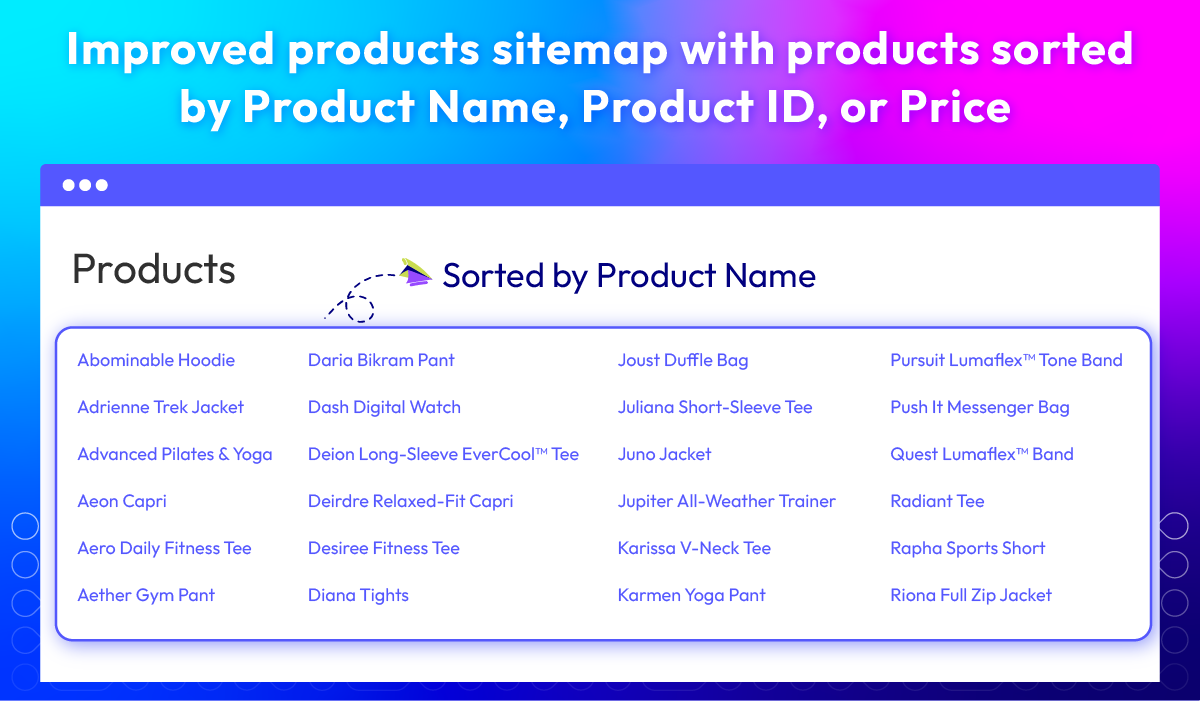
Improved products sitemap New
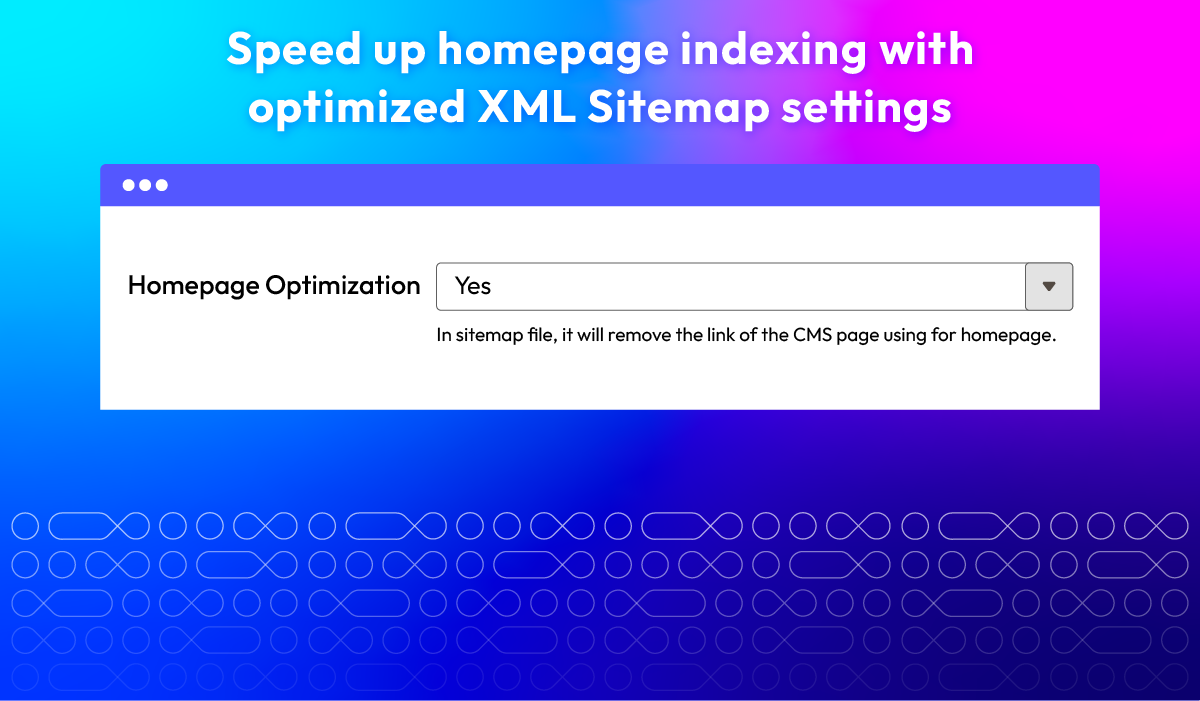
Homepage Optimization
Include or exclude pages
Add Additional Links
Specify frequency
Set priority
Email notification
What customers say about us

Release notes
-
v4.4.5 (Magento v2.4.x)
17 August 2026
- Compatibility: The extension is now compatible with Magento 2.4.9 and PHP 8.5
- Bug Fix: We fixed an issue where saving a product could time out because the Sitemap observer performed a full product save instead of updating only the changed attribute.
-
v4.4.4 (Magento v2.4.x)
30 July 2025
- Bug Fix: Fixed issue where some changes could not be saved in the Product Admin panel
-
v4.4.2 (Magento v2.4.x)
15 April 2025
- Compatibility: Now compatible with Magento 2.4.8
-
v4.4.3 (Magento v2.4.x)
15 April 2025
- Bug Fix: Fixed Not save “Use Default Value” checkbox at category, product in store view config
-
v4.4.1 (Magento v2.4.x)
18 March 2024
- Compatibility: The extension is now compatible with Hyva theme.
-
v4.4.0 (Magento v2.4.x)
29 November 2023
- New Feature: We added a Search field for HTML Sitemap
-
v4.3.1 (Magento v2.4.x)
24 April 2023
- Compatible with Magento 2.4.6
-
v4.3.0 (Magento v2.4.x)
13 February 2023
- Update the Error Email feature
- Update Exclude URLs feature
- Update Exclude Product Types feature
- Update Disable Product feature
- Update Disable Categories feature
- Update Disable CMS Link feature
-
v4.2.0 (Magento v2.4.x)
24 June 2022
- Added features:
- Exclude Category Ids
- Show category as tree or list
- Products Sitemap: split by first letter, sort product, hide out of stock
- Compatible with Magento v2.4.4
- Added features:
-
v1.2.0 (Magento v2.3.x)
24 June 2022
- Added features:
- Exclude Category Ids
- Show category as tree or list
- Products Sitemap: split by first letter, sort product, hide out of stock
- Added features:
-
v1.1.0 (Magento v2.3.x)
08 March 2022
- Compatible with Magento v2.3.7
- Fix minor bugs
-
v4.1.0 (Magento v2.4.x)
08 March 2022
- Compatible with Magento v2.4.3-p1
- Fix minor bugs
-
v4.0.1 (Magento v2.4.x)
14 September 2021
- Fixed minor bugs
-
v1.0.4 (Magento v2.3.x)
02 April 2021
- Improved compatible with Magento v2.3.6
- Fixed minor bugs
-
v4.0.0 (Magento v2.4.x)
02 November 2020
- Supported Magento v2.4.0
-
v1.0.3 (Magento v2.3.x)
18 June 2020
- Compatible with Magento v2.3.5
-
v1.0.2 (Magento v2.3.x)
25 July 2019
- Compatible with Magento 2.3
- Fixed minor bugs
-
v1.0.1 (Magento v2.3.x)
31 January 2019
Improved code style & performance
-
v1.0.0 (Magento v2.3.x)
25 September 2018
Release first version
Frequently Asked Questions
Mageplaza supports multi domains, multi stores and multi languages, so you have to pay one time.
In 60 days, you will get full refund if you are not satisfied with your extensions.
We are sure to stand by you if you need us before and during your extension purchase
Yes, of course, SEO Sitemap can be fully compatible with other Mageplaza extensions.
SEO Sitemap is 100% open source, so it’s very easy to install and configure without any code modification.
Yes, Sitemap is compatible with Hyva theme. However, the checkout only supports hyva-themes/magento2-theme-fallback. To learn how to enable checkout on Hyva, please follow this guide.
Mageplaza provides FREE Hyva Checkout Compatibility for all of our extensions upon requests. You can request by contacting us via email, live chat, or support ticket. Our team will respond within 24 hours and ask for details such as Order ID, extension name, Magento & Hyva versions, and any special requirements. To qualify, your module subscription must be active. If your subscription has expired, renewal is required as some older modules do not support Hyva. Additional customization requests may incur extra costs, and our team will inform you before proceeding. For assistance, feel free to reach out - we're here to help!
2.4.4 - 2.4.8
Theme
Pricing
Community
$99 first year
Enterprise/ Magento Cloud