1/15
2/15

3/15
4/15
5/15
6/15
7/15
8/15
9/15
10/15
11/15
12/15
13/15
14/15
15/15




Magento 2 Reward Points
v4.8.0
+$50
$99
 60-day
Money
Back
Frequent
Update
Extensive
Support Timeframe
Install via Composer
60-day
Money
Back
Frequent
Update
Extensive
Support Timeframe
Install via Composer
Compatible with:
Community:
2.3.* - 2.4.7
Enterprise:
2.3.* - 2.4.7
Magento 2 Reward Points extension enables the system to automatically reward customers for actions they make on your store. Particularly, they will receive points for purchases, account creation, product reviews, social media engagement, etc. It motivates shoppers to engage with the store in order to earn more points, which can be used to pay for orders, get discounts or rewards. As a result, the Reward Point extension can effortlessly transform occasional buyers into devoted, loyal customers.
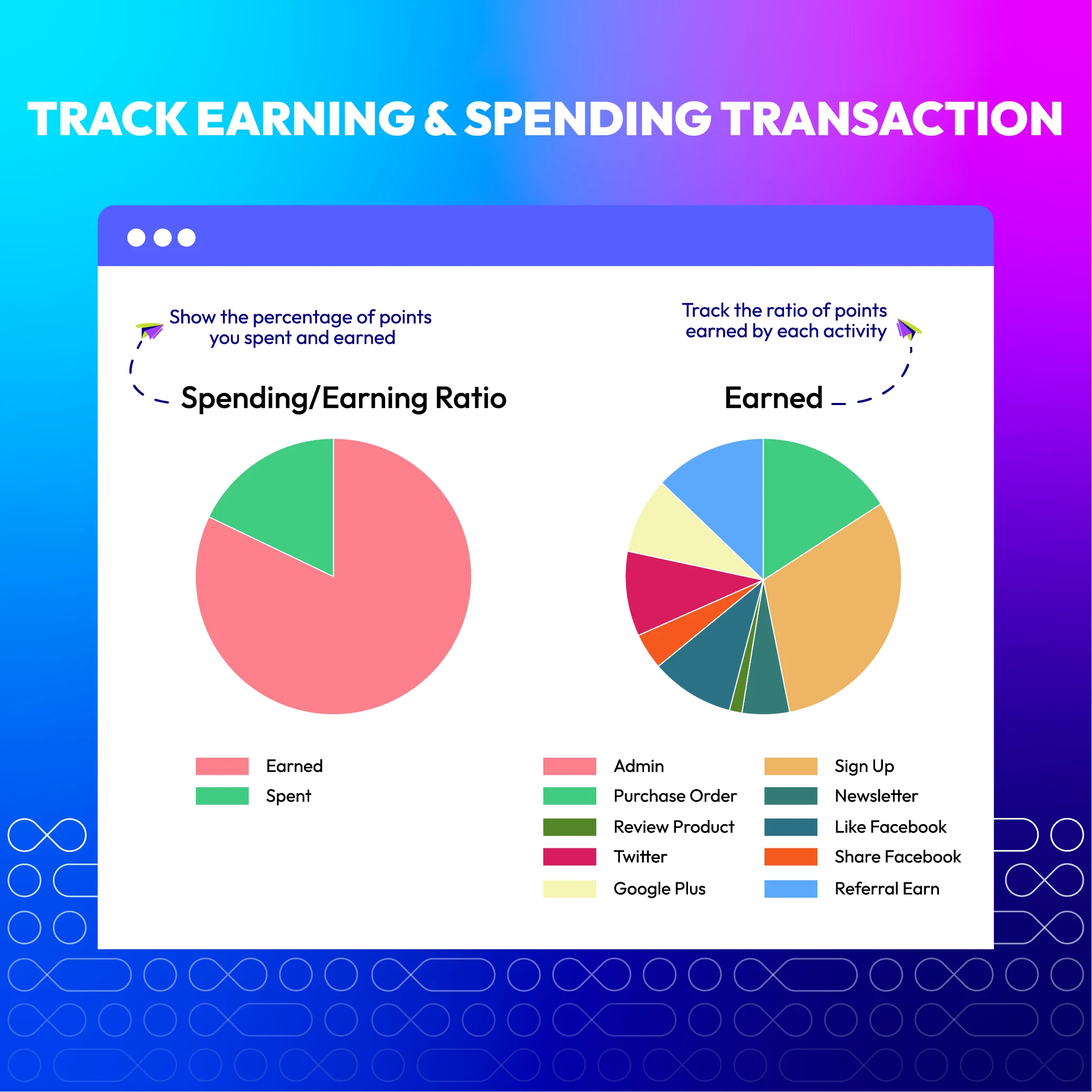
Moreover, store admins can track the loyalty program's efficiency with a detailed report on how customers are earning and spending rewards on the store.
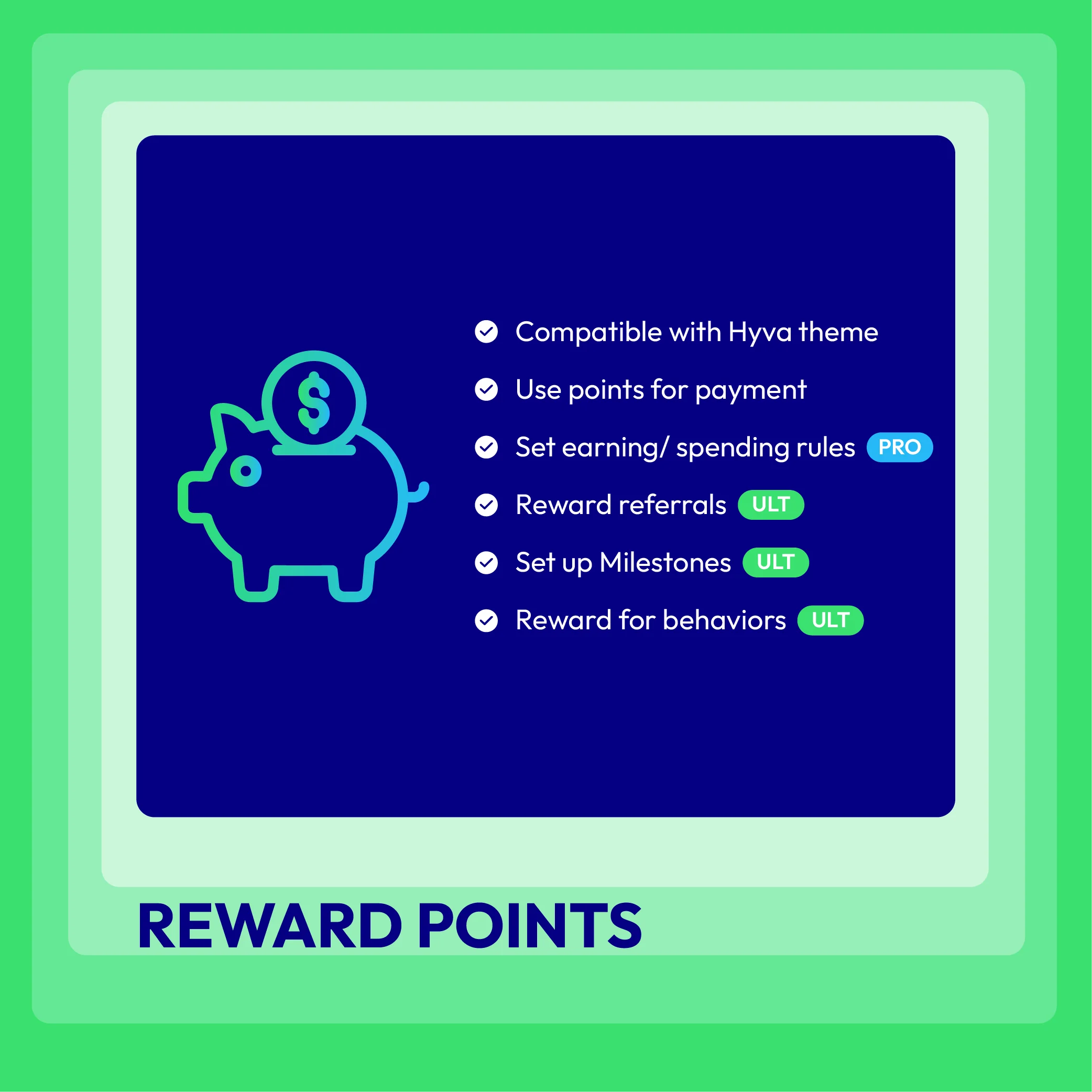
- Compatible with Hyva theme
- Compatible with Magento 2.4.7
- Compatible with API/GraphQL
- Reward customers for purchases, account registration, reviews, etc.
- Boost sales by accepting loyalty points as payment
- Bring a joyful user experience with the points spending slider
- Promote the store by rewarding referrals
- Analyze customer behavior with advanced reports
- Customize loyalty point labels to attract customers
- Set Earning/Spending Rules for better management
- Set up a Milestones Program to encourage clients
- Enjoy API support for seamless integration
- Import/Export Reward Points to streamline data
Most-Trusted Pick
- Work perfectly together
- Cost-effective
- 60-day money back guarantee
- FREE installation for all



Magento 2 Reward Points Highlight Features
Convert visitors into loyal customers with diverse programs
Depending on the store owner's promoting strategy, they can easily customize different programs as a strong motivation for visitors and occasional customers to become loyal shoppers.
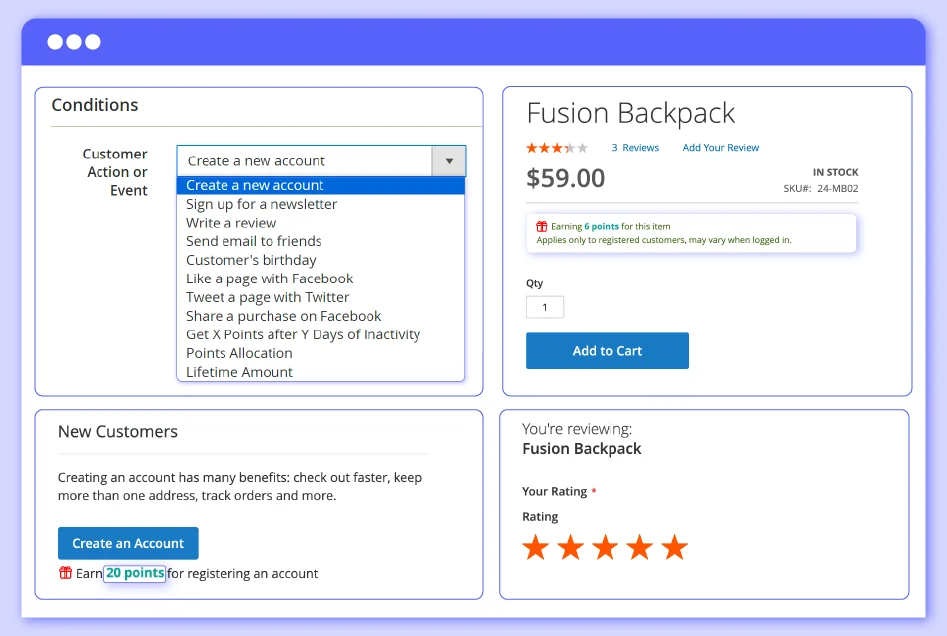
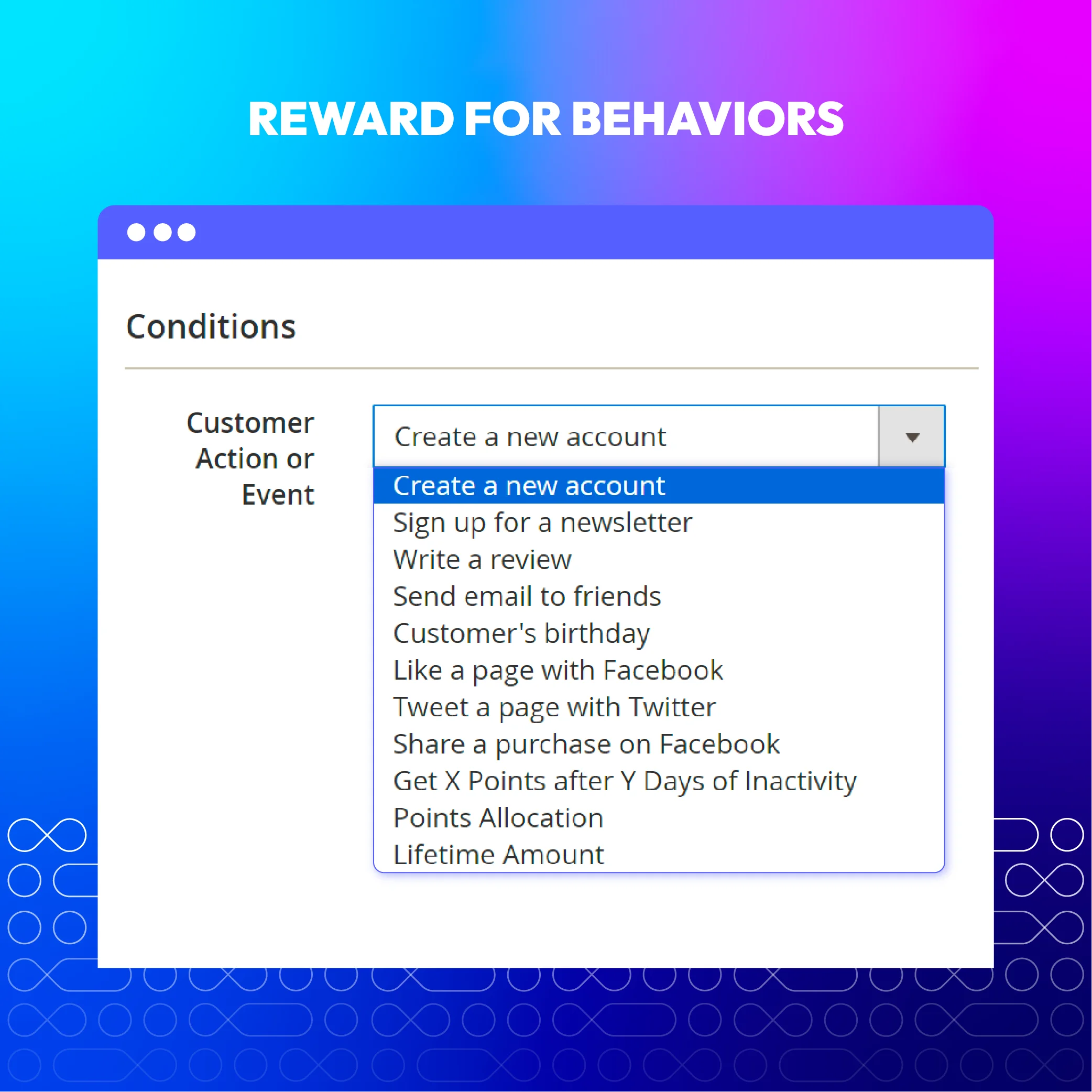
There are plenty of ways to earn reward points in our Magento 2 Reward Points extension, including creating a new account, placing an order (minimum amount may apply), leaving product reviews and ratings, liking or sharing our page/purchase on social media platforms (like Facebook or Instagram), subscribing to our newsletters, referring friends, adding your birthday, and reaching lifetime sales milestones.
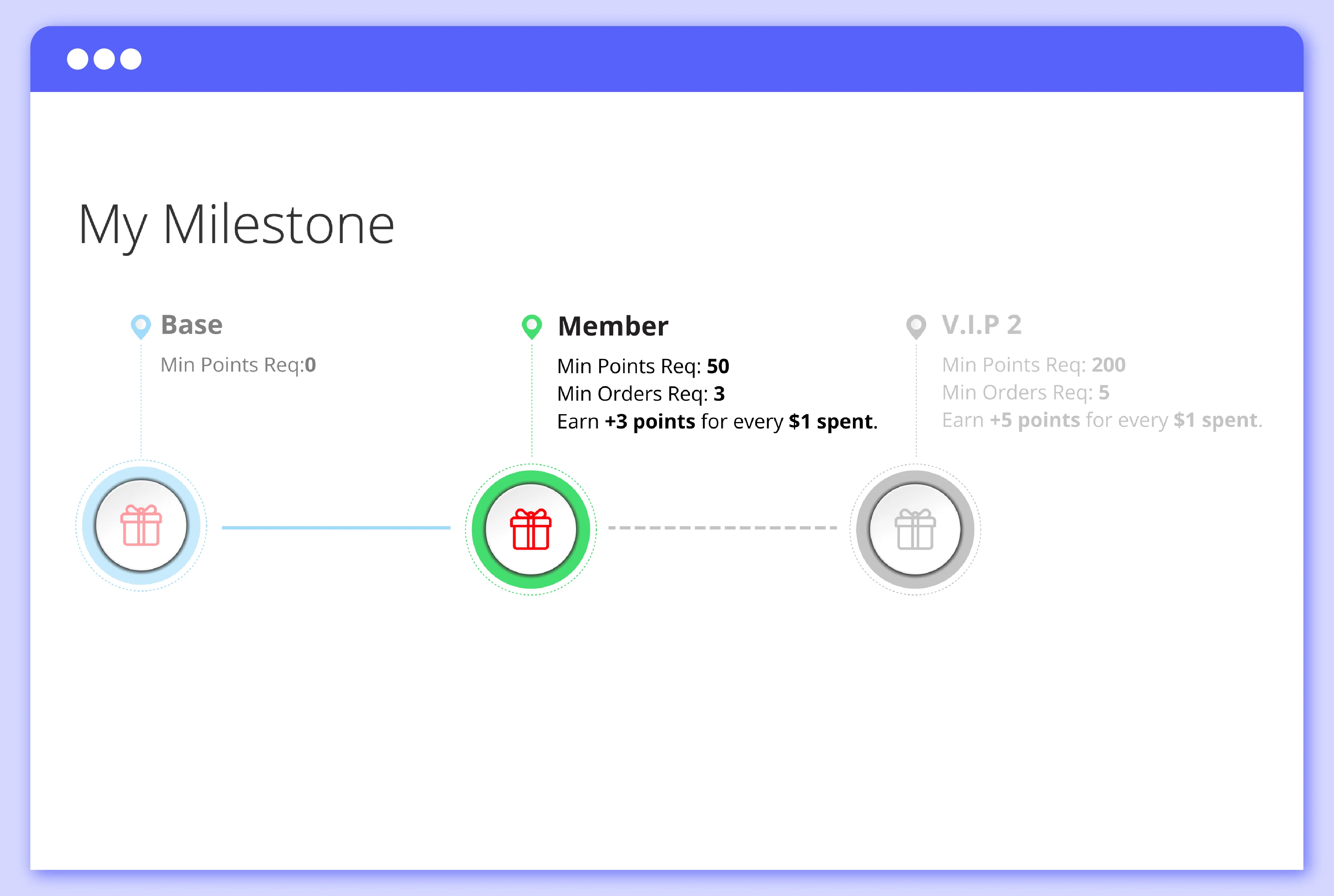
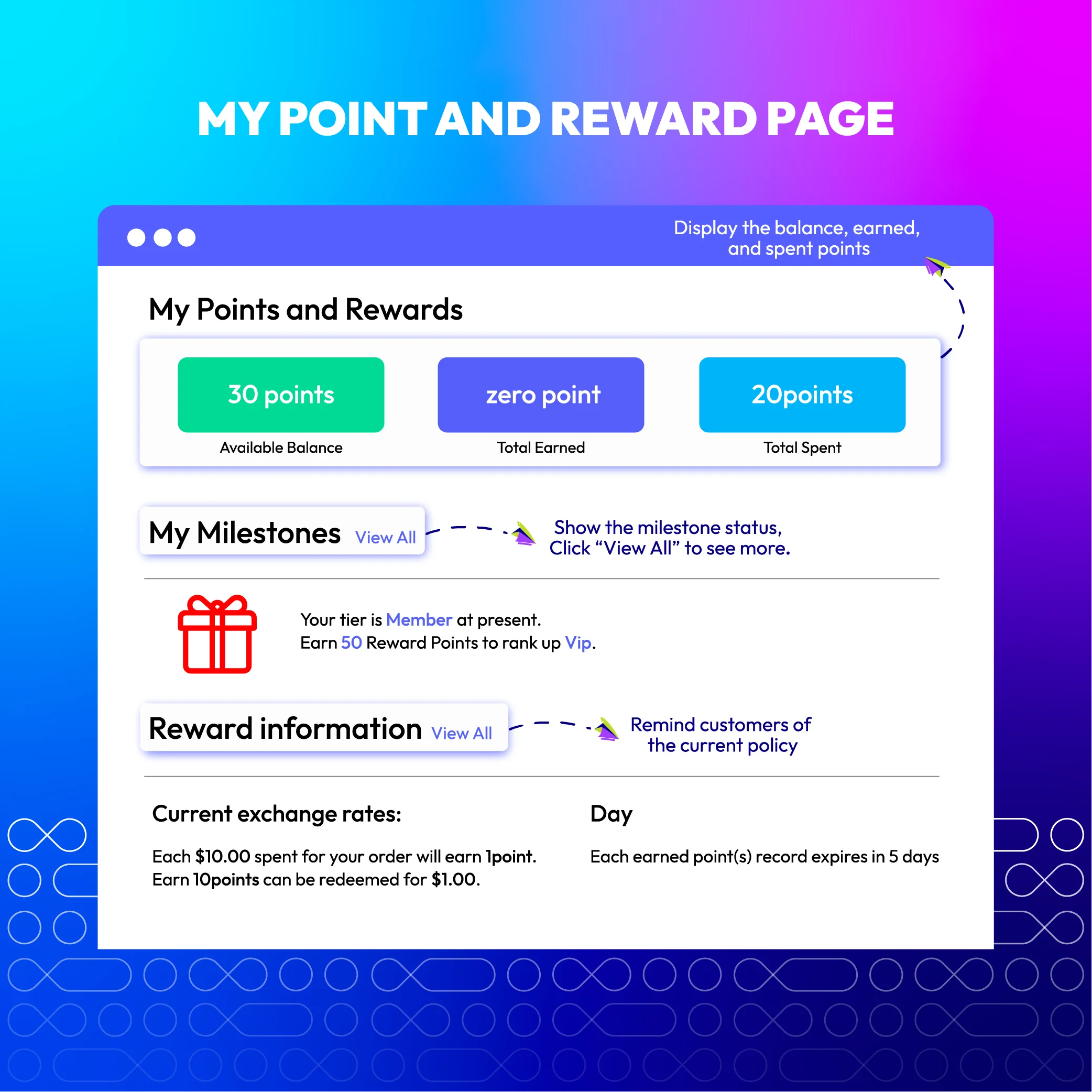
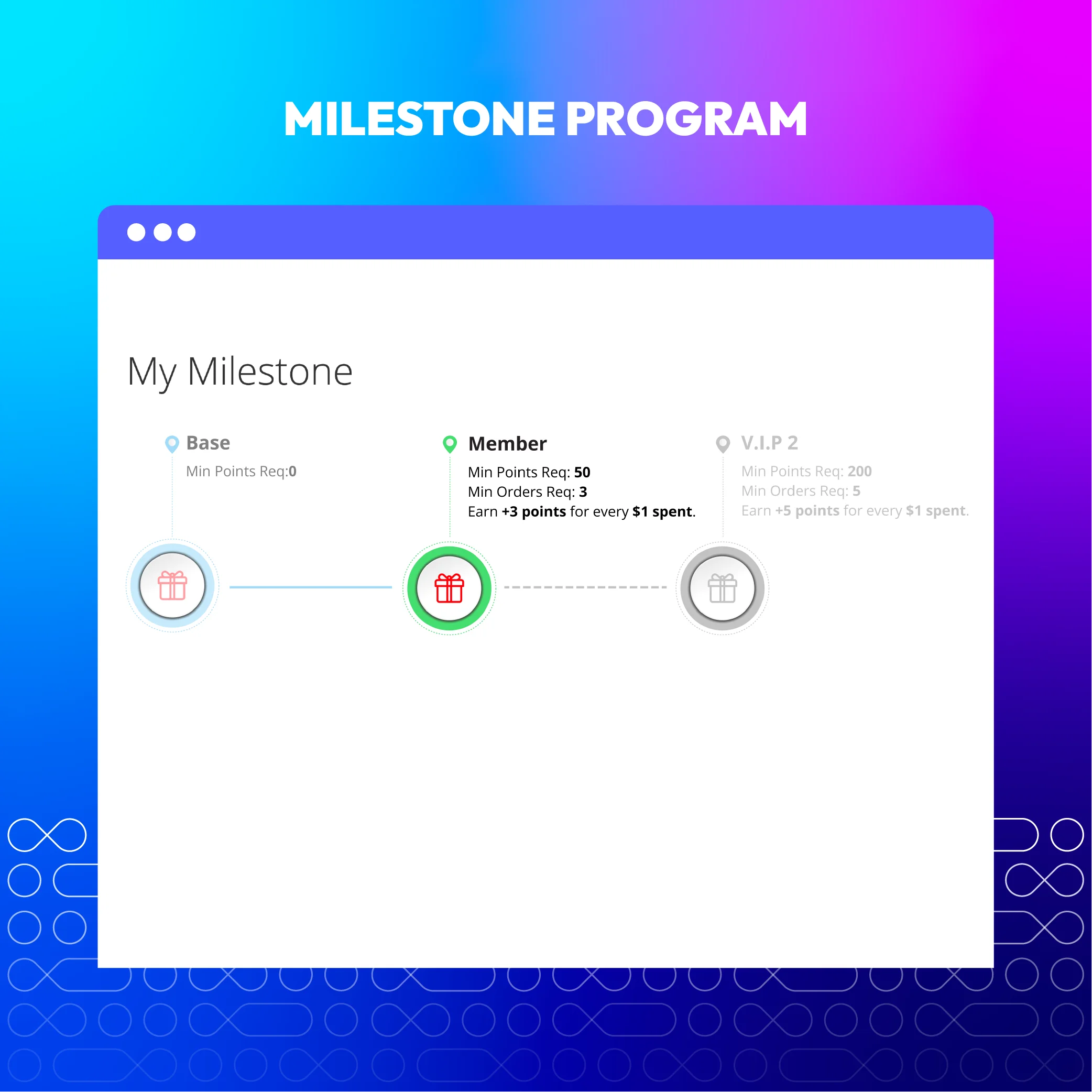
A powerful loyalty program that encourages customer interaction by setting specific goals and rewarding higher points for each upper level. Shoppers are motivated to take actions that boost engagement and loyalty, creating a positive shopping experience and fostering long-term relationships. Additionally, customers can track how many points they earned or spent in the transactions history in the dashboard.
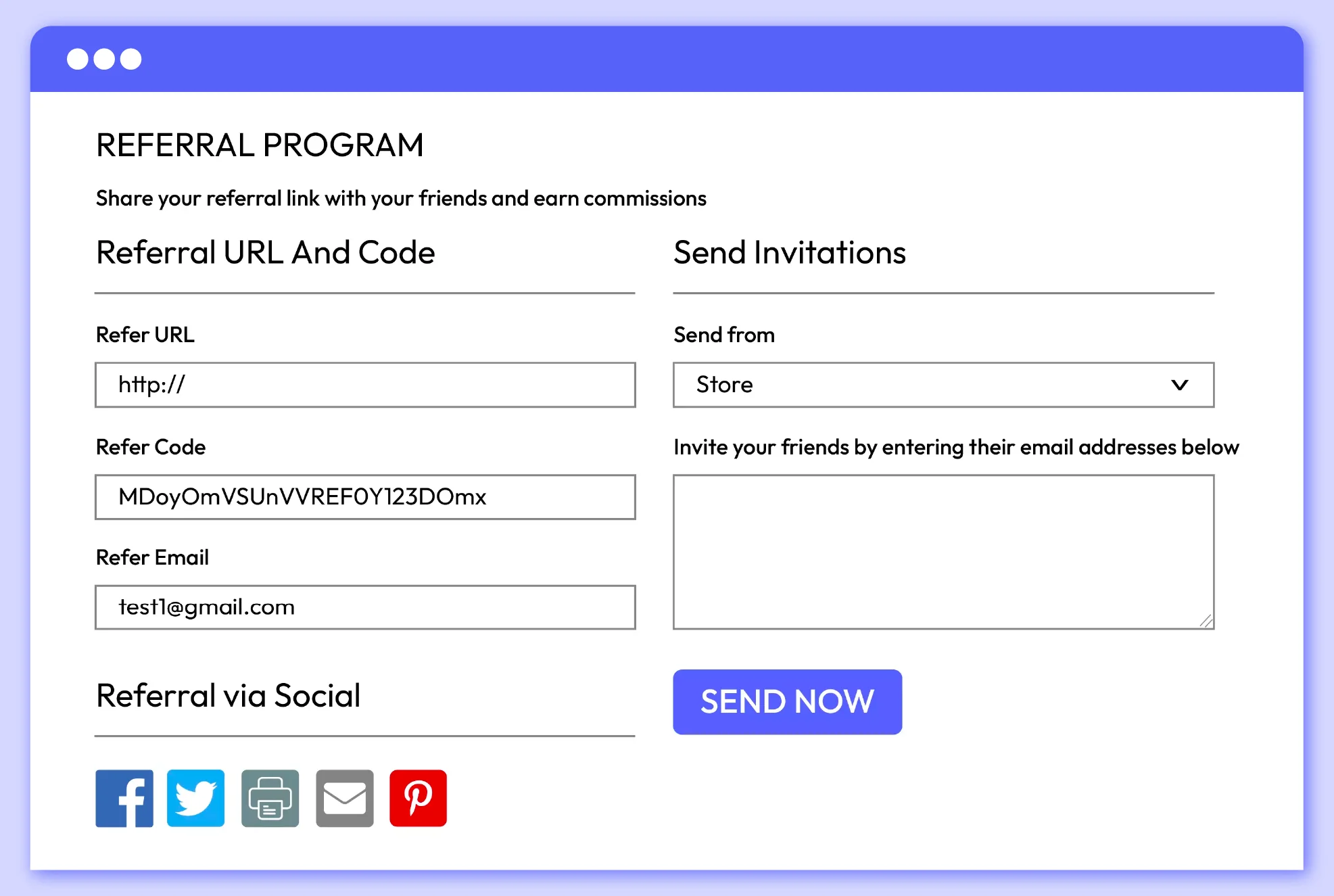
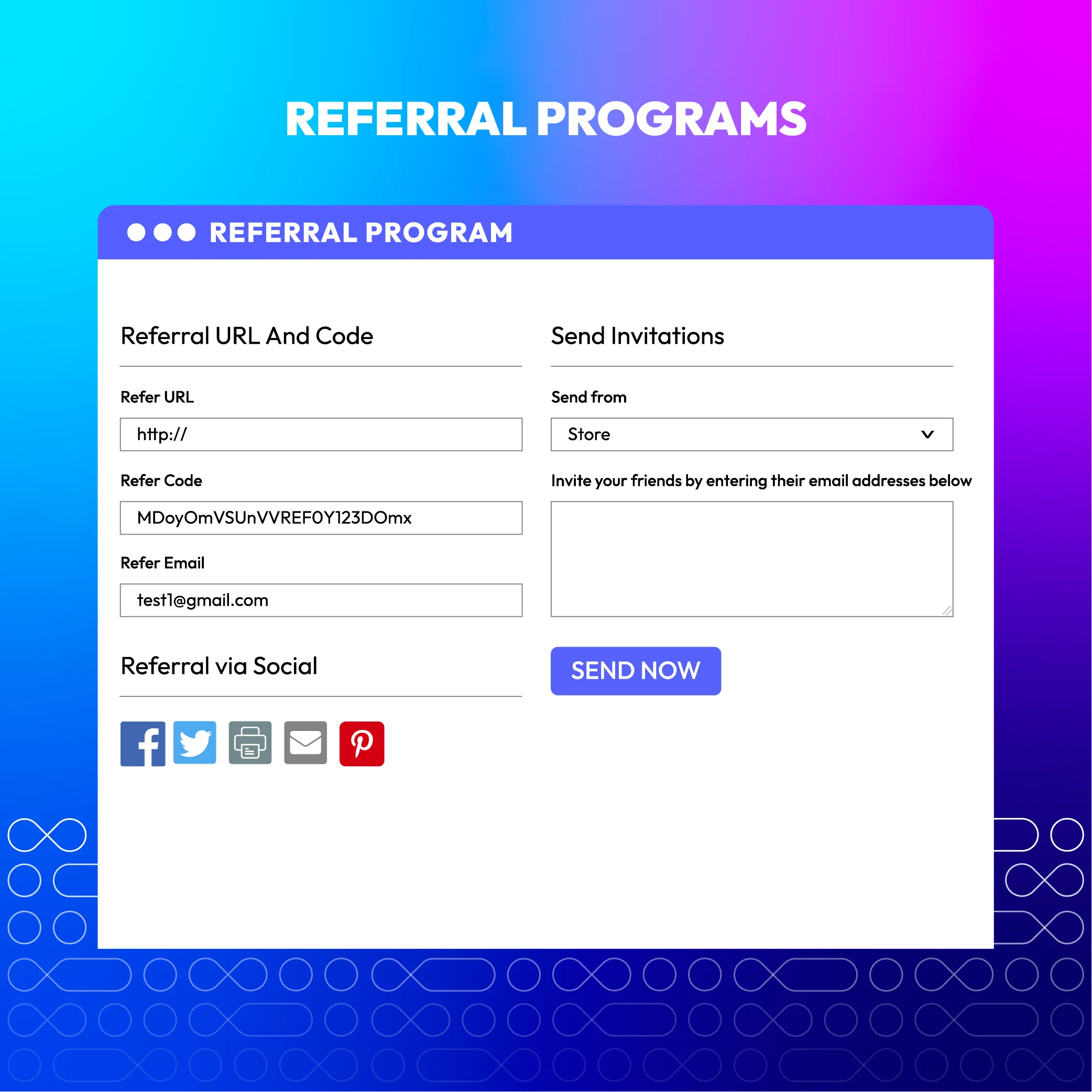
A loyalty program can be further enhanced by implementing a referral program. Magento 2 Reward Points extension allows you to create a referral program where customers can earn reward points or a discount for referring new customers. The system automatically generates a unique referral code for each customer's account. They can then easily share this code with their friends and family through various channels like Facebook, Twitter, Pinterest, and email. Referred friends who use the code during checkout will earn points or receive a discount on their first purchase, motivating them to become loyal customers. This is a great way to increase customer engagement and drive customer acquisition.
Enhance customer experience with convenient features and attractive visuality
As customer experience plays an important role in doing business, having the following features to make interacting with reward programs more exciting can be a great advantage.
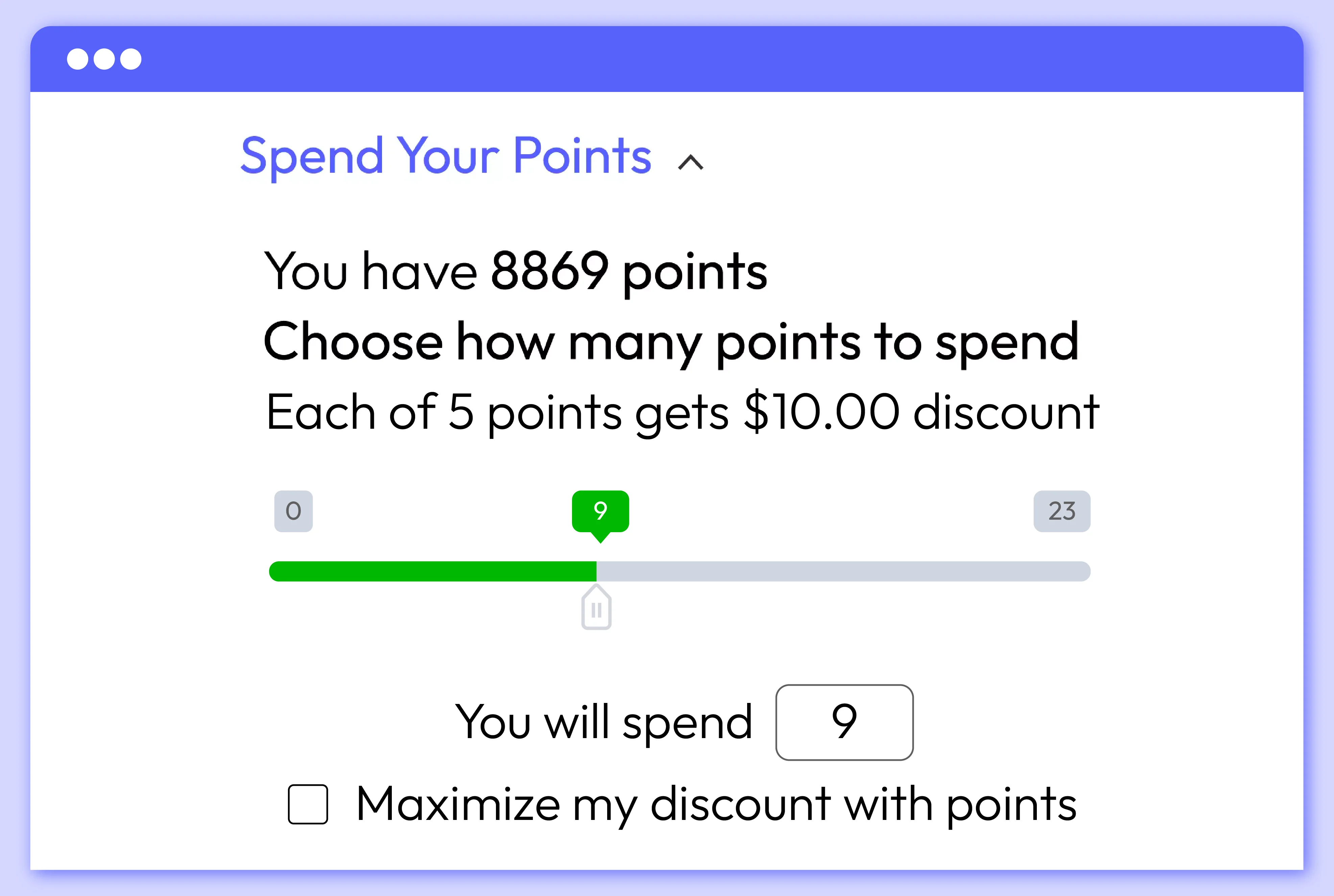
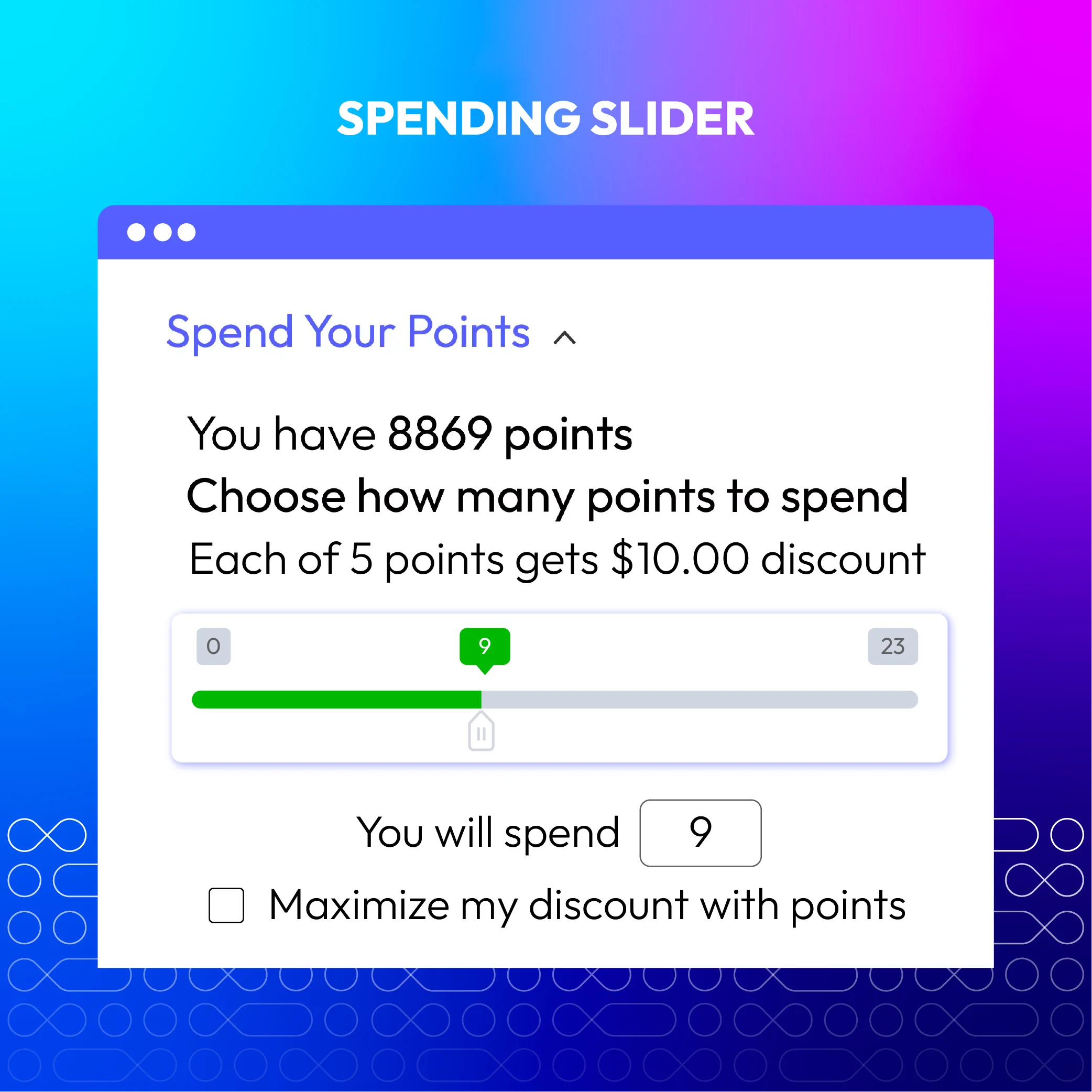
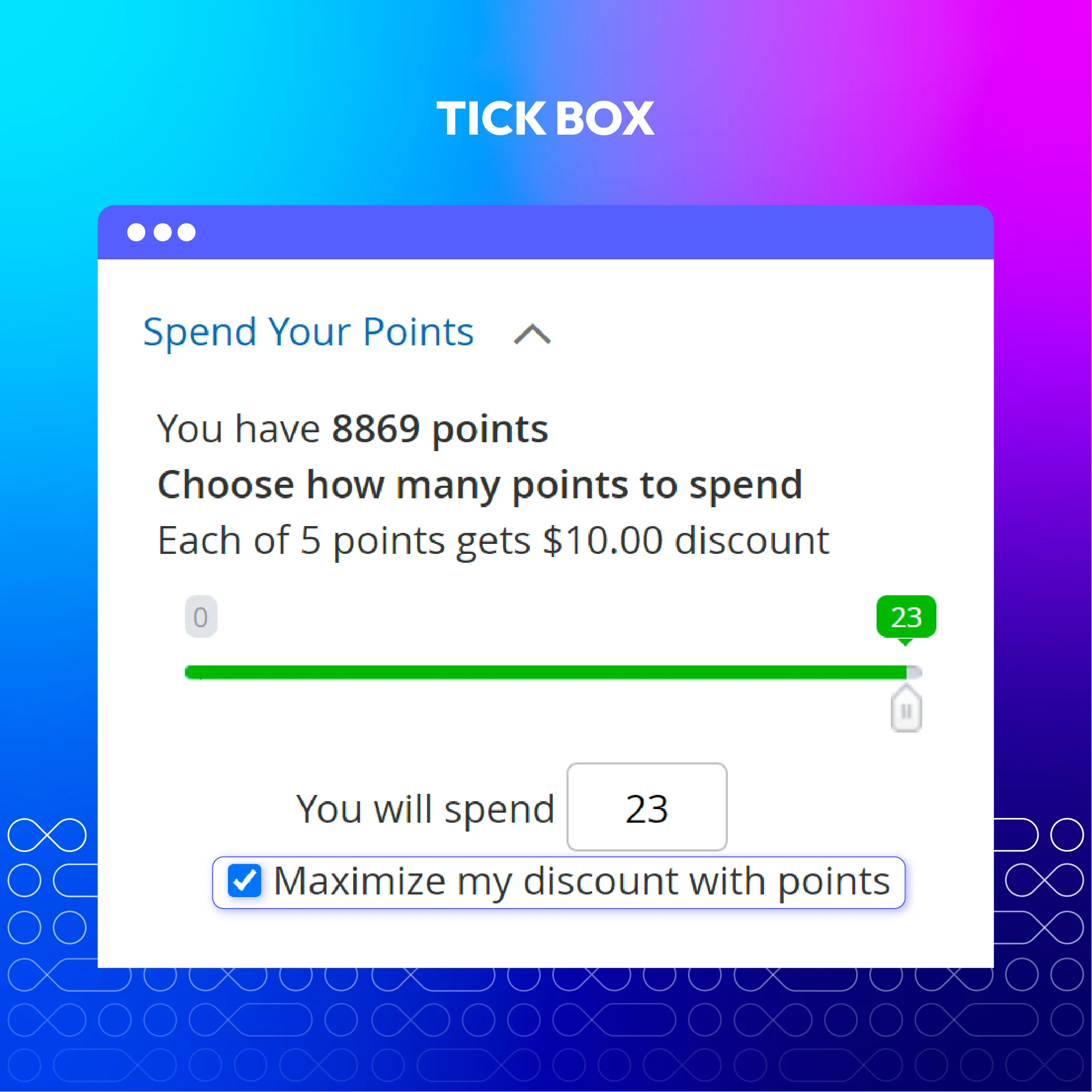
In addition to traditional methods like entering a number, the module provides a spending slider, an effective way to increase customer shopping experience. By simply pulling the slider, customers can easily apply their desired amount of points towards their purchase, making the checkout process faster and more convenient. This visually appealing spending slider can be strategically displayed on both the Cart and Checkout pages.
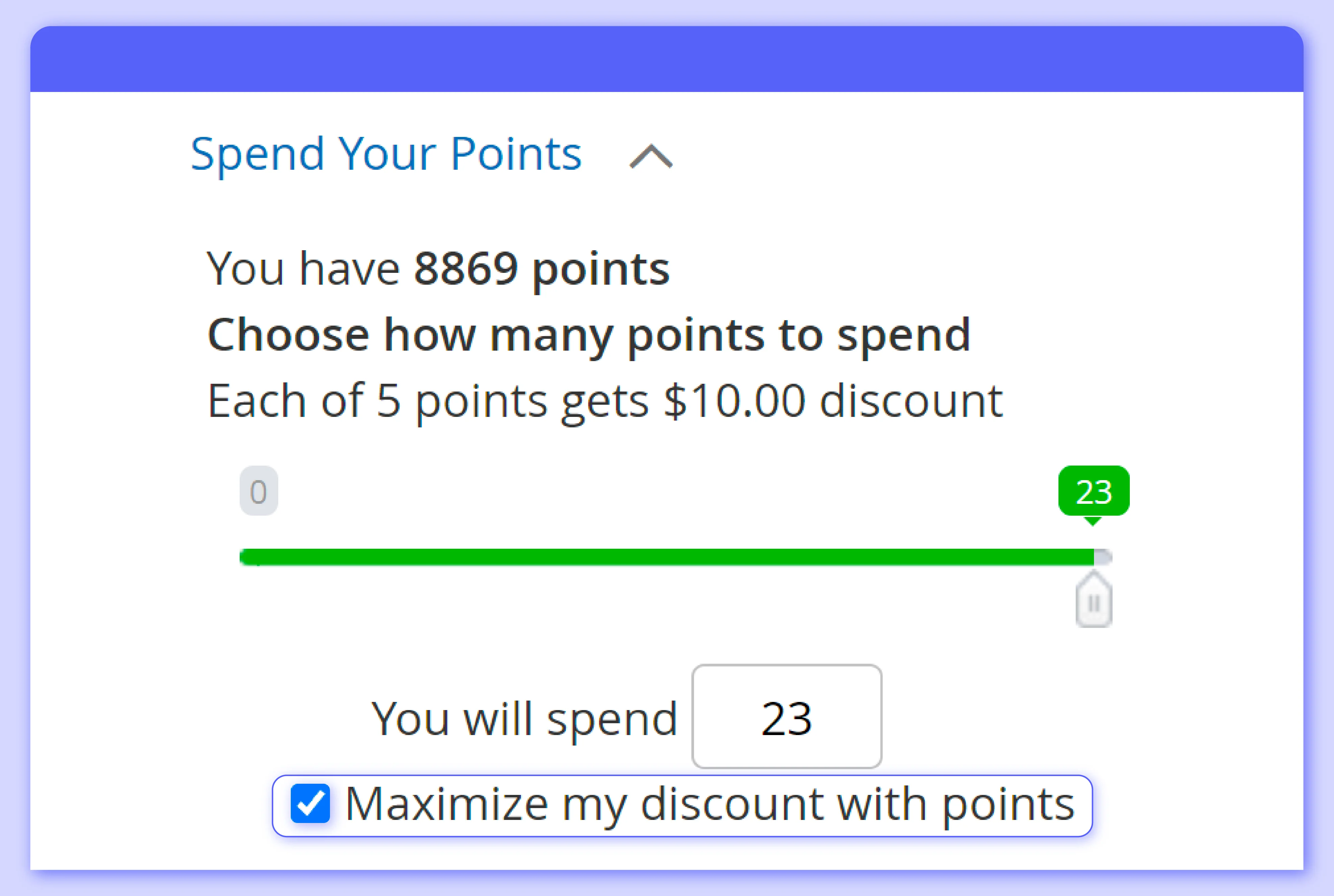
Store owners can enable a one-click redemption option, allowing customers to effortlessly use all their reward points at checkout. This streamlined functionality saves valuable time and enhances the overall customer experience, fostering a seamless and user-friendly interaction with the rewards program.
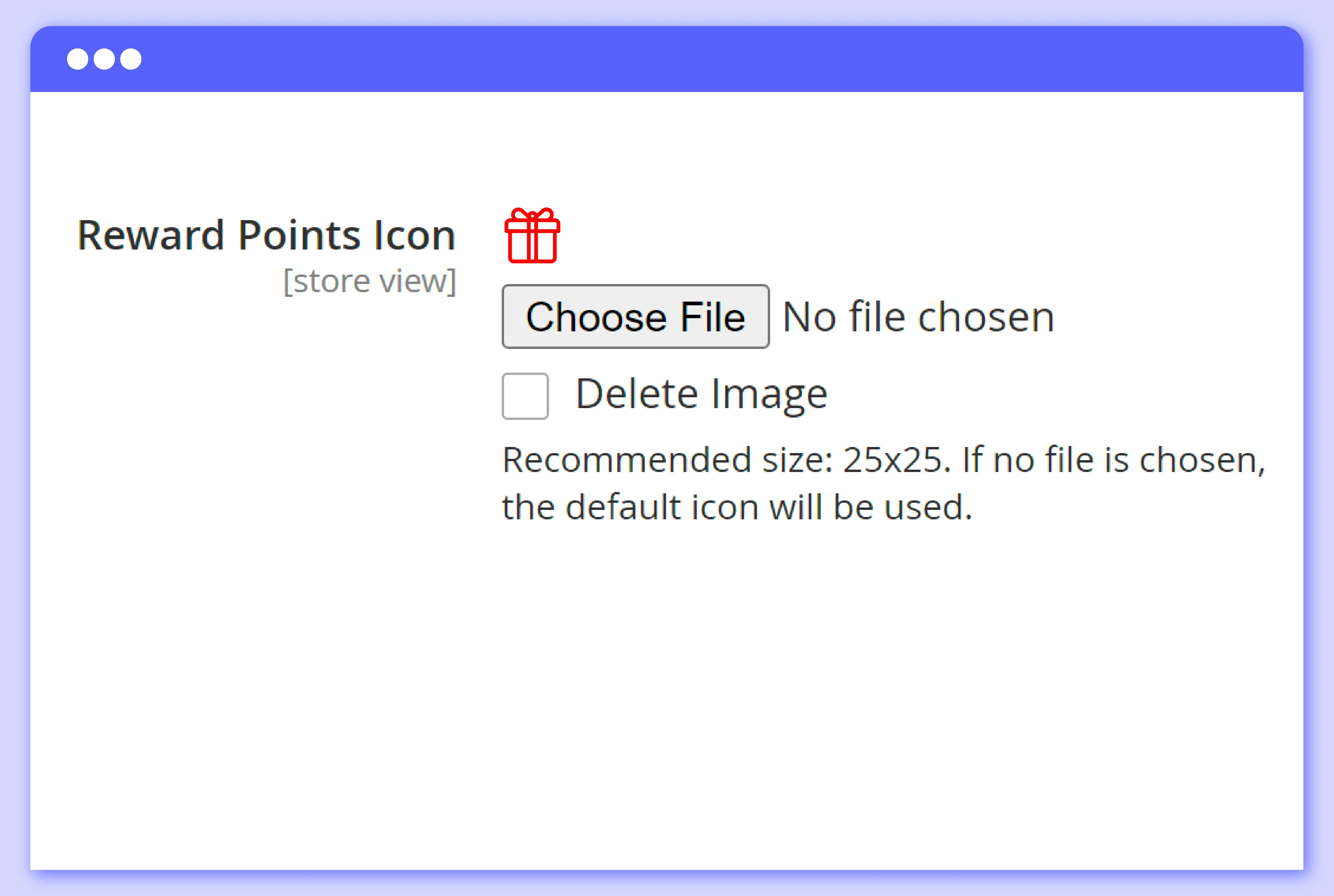
Store owners can customize reward program labels by adding images, allowing them to align the labels with their brand's visual identity. By incorporating cheerful icons, this customization makes the reward program visually engaging and enjoyable for customers.
Maximize store benefits by boosting sales while still balancing rewards points
One of the main reasons leading to a failed reward program is that businesses can't balance the reward they are giving away and the benefits they can gain back. Being too generous with reward programs can lead store owners to losses. Recognizing this issue, Mageplaza has designed features to facilitate effective control of point earnings and spending.
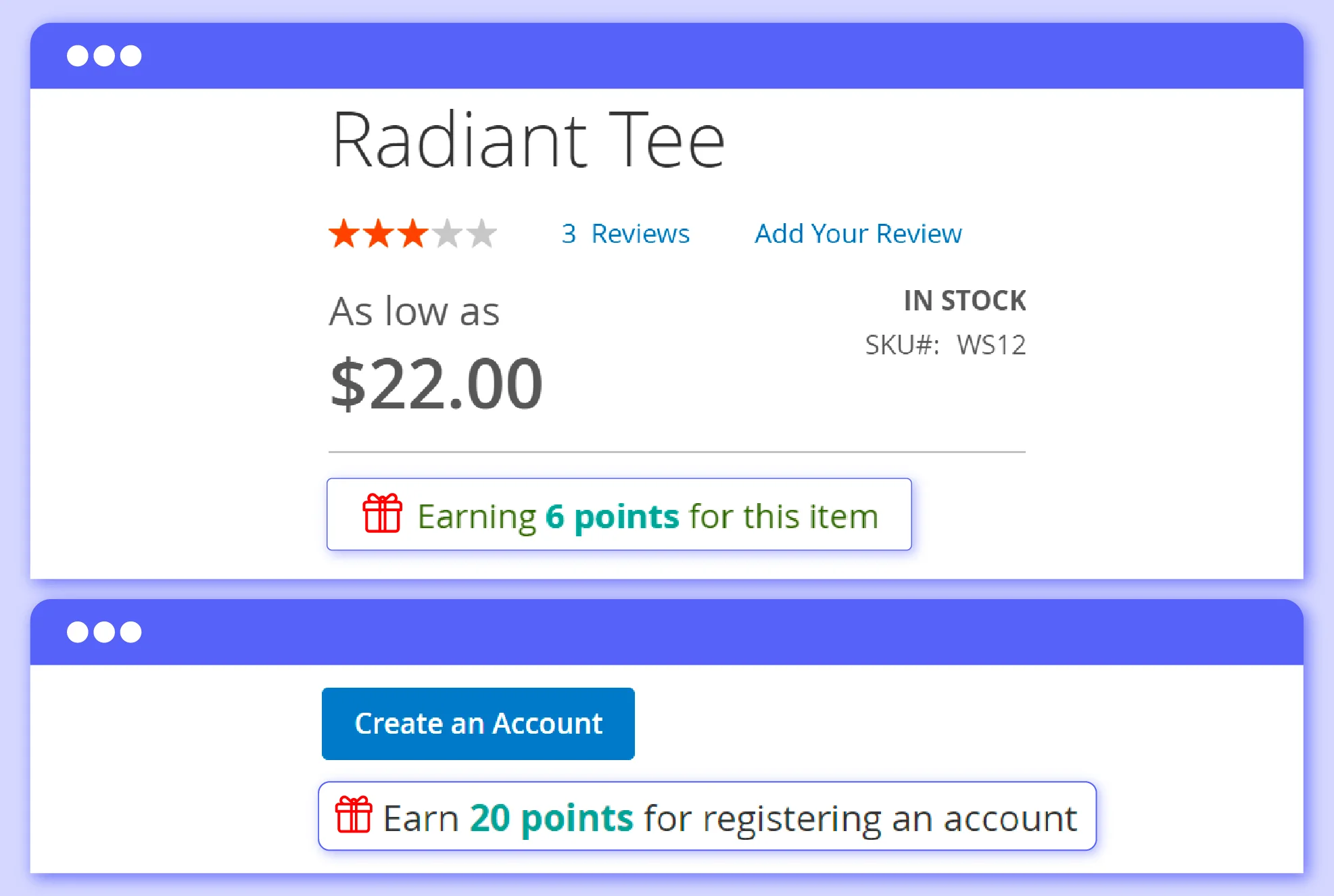
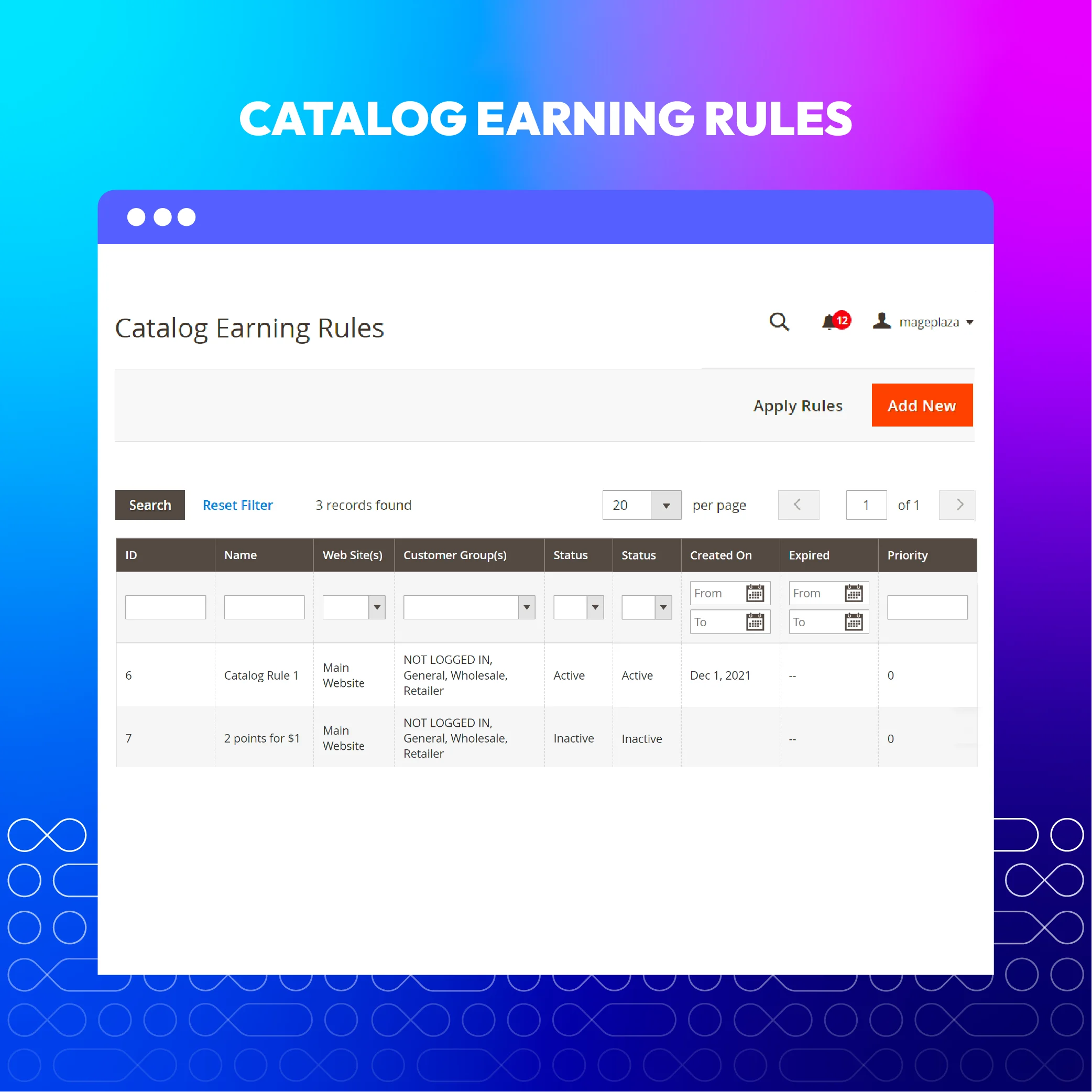
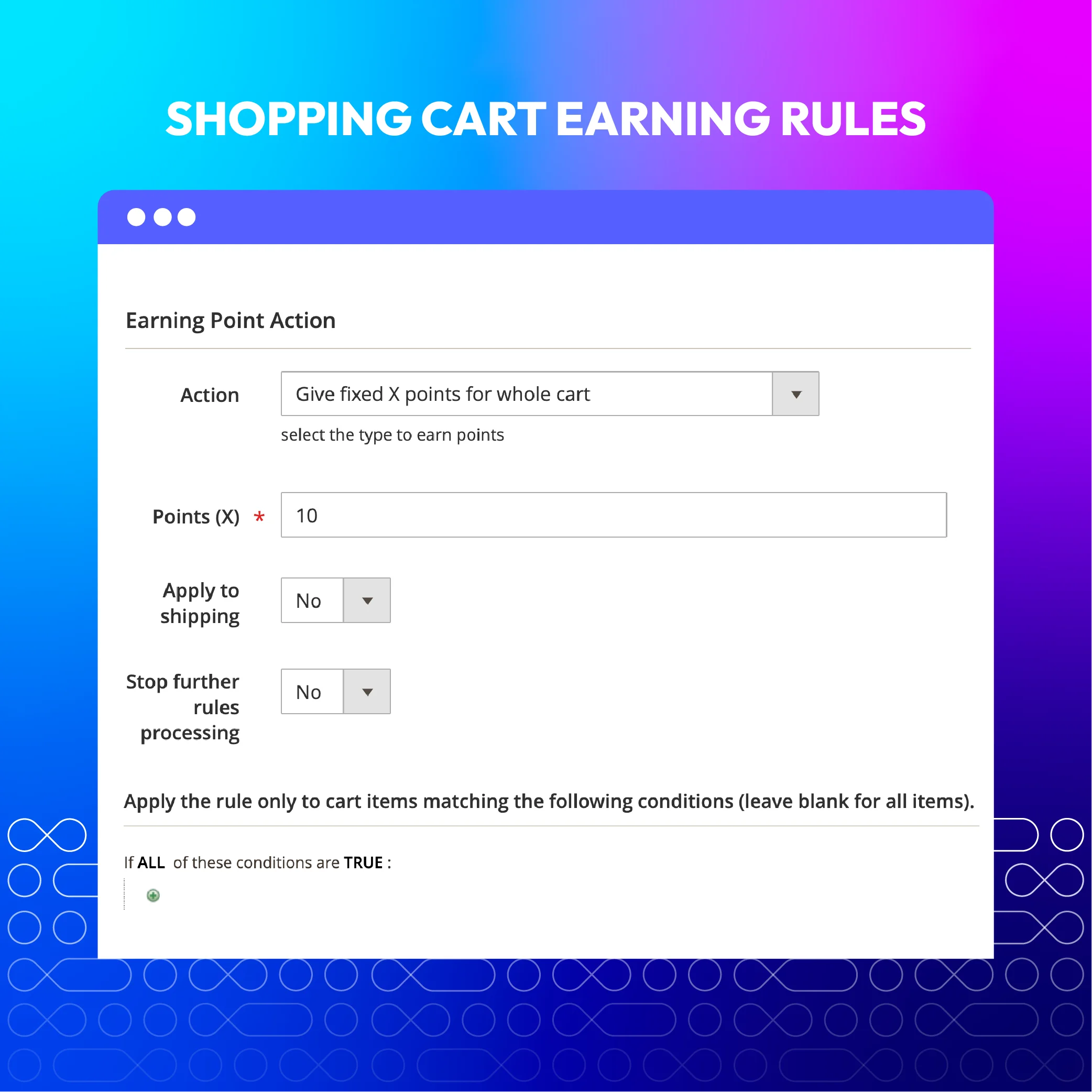
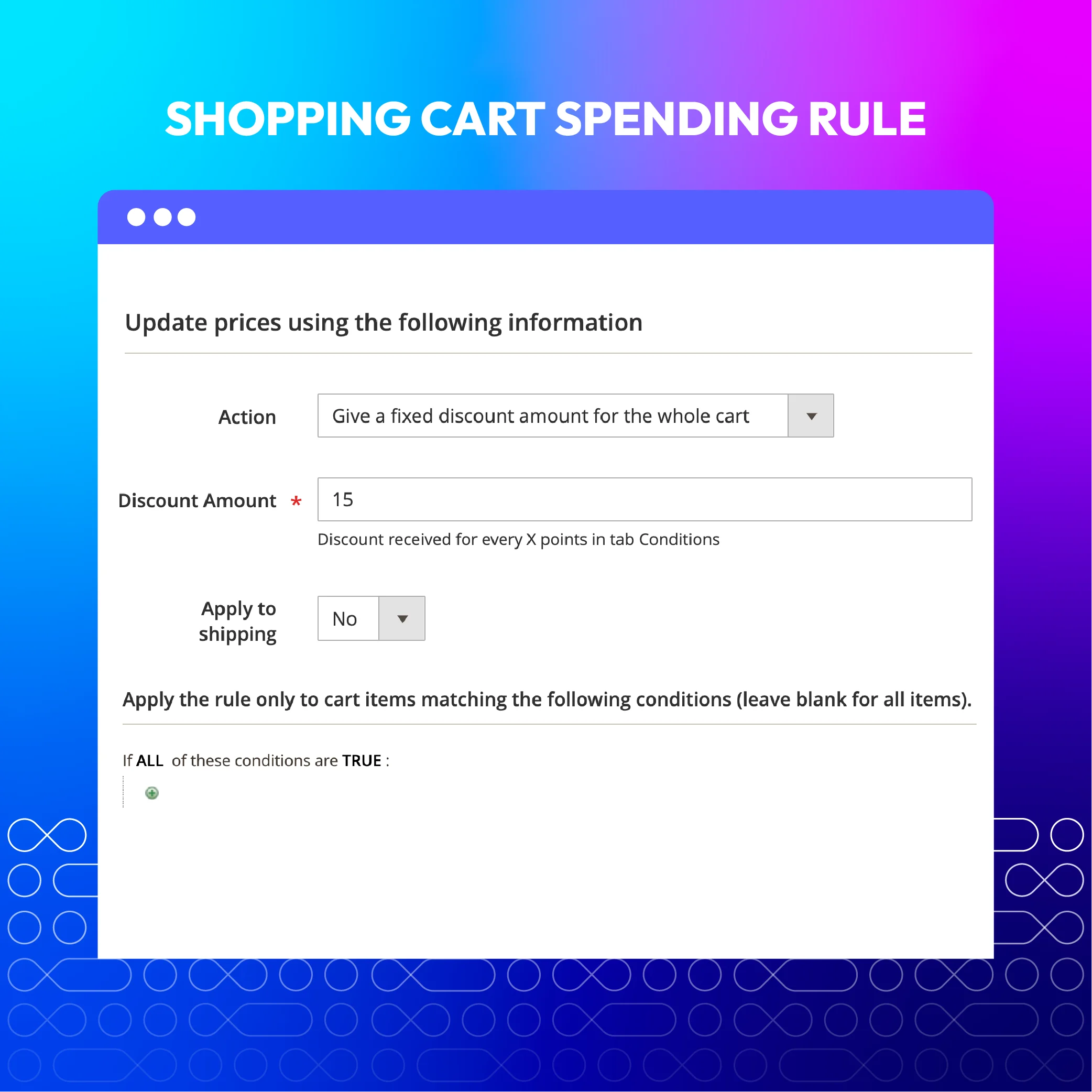
Increase customer engagement by creating an interesting loyalty program with flexible reward point rules. This feature empowers online stores to design a program that aligns with their business goals and purchase behavior of their customers. Admins can configure various earning rules, such as awarding points for signups, referrals, orders, product reviews, and social media sharing. Additionally, they can set up discount tiers to incentivize customers to gain more points.
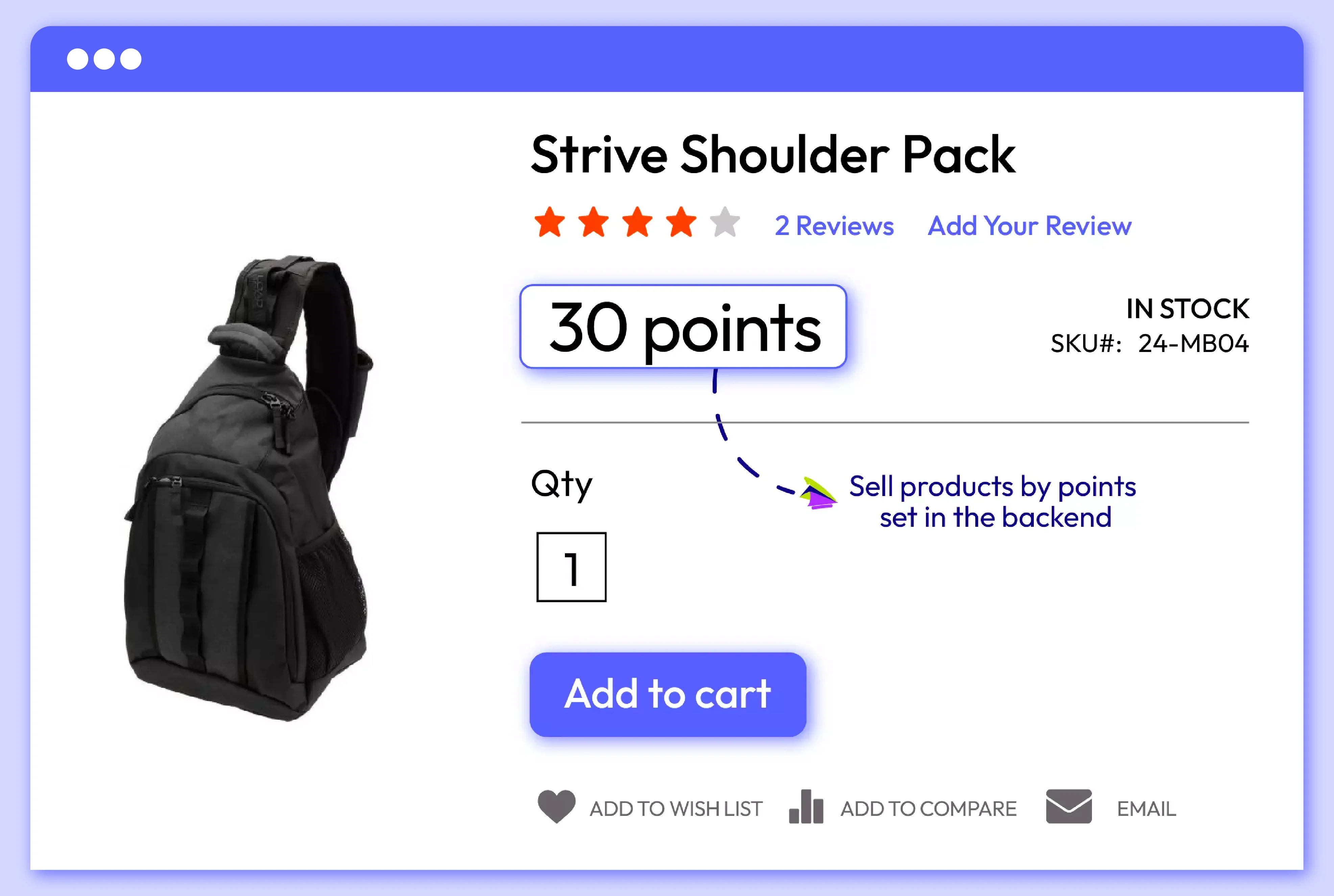
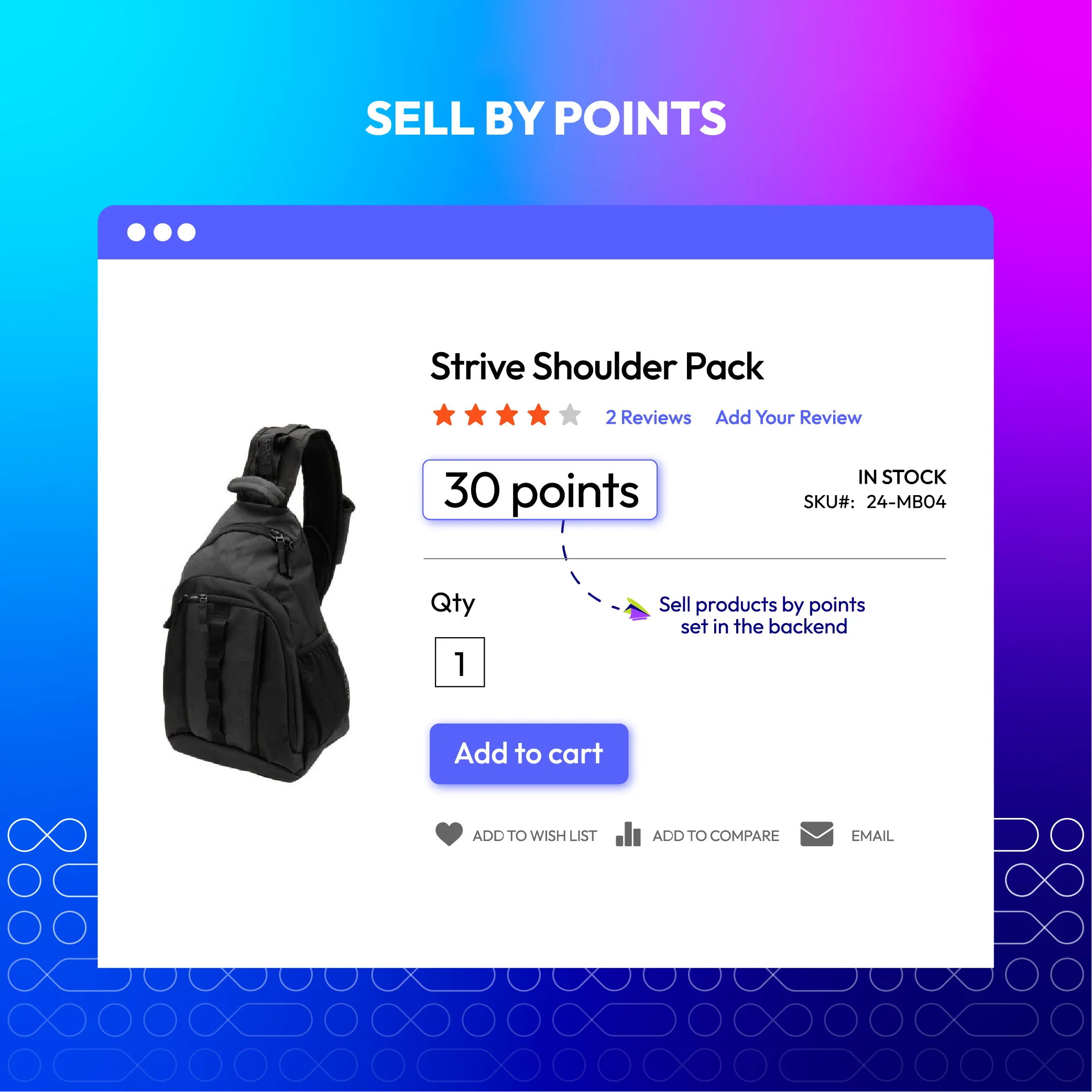
Customers are more likely to buy products when they get sales incentives. Allowing shopper to use their points for payment will motivate them to make faster decisions and bring more benefits to store owners. Businesses can boost sales by explaining that the more purchases shoppers make, the more points they get. Moreover, merchants can retain current customers by encouraging them to return spending their earned points.
More features of Magento 2 Reward Points

Reward points expiration
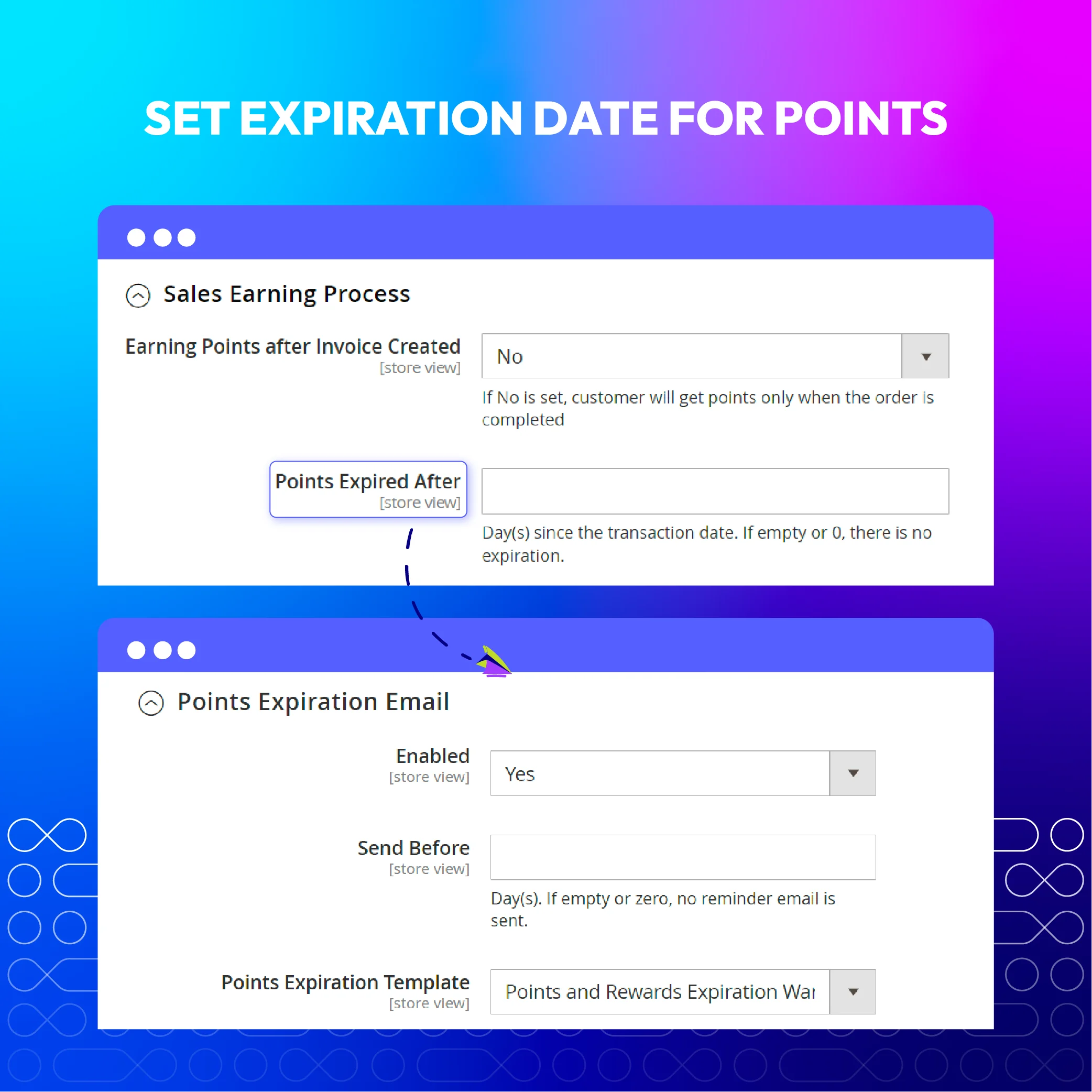
Points expiration can be configured. Buyers will get a notification email when their points are about to expire.

Reward point indicators
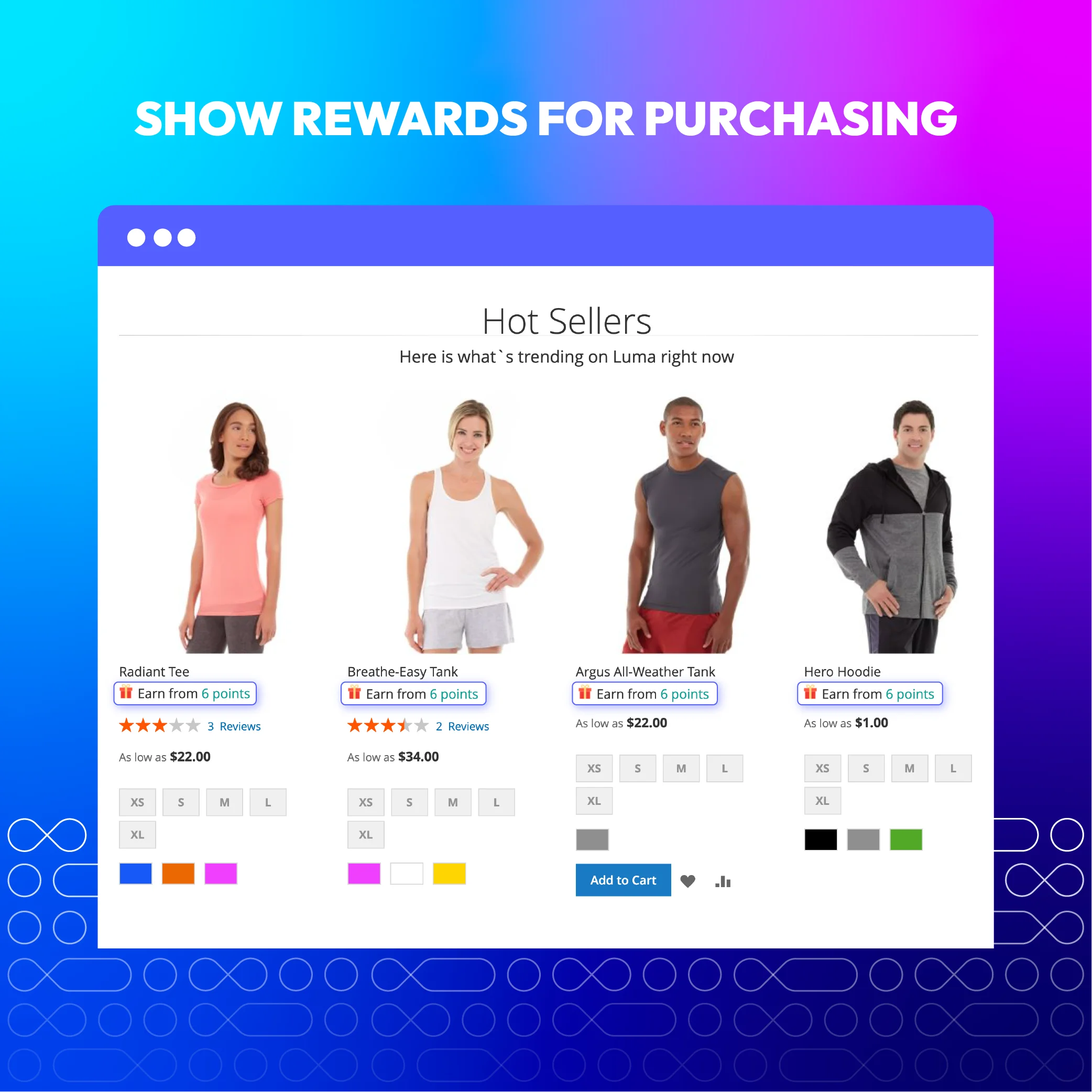
Show how many Magento loyalty points are rewarded on the Category, Product, Cart, Mini cart, and Checkout pages.

Earning/Spending rate
Configure the reward rates for various customer groups with their own priorities.

Reward points transaction management
Rewards tracking via a detailed transaction report of how buyers earned and spent points on your store.

Refundable reward points
Store admins can configure reward points to be refundable or not.

Reward point spending restriction
The minimum and maximum amount of reward points spent in a time can be limited

Customer group reward
Loyalty point rates can be configured in specific store views and customer groups.

Earn points from point-spent orders (New)
Allow customers to earn loyalty points from orders in which they have used points.

Reward discount amount display (New)
Display the reward discount amount for items in the order, invoice, credit memo
Reviews (28)
Overall rating
5
5
4
3
2
1
Ivo
23 January 2023
23 January 2023
Mageplaza is my favorite extension builder because of their support. The extension had a good price comparing to others. Installing was easy. I had some issues configuring it. But Mageplaza fixed the bugs and uses my feedback to release newer better versions on and on. Language issues were also fixed at my shop. So happy now to have contributed and having a good functional reward system on the shop. Only thing I was missing is a CMS page where the reward system is explained to the customers. As this would be the same for about 90% of the contents for all shops, this could be a feature to add.
lee
26 May 2022
26 May 2022
Very nice plugin, it makes my customers enjoy shopping on my website even more
Reynolds
02 May 2022
02 May 2022
This extension does what it says and I'm happy with it. One piece of advice: go for the Ultimate version, as you'll need the Reward for behaviours and the Report feature.
Ky Nguyen
21 April 2022
21 April 2022
We bought the Pro version and it just works as expected. Highly recommended.
Barka
19 April 2022
19 April 2022
It's meaningful to discuss with their support team, they understood the point and give a relevant and quick response. Thanks
Gaia
13 February 2021
13 February 2021
Was a nice plugin and worked well but didn't do what I needed in the end so have to return it but for it can do it does very well
Simona
17 November 2020
17 November 2020
Great extension and fast support. I bought the Pro version and tried some simple rules. It's just great. Can't wait for the site to go live to really test it with sales, I think that the customers will like it!
Bill Rust
24 August 2020
24 August 2020
This extension does exactly what it says. Easy to understand and configure. And our customers love building up and spending their points!
alan
23 July 2020
23 July 2020
Not bad
Anil Bhat
20 July 2020
20 July 2020
We installed it seamlessly within a few hours. Features are great and covers all our requirements
Andy
09 April 2020
09 April 2020
Great products and great service. They offer the best service in my experience for all my Magento extensions I have purchased. Highly recommend.
Bartosz
04 April 2020
04 April 2020
Wonderful extensions. Easy installation, really hassle-free. Many options to customize. Definitely the best in the budget.
Mayyar
30 January 2020
30 January 2020
an easy module to install. Cart and Behavior rules give a wide variety to configure the reward system. Also, MagePlaza support is such a quick, professional and very efficient service!
MohanaKrishnan
29 November 2019
29 November 2019
Instantly quick fix made by Bruce which saved my day! The support was awesome!
MohanaKrishnan
01 November 2019
01 November 2019
Best support service. We will purchase more extensions in futures and refer Mageplaza for our clients.
Jan Hemmingsson
29 October 2019
29 October 2019
Always fast and friendly support from Mageplaza. My site worked again!
Michael
13 June 2019
13 June 2019
In general, the extension works as advertised. Lots of features and a ton you weren’t expecting that are really great. I’ve been working on Magento for 10 years and I can confidently say that these guys know what they’re doing. Clean and reliable code. That’s all fine and great but what really got me off my ass to write this review was the dev support, I had some features that I really needed, and I asked if they were ‘possible.’ I was expecting a bush-league workaround or a simple “nah” but I was SUPER impressed by the response I got instead. Thomas, one of their devs immediately jumped in and wrote a whole new plugin for my cart to work correctly. He even followed up a few days later to see how things were going. – Blown away. As if the extension doesn’t do enough to begin with, the cost was worth the support provided to follow, alone. These guys will get as much business as I have to give them going forward.
Simone
08 April 2019
08 April 2019
It's really useful to increase customer loyalty at your store. For the customer, this extension is easy to use and the Mageplaza support is reliable!
Martin
25 March 2019
25 March 2019
Does a great job and has helped my sales. Is easy to configure and offers a good solution. Should be on the top of your list of addons.
Jerry
17 March 2019
17 March 2019
This is hands-down the best addon you can have for your store. Not only does it drive engagement through sharing and repeat orders, it gives customers an incentive to order MORE to get more points. Sort of like micro-transactions. A+
marina
27 November 2018
27 November 2018
I used Reward Points from j2t before and they were just OK. But Mageplaza Reward Points extension is a huge step UP. Ultimate edition of this module makes my revenues go and go...I can't wait for milestones feature, this will be a huge step forward. Thanks, Mageplaza.
Benny
14 November 2018
14 November 2018
This plugin is very easy to use. I really love it!! Customers can earn points and redeem for cash!! It's the best extension I found after a long search. I'm very happy and highly recommended.
Patrick
04 November 2018
04 November 2018
This little add-on has a major impact on customer loyalty and helps you to stabilize and increase sales:-) The useful adaptations of this module you can do is that you can customize this extension as your needs.
Lubomir
24 October 2018
24 October 2018
This is an amazing extension which is a must-have for every e-commerce store. The set up is very easy to install. Just try and see. Much more easy to retain customers :-)
Pawel
20 March 2018
20 March 2018
I am very satisfied with this extension because it's very useful for my store. I did have an issue with the translate of extension, they worked quickly to resolve the issue. I am very happy with the support.
Vernon
09 March 2018
09 March 2018
It's such a big surprise for us to experience this for the very first time. After having Mageplaza Reward points extension installed in our store, our conversion rate is growing significantly. Many one-time buyers visit back our website and purchase more. The last holiday shopping season was awesome, customers were more interested in shopping. It’s so cool after all.
Angelina Badger
09 March 2018
09 March 2018
It’s always so easy to be satisfied with the way I’m supported in Mageplaza. The guys solved the compatibility issue in my store so well that I couldn’t ask for more. Reward points extension is working properly and plays its role exactly as it’s claimed. Can’t wait to see the Ultimate version showing up.
MK. Fardy
09 March 2018
09 March 2018
Got this from a slot of Pre-order event. Mageplaza Reward Points extension is basically perfect for our store. Everything is working well and the extension’s brought many benefits so far. The support team works so efficiently, thank you guys!
Feature Roadmap
All of the feature updates plan and status will be updated as soon as possible in our public Trello.
View Mageplaza Extension Roadmap 2023 ->Don't see the features you are looking for?
Request featureRelease Notes
Standard:
- New Feature: We added Update the UI/UX for the Personal Reward Points page
- Compatibility: Now compatible with Magento 2.4.7
Professional:
- New Feature: We have added the Hold Points feature after customers make a purchase.
- New Feature: We added Update the UI/UX for the Personal Reward Points page
- Compatibility: Now compatible with Magento 2.4.7
Ultimate:
- New Feature: We added Update the UI/UX for the Personal Reward Points page
- Compatibility: Now compatible with Magento 2.4.7
- [Ultimate] Compatibility: The extension is now compatible with Hyva theme
- [Pro] Compatibility: The extension is now compatible with with Hyva theme
- Bug Fix: We fixed the bug check CustomerID with parameter int
- Bug Fix: We fixed the bug name of the attribute class
- Bug Fix: We fixed the bug change template (Reward Points Ultimate)
FAQs
Magento 2 Reward Points extension is a reward management system allowing merchants to give bonus points to customers when they perform specific actions such as repurchasing, subscribing, or reviewing. Merchants can create many incentive programs and set rules for each of them. By raising customer benefits when shopping with your store, it's likely to bring a significant sales boost.
To allow the Mageplaza Reward Points extension: Log in to Admin Panel > Admin Panel > Store > Configuration > Mageplaza Extensions > Reward Points > General configuration and turn the Enable to Yes. Follow our guide to discover further settings.
The answer is yes. The Milestone program effectively encourages shoppers to interact more with the store by offering higher incentives for each upper membership level. It simply motivates people by explaining the more points they have, the more benefits they'll get.
Absolutely yes, the customer can use existing points and gain new points on the same purchase.
Sure. You can set specific customer groups for each loyalty program by navigating to its settings in the backend. Then, choose one or multiple customer group(s) you want to apply for that program..
Yes, you can initiate many loyalty programs at once by setting various earning rates in the backend.
Don't worry. The rewarded points will automatically be revoked.
Yes. The Reward Points for the Magento 2 extension is designed with built-in email configuration, allowing store owners to set Point Expiration Email with a pre-made template.
Absolutely! To motivate customers with attractive messages when they place an order, you can customize that loyalty program's description in the backend.
Tracking customers' transactions with points is really easy with Mageplaza's reward program extension. The module provides a transaction history grid that automatically updates all users' transaction information like amount, status, created and expiration dates, etc.
| Standard | Professional | Ultimate | |
| General Configuration | |||
| Enable/Disable the module | |||
| Customize Reward point labels | |||
| Configure Reward point icons | |||
| Rewards for Customer group | |||
| Rewards for Specific store views | |||
| Set the Maximum Available Points Balance | |||
| Sell products by points | |||
| Earning Configuration | |||
| Set Rounding point method: Up or Down | |||
| Set Earning by Catalog Rule | |||
| Allow earning points from tax | |||
| Set a maximum number of points that can be earned per order (New) | |||
| Enable/Disable Point refund | |||
| Allow earning points after Invoice created | |||
| Enable admin to set the Point Expiration | |||
| Enable/ disable earning points from orders that applied spending points (New) | |||
| Milestone Program | |||
| Get X points after Y days of inactivity | |||
| Set Earning by Customer Behavior | |||
| Spending Configuration | |||
| Minimum Balance to Spend Points | |||
| Insert the Discount Label | |||
| Set the Maximum Spending Points per Order | |||
| Spending Points on Tax | |||
| Restore Spent Points after Order Refunding | |||
| Use Max Points by Default | |||
| Refund orders by points | |||
| Limit spending point by percent of checkout total | |||
| Allow spending points on coupon codes | |||
| Use points when creating order in admin | |||
| Spending slider | |||
| Display Configuration | |||
| Display Total Points on Top Links | |||
| Display Earning Points on Minicart | |||
| Highlight point label | |||
| Reward points notification for Guest on the checkout page (New) | |||
| Hide top-link reward if the balance is empty (New) | |||
| Set redirect to the Reward Point section after customer login (New) | |||
| Display reward discount amount for ordered items (New) | |||
| Email Configuration | |||
| Enable Email Notification | |||
| Subscribe Customers by Default | |||
| Set the Email Sender | |||
| Update point balance email | |||
| Points expiration email | |||
| Integration and other features | |||
| API integration | |||
| Hide the top-link if Reward Points balance is empty | |||
| Reward points by earning and spending rules | |||
| Display reward point on the Category page, Product page | |||
| Reports of Earned and Spent points | |||
| Sell products by points | |||
| Earn points when reaching a lifetime sales amount (New) | |||
| Reward for Social Behavior | |||
| Display Social button on frontend | |||
| Choose Page to Display Social button | |||
| Reward for referring friends | |||
| Invitation email for referral | |||
| Allow inserting default refer URL | |||
| Import/Export reward transactions | |||
| Import points | |||
| Reindex management | |||
| Support | |||
| Auto-fit with every device (Mobile, Tablet, PC) | |||
| Support multiple stores | |||
| Support multiple languages | |||
| Fully compatible with Mageplaza extensions | |||
| Free support included within the subscription period | |||
| 60 days guarantee money back |
Pricing
Choose your suitable edition.
Standard
Crafted for a great webstore start $ 99 first year
- 1-year extension updates
- 1-year support
- 60-day money-back guarantee
- Read our policies
- Customize Point Labels
- Configure Point Icons
- Rewards for Customer Group
- Rewards for Specific Store Views
- Maximum Available Points Balance
- Earning/Spending Configuration
- Set up Display Configuration
- Configure Email Notification
Ultimate
Full-package solution $ 299 first year
- 1-year extension updates
- 1-year support
- 60-day money-back guarantee
- Read our policies
- Includes all Professional features, plus ...
- Social Sharing
- Reward for Behaviors
- Reports
- Reward for Referring Friends
Professional
The most popular $ 199 first year
- 1-year extension updates
- 1-year support
- 60-day money-back guarantee
- Read our policies
- Includes all Standard features, plus ...
- Set up Earning/Spending Rules
- Display Points on Category & Product Pagen
+$50
$99
60-day
Money
Back
Frequent
Update
Extensive
Support Timeframe
Install via Composer
Compatible with:
Community:
2.3.* - 2.4.7
Enterprise:
2.3.* - 2.4.7
What Experts Say?
Mageplaza's numerous flexible Magento extensions empower merchants to enhance their online stores with advanced functionalities. They allow store admins to build efficient sales strategies and stay competitive.

Jackie Tran
Marketing Manager at Magestore
Why choose Mageplaza Magento 2 Reward Points
Set the system to automatically reward customers for various actions made on your store, including placing orders, creating accounts, leaving feedback, etc. The extension naturally motivates occasional buyers to turn into loyal customers, focussing on a long-term relationship. Additionally, admins can track the reward program's performance with a detailed report on how customers earn and spend points on the store.




60-day Money Back
Extensive 60-day money-back period. You love it or get a full refund no questions asked.

Extensive Support
Mageplaza provides support 16 hrs/day, 5.5 days/week to guarantee the seamless operation of our extensions on your store.

Install via Composer
ESimple installation via composer helps you save time and eliminates technical issues during future updates.

Frequent Updates
Intensive update roadmaps ensure great performance, bug-free, highly compatible, and innovative extensions.
Also Recommended For Your Store