

 2.4.4 - 2.4.8

 Theme
Theme
Magento 2 Out Of Stock Notifications extension
v4.0.10
Benefits of product alerts subscription


How the Out Of Stock Notifications extension helps you boost sales
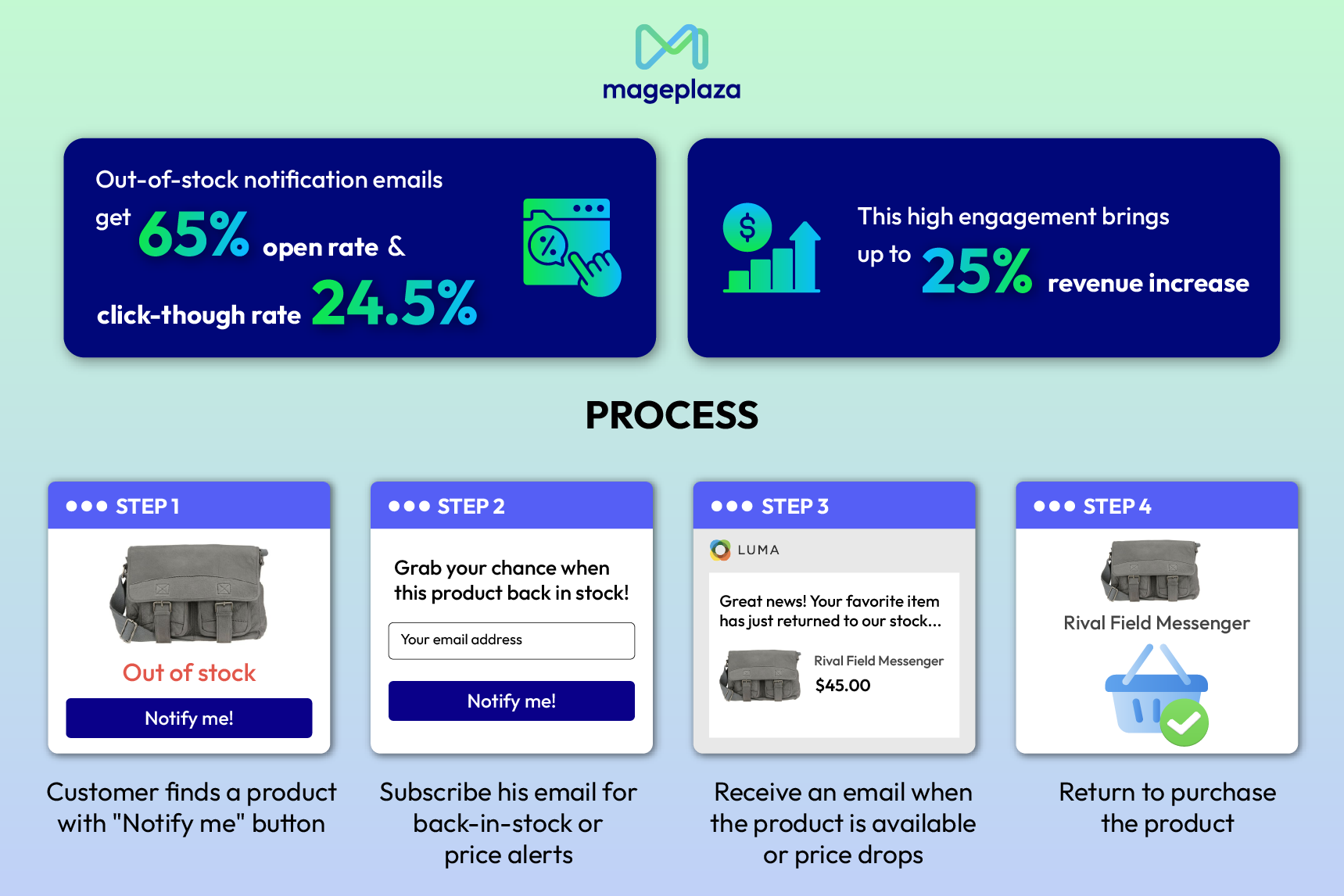
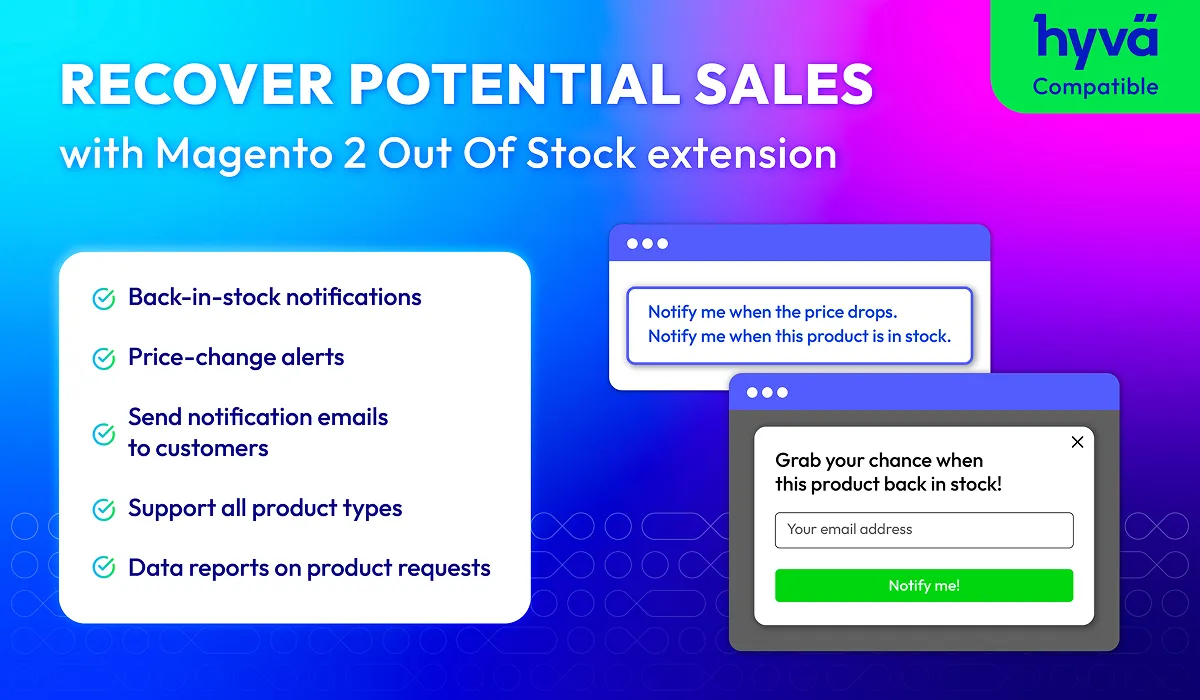
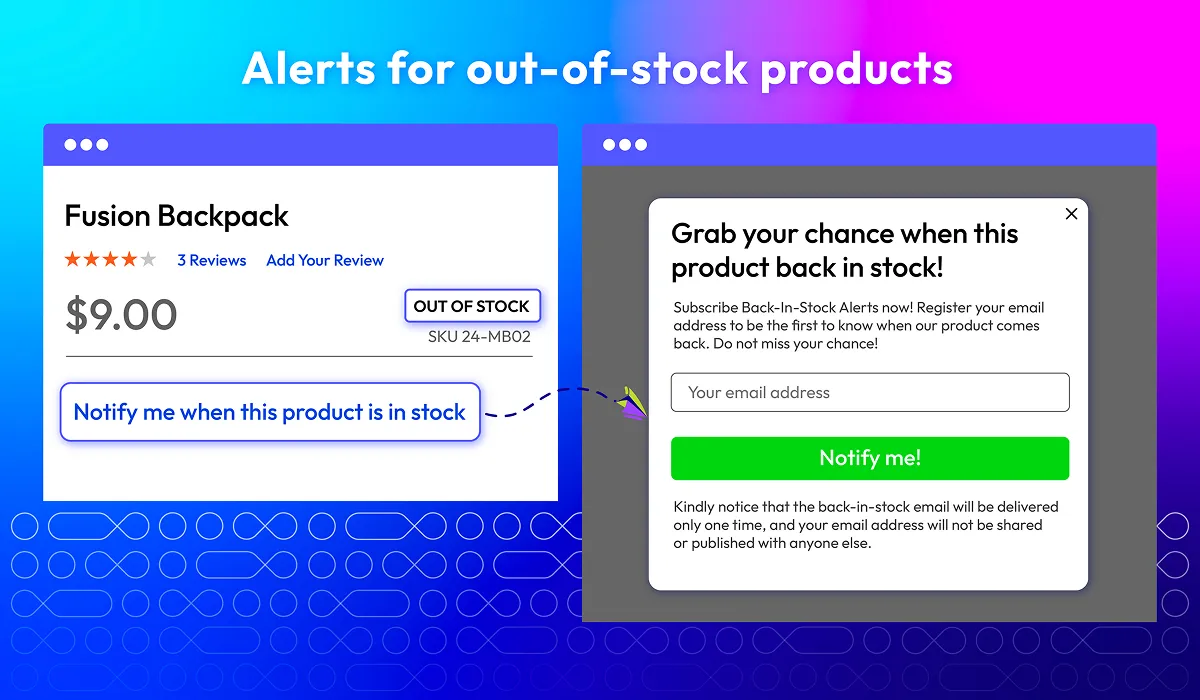
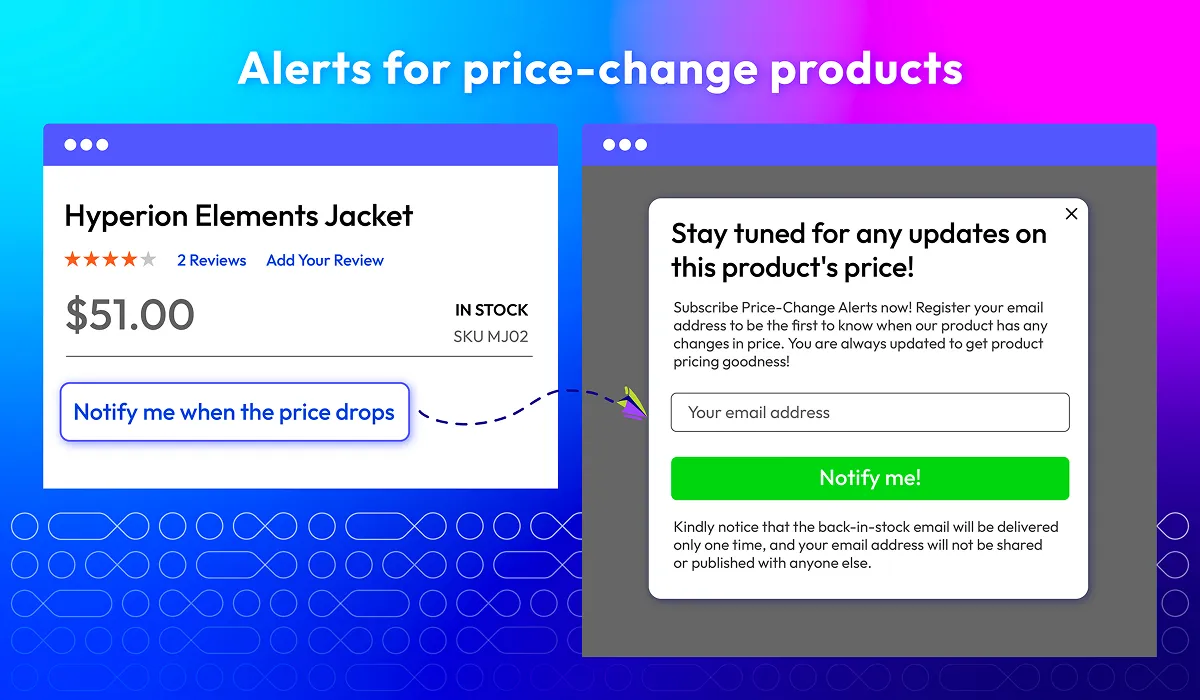
Display Price change & Out of stock notifications to recover potential sales
Magento 2 Product Alerts extension empowers customers to subscribe and receive notifications when products go out of stock or when there is a price drop. By adding a "Notify me" option on the product pages, customers can stay updated and make timely purchases, improving customer satisfaction and retention.
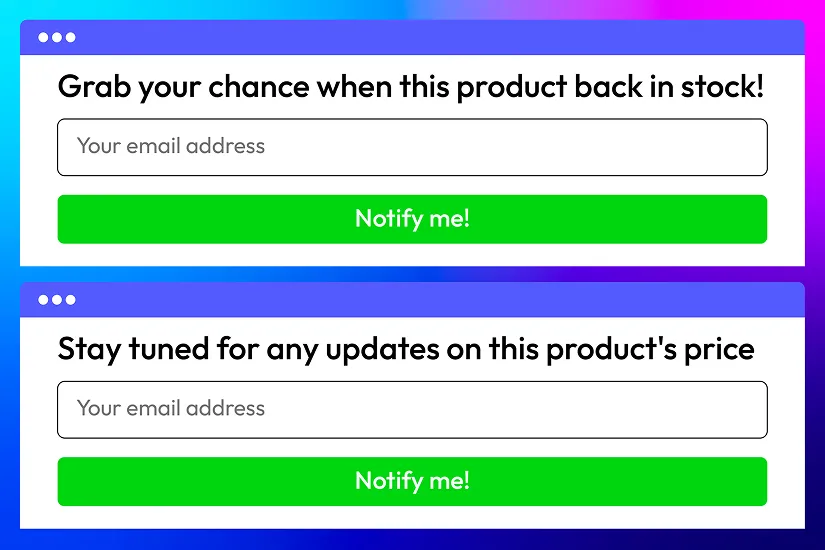
Pop-up customization
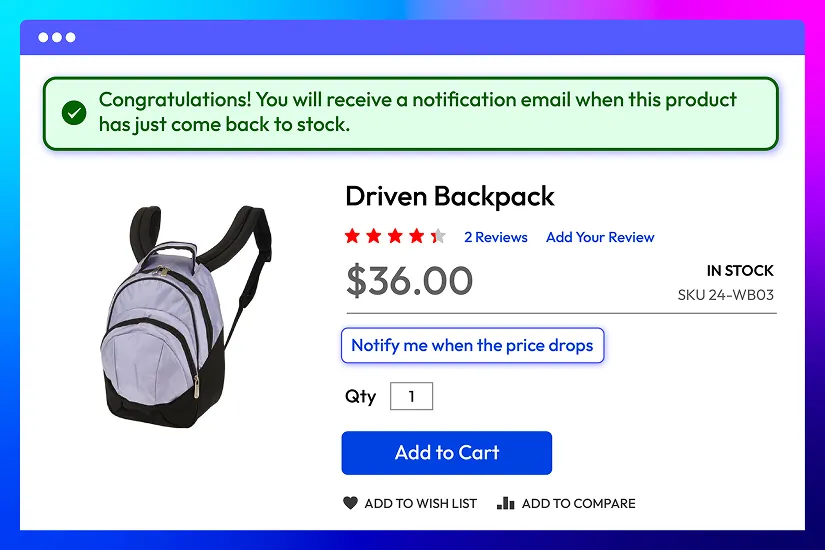
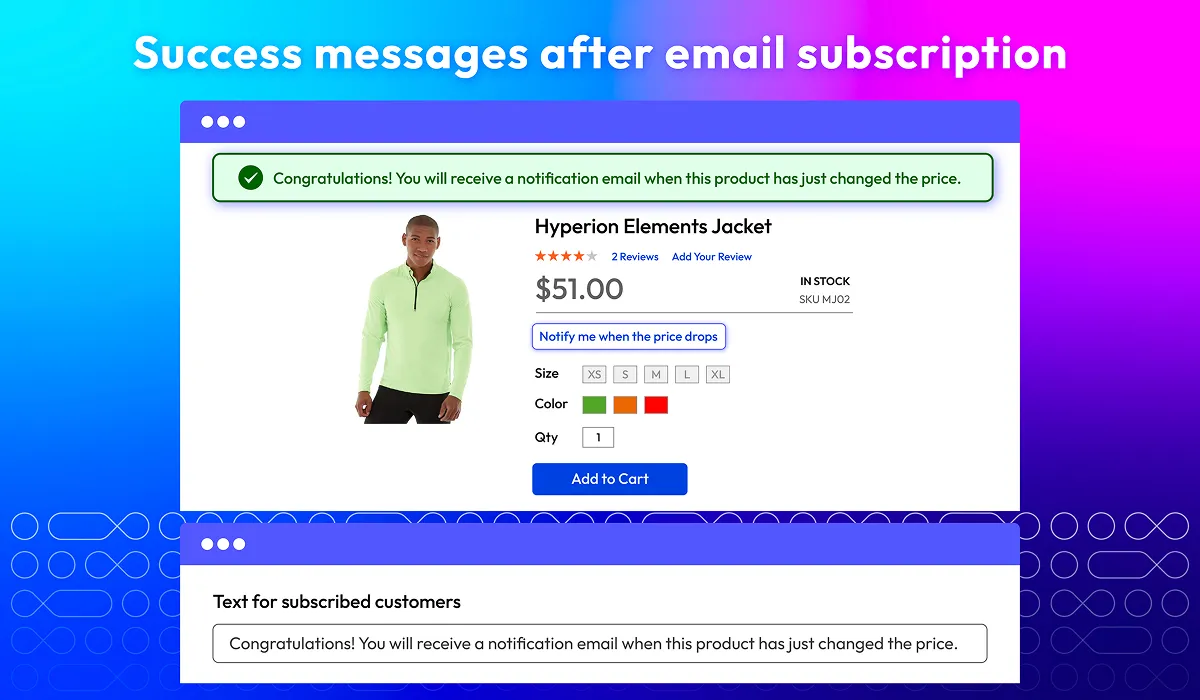
Success message after subscription
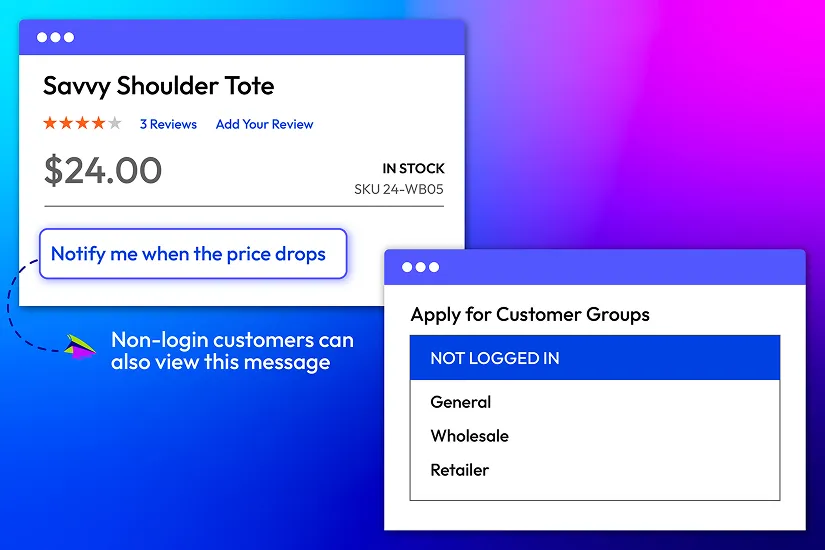
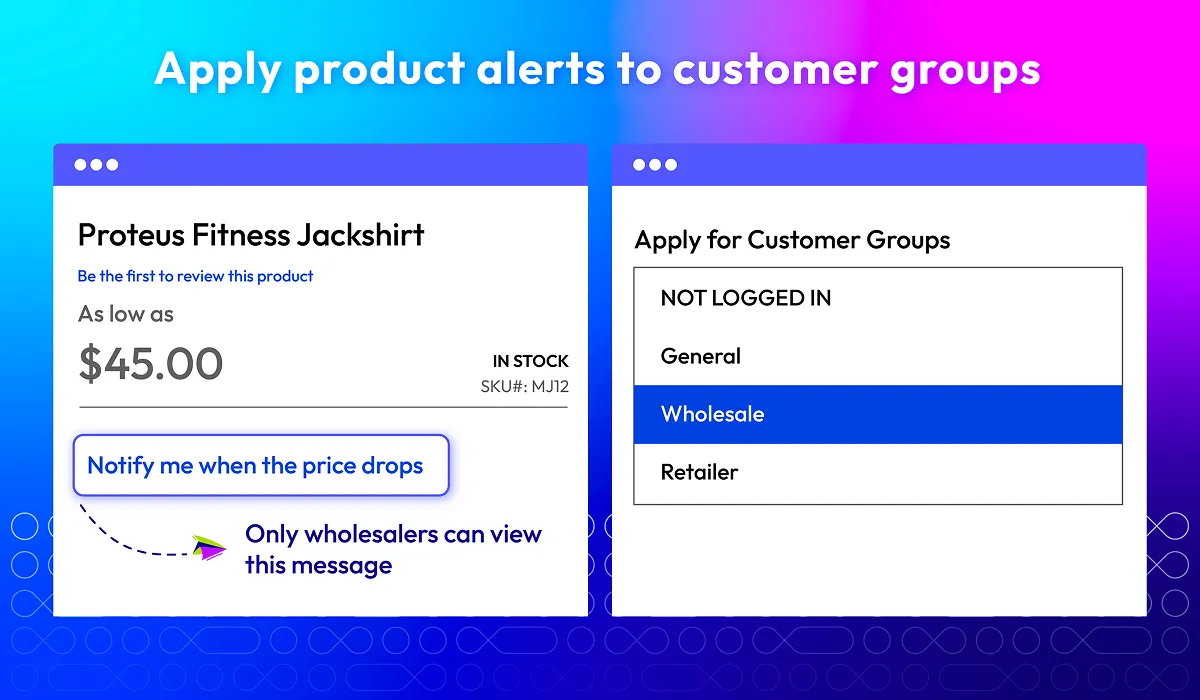
Apply to customer groups
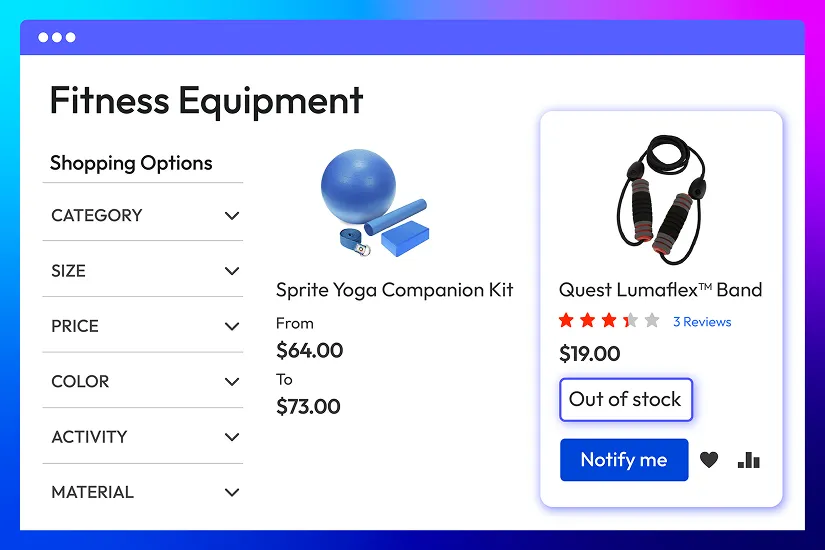
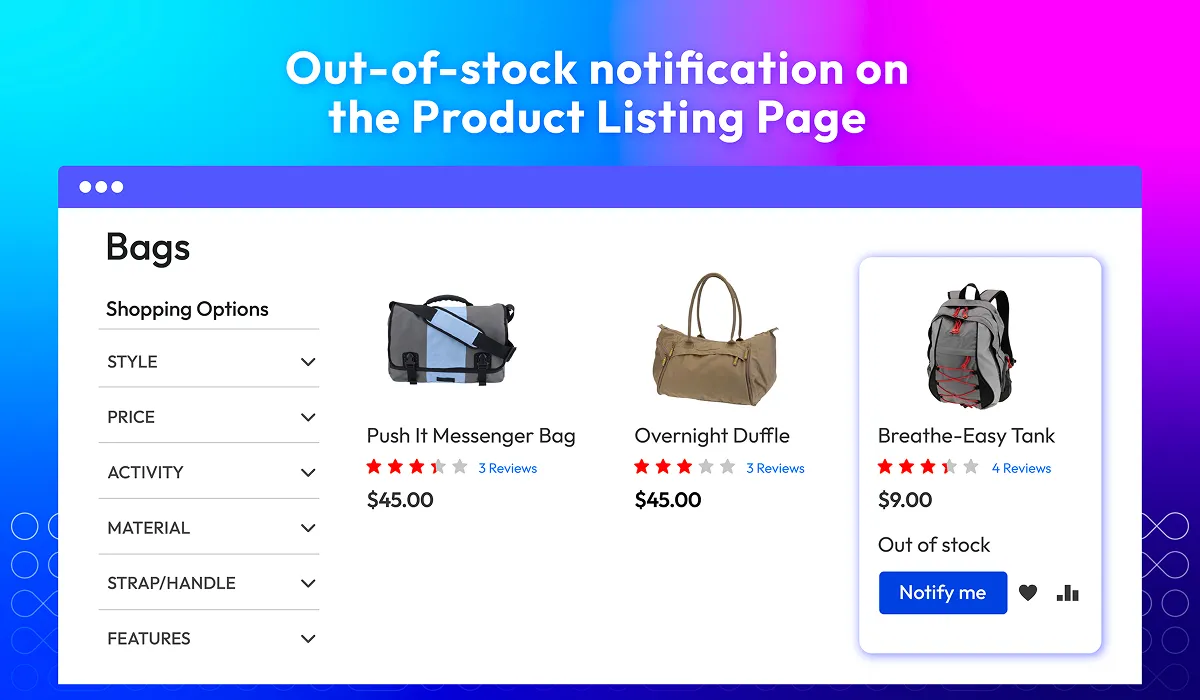
Show out of stock items on Product Listing page
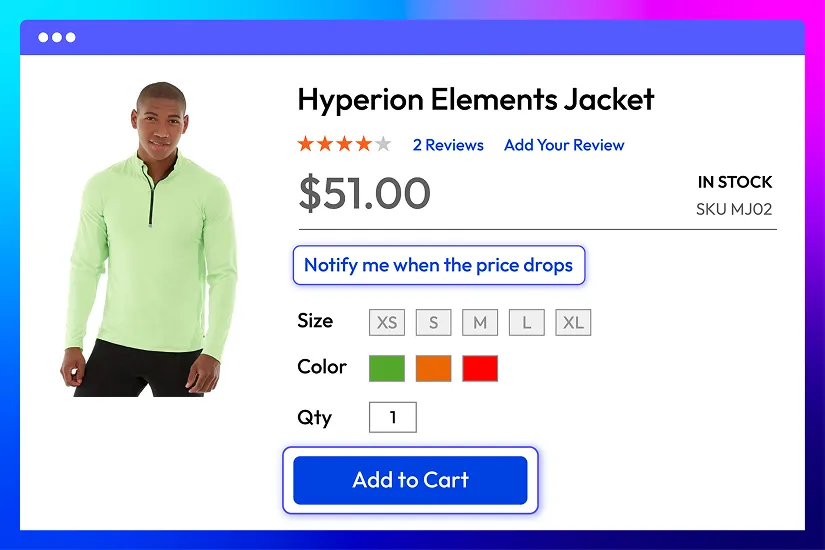
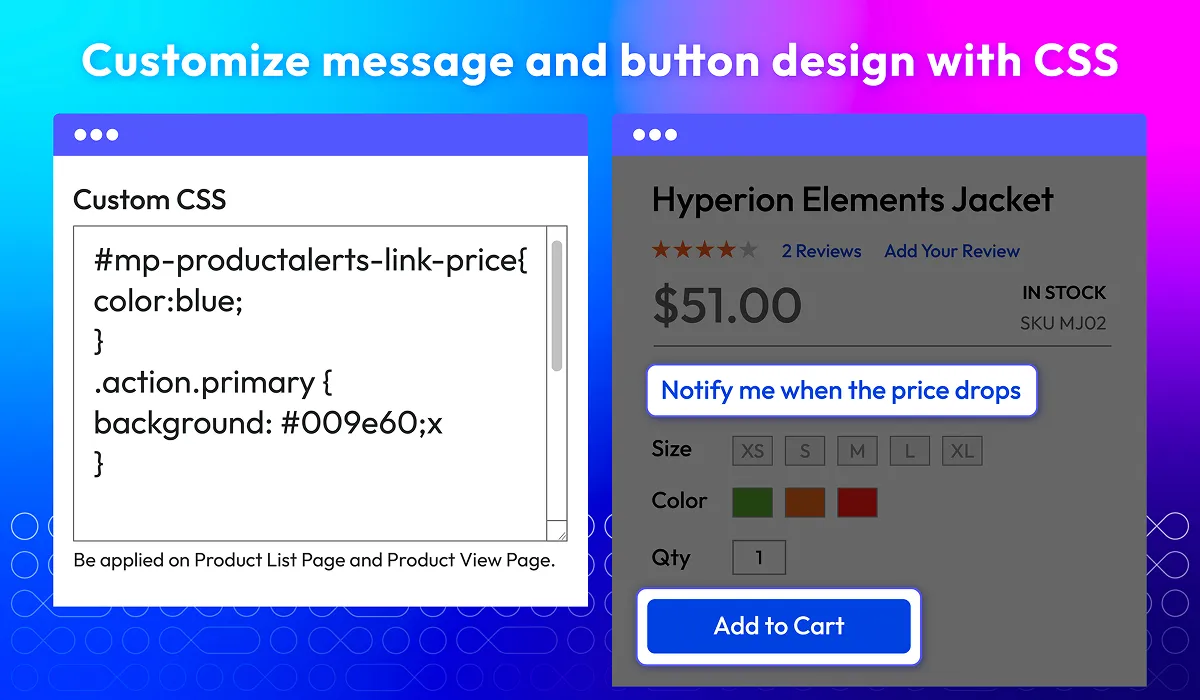
Design customization with CSS
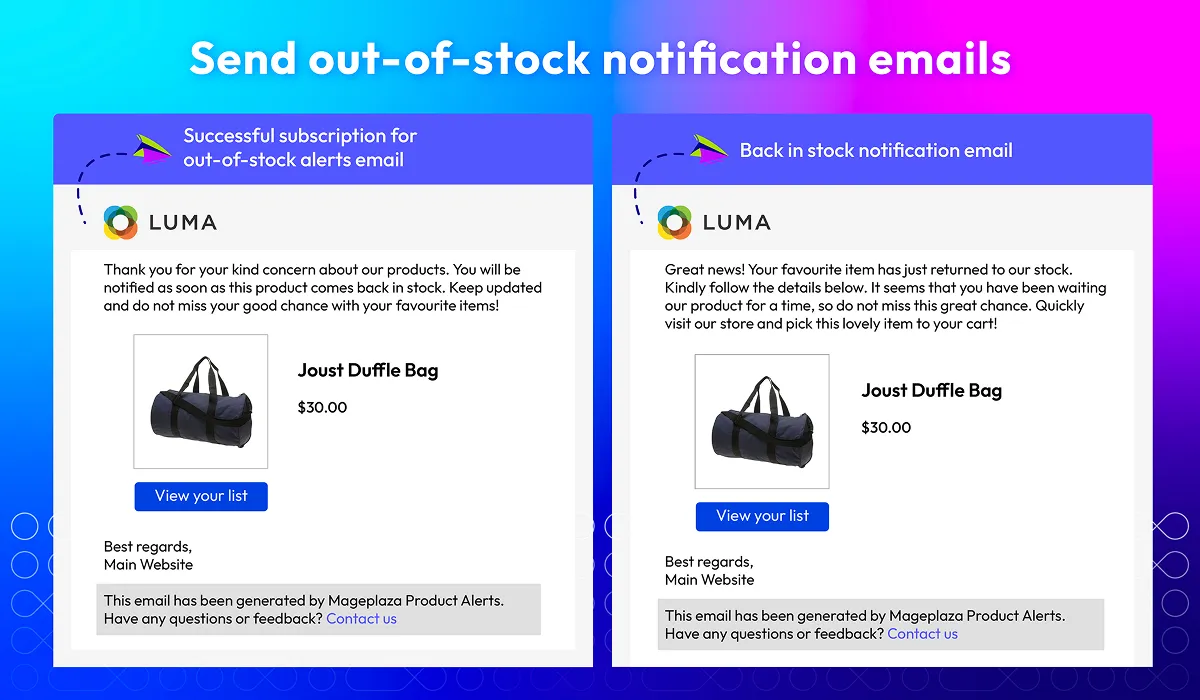
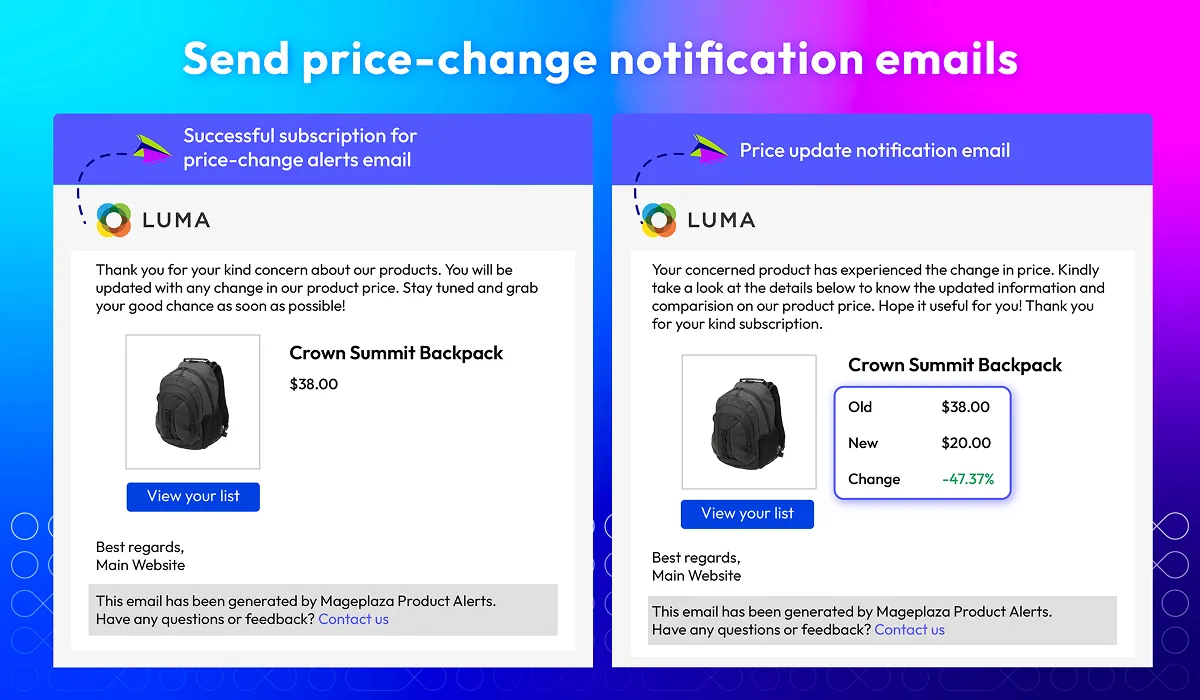
Send alerts via email
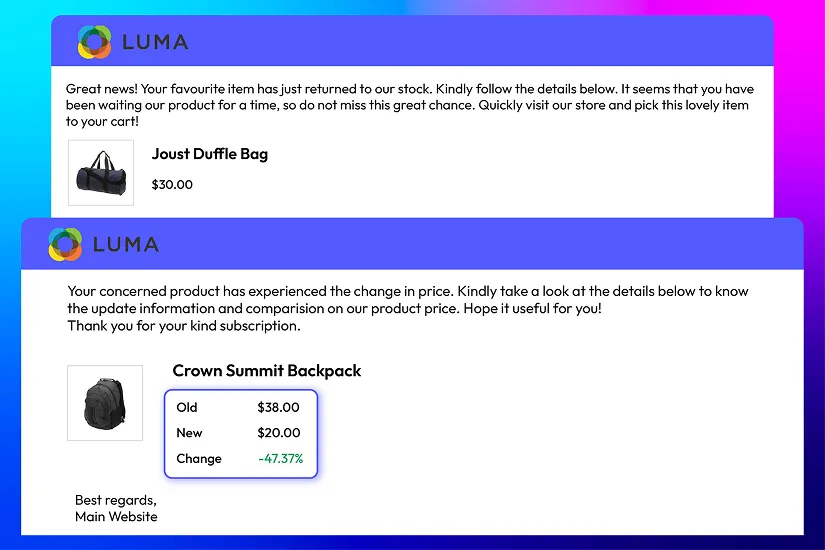
Based on store's goals and strategy, select the email sender and email template used for notifications. Customization options by Magento 2 Out of Stock Notifications extension ensure that successful subscriptions, restock and price alerts are sent out professionally and align with your store’s brand tone, keeping customers informed and engaged.
Data record on back in stock and price drop requests
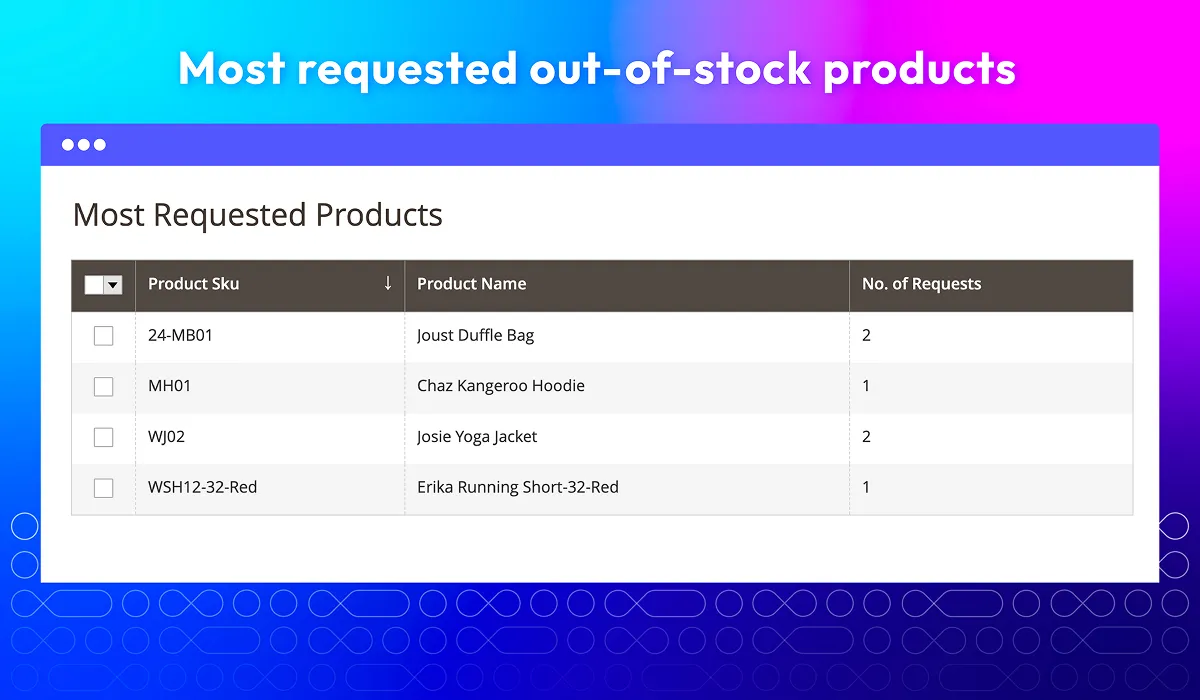
Keep track of customer engagement with product stock and price alerts via key data such as which products are most frequently requested, the number of subscribers for each product, and the most recent requests. This data brings valuable insights into customer preferences and product demand, enabling stores to optimize inventory, pricing strategies, and marketing campaigns.
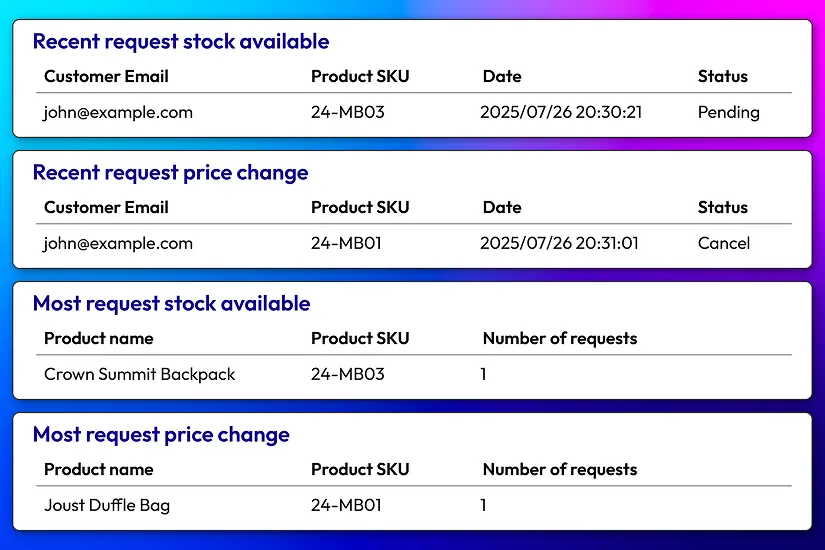
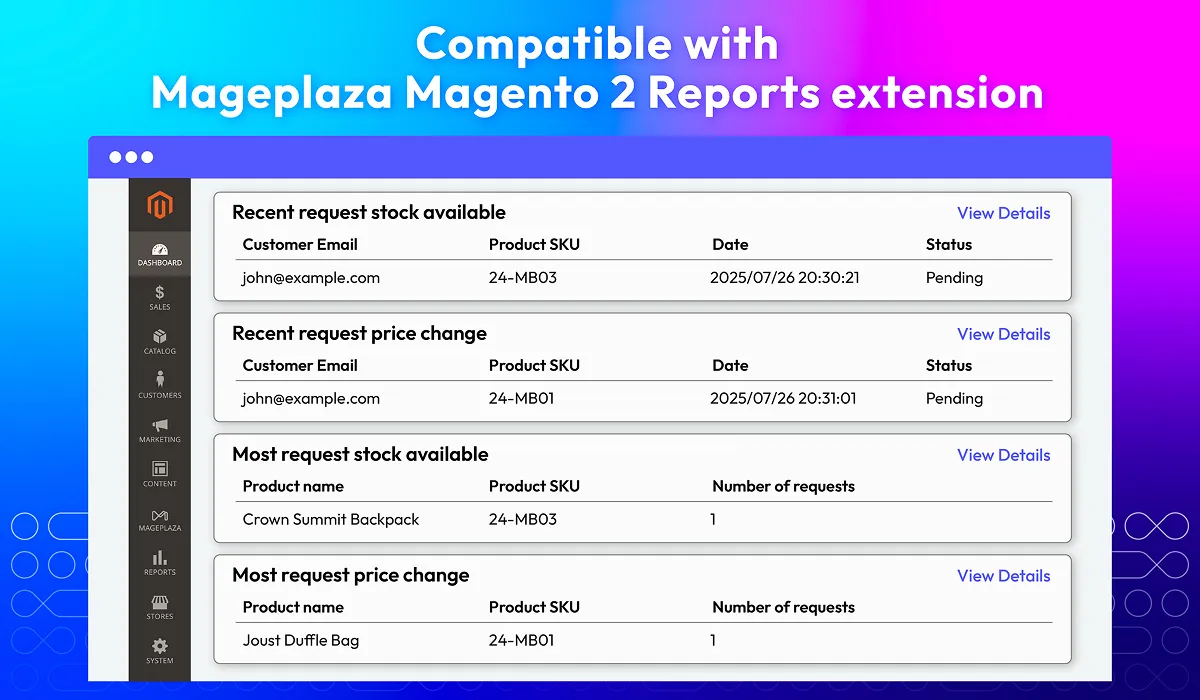
Report on dashboard
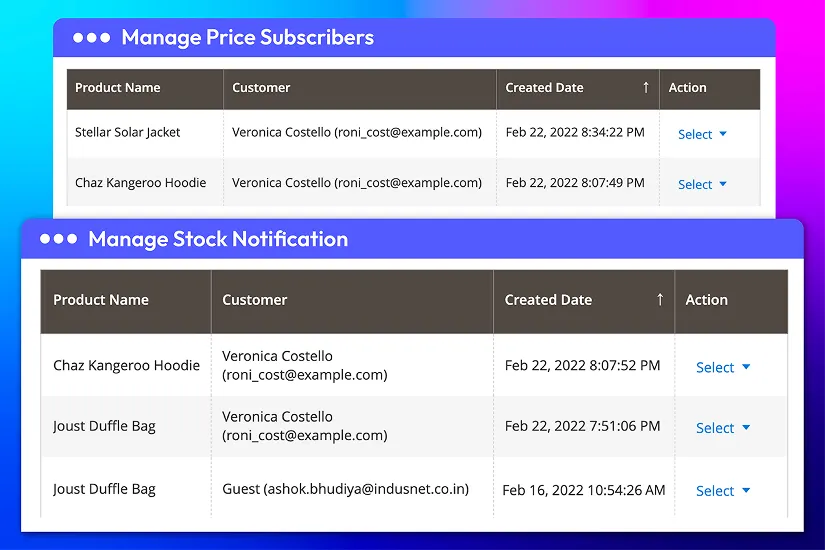
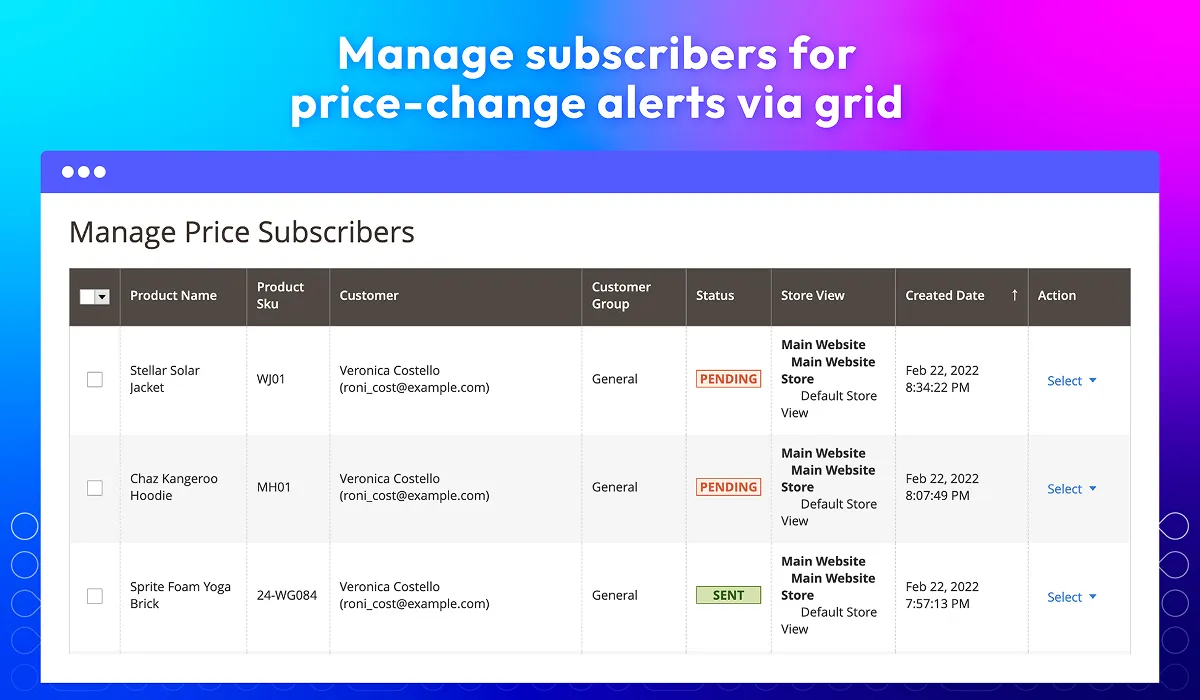
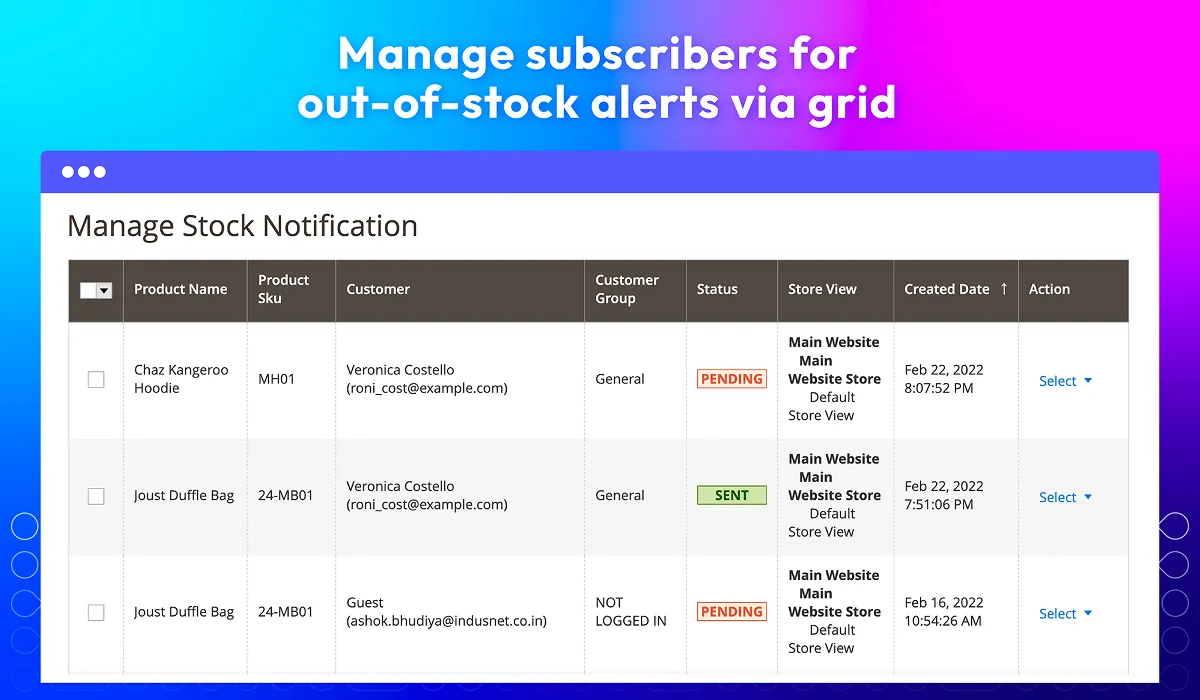
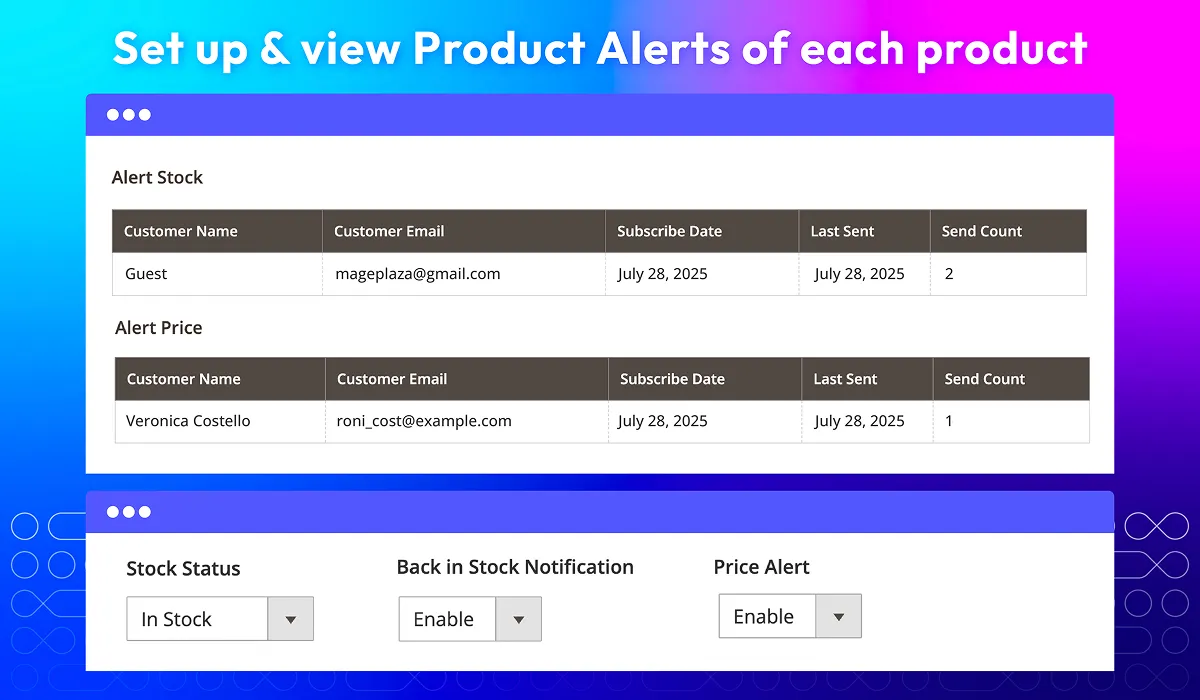
Subscribers for products
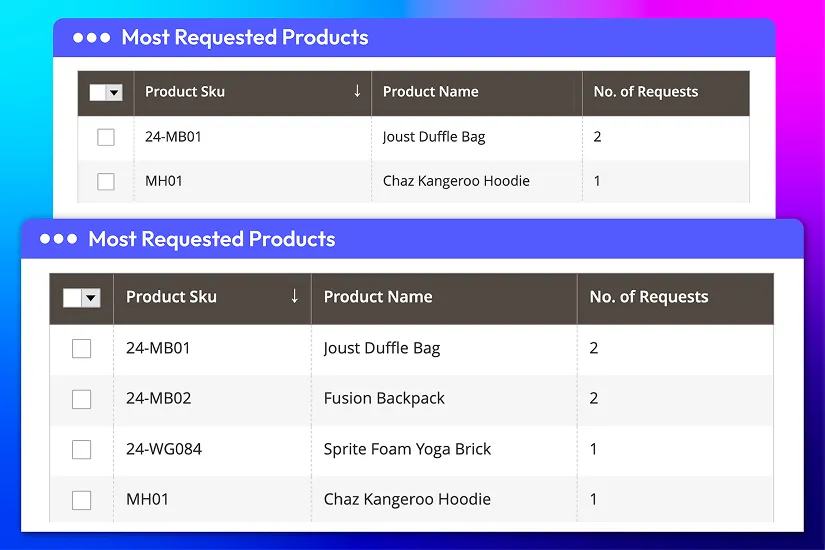
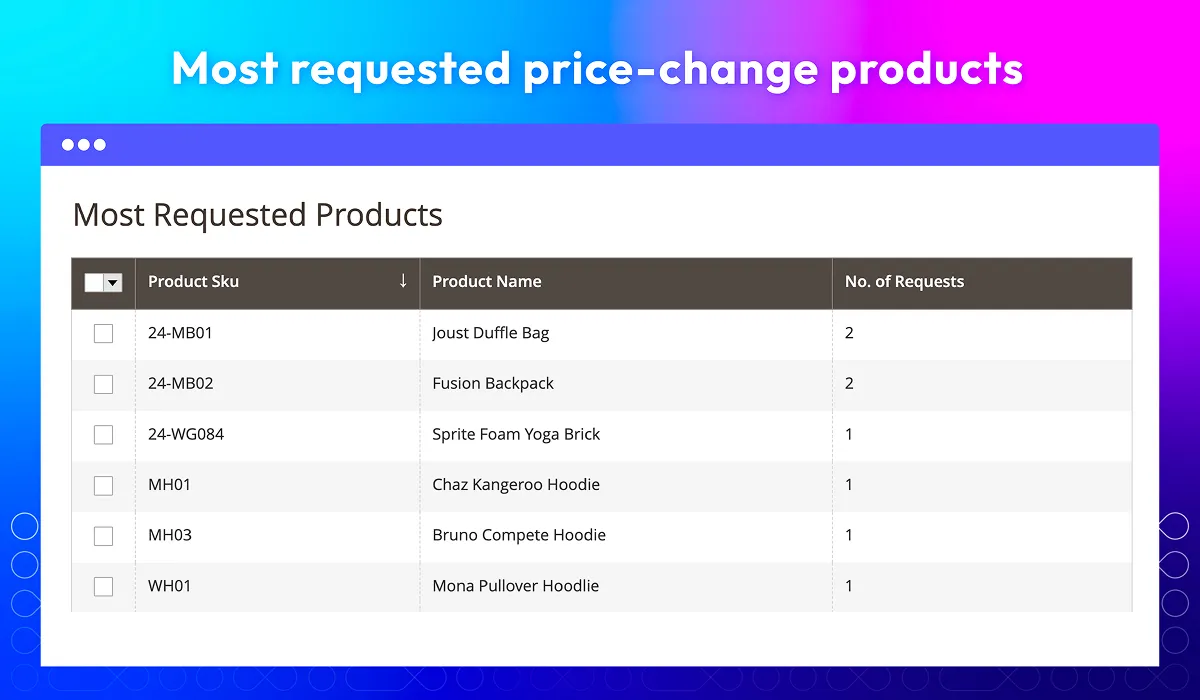
Most requested products
All features
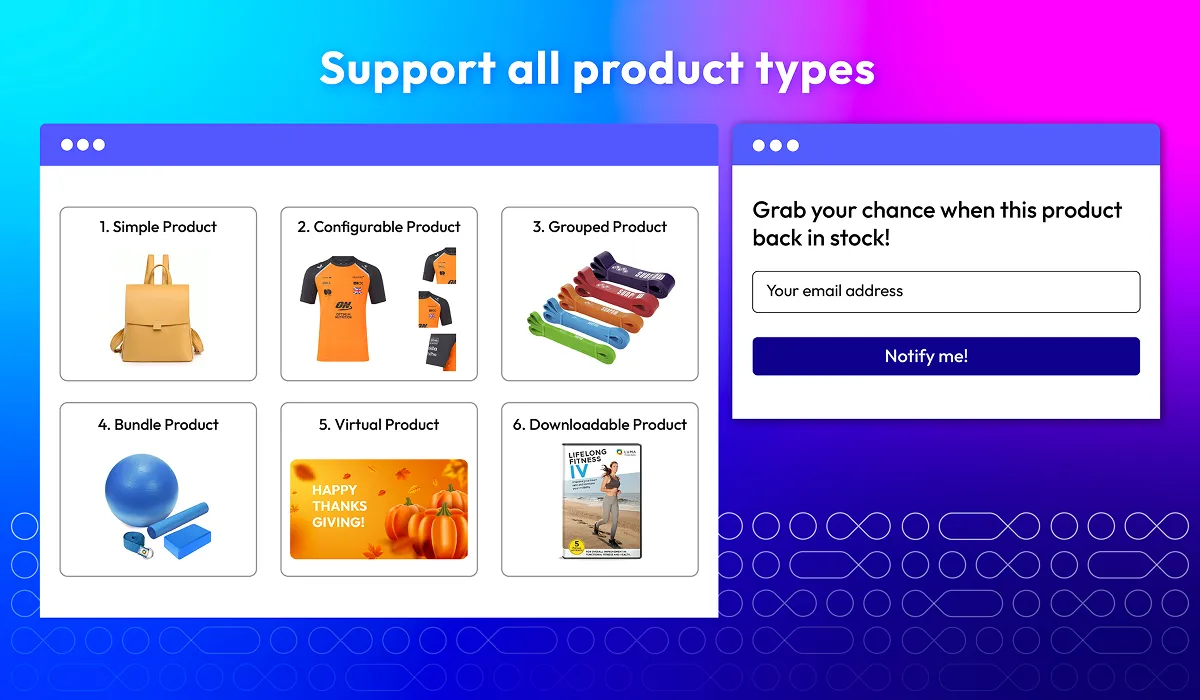
Support all product types
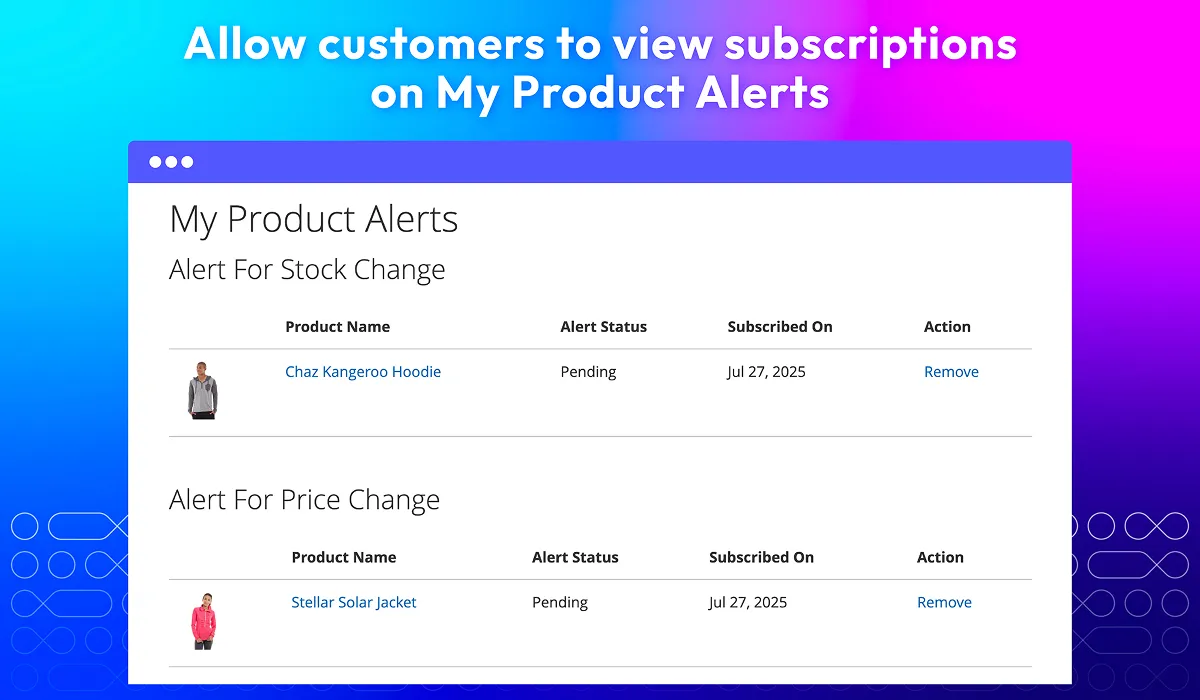
My Product Alerts
Set up alerts for each product
Set frequency for alerts
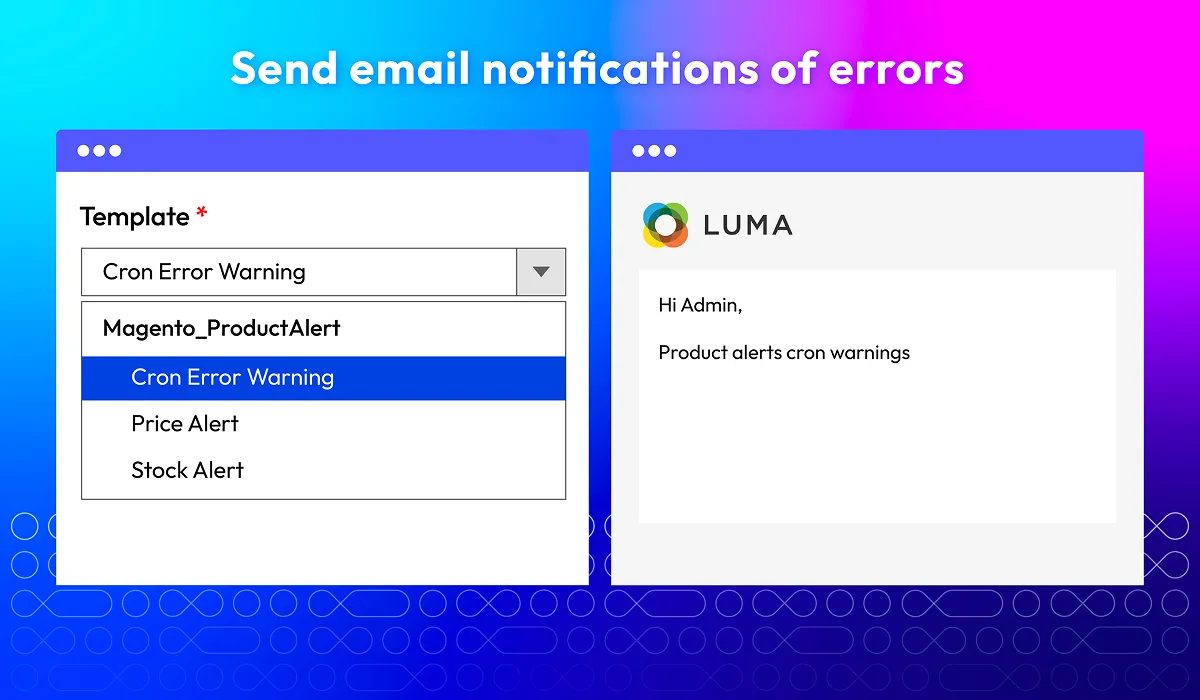
Send email notifications of errors
What customers say about us

Release notes
-
v4.0.10 (Magento v2.4.x)
13 January 2026
- New Update: Configurable’s child product now able to subscribe
-
v4.0.9 (Magento v2.4.x)
20 August 2025
- New Update: Updated extension name
-
v4.0.8 (Magento v2.4.x)
29 April 2025
- Compatibility: Now compatible with Magento 2.4.8
-
v4.0.7 (Magento v2.4.x)
17 January 2025
- Compatibility: Now compatible with Hyva theme
- Compatibility: Now compatible with Magento 2.4.7
-
v4.0.6 (Magento v2.4.x)
28 August 2023
- Bug Fix: We fixed the bug EQP
-
v4.0.5 (Magento v2.4.x)
18 May 2023
- Compatibility: The extension is now compatible with Magento 2.4.6
- Bug Fix: We fixed the bug of no price showing in stock alert email with many store view
-
v4.0.4 (Magento v2.4.x)
03 February 2023
- Bug Fix: We fixed the bug type return GrapQL
-
v4.0.3 (Magento v2.4.x)
30 May 2022
- Compatible Magento v2.4.4
-
v1.2.2 (Magento v2.3.x)
30 May 2022
- Compatible Magento v2.4.4
-
v4.0.2 (Magento v2.4.x)
26 February 2022
- Fix wrong counter on email sent
-
v1.2.1 (Magento v2.3.x)
27 October 2021
- Compatible with Magento 2.3.7
- Fix some minor bugs
-
v4.0.1 (Magento v2.4.x)
27 October 2021
- Compatible with Magento 2.4.2
- Fix some minor bugs
-
v1.2.0 (Magento v2.3.x)
06 June 2021
- Added report price change of mutil price product
- Compatible with Mageplaza Giftcard
- Compatible with Magento v2.3.6
- Fix minor bugs
-
v4.0.0 (Magento v2.4.x)
18 February 2021
- Supported Magento v2.4
-
v1.1.3 (Magento v2.3.x)
18 February 2021
- Added get config value via API
-
v1.1.2 (Magento v2.3.x)
30 July 2020
- Fixed minor bugs
-
v1.1.1 (Magento v2.3.x)
16 June 2020
- Compatible with Magento v2.3.5
- Improved: email template can be changed in configuration
-
v1.1.0 (Magento v2.3.x)
29 April 2020
- Compatible with Magento v2.3.4
- Supported RestAPI & GraphQL
- Fixed minor bugs
-
v1.0.2 (Magento v2.3.x)
31 December 2019
- Compatible with Magento 2.3
- Improved code style & performance
- Fixed minor bugs
-
v1.0.1 (Magento v2.3.x)
30 January 2019
Fixed compile error on Magento 2.1.x
Frequently Asked Questions
The default Magento 2 supports stores to configure back in stock alers easily by going to Stores > Configuration > Catalog > Inventory. Then you can configure the rest following this guide. However, it only enables the basic features. To optimize the alerts, Mageplaza Magento 2 Out Of Stock Notifications module will be the perfect solution.
Yes. Mageplaza supports notifications for both registered and guest users, making it easy for first-time visitors to opt in without creating an account.
Absolutely. Store admins can customize the popup’s heading, description, email placeholder, button text, and even footer message, ensuring it aligns with their branding.
Mageplaza Product Alerts covers both back-in-stock notifications and price-drop alerts. Notifications can be sent automatically (via cron) or manually, depending on your preference.
The extension includes powerful reporting directly in the admin dashboard. You can view most requested products (back-in-stock or price change) and recent subscription requests.
Mageplaza SMTP extension can help you with that. This FREE module improves email deliverability by getting all emails into customer’s inboxes.
Yes, Magento 2 Out Of Stock Notifications extension is compatible with Hyva theme. However, the checkout only supports hyva-themes/magento2-theme-fallback. To learn how to enable checkout on Hyva, please follow this guide.
Mageplaza provides FREE Hyva Checkout Compatibility for all of our extensions upon requests. You can request by contacting us via email, live chat, or support ticket. Our team will respond within 24 hours and ask for details such as Order ID, extension name, Magento & Hyva versions, and any special requirements. To qualify, your module subscription must be active. If your subscription has expired, renewal is required as some older modules do not support Hyva. Additional customization requests may incur extra costs, and our team will inform you before proceeding. For assistance, feel free to reach out - we're here to help!
2.4.4 - 2.4.8
Theme
Pricing
Community
$199 first year
Enterprise/ Magento Cloud