

Free installation badge Product image of PDF Invoice for Magento 2
Magento Edition *
Version *
FREE installation Tooltip
Ends in:
03 : 00 : 00 : 00
Get 10% OFF
$199
icon logo magento 2.4.4 - 2.4.8
Tooltip
Hyva logo Theme
Tooltip

Magento 2 PDF Invoice

v4.7.0
5.0
(32 reviews)
Read all >
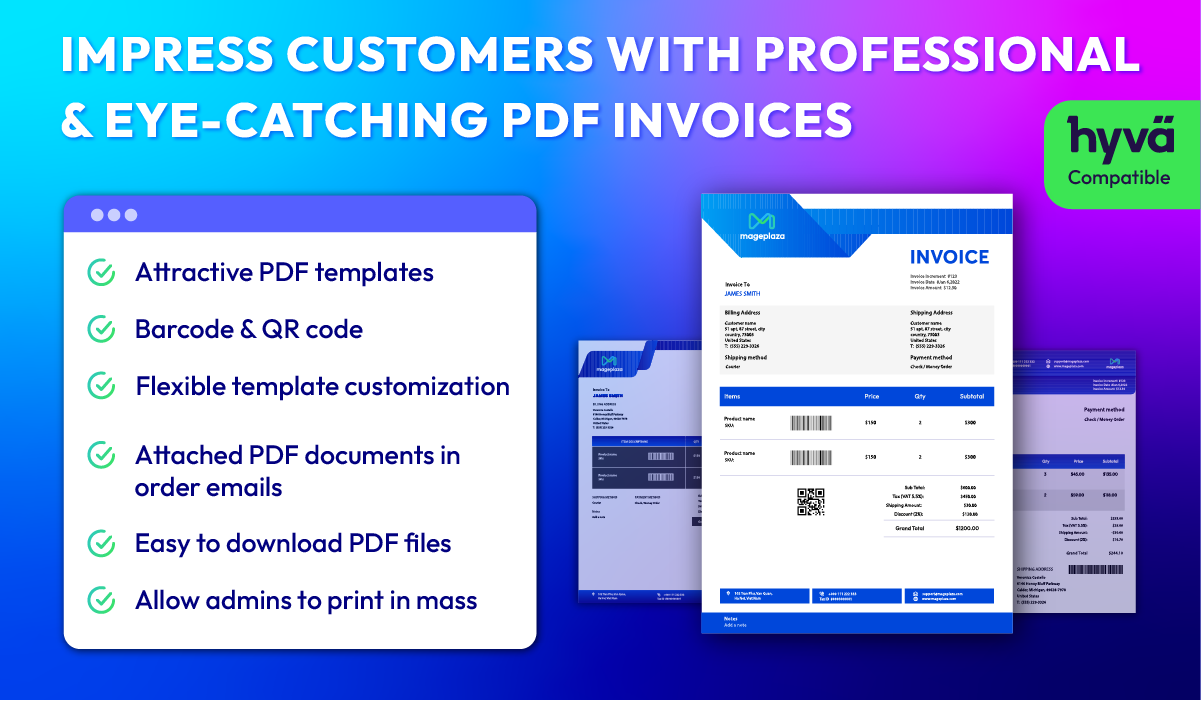
Magento 2 PDF Invoice extension helps online stores automatically sending eye-catching PDF invoices to customers via emails, carrying important order details such as purchased products, payment methods, shipping address, order cost, etc.
tick icon
Compatible with Hyva theme
tick icon
Compatible with Magento 2.4.8
tick icon
Compatible with API/GraphQL
tick icon
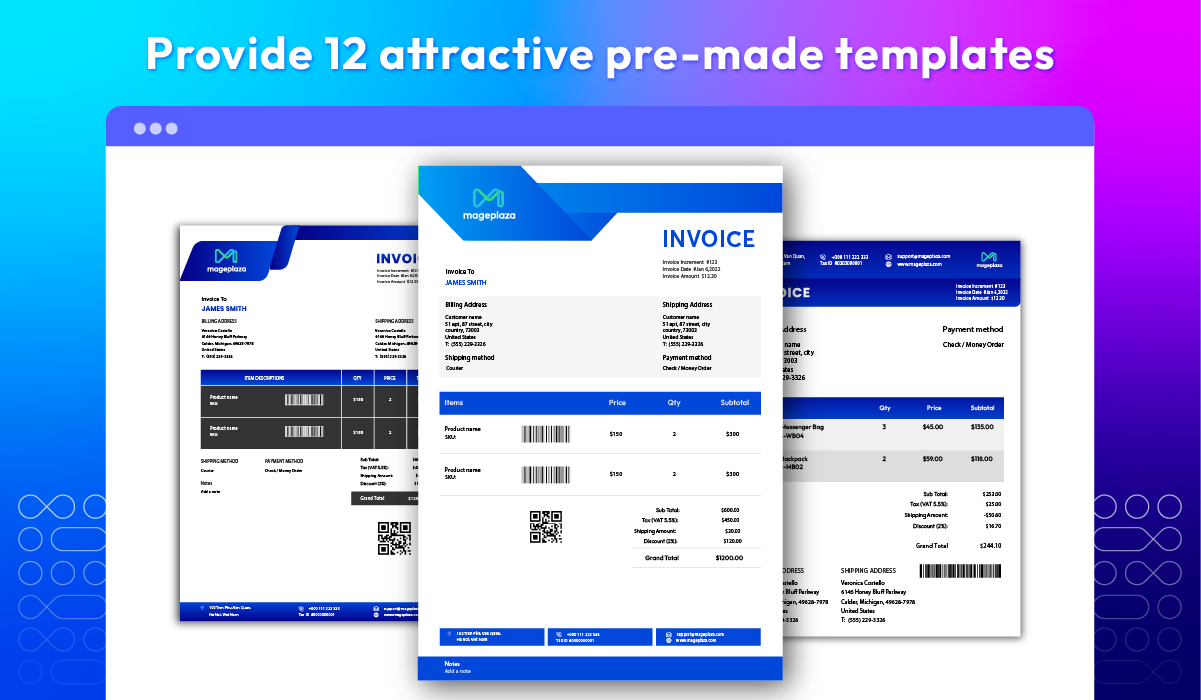
Offer 12 attractive pre-made PDF templates
tick icon
Support barcode & QR code
tick icon
Freely customize unique templates using CSS & HTML
tick icon
Send shoppers order emails with attached PDF documents
tick icon
Let customers & admins download PDF files easily
tick icon
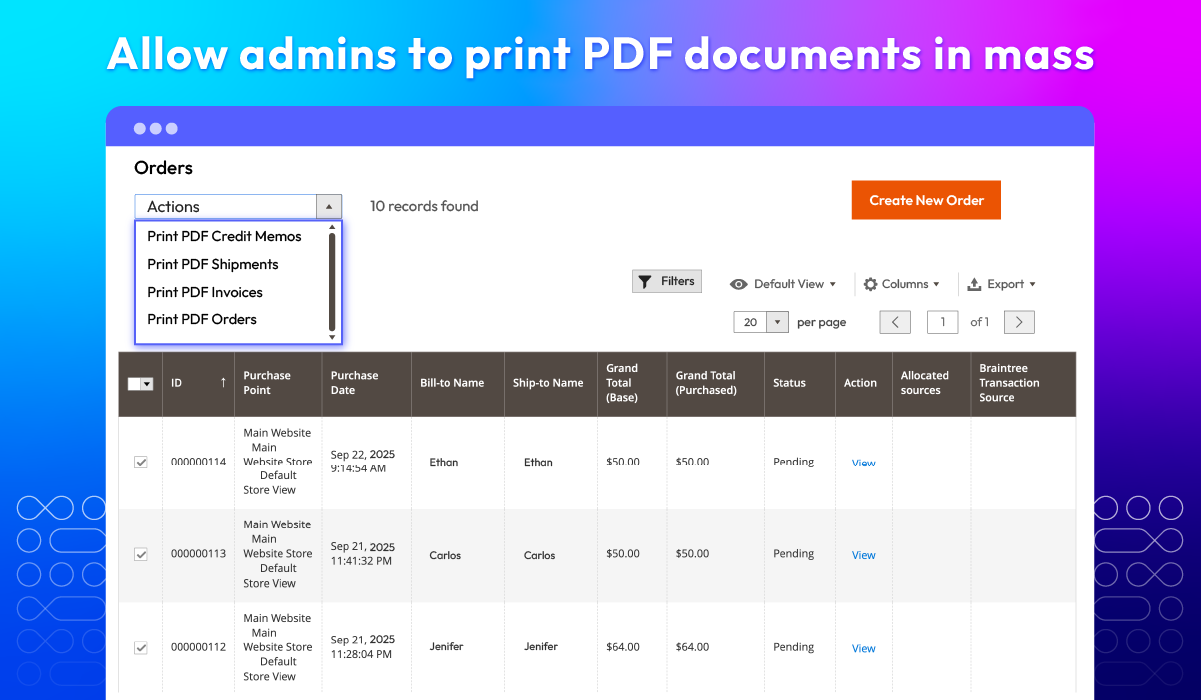
Enable admins to print PDF files in mass
Free Installation
60 days money back guarantee

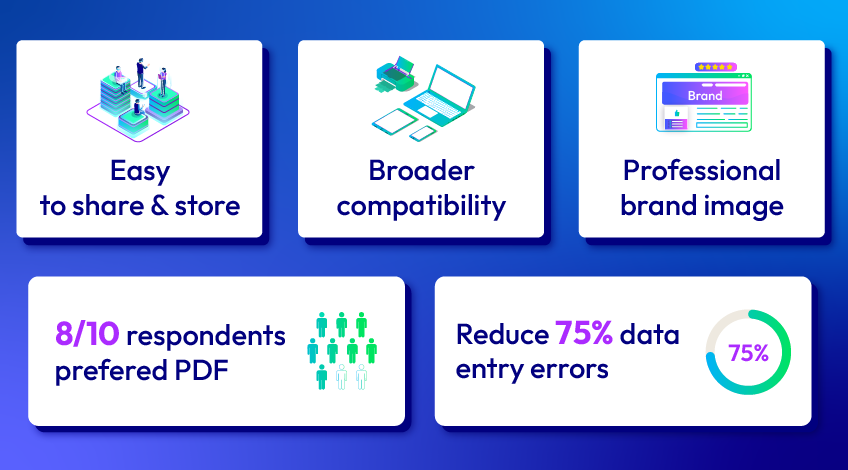
Why PDF invoices are better than traditional paper invoices?
Why PDF invoices are better than traditional paper invoices

Key Features of Magento 2 PDF Invoice

Attract customer attention with eye-catching PDF templates
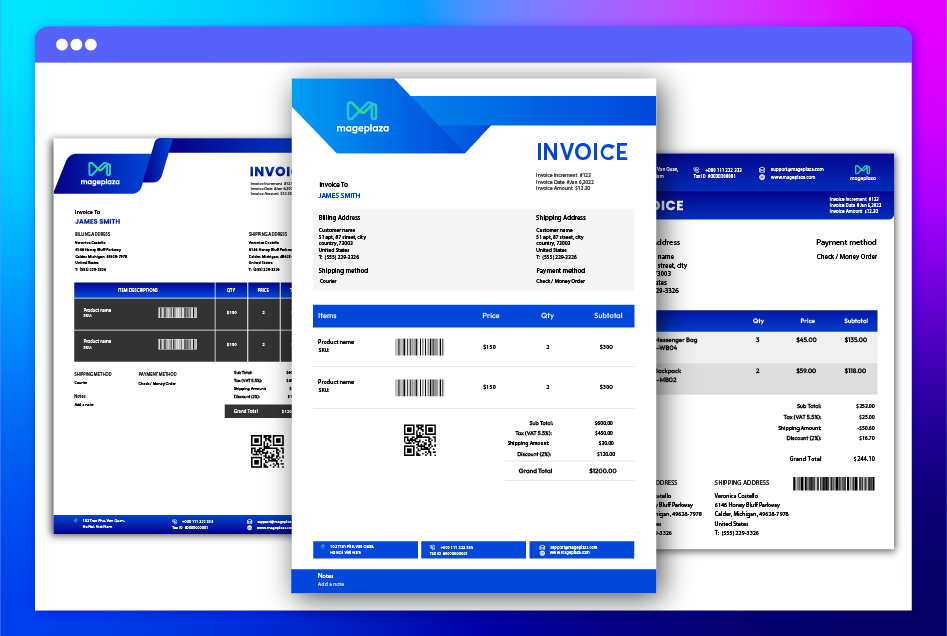
Magento 2 PDF Invoice extension provides a collection of professionally designed templates to ensure your invoices look stunning and leave a lasting impression on customers.
Show more

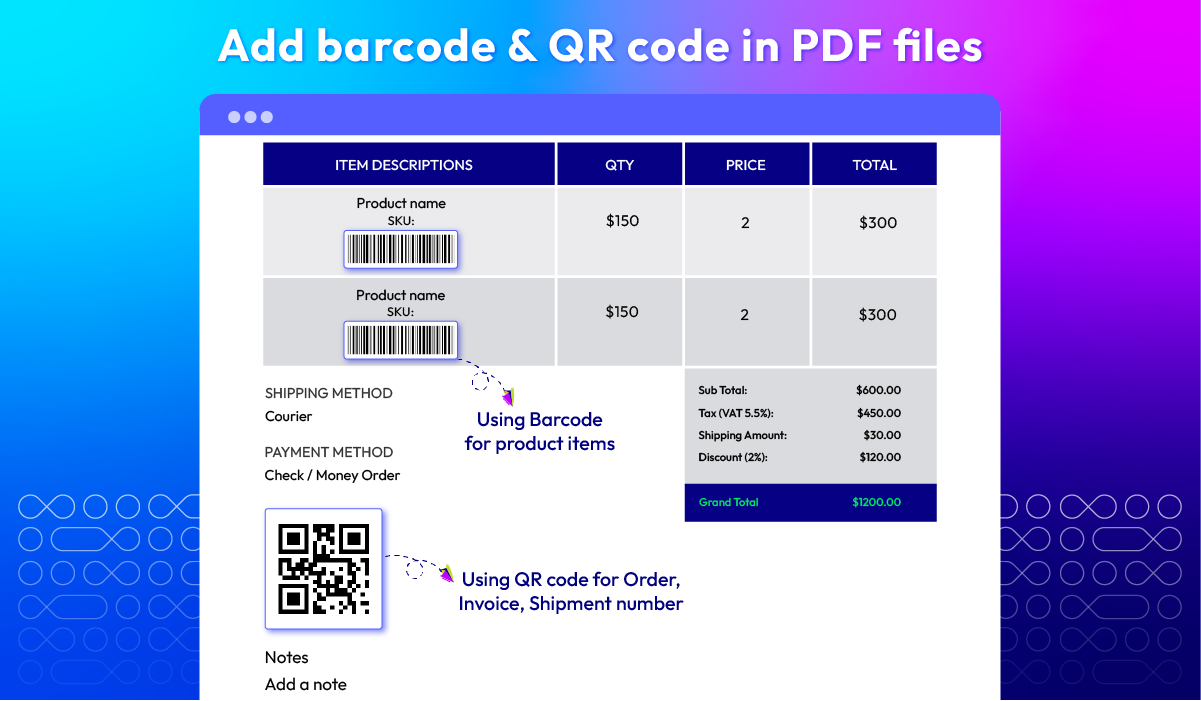
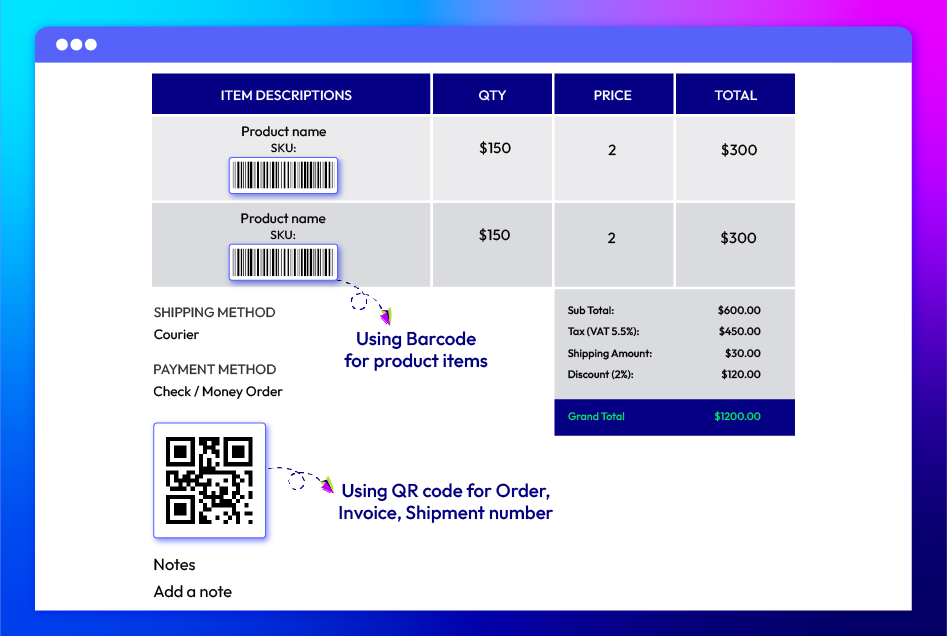
Support barcode & QR code

With our extension, you can easily add barcodes and QR codes to your PDF files. Customer can then scan these codes to access product details quicker.
Show more

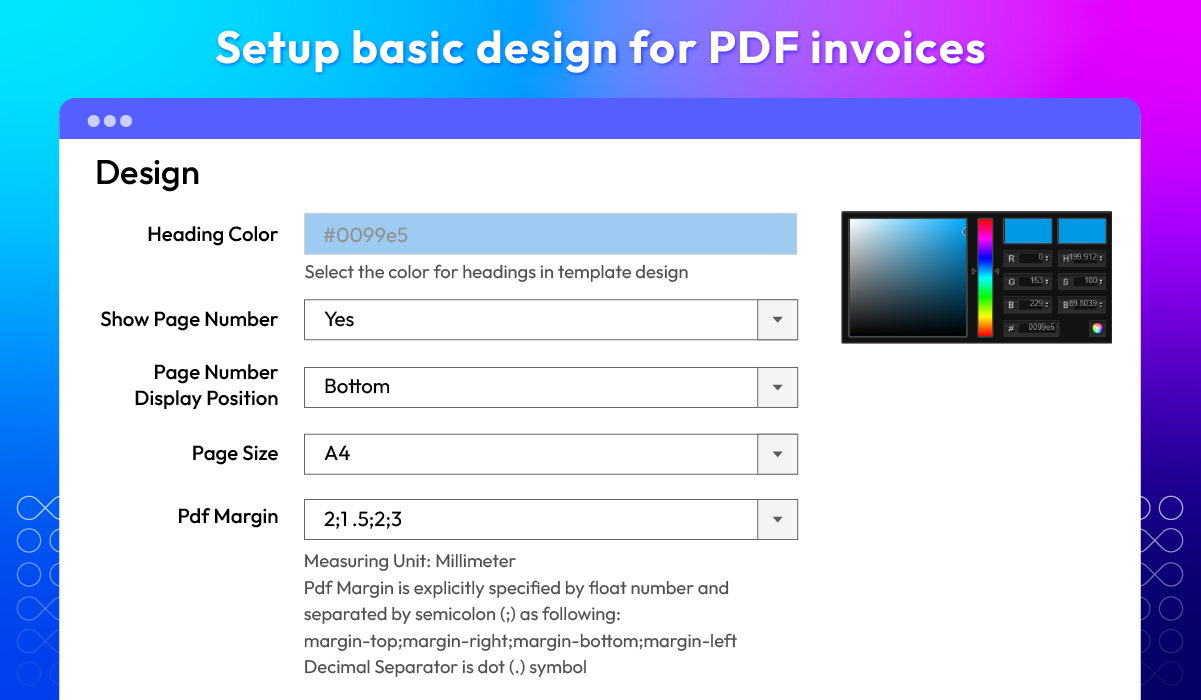
Setup basic design for PDF documents
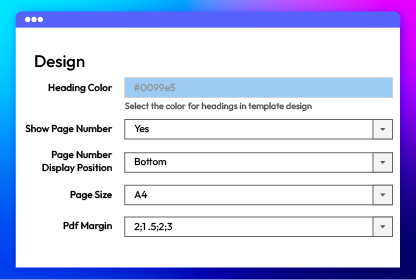
Mageplaza PDF Invoice plugin offers an intuitive interface to customize basic elements like heading colors and page sizes, making the setup process simple and efficient.
Show more

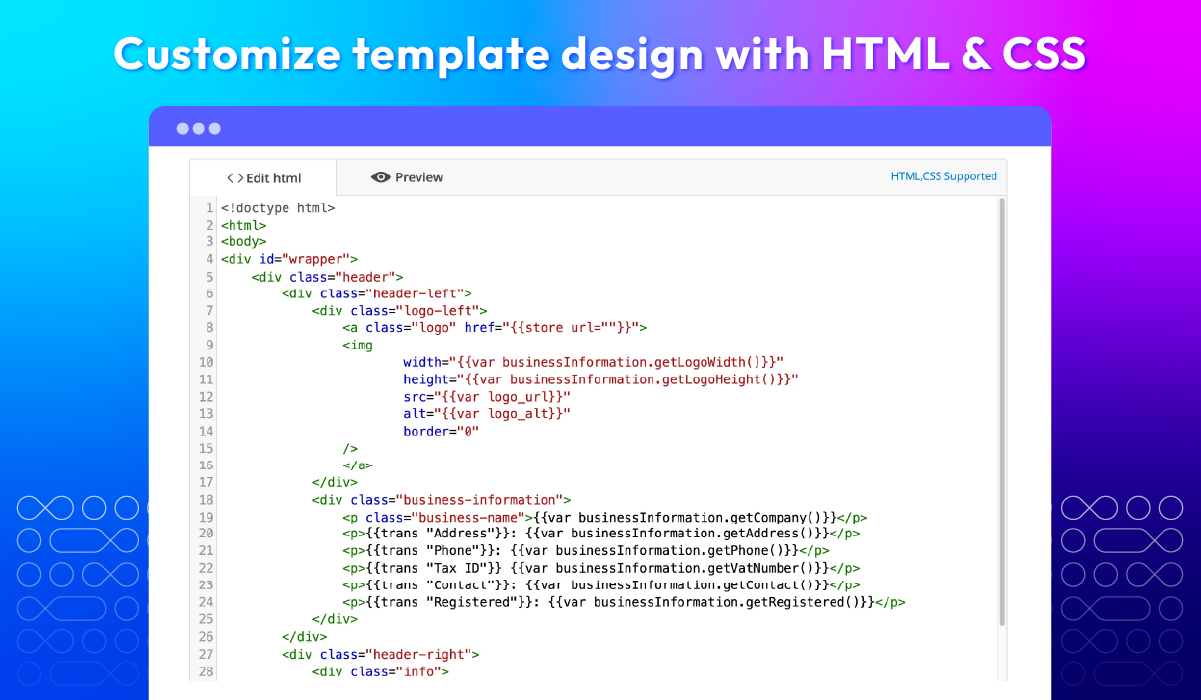
Customize PDF templates freely

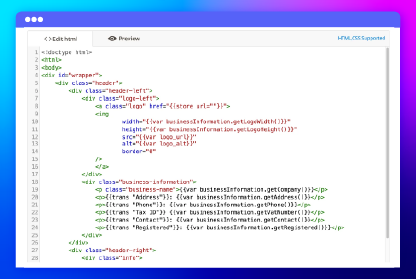
Besides using pre-made templates, our module lets merchants create custom designs with CSS, HTML, and dynamic variables to match their brand identity.
Show more

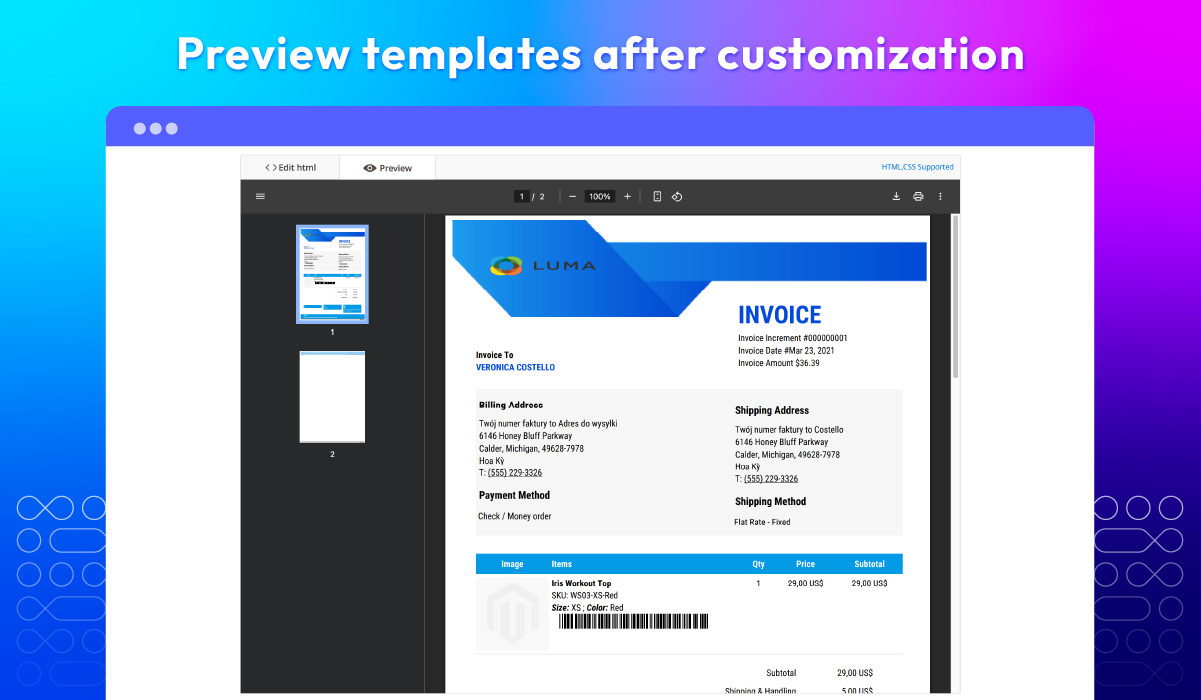
Check template appearance after customization
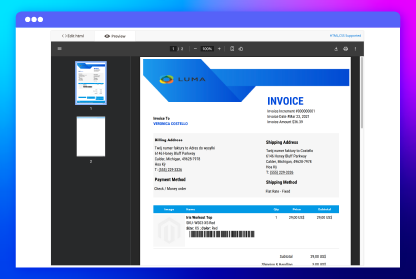
A notable feature of the PDF Invoice extension for Magento 2 is that users are able to preview templates instantly after editing. It helps check the PDF template results before sending them to actucal clients and make sure everything looks perfect.
Show more

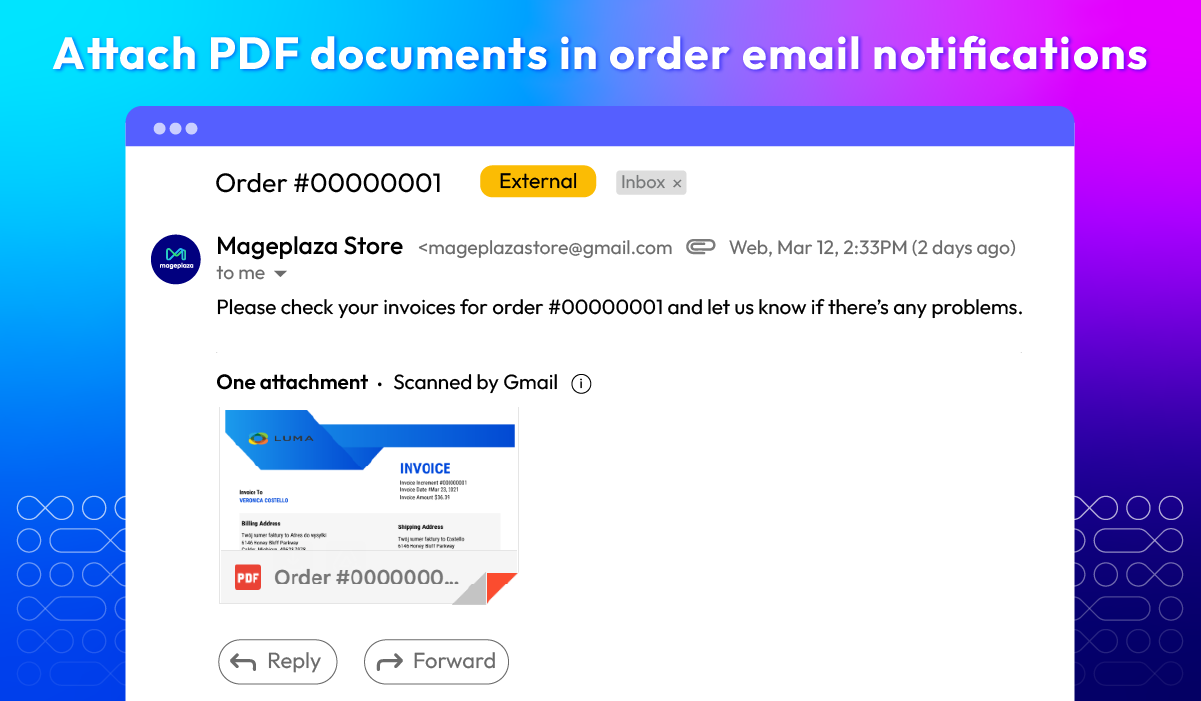
Send customers detailed order emails with attached PDF files

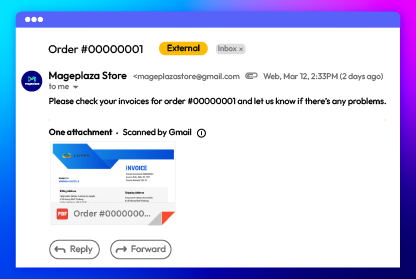
Our plugin automatically attaches PDF invoices to order confirmation emails. By adding this feature, store owners provide customers a comprehensive and clear record of their purchases.
Show more

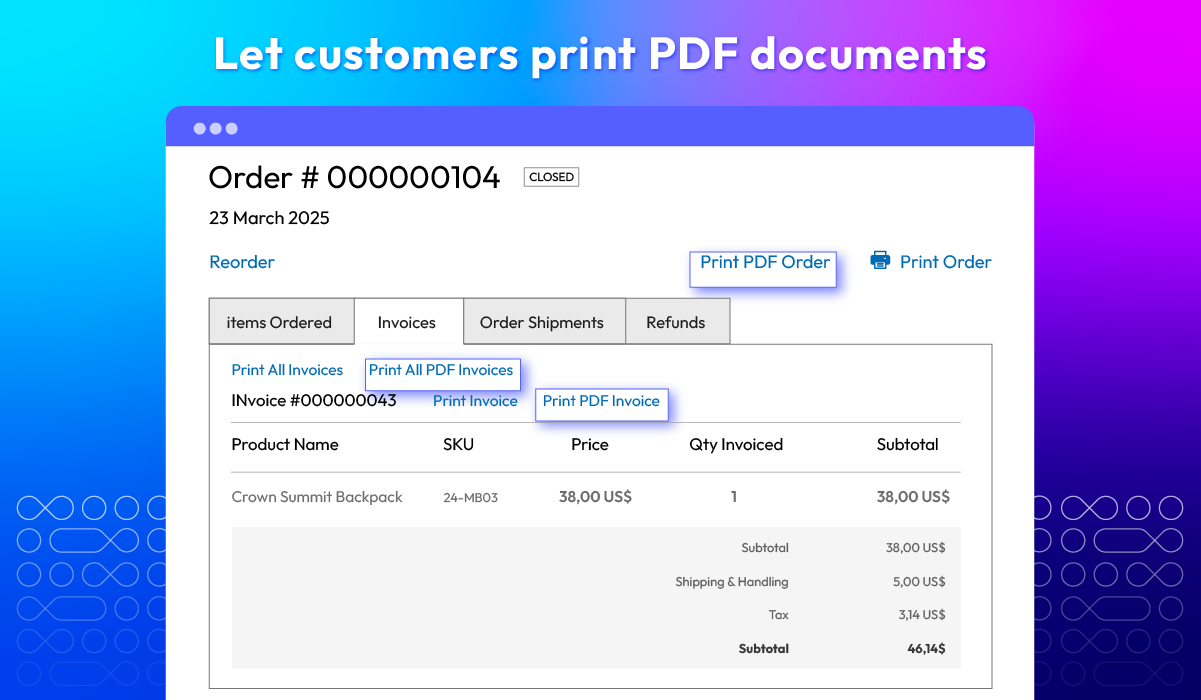
Allow shoppers to print PDF documents with one click

With the PDF Invoice tool, shoppers can conveniently download and print their invoices directly from their dashboard with a single click.
Show more

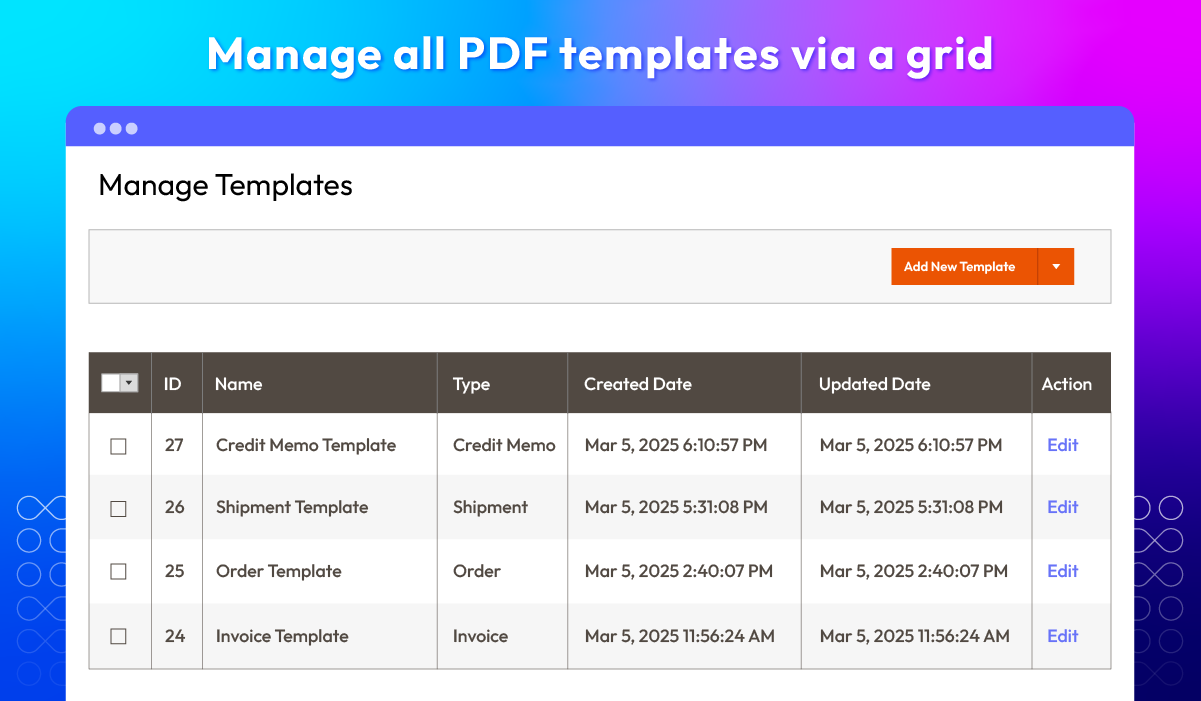
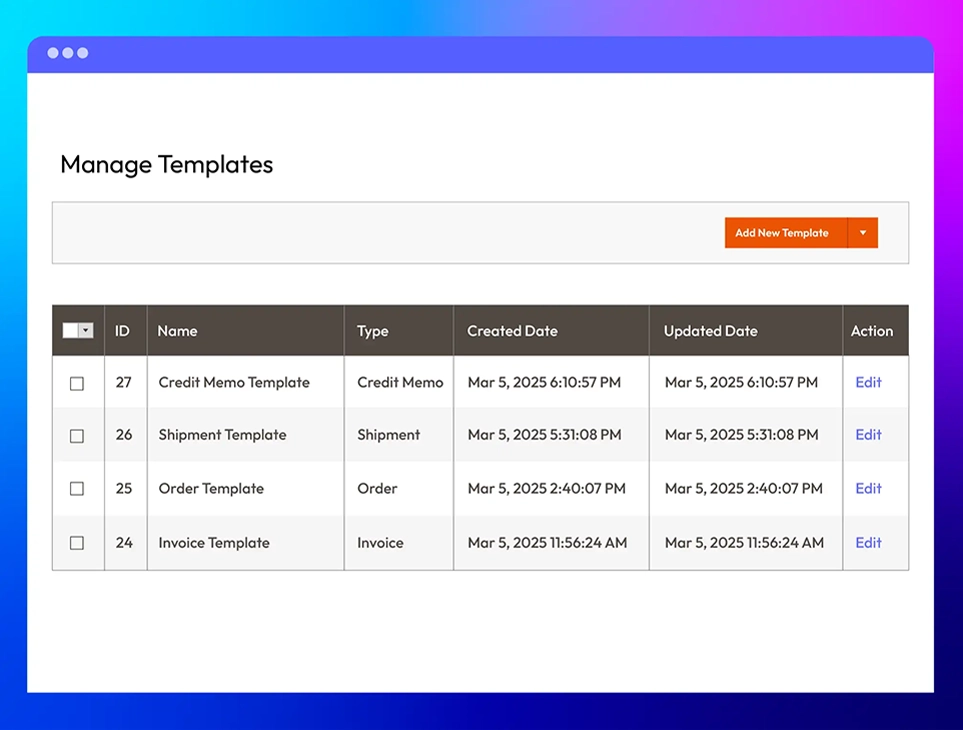
Monitor all PDF templates

Struggling to remember all the templates you created? No worries! Our module provides a well-organized grid displaying all templates. It's easier to view, manage, and edit them whenever you need.
Show more

All features

Attractive templates

The Magento 2 PDF Invoice extension comes with 12 pre-designed templates, catering to different styles—from standard, minimalistic, professional to elegant. These templates help store owners create polished, visually appealing invoices that reflect their brand identity. Additionally, merchants can customize layouts, fonts, and colors to ensure invoices leave a strong impression on customers.

Barcode & QR code

Our module supports barcode and QR code integration, allowing store owners to add scannable elements to invoices. Customers can simply scan the code using their smartphones to access more product information.
By improving user experience, your brand can enhance customer satisfaction and, therefore, increase their intention.

PDF file design setup

With the Mageplaza PDF Invoice plugin, merchants can easily adjust basic design settings to ensure a well-structured invoice layout. Key customization options include:
check
Heading colors: Modify text colors to align with your brand theme.
check
Page number display position: Choose to display or hide the page number and where it appears on the PDF file.
check
Page size: Select from various sizes like A4, A5, A6, A7.
check
PDF margins: Adjust the spacing around the document for a cleaner, more professional look.
The user-friendly configuration panel makes these adjustments simple, even for those without coding knowledge.

Template customization

Beyond the pre-made templates, store owners can freely design unique invoice layouts using CSS, HTML, and dynamic variables. The module provides a list of customizable variables, allowing merchants to insert essential order details, such as:
check
Store Contact Information: Store name, address, phone number, email, etc.
check
Order Information:Order status, ID, payment & shipping method, subtotal, etc.
check
Shipping & Billing Information: Address, VAT number, ZIP/Postcode, Fax, etc.

Templates preview

The PDF Invoice extension for Magento 2 includes an instant preview feature, allowing store owners to see how their invoices look before finalizing them. After making adjustments, merchants can immediately check for layout consistency, formatting errors, and missing details.

Attached PDF documents

With automatic PDF invoice attachments, this plugin ensures customers receive a detailed order summary via email. PDF documents are automatically included in order confirmation, invoice, shipment, and credit memo emails, giving customers a complete and organized purchase record without requiring them to navigate back to account dashboard to download PDF files separately.

Easy to print PDF files

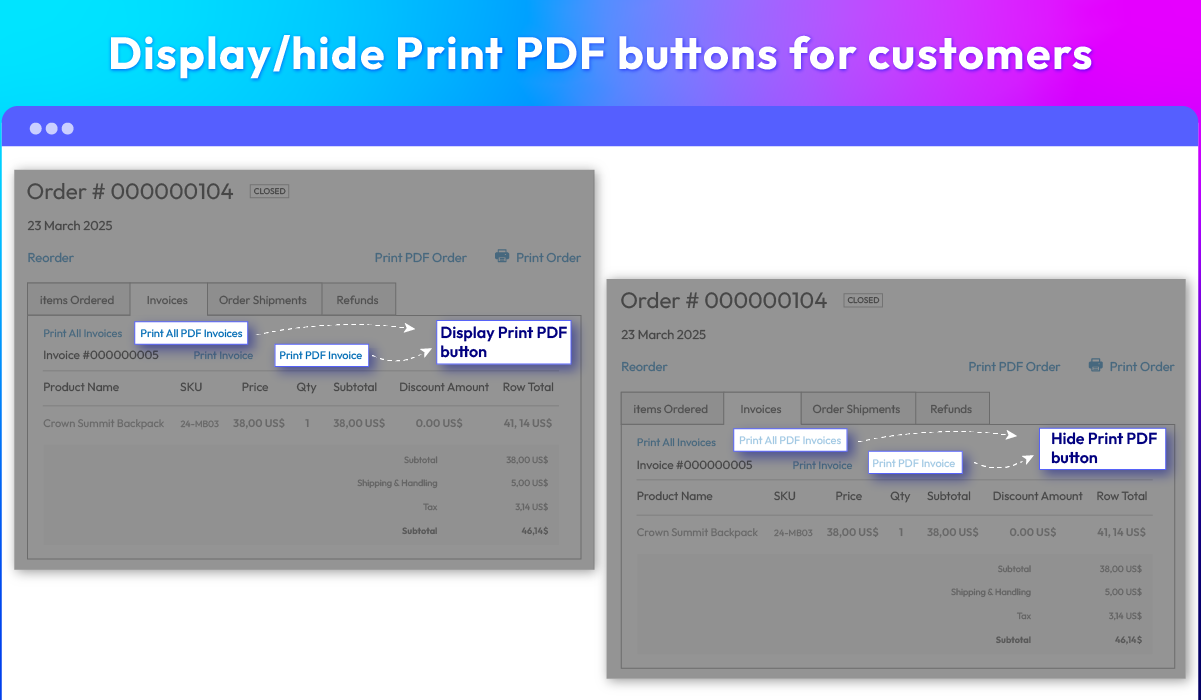
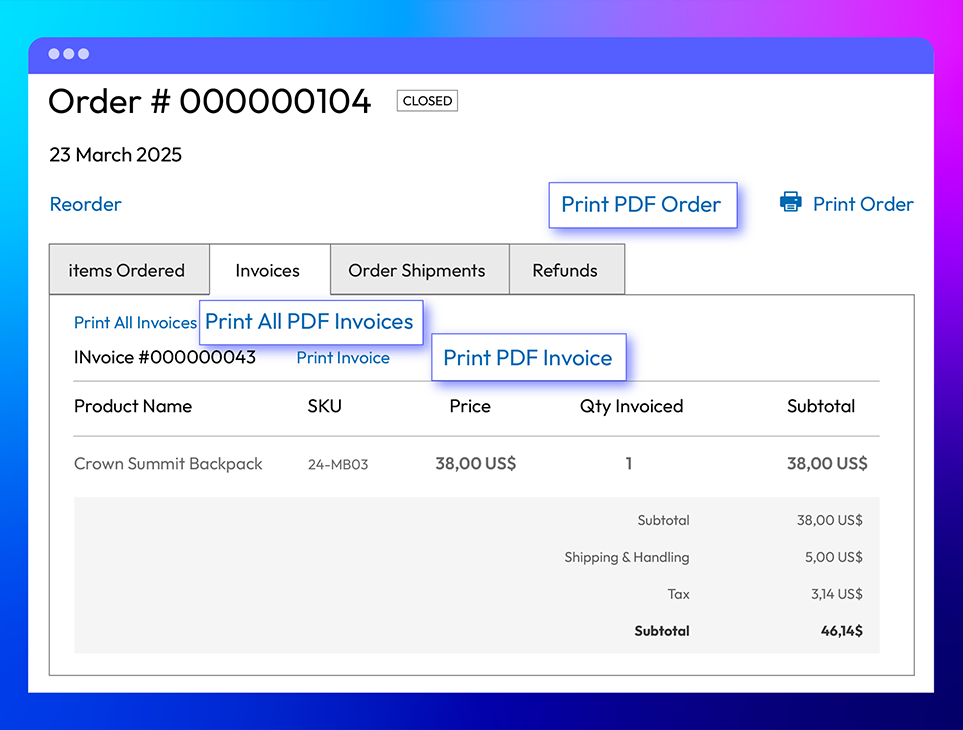
Customers can easily download and print their invoices directly from their dashboard. Each Order Information, Invoice, Shipment, and Credit Memo tab includes a dedicated download button, allowing shoppers to select the document they need with a single click.
This feature enhances the user experience by allowing shoppers to retrieve their invoices whenever needed, whether for tax purposes, expense tracking, or record-keeping.

Mass PDF printing

For businesses handling bulk orders, the Mageplaza PDF Invoice for Magento 2 module simplifies invoice management with mass PDF printing. Instead of generating invoices individually, merchants can select multiple orders and print all invoices at once, saving significant time and effort.

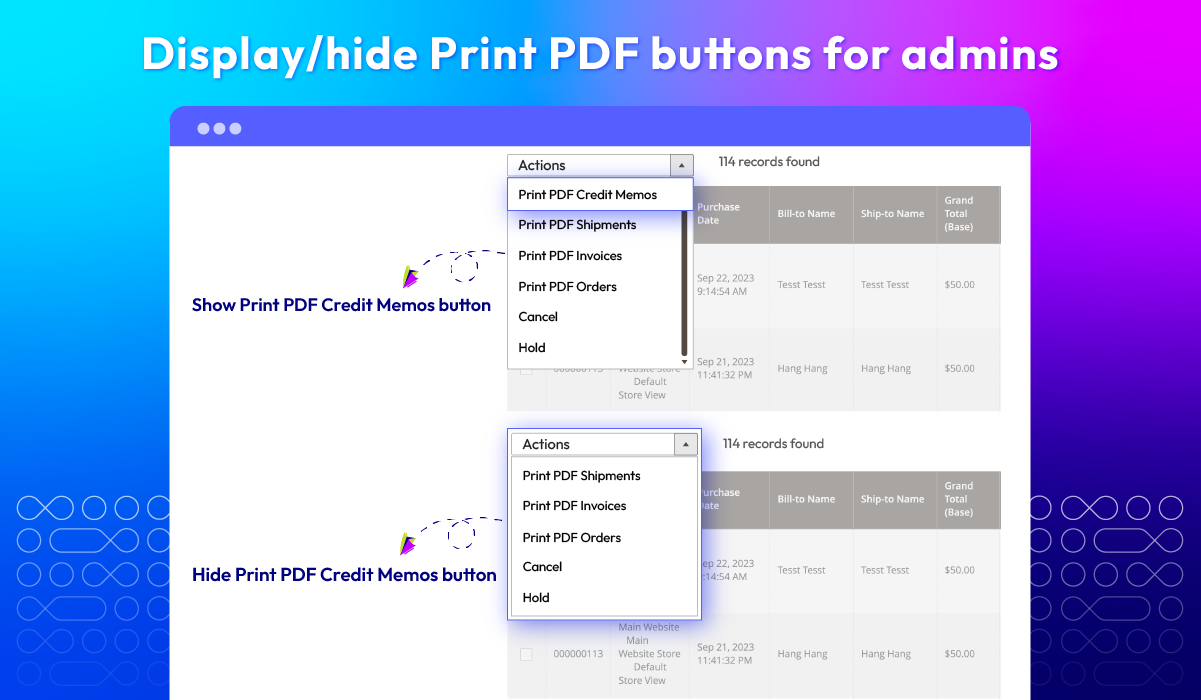
Control downloading PDF files

Store owners have full control over invoice accessibility with flexible display settings. The extension allows users to:
check
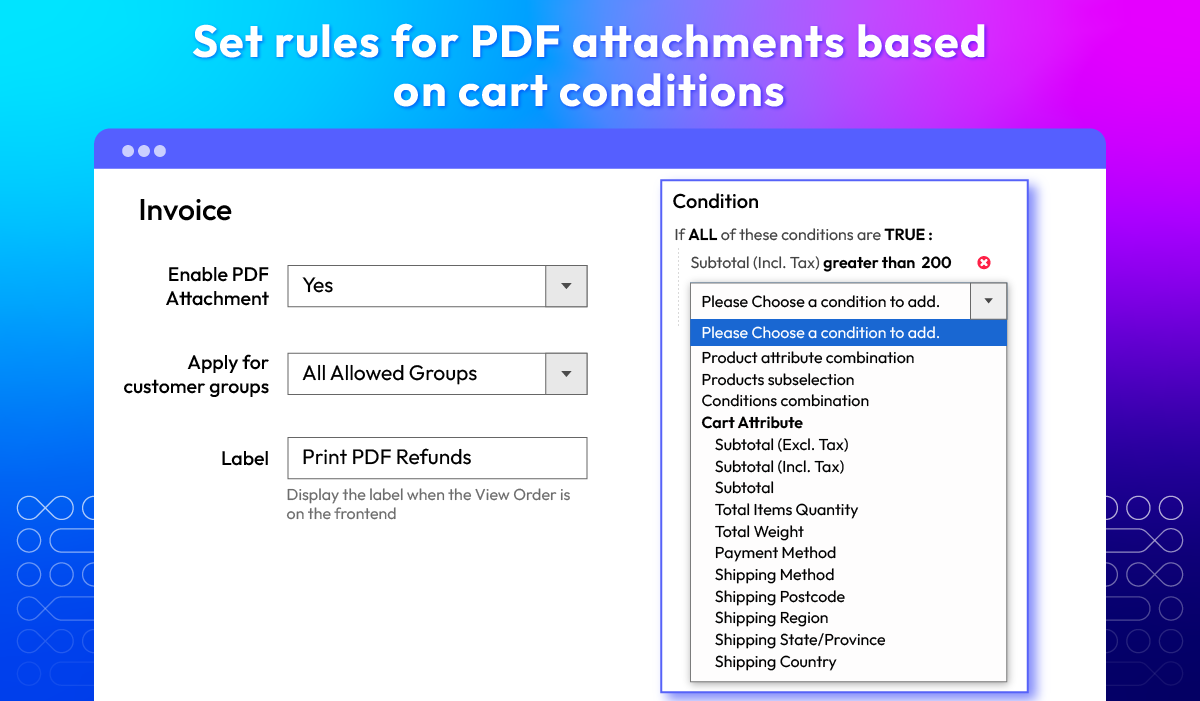
Show or hide the "Print PDF" button on the customer dashboard, controlling how shoppers access their invoices. Admins can also set specific conditions to display this button based on cart rules.
check
Disable the print PDF option in the admin order grid, preventing backend users from printing invoices when unnecessary.
For example, you can hide the Print PDF button for the order's refund if you think it’s unnecessary but still show the button for invoice section.

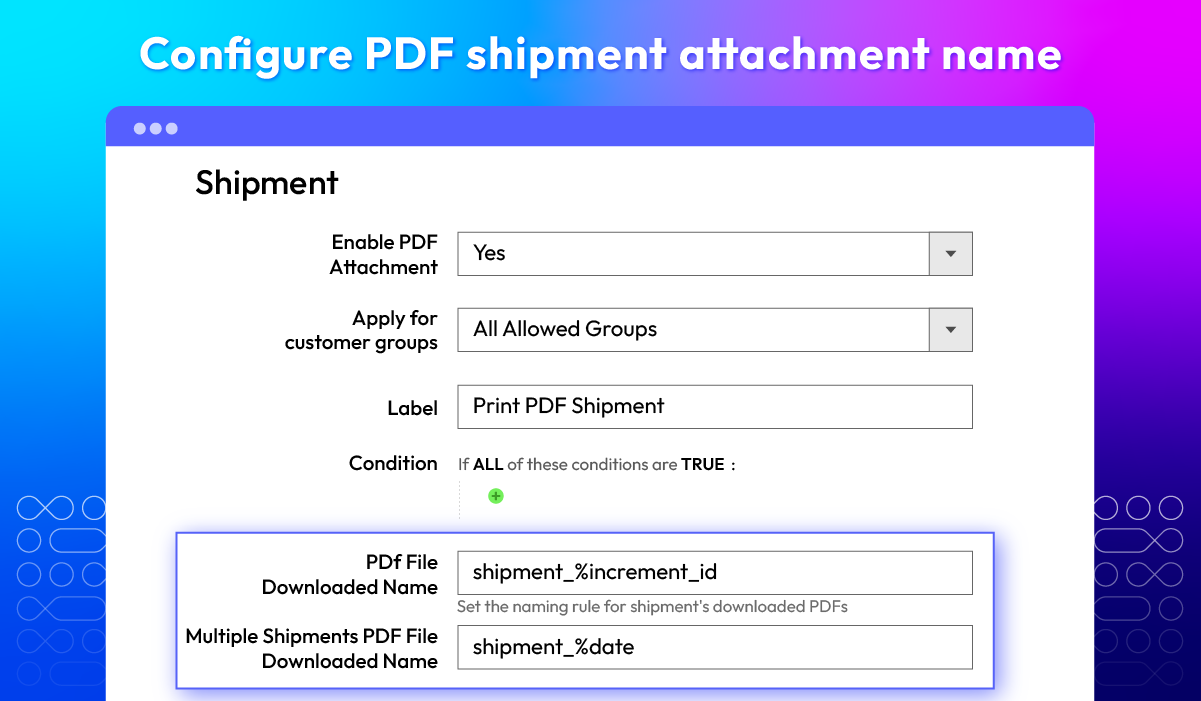
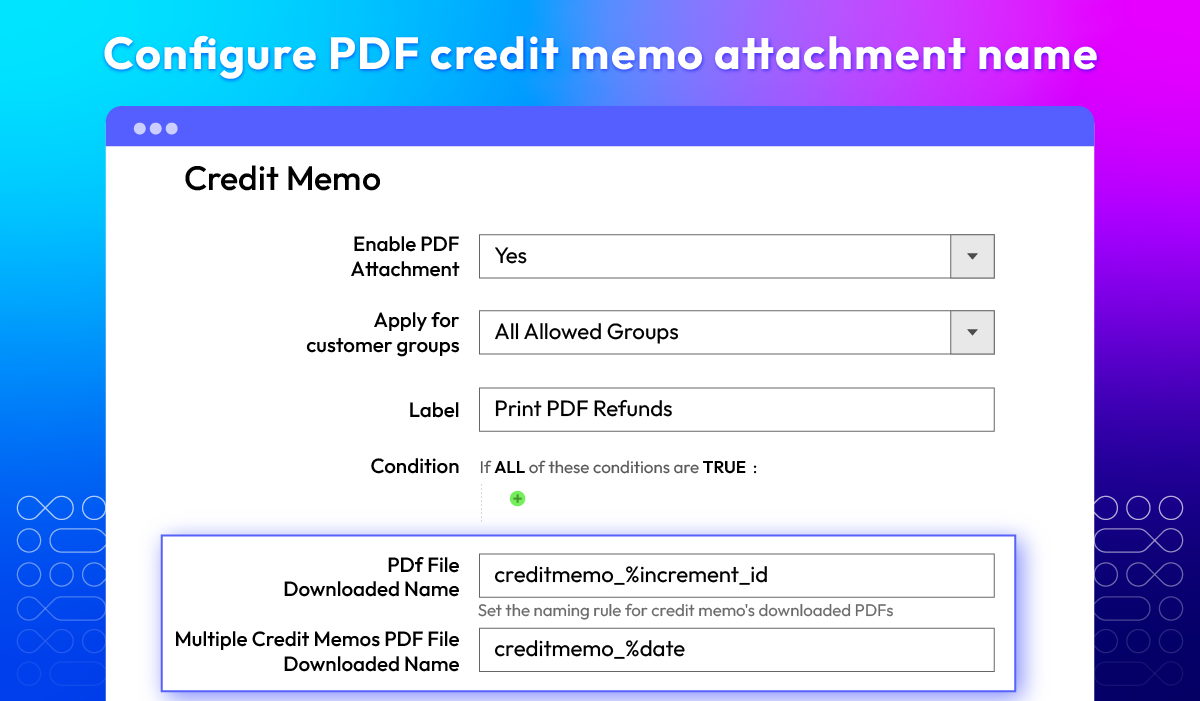
Configure attachment name

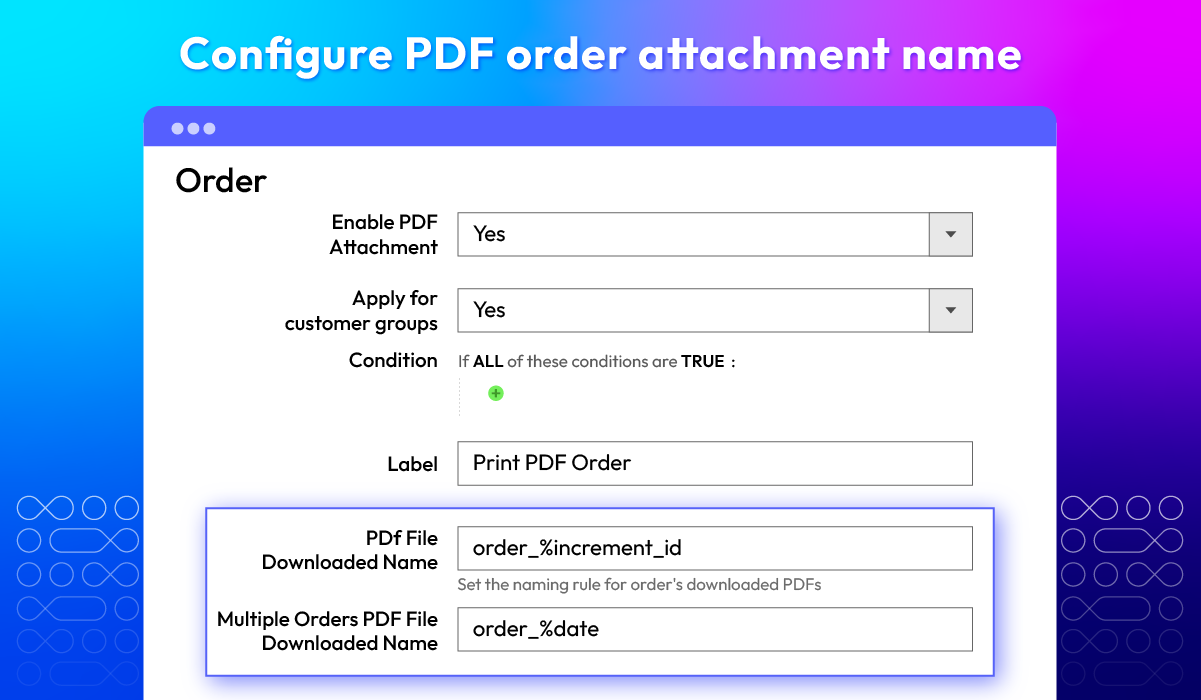
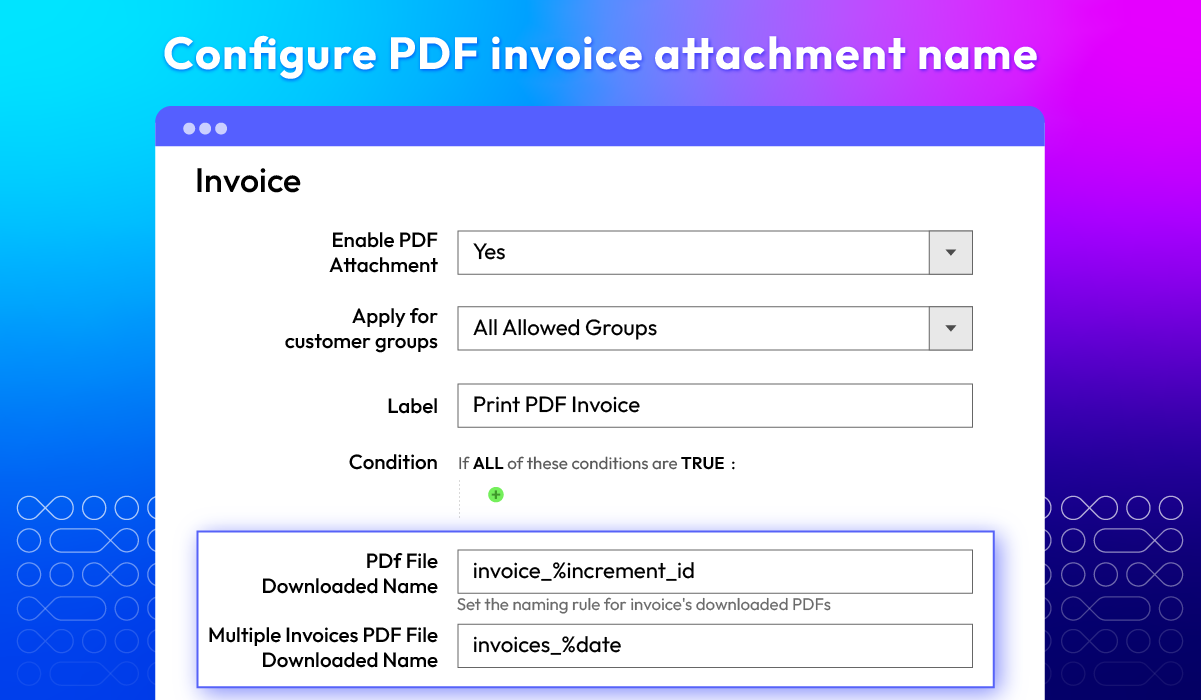
Our plugin allows custom file naming for attached PDF documents, making them easier to organize and retrieve. Store onwers can personalize file names based on the document type.
Example for order PDFs:
check
Sing download: order_%increment_id
check
Multiple download: orders_%date
This ensures that when customer download the attached files, they can quickly identify by the files' name.

Template grid

The Mageplaza tool for managing PDF invoices features a well-organized template grid, displaying all created templates in one place. Store admins can:
check
Easily view and edit templates as needed
check
Delete multiple templates at once
check
Sort and filter templates for better management

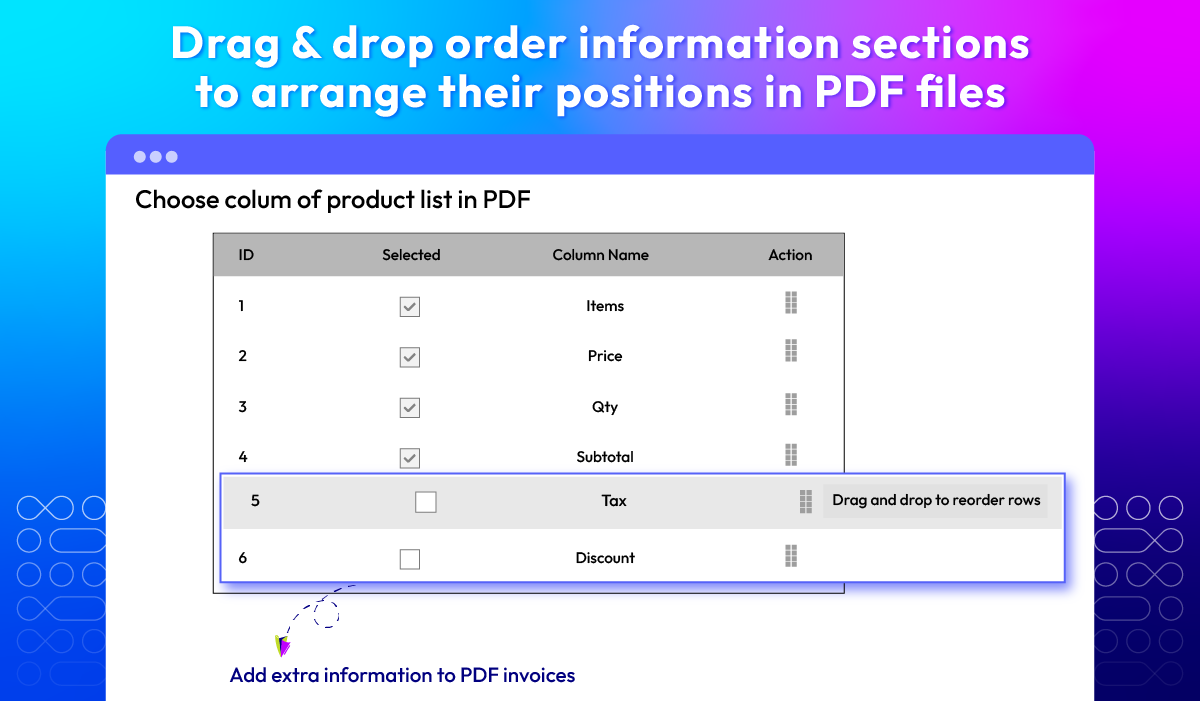
Arrage order info

The most important part of an invoice is the order summary table, and with our module, users have full control over its layout. Store owners can add new fields like Tax and Discount, as well as rearrange the order of both standard and custom fields to suit their needs.
The default fields include:
check
Items
check
Quantity
check
Price
check
Subtotal
Moreover, reordering fields is very simple. All you need to do is drag and drop them to meet your preferences.

What customers say about us

Product reviews: 32
Overall rating: 5.0
5
4
3
2
1
How much do you like this product?
Leave your email to get reward points for reviews
Submit a relevant review of 30+ words to earn 5 reward points (one-time per extension)
Nyla Roydon
23 February 2024
Verified purchase
Mosa
09 December 2023
Verified purchase
Andreas G.
23 August 2023
Verified purchase
Vladimir
29 June 2022
Verified purchase
Enika
29 April 2022
Verified purchase

Release notes

  • v4.7.0 (Magento v2.4.x)

    25 August 2025

    • New Feature: Added ability to include e-invoice XML inside the PDF Invoice. The XML file will be embedded directly into the generated PDF when exporting invoices.
  • v4.6.1 (Magento v2.4.x)

    16 April 2025

    • Compatibility: Now compatible with Magento 2.4.8
  • v4.6.0 (Magento v2.4.x)

    06 September 2024

    New Features

    • Add Tax and Discount in Item Info: Easily include tax and discount details for each item.

    • Sort Columns in Item Info: Organize item info columns for better data management.

    Bug Fixes

    • Fixed minor bugs for improved stability and performance.
  • v4.5.2 (Magento v2.4.x)

    16 May 2024

    Bug Fixes: We have fixed several minor bugs in the Hyva theme

  • v4.5.1 (Magento v2.4.x)

    05 May 2024

    • Compatibility: Now compatible with Magento 2.4.7
    • Compatibility: Now compatible with Hyva theme
  • v4.5.0 (Magento v2.4.x)

    18 December 2023

    • New Feature: We added a custom PDF margin feature
    • New Feature: We added custom Barcode and QR code features
    • New Feature: We added a popup confirm load template in the manager template page
    • New Feature: We added a preview template feature in the configuration page
    • New Update: We renamed the default template
  • v4.4.5 (Magento v2.4.x)

    25 August 2023

    • Compatibility: The extension is now compatible with Magento 2.4.6
    • Bug Fix: We fixed the bug save config with VAT Number and Registered Number containing alphanumeric characters
  • v4.4.4 (Magento v2.4.x)

    24 April 2023

    • Compatibility: The extension is now compatible with Magento 2.4.6
  • v4.4.3 (Magento v2.4.x)

    03 April 2023

    • New Update: We updated the use color picker jQuery
    • New Update: We updated remove the depend for the Apply for customer groups and Condition fields
    • Bug Fix: We fixed the bug print shipments without address
    • Bug Fix: We fixed the bug validate when customer print pdf at frontend
  • v4.4.2 (Magento v2.4.x)

    31 January 2023

    • Fix some minor bugs
  • v4.4.1 (Magento v2.4.x)

    08 December 2022

    • Compatible with Magento v2.4.5
    • Added: condition cart rule for PDF attachment
    • Fixed minor bugs & improved performance
  • v4.4.0 (Magento v2.4.x)

    16 June 2022

    • Compatible with Magento v2.4.4
    • Added template & improved print design
  • v1.7.0 (Magento v2.3.x)

    16 June 2022

    • Added template & improved print design
  • v4.3.0 (Magento v2.4.x)

    21 March 2022

    • Added[Support 5 Popular Fonts ]
    • Added[Adding more variables to the template]
    • Added[Apply PDF Invoice in Order Guest View frontend]
    • Spelling correction.
  • v1.6.0 (Magento v2.3.x)

    21 March 2022

    • Added [ Support 5 Popular Fonts ]
    • Added[ Adding more variables to the template]
    • Added[Apply PDF Invoice in Order Guest View frontend]
    • Spelling correction.
  • v4.2.1 (Magento v2.4.x)

    29 December 2021

    • Compatible with Magento v2.4.3-p1
    • Fixed minor bugs
  • v1.5.0 (Magento v2.3.x)

    27 October 2021

    • New feature Change name of attachment PDF file
    • Add new templates with product images for Order, Invoice, Shipment, Credit memo
    • Compatible with Magento 2.3.7
    • Fix some minor bugs
  • v4.2.0 (Magento v2.4.x)

    27 October 2021

    • New feature Change name of attachment PDF file
    • Add new templates with product images for Order, Invoice, Shipment, Credit memo
    • Compatible with Mageplaza ExtraFee
    • Compatible with Magento 2.4.3
    • Compatible with Magento 2.4.2-p1
    • Fix some minor bugs
  • v4.1.0 (Magento v2.4.x)

    01 August 2021

    • Send pdf attachment by customer group, change label print button
    • Compatible with Magento v2.4.2
    • Fix minor bugs
  • v1.4.0 (Magento v2.3.x)

    01 August 2021

    • Send pdf attachment by customer group, change label print button
    • Compatible with Magento v2.3.7
    • Fix minor bugs
Load More

Frequently Asked Questions

Magento 2 PDF Invoice by Mageplaza helps automatically send PDF Invoices to your customers via emails with essential information, including order details, payment methods, etc. This module is an excellent tool for making online businesses more professional, especially big companies with regular bulk orders.

At the moment, the module does not offer support for Packing Slips.

Our extension comes with the features to customize your own invoice template with ease. To do so, please login to the admin panel > Mageplaza > PDF Invoice > Manage Templates. Here, you can add a new template or edit an old ones based on your interest.

Yes. The extension supports more than 80 languages, meeting most global brand needs.

Absolutely! Our users can be assured that the module works perfectly well with multi-store.

Yes, the PDF Invoice extension includes functions for printing Orders, Invoices, Shipments, and Credit Memos.

Mageplaza extensions work with most 3rd-party modules and themes. In case you have trouble with any of our extension's Magento 2 compatibility, feel free to contact our support team.

Don't hesitate to contact our support team. To add any additional features, please create a Ticket below the Helpdesk section. The process might take up to 24 hours.

Yes, PDF Invoice for Magento 2 is compatible with Hyva theme. However, the checkout only supports hyva-themes/magento2-theme-fallback. To learn how to enable checkout on Hyva, please follow this guide.

Mageplaza provides FREE Hyva Checkout Compatibility for all of our extensions upon requests. You can request by contacting us via email, live chat, or support ticket. Our team will respond within 24 hours and ask for details such as Order ID, extension name, Magento & Hyva versions, and any special requirements. To qualify, your module subscription must be active. If your subscription has expired, renewal is required as some older modules do not support Hyva. Additional customization requests may incur extra costs, and our team will inform you before proceeding. For assistance, feel free to reach out - we're here to help!

Magento Edition *
Version *
FREE installation Tooltip
Ends in:
03 : 00 : 00 : 00
Get 10% OFF
$199
icon logo magento 2.4.4 - 2.4.8
Tooltip
Hyva logo Theme
Tooltip

Pricing

Choose your suitable edition.

Community

$ 199 first year
Includes support & updates for 1 year Tooltip
60 days money back guarantee
Read our policies
check
Supports for Magento 2 Community Edition

Enterprise/ Magento Cloud

$ 399 first year
Includes support & updates for 1 year Tooltip
60 days money back guarantee
Read our policies
check
Supports for Magento 2 Enterprise Edition
check
Highest priority support
Can't see the feature you're looking for?
Describe it and we will customize this extension to suit your needs!
Request customization
feature looking icon