

 2.4.4 - 2.4.8

 Theme
Theme
Magento 2 Tier Price Extension
v4.1.2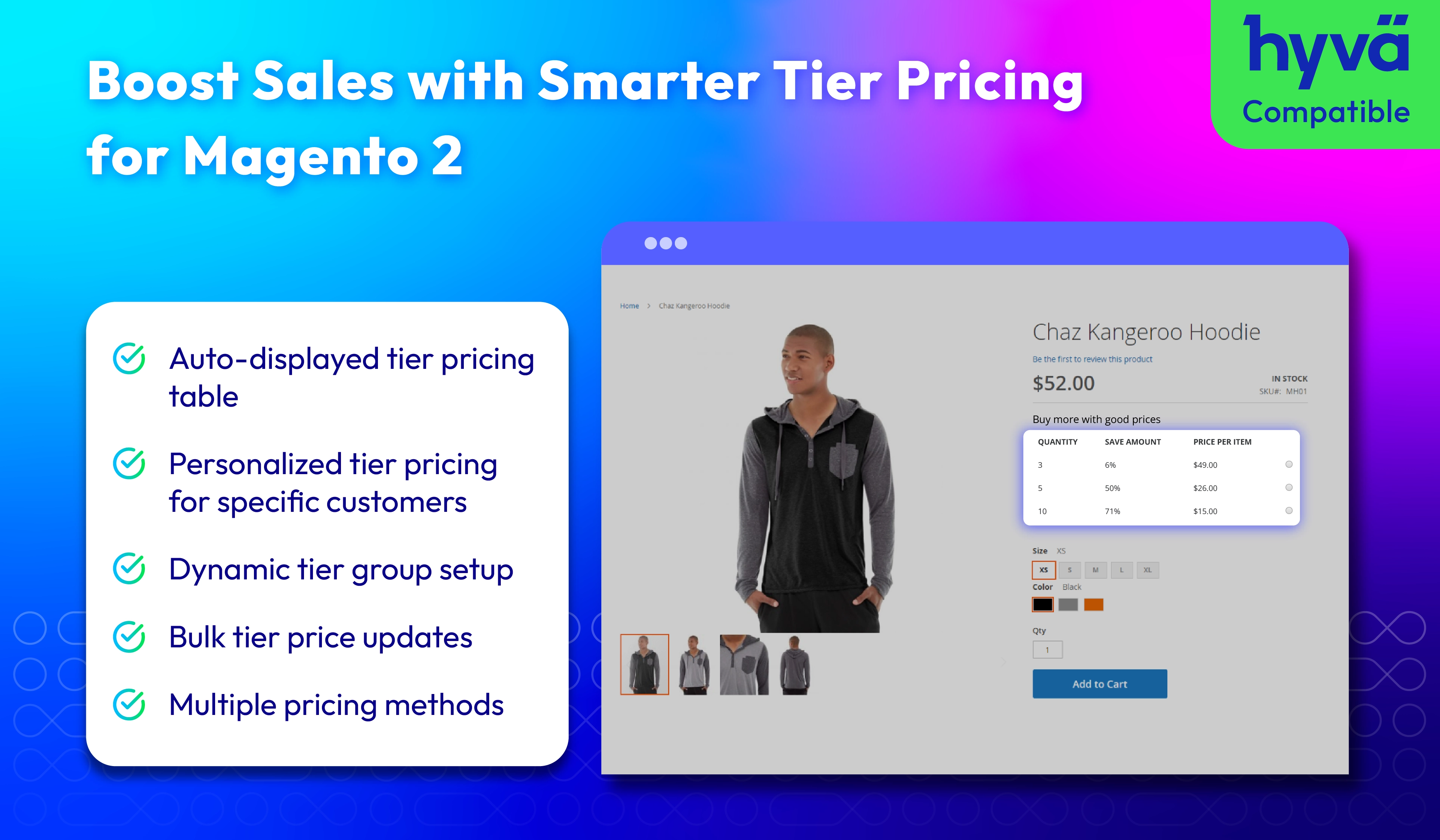
How does Tier Price works
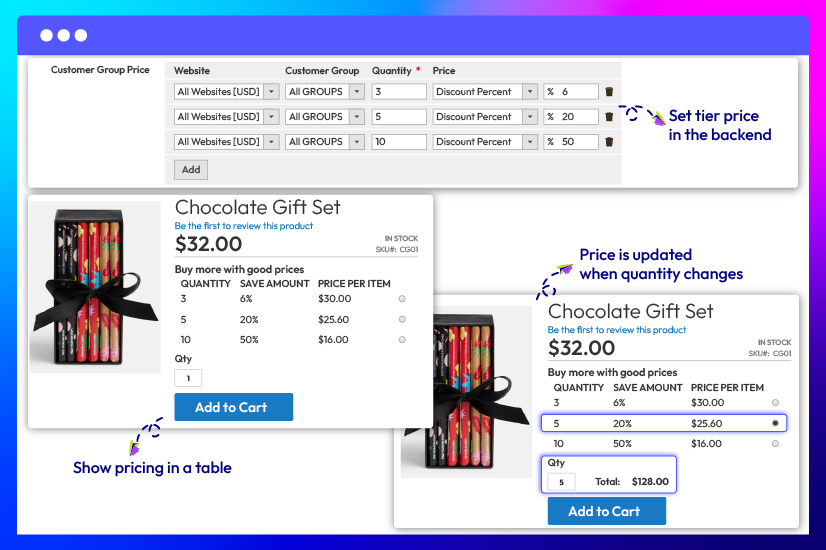
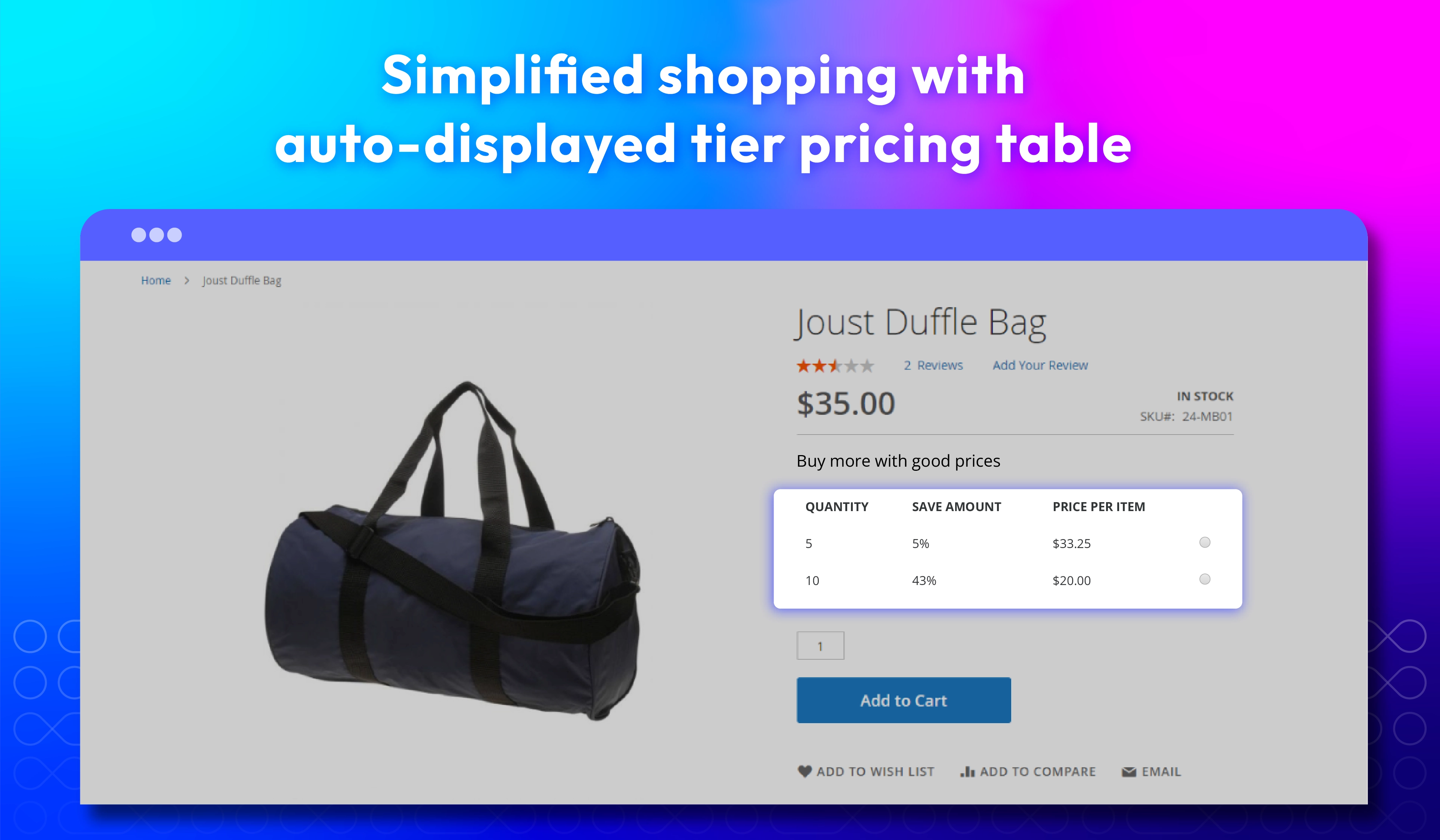
Magento 2 Tier Price extension automatically shows a clear tier pricing table on the product page to highlight bulk discounts and encourage larger orders. Customers can instantly see how buying more lowers the price, helping them decide faster.

Set up Tier Prices in 5 steps
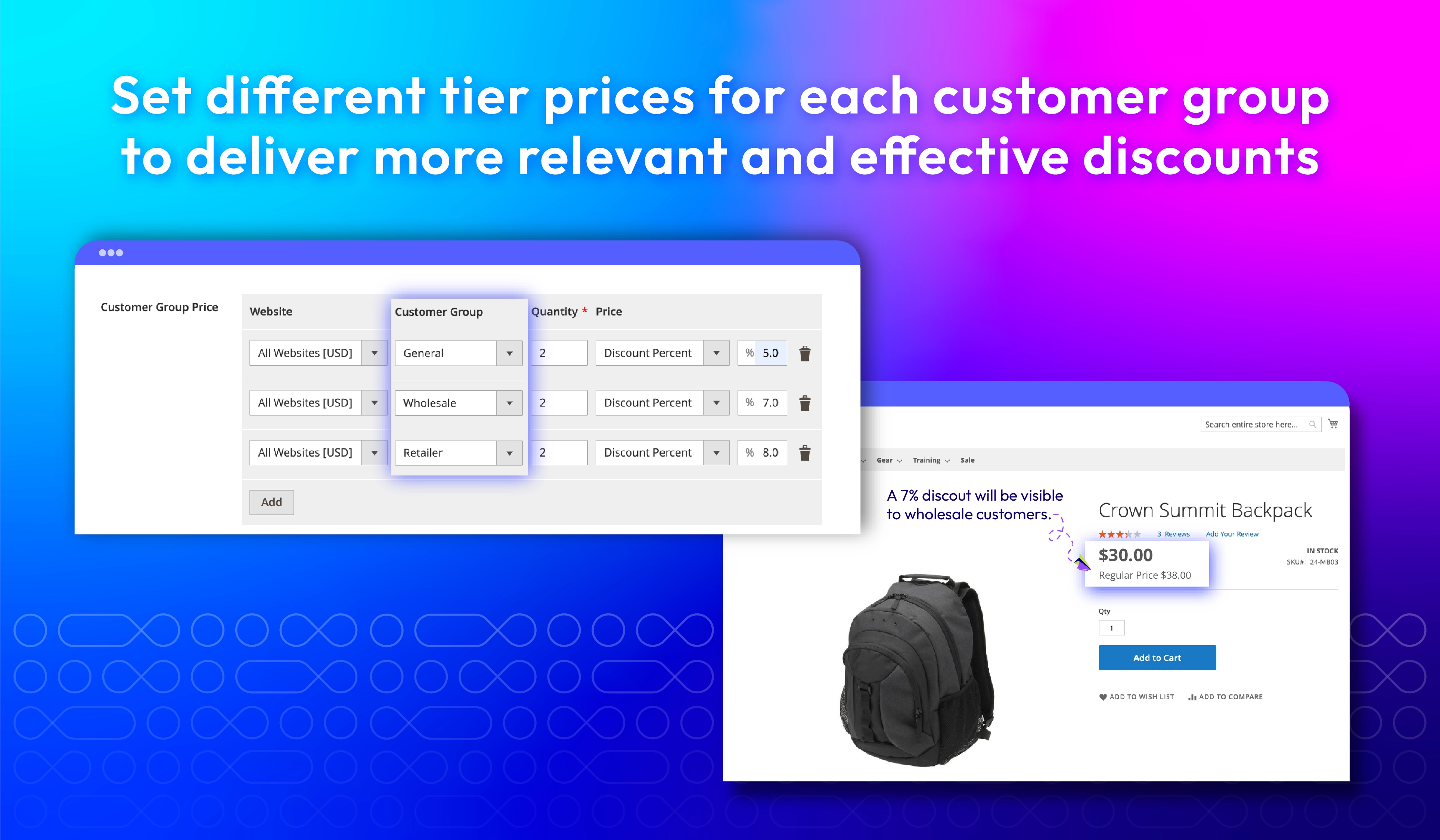
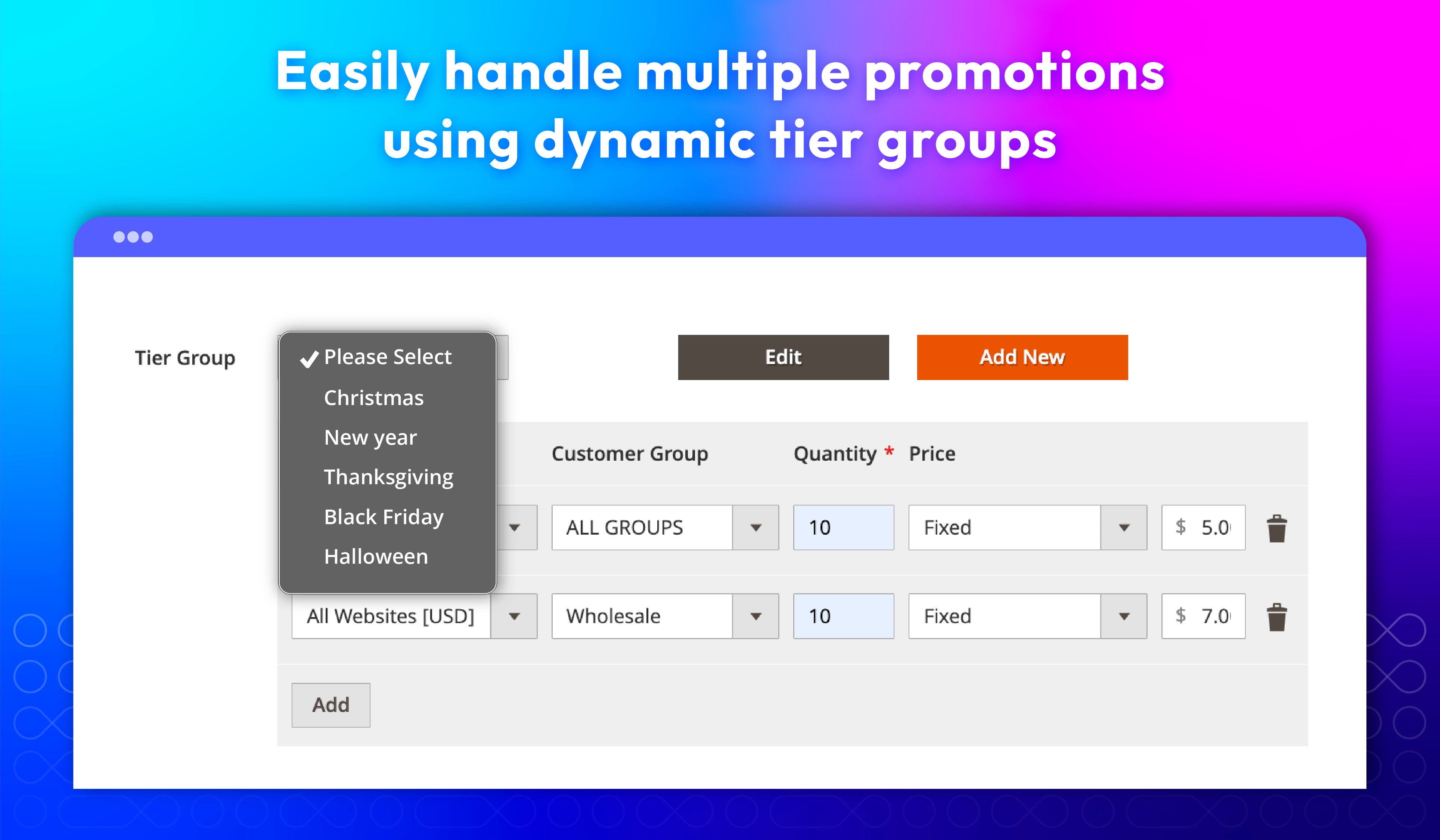
Whether you want to offer discounts based on quantity, set fixed prices, or create tier groups for specific customer types, Magento 2 Tier Price extension lets you manage pricing rules seamlessly and at scale. Plus, the automatic updates and easy bulk actions save you time.
Here's how you can set up and manage your tier pricing with ease:
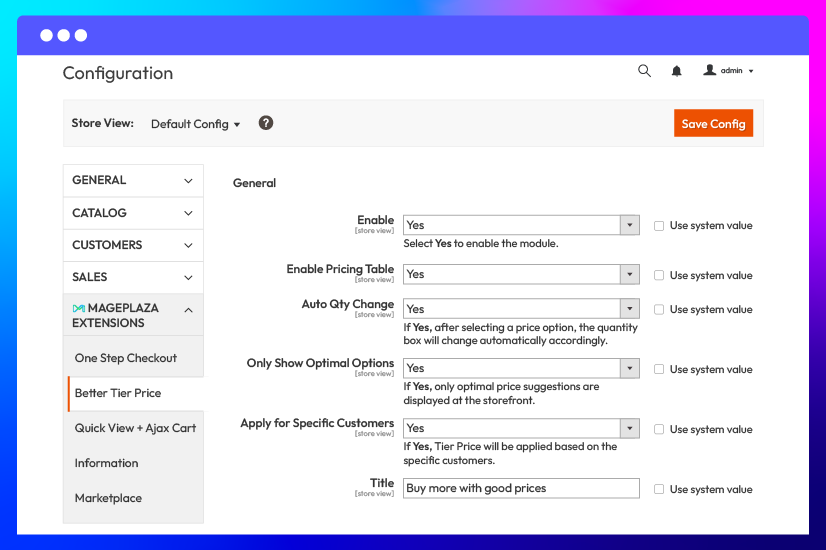
Configure tier price tables
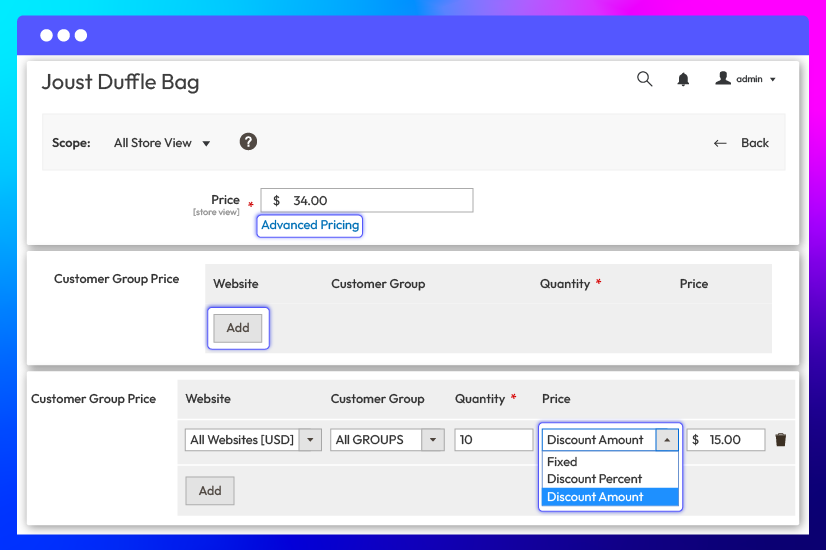
Set tier price for each product
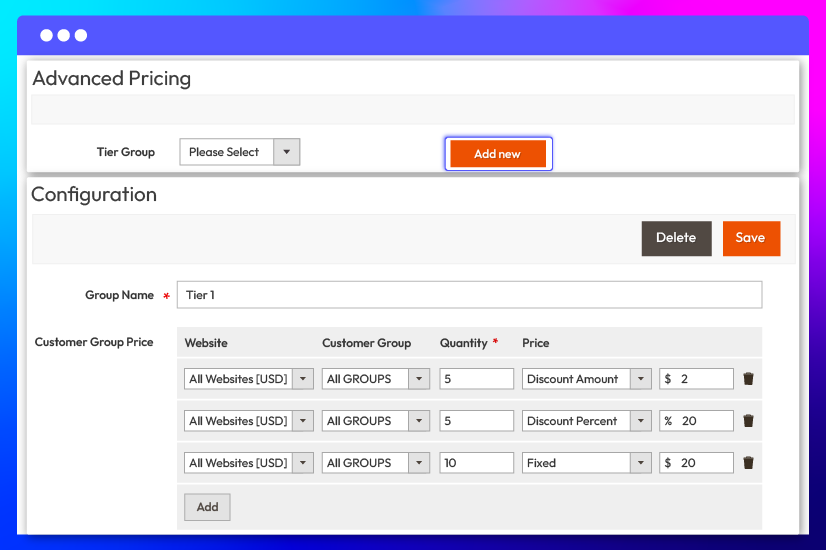
Create tier groups
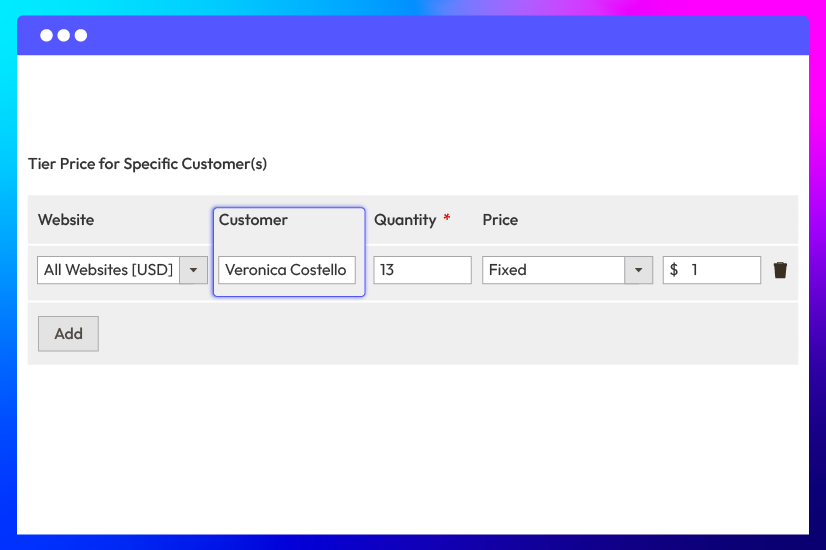
Set Tier Price for specific customers
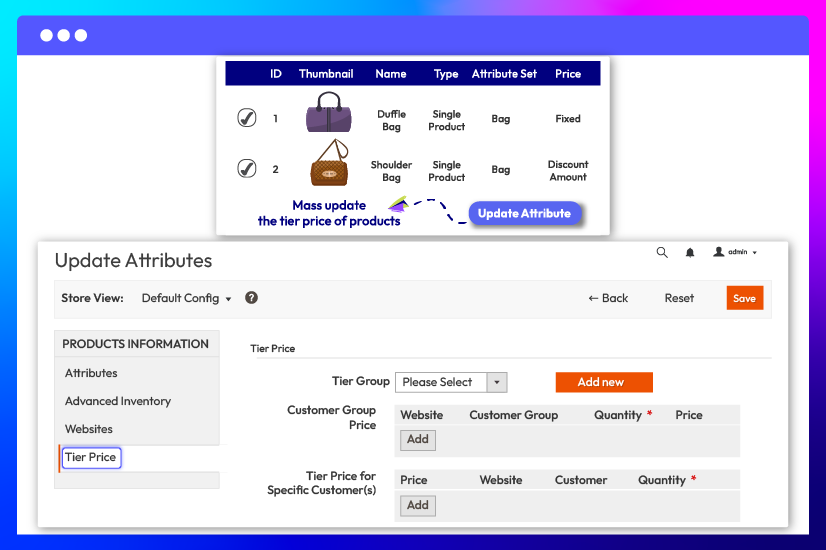
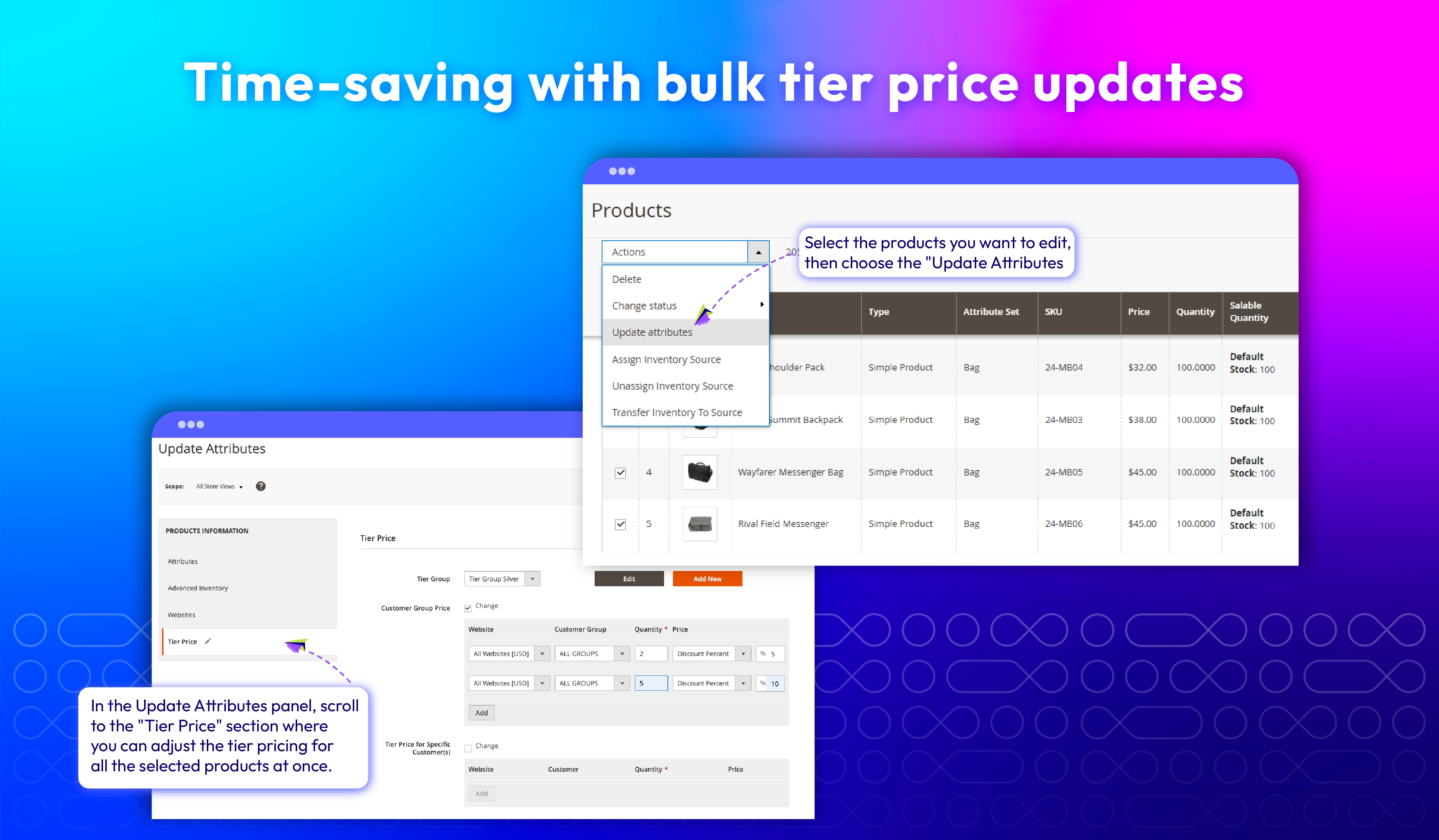
Update the tier price configuration for multiple products
What customers say about us

Release notes
-
v4.1.2 (Magento v2.4.x)
06 October 2025
- Bug Fix: Fixed tier price issue with specific customer
-
v4.1.1 (Magento v2.4.x)
23 May 2025
- Bug Fix: Fixed small issue when save product on admin panel
-
v4.1.0 (Magento v2.4.x)
29 April 2025
- Compatibility: Now compatible with Magento 2.4.8
-
v4.0.9 (Magento v2.4.x)
25 March 2025
- Compatibility: Now compatible with Magento 2.4.7
- Compatibility: Now compatible with Hyva theme
-
v4.0.8 (Magento v2.4.x)
04 November 2024
Bug Fix: Fixed The admin cannot save the product when adding tier price options
-
v4.0.7 (Magento v2.4.x)
04 December 2023
- Bug Fix: We fixed a mass update bug that caused tier prices to be duplicated
-
v4.0.6 (Magento v2.4.x)
31 October 2023
- Fixed bugs tier price with customer group
-
v4.0.5 (Magento v2.4.x)
31 May 2023
- Compatible with Magento 246
- Fixed minor bugs
-
v4.0.4 (Magento v2.4.x)
08 November 2022
- Compatible with Magento v2.4.5
-
v4.0.3 (Magento v2.4.x)
28 December 2021
- Fixed minor bugs
-
v1.1.3 (Magento v2.3.x)
28 December 2021
- Fixed minor bugs
-
v4.0.2 (Magento v2.4.x)
05 July 2021
- Fixed minor bugs
-
v1.1.2 (Magento v2.3.x)
05 July 2021
- Compatible with Magento v2.3.7
- Fixed minor bugs
-
v1.1.1 (Magento v2.3.x)
26 May 2021
- Fixed minor bugs
-
v4.0.1 (Magento v2.4.x)
26 May 2021
- Compatible with Magento v2.4.2
- Compatible with Mageplaza MassProductActions extension
- Fixed minor bugs
-
v1.1.0 (Magento v2.3.x)
17 February 2021
- Added reset form icon
- Supported GraphQL
- Fixed minor bugs
-
v4.0.0 (Magento v2.4.x)
17 February 2021
- Supported Magento v2.4
-
v1.0.3 (Magento v2.3.x)
09 October 2020
- Compatible with Magento v2.3.5
-
v1.0.2 (Magento v2.3.x)
08 July 2020
- Fixed error while adding new Tier Group
-
v1.0.1 (Magento v2.3.x)
19 February 2020
- Fixed error while editing Tier Price for specific customer
- Fixed other minor bugs
Frequently Asked Questions
Yes, definitely. You can apply Better Tier Prices for all product types.
In Better Tier Price, there are two ways you can select. The first one is showing tier prices in lines (as in Magento Default), the second is displaying the tier prices as a table with columns (this is easier to make price comparison).
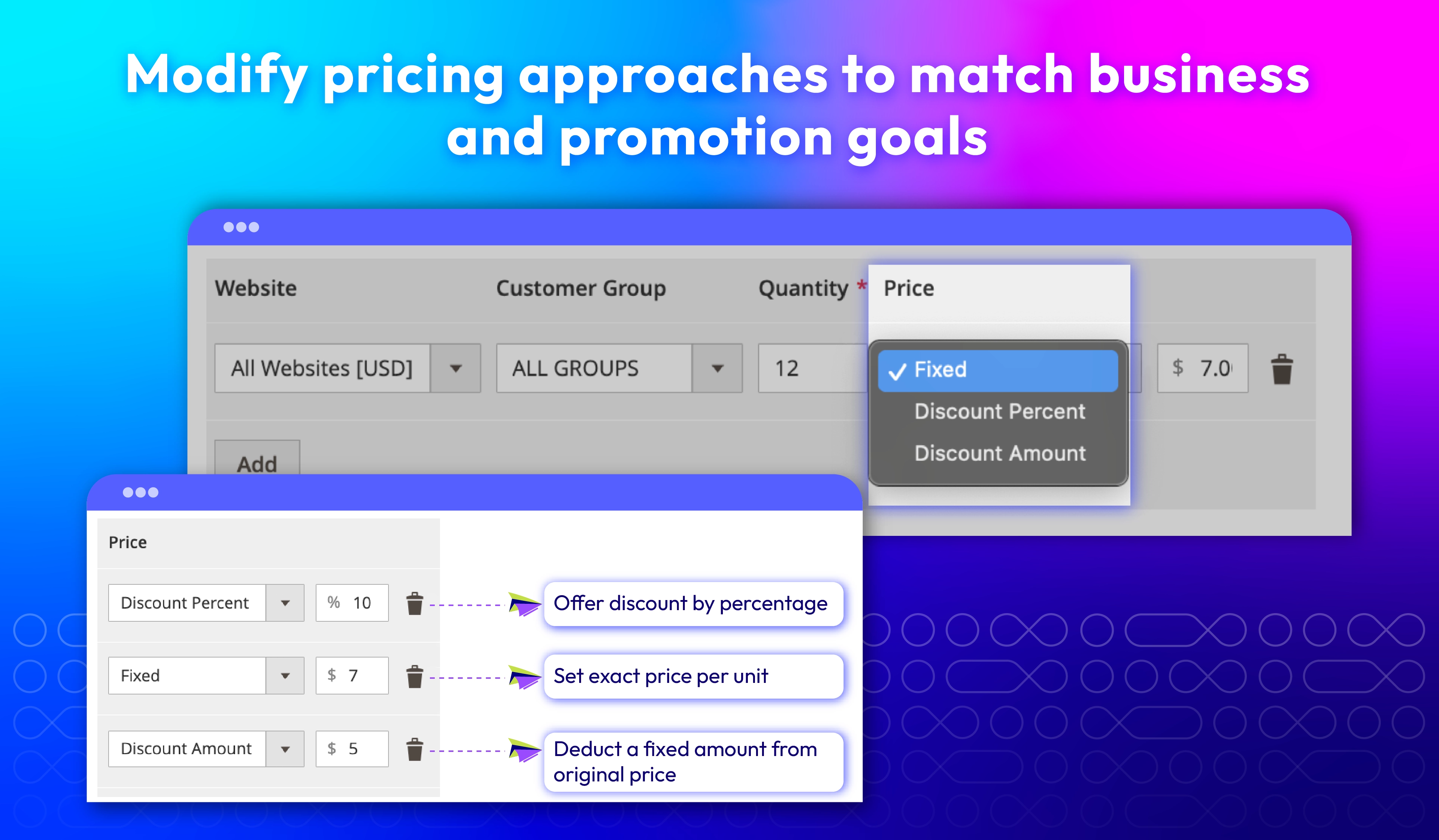
There are three types of tier prices: Fixed price, Discount Amount, and Discount Percent.
Yes, the title for the tier price section can be set easily from the admin backend.
The pop-up will appear when you click on Advanced Pricing to configure price tiers, tier groups for a product. Besides, when mas action to update tier prices for multiple products, the pop-up is also supported.
Yes, definitely. At the backend settings, you just need to select the customer group applied for each tier price.
Yes, you can. You just need to add the customer information at the Tier Price for Specific Customer(s) section at the admin backend.
At the Catalog Grid, you can click to select multiple products, then, at the Action box, select Update Attributes > Tier Price to update the tier prices for these products at the same time.
Yes, Magento 2 Tier Price Extension is compatible with Hyva theme. However, the checkout only supports hyva-themes/magento2-theme-fallback. To learn how to enable checkout on Hyva, please follow this guide.
Mageplaza provides FREE Hyva Checkout Compatibility for all of our extensions upon requests. You can request by contacting us via email, live chat, or support ticket. Our team will respond within 24 hours and ask for details such as Order ID, extension name, Magento & Hyva versions, and any special requirements. To qualify, your module subscription must be active. If your subscription has expired, renewal is required as some older modules do not support Hyva. Additional customization requests may incur extra costs, and our team will inform you before proceeding. For assistance, feel free to reach out - we're here to help!
2.4.4 - 2.4.8
Theme
Pricing
Community
$84.15 (
Enterprise/ Magento Cloud